
ONLYOFFICE Docs
Edit Word, Excel and PowerPoint files together in the browser.
No server needed to start: Cloudgate can provide one. What happens when you click Deploy
What is ONLYOFFICE Docs?
Self-hosted ONLYOFFICE Docs: edit Word, Excel and PowerPoint files together in your browser, inside Nextcloud or Seafile, on your own server.
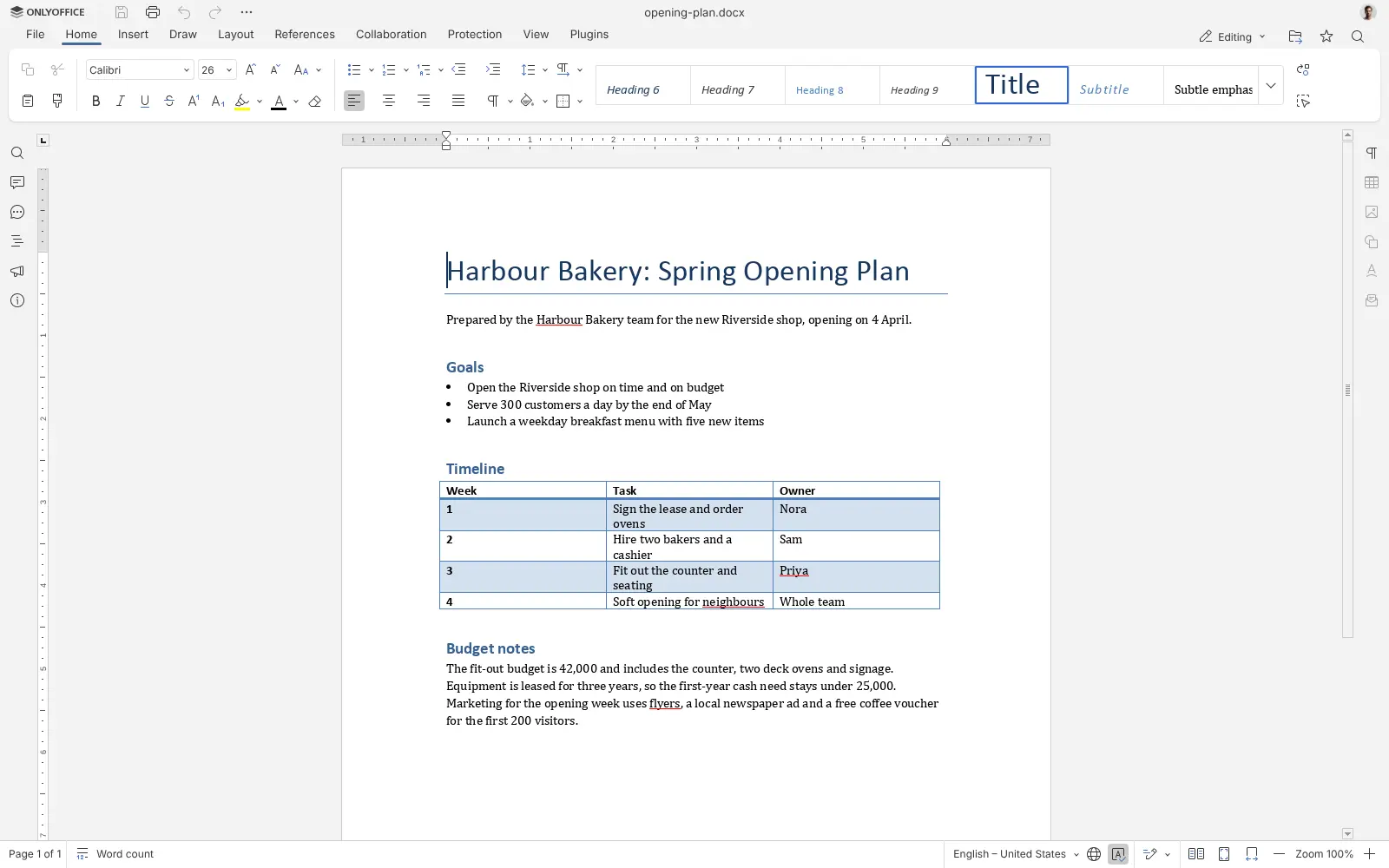
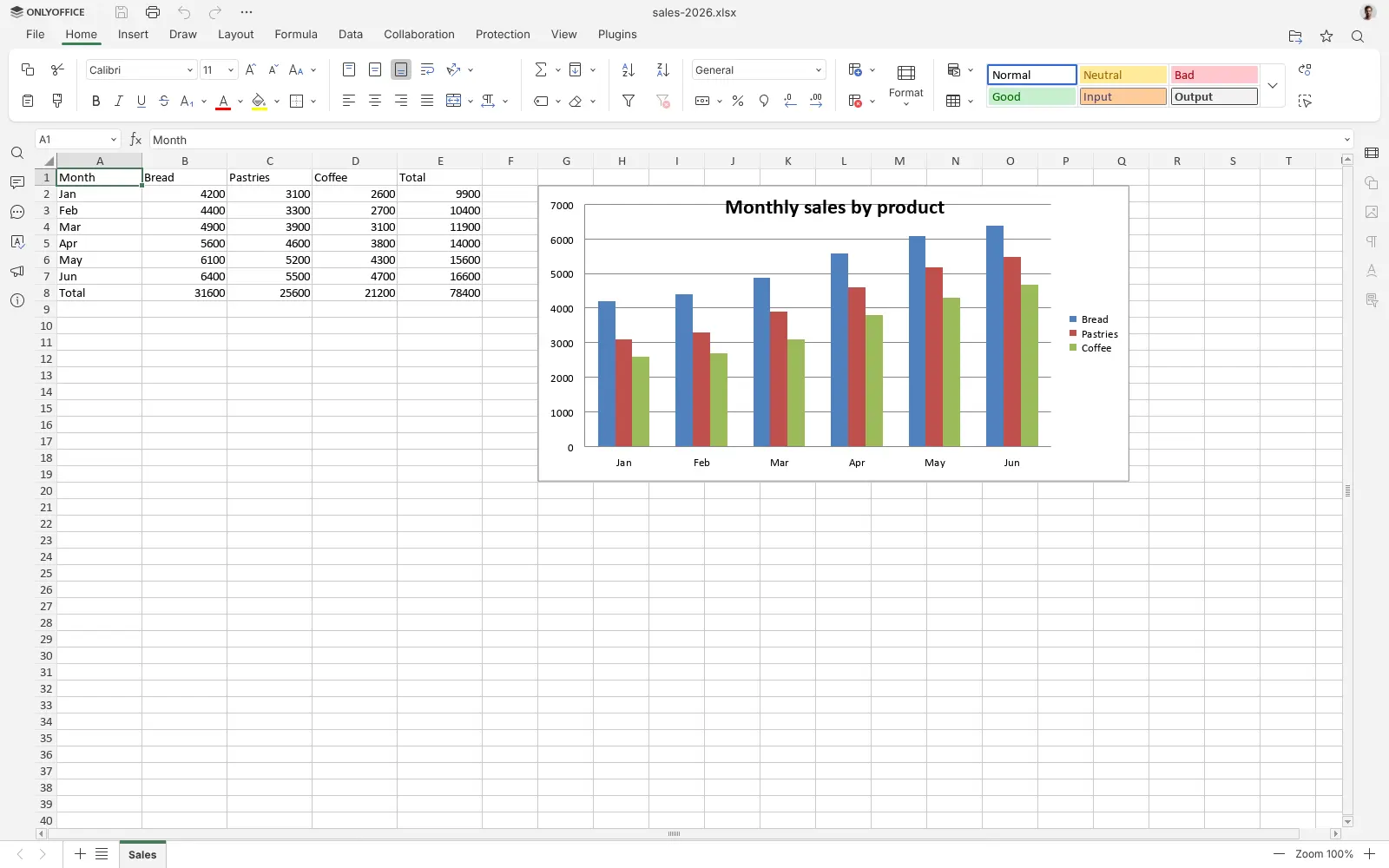
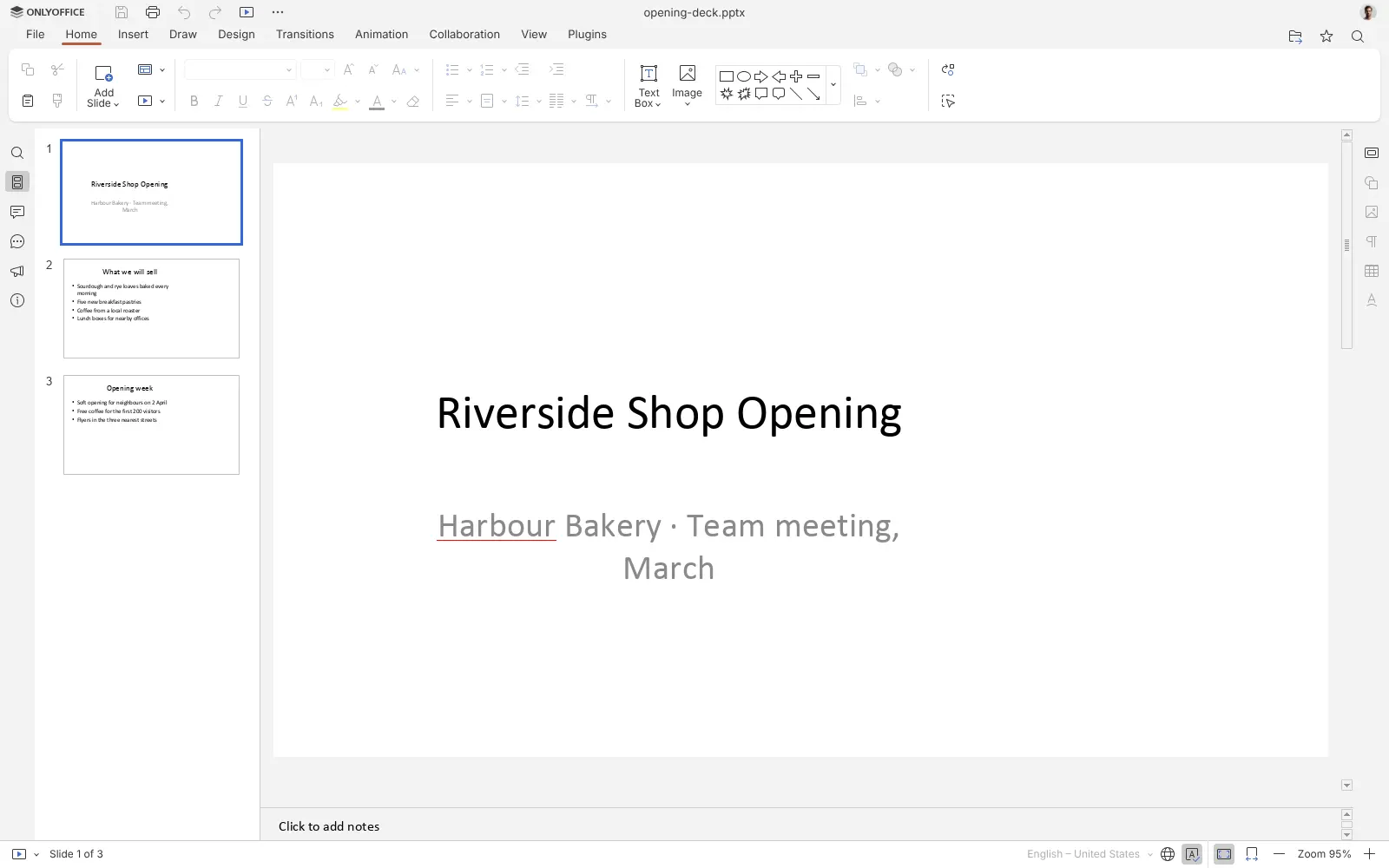
ONLYOFFICE Docs is a self-hosted online office suite that lets your team edit Word documents, Excel spreadsheets and PowerPoint presentations together in the browser, a free alternative to Microsoft 365 and Google Workspace for document editing. It works inside a file app: you open a file in Nextcloud or Seafile and it opens in ONLYOFFICE, then saves back as the same .docx, .xlsx or .pptx file.
Several people can work on one file at once, leave comments, chat beside the document, track changes and go back to an earlier version. A small accounting firm, for example, could keep each client's folder in Nextcloud, have two accountants fill in the same year-end spreadsheet at the same time, and send the client a normal Excel file.
ONLYOFFICE Docs has no file storage or accounts of its own, so you connect it to the Nextcloud or Seafile app on Cloudgate. The free Community Edition is recommended for up to 20 users, and it opens files read-only in a phone's browser. It also edits PDFs and forms, and its menus come in 46 languages.
Cloudgate installs ONLYOFFICE Docs on a server Cloudgate provides or one you connect, gives it a secure web address and creates the secret your file app needs. Paste both into Nextcloud or Seafile, and your documents stay on your servers.
What you can do with ONLYOFFICE Docs
- Edit Office files in the browser Open .docx, .xlsx and .pptx files from your file app and save them back in the same format, with no conversion.
- Work on a file together Several people edit at once, with comments, a built-in chat, tracked changes and version history.
- Build real spreadsheets Use formulas, pivot tables, charts, conditional formatting and data validation, as you would in Excel.
- Make and present slides Add transitions, animations and speaker notes, then present from the browser in presenter mode.
- Edit PDFs and fill in forms Change text, add, delete or rotate pages, add notes, black out private details and fill in forms.
- Open older formats too DOC, ODT, RTF, XLS, ODS, CSV, PPT and ODP files open in the same editors.
- Add plugins and macros Extend the editors with plugins, including an AI assistant that uses your own AI provider's key, and automate tasks with macros.
Replaces Microsoft 365, Google Workspace and Google Docs
ONLYOFFICE Docs does the same job as Microsoft 365, Google Workspace and Google Docs. Here is what changes when you switch.
- No fee per user for the editors
- Your files stay in your own Nextcloud or Seafile, on your server
- The same .docx, .xlsx and .pptx files, so people on Microsoft Office can keep working with you
- Co-editing, comments and tracked changes are all in the free edition
- It is only the editors, with no email, chat or file storage; you need Nextcloud or Seafile for files
- In the free edition, files open read-only in a phone's browser
- ONLYOFFICE recommends the free edition for teams of up to 20 users
- Complex Office files can look slightly different from how they look in Microsoft Office
What happens when you click Deploy?
You do not need a server or any technical knowledge. Four steps, and ONLYOFFICE Docs is running at its own web address.
- Step 1 Click Deploy and create your account
Deploy takes you to Cloudgate. Create an account, or log in if you have one. ONLYOFFICE Docs itself is free.
- Step 2 Choose a server
No server? Get one from Cloudgate: pick a size and a country, and Cloudgate gets it ready. Already have one? Connect it instead.
- Step 3 Cloudgate sets up ONLYOFFICE Docs
It prepares the server, makes the passwords the app needs and starts it. There is nothing to install and nothing to write down.
- Step 4 Open your app and sign in
Your app gets a free web address to start, without https. Add your own domain, like app.yourshop.com, and Cloudgate secures it with https for you.
New to Cloudgate? See what Cloudgate is
Run Cloudgate yourself? Deploy from your own console
In your Cloudgate console, open Templates and choose ONLYOFFICE Docs.
Questions
Is ONLYOFFICE Docs free?
Yes, ONLYOFFICE Docs Community Edition is free and open source under the AGPL-3.0 licence, and you pay only for your server. The paid Enterprise and Developer editions add an admin panel, several-server setups and editing in a phone's browser, and Developer also lets you remove the ONLYOFFICE branding.
Is ONLYOFFICE Docs a good alternative to Microsoft 365?
Yes, for editing Word, Excel and PowerPoint files together in the browser. Microsoft 365 charges a fee per user each month; ONLYOFFICE Docs has no per-user fee and works on the same Office files. It does not replace Outlook, Teams or OneDrive, so you pair it with a file app such as Nextcloud.
Does the ONLYOFFICE Community Edition have a 20-user limit?
No, not as a hard limit. Versions before 9.4 allowed only 20 documents open at once, but that cap was removed. ONLYOFFICE now says the Community Edition is recommended for up to 20 users.
How do I sign in to ONLYOFFICE Docs the first time?
There is no sign-in. ONLYOFFICE Docs has no accounts of its own; opening its address shows only a "Document Server is running" page. People open documents from a connected file app, and nobody can use the editors without the secret Cloudgate generates.
How do I connect ONLYOFFICE Docs to Nextcloud or Seafile?
In Nextcloud, install the ONLYOFFICE app from the app store, then go to Administration settings, ONLYOFFICE, and paste this app's web address and the secret shown in Cloudgate. In Seafile, an admin adds the same address and secret to Seafile's settings file and restarts Seafile. Office files then open in ONLYOFFICE.
Can I edit documents on my phone?
Not in a phone's browser with the free edition, where files open read-only. ONLYOFFICE's free Documents app for iPhone and Android can connect to Nextcloud and other WebDAV storage to open your files.
What server size do I need for ONLYOFFICE Docs?
A large server with 4 GB of memory, which is ONLYOFFICE's own recommendation. Cloudgate picks that size for you, and the first start takes one to three minutes.
Do I need technical skills to run ONLYOFFICE Docs?
No. Click Deploy, create your Cloudgate account and choose a server, and Cloudgate sets up ONLYOFFICE Docs and gives it a web address. You use it in your browser like any other online tool.
Do I need my own server for ONLYOFFICE Docs?
No. When you deploy ONLYOFFICE Docs, hosted Cloudgate can provide a server. If you already rent one, you can connect it instead.
Can I move my data from Microsoft 365 to ONLYOFFICE Docs?
Most people export from Microsoft 365 and import into ONLYOFFICE Docs. The official guides at helpcenter.onlyoffice.com walk through it.
Related apps

Online office for Word, Excel and PowerPoint files.

Write and edit documents together, end-to-end encrypted.

Shared email, calendars and contacts for your office.

PDF tools that run in your browser, so files never upload.