

L

Open-source alternatives to Lindy

Sim is a free, open-source Lindy alternative for building AI agents that work in your email, CRM, chat and other business apps, with the AI model you choose. Lindy is a hosted no-code service priced per user and by usage; self-hosted Sim has no fee of its own, though it takes more setup and you bring your own AI provider keys.

2 alternatives Free apps Our pick: Sim

At a glance

App Good for Code Ease of use
Sim Operations and marketing teams building AI agents that work across their business apps Code Open source Some setup
OpenClaw People and small teams wanting an always-on AI assistant in their own chat apps Code Open source Some setup

Why look for an alternative to Lindy?

Lindy is a hosted no-code service for AI assistants that handle business tasks, such as sorting email, booking meetings and updating a CRM, priced per user and by usage.

People look for an alternative when the cost grows with every person and task, or when they would rather keep the agents and the data they touch on their own server. A self-hosted Sim builds the same kind of agents with the AI model you choose, and you pay only your server and AI provider. OpenClaw takes a different approach: one personal assistant that you message from your chat apps.

The alternatives, compared

Sim

Our pick

Build AI agents that work in your business apps, self-hosted.

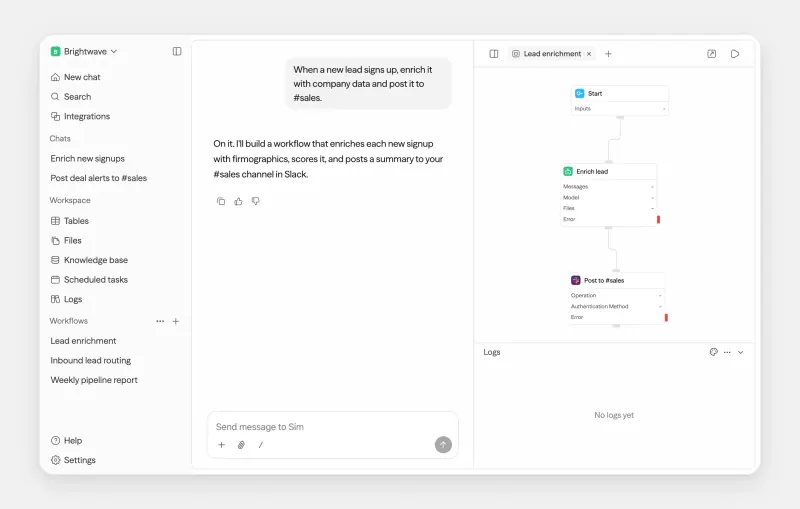
Builds agents that act in your apps, such as email, Slack, HubSpot or Salesforce, from blocks on a visual canvas, with triggers from schedules, webhooks and app events. It is more of a builder than Lindy's ready-made assistants: you connect each app, add your own AI provider key, and for Google, Microsoft or Slack sign-in you create your own developer app credentials. Chat, which builds workflows from a description, needs a key from Sim's hosted service.
Some setup Open source

Your own AI assistant in WhatsApp, Telegram and Slack, self-hosted.

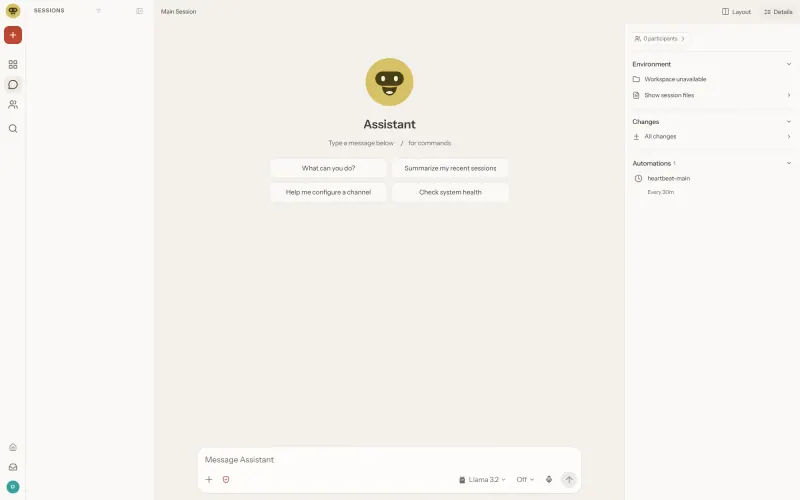
One general AI assistant rather than a set of task-specific agents: you message it in WhatsApp, Telegram, Slack, Microsoft Teams and other chat apps, and it browses the web, works with files, runs commands and scheduled jobs, and remembers your preferences. It has no visual builder like Lindy's, you bring your own AI model, and its access to its server makes security setup your job.

Some setup Open source

Moving from Lindy

Sim has no importer for Lindy, so rebuild each assistant as a workflow. Note what starts it, such as a new email or a schedule, which apps it uses and what it does at each step. In Sim, add your AI provider key, connect those apps, then place a trigger, an Agent block with the same instructions, and a block for each action. Run it on a few real cases and check the log before turning the Lindy one off. With OpenClaw, connect your AI model and the chat apps you use instead, then recreate each Lindy task as an instruction, a skill or a scheduled job, and read its security guide before you let other people message it.

Questions

What is the best open-source alternative to Lindy?

Start with Sim. Both are free and open source.

Should I choose Sim or OpenClaw?

Choose Sim to build agents for specific business tasks, such as sorting email or updating a CRM, on a visual canvas. Choose OpenClaw for one personal assistant that you message from your chat apps and that can browse, work with files and run scheduled jobs.

Is Sim as easy to use as Lindy?

No. Sim is a builder: you connect blocks on a canvas and set up your own AI and app connections. Someone comfortable with that sets it up once, and the rest of the team uses the finished agents.

Can Sim agents work with Slack and my CRM?

Yes. Sim lists over 270 integrations, including Slack, Notion, HubSpot and Salesforce. On a self-hosted server, apps that sign in through Google, Microsoft or Slack need developer app credentials you create with that provider.

Are these Lindy alternatives really free?

Yes, Sim and OpenClaw are free. To run them you need Cloudgate and a server. Use hosted Cloudgate, which can also provide the server, or install Cloudgate on a server of your own for free. Cloudgate's plans and prices are at cloudgate.octabyte.io/pricing. One server can run several apps.

Do I need a developer to replace Lindy?

No. Cloudgate installs the app you choose on your server and gives it a secure web address, and you use it in your browser instead of Lindy.