
Sim
Build AI agents that work in your business apps, self-hosted.
No server needed to start: Cloudgate can provide one. What happens when you click Deploy


What is Sim?
Sim is a self-hosted, open-source builder for AI agents and workflows that use your business apps, documents and the AI model you choose.
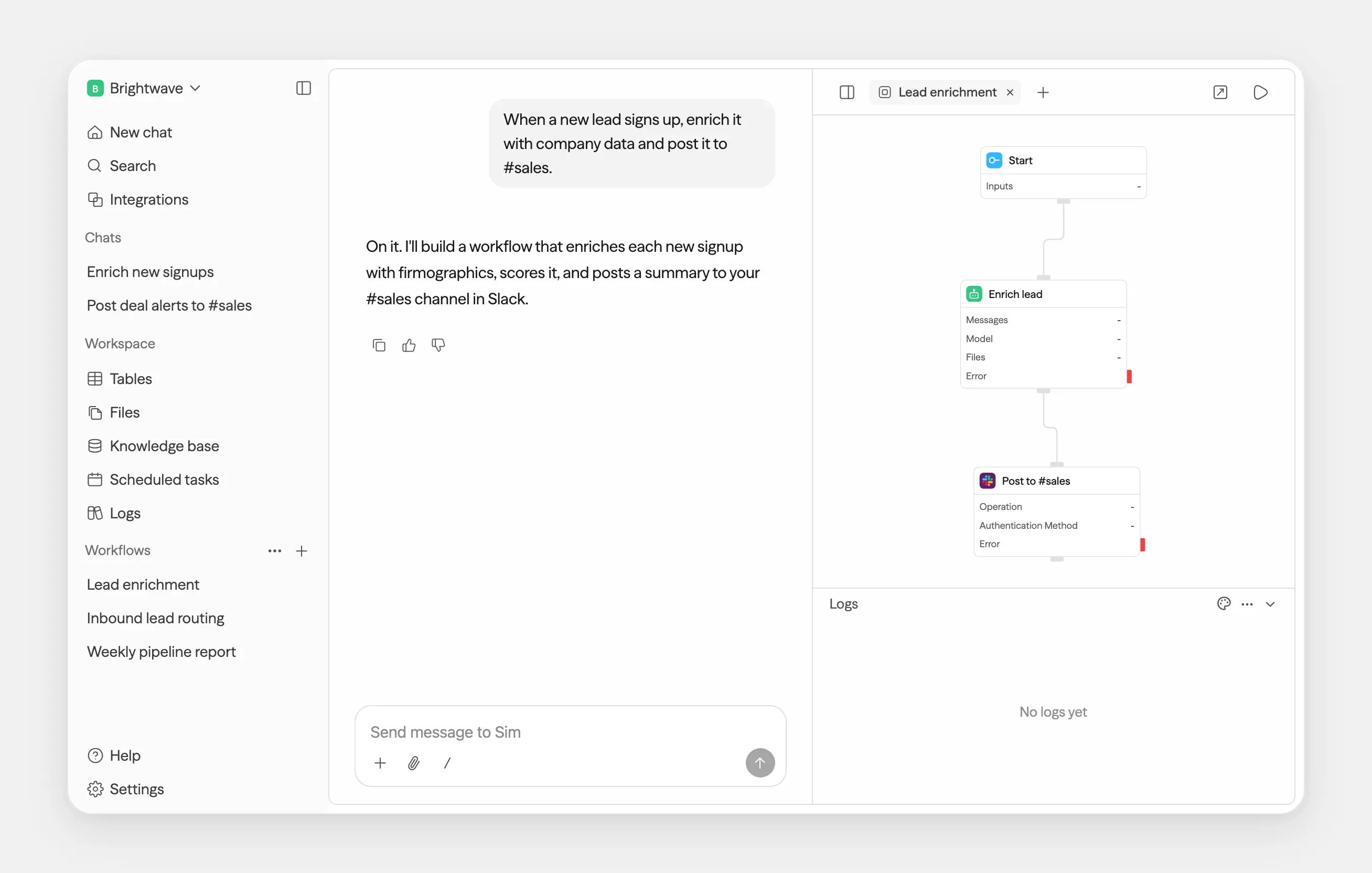
Sim is a self-hosted, open-source builder for AI agents and AI workflows, an alternative to Relevance AI, Lindy and Zapier's AI agents that runs on your own server with the AI model you choose. You connect blocks for AI steps, decisions and your business apps on a canvas, or, with a Chat key from sim.ai, describe the task in a chat and let Sim draft the workflow.
A marketing agency, for example, could have every new lead from its website form looked up, scored by an AI agent against its sales playbook, added to a table and posted to the team's Slack channel, with each run logged so someone can check the agent's reasoning.
Sim connects to more than 270 services, including Slack, Notion, HubSpot, Salesforce and Gmail, and to AI providers such as OpenAI, Anthropic and Google, or local models through Ollama. A finished workflow can run on a schedule, answer as a chat page, or be called from your website or from AI assistants through MCP. There is a desktop app for Mac but no phone app. You pay your AI provider for what you use.
Cloudgate installs Sim and its database on a server Cloudgate provides or one you connect, and gives it a secure web address. Choose a server with at least 12 GB of memory.
What you can do with Sim
- Build AI workflows on a canvas Connect agent, condition, loop and app blocks into a workflow, run it, and check what each step returned.
- Give agents your business apps Use more than 270 ready-made integrations, such as Slack, Notion, HubSpot and Salesforce, as steps or as tools an agent can call.
- Use the AI model you choose Pick models from OpenAI, Anthropic, Google, Groq, DeepSeek, Azure or AWS Bedrock, or run local models through Ollama, and set backup models in case one fails.
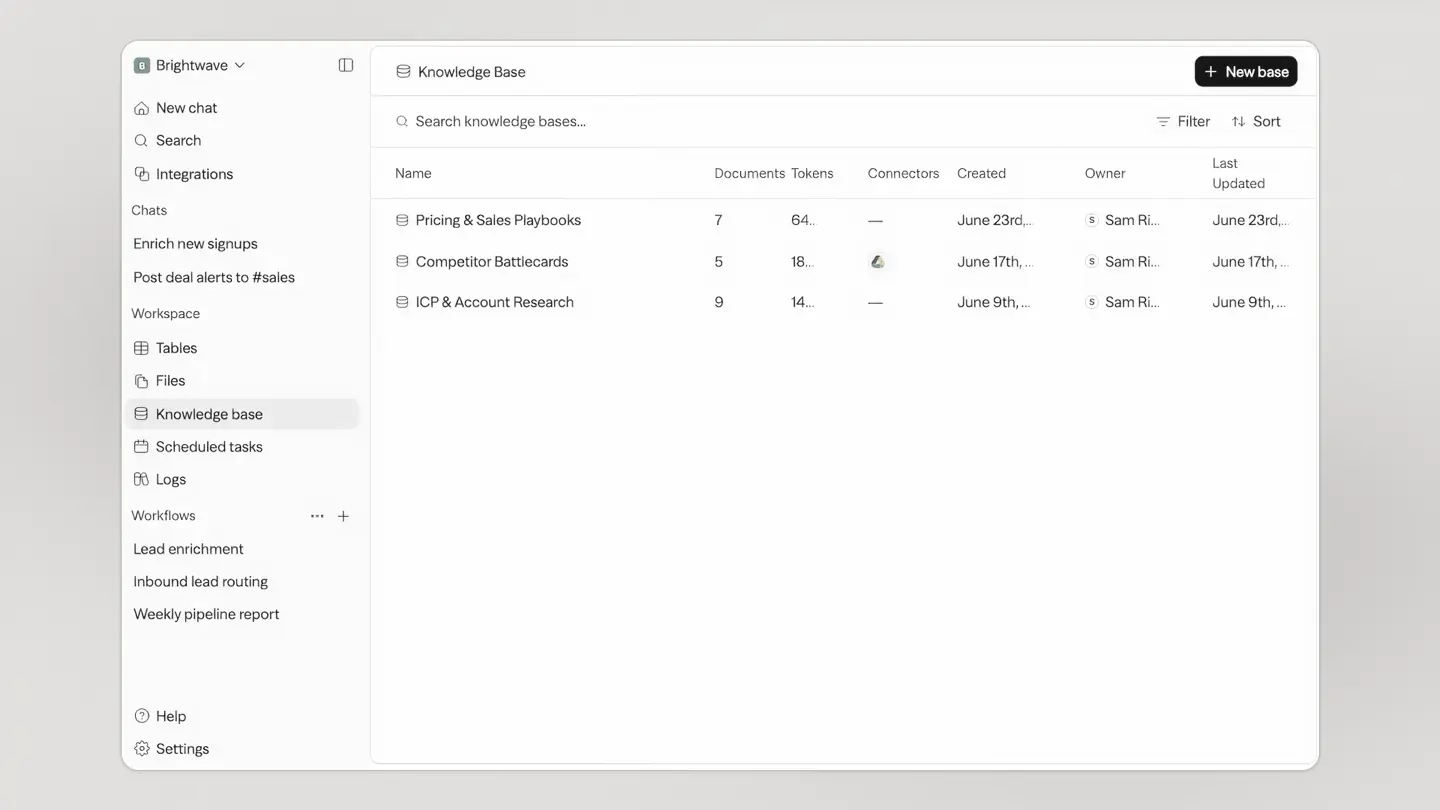
- Answer from your own documents Upload files to a knowledge base so an agent can search them, and keep structured data in built-in tables.
- Run on a schedule or an event Start a workflow on a timer, from a webhook, when a table row changes, or when something happens in a connected app, such as a new email.
- Put a workflow to work Deploy a version as an API, a chat page or a tool for AI apps through MCP, and roll back to an earlier version if needed.
- See every run Logs show each run's inputs, outputs, errors, timing and cost, block by block.
Replaces Relevance AI, Lindy, Zapier and Copilot Studio
Sim does the same job as Relevance AI, Lindy, Zapier and Copilot Studio. Here is what changes when you switch.
- No per-task or per-credit bill from Sim, only what your AI provider charges
- Your workflows, documents, tables and app logins stay on your own server
- Any AI provider, including local models that keep data in-house
- Workflows can be called from your website, other apps or AI assistants
- You bring and pay for your own AI provider keys, and set up your own login apps for services like Google or Microsoft
- The chat assistant that builds workflows for you runs on Sim's own service and needs a key from sim.ai
- It needs a larger server than most apps, about 12 GB of memory to start
- Single sign-on, audit logs and permission groups need a paid Enterprise licence, and nothing can be imported from other tools
What happens when you click Deploy?
You do not need a server or any technical knowledge. Four steps, and Sim is running at its own web address.
- Step 1 Click Deploy and create your account
Deploy takes you to Cloudgate. Create an account, or log in if you have one. Sim itself is free.
- Step 2 Choose a server
No server? Get one from Cloudgate: pick a size and a country, and Cloudgate gets it ready. Already have one? Connect it instead.
- Step 3 Cloudgate sets up Sim
It prepares the server, makes the passwords the app needs and starts it. There is nothing to install and nothing to write down.
- Step 4 Open your app and sign in
Your app gets a free web address to start, without https. Add your own domain, like app.yourshop.com, and Cloudgate secures it with https for you.
New to Cloudgate? See what Cloudgate is
Run Cloudgate yourself? Deploy from your own console
In your Cloudgate console, open Templates and choose Sim.
Questions
Is Sim free?
Yes, Sim's core is free and open source under the Apache-2.0 licence, and you pay only for your server and the AI provider you connect. Enterprise features such as single sign-on, audit logs and permission groups need a paid Sim Enterprise licence for production use.
Is Sim a good alternative to Relevance AI or Lindy?
Yes, if you want to build AI agents on your own server with your own AI keys. Like Relevance AI and Lindy, Sim gives agents tools, app connections and documents to work from; unlike them, it is self-hosted, has no usage credits of its own, and expects you to set up the AI provider and app logins yourself.
Should I use Sim, n8n or Langflow?
It depends on the job. n8n and Activepieces automate everyday work between business apps and add AI steps. Sim starts from the AI agent, with knowledge bases, tables and a chat assistant that builds workflows. Langflow is a more technical builder for developers making their own AI components.
Which AI models can I use with Sim?
Sim works with OpenAI, Anthropic, Google, xAI, Groq, DeepSeek, Azure, AWS Bedrock, Google Vertex and OpenRouter, and with local models through Ollama or vLLM. You add your own API key for each provider you use.
How do I sign in to Sim the first time?
Open your Sim web address and sign up with your email and a password; there are no default credentials. Sign-ups stay open afterwards, so colleagues can create their own accounts, and you give each one read, write or admin access to your workspace.
What server size does Sim need?
Sim's own guidance is 2 CPU cores and 12 GB of memory to try it, and 4 cores with 16 GB for a team. Busy workflows, large files and big knowledge bases need more.
Do I need technical skills to run Sim?
No. Click Deploy, create your Cloudgate account and choose a server, and Cloudgate sets up Sim and gives it a web address. You use it in your browser like any other online tool.
Do I need my own server for Sim?
No. When you deploy Sim, hosted Cloudgate can provide a server. If you already rent one, you can connect it instead.
Can I move my data from Relevance AI to Sim?
Most people export from Relevance AI and import into Sim. The official guides at docs.sim.ai walk through it.
Related apps

Run a team of AI agents with goals, tasks and budgets, self-hosted.

Build Coze-style AI agents, chatbots and workflows on your server.

Build AI agents and workflows by connecting blocks on a canvas.

Your own AI assistant in WhatsApp, Telegram and Slack, self-hosted.