
OpenClaw
Your own AI assistant in WhatsApp, Telegram and Slack, self-hosted.
No server needed to start: Cloudgate can provide one. What happens when you click Deploy
What is OpenClaw?
OpenClaw is a self-hosted personal AI assistant you message from WhatsApp, Telegram or Slack, using the AI model you choose instead of a hosted AI agent.
OpenClaw is a free, open-source, self-hosted personal AI assistant that you message from WhatsApp, Telegram, Slack, Discord and other chat apps, an alternative to hosted AI agents such as Manus and Lindy. It works with the AI model you choose, remembers your preferences and projects, and can do tasks for you, not only answer questions.
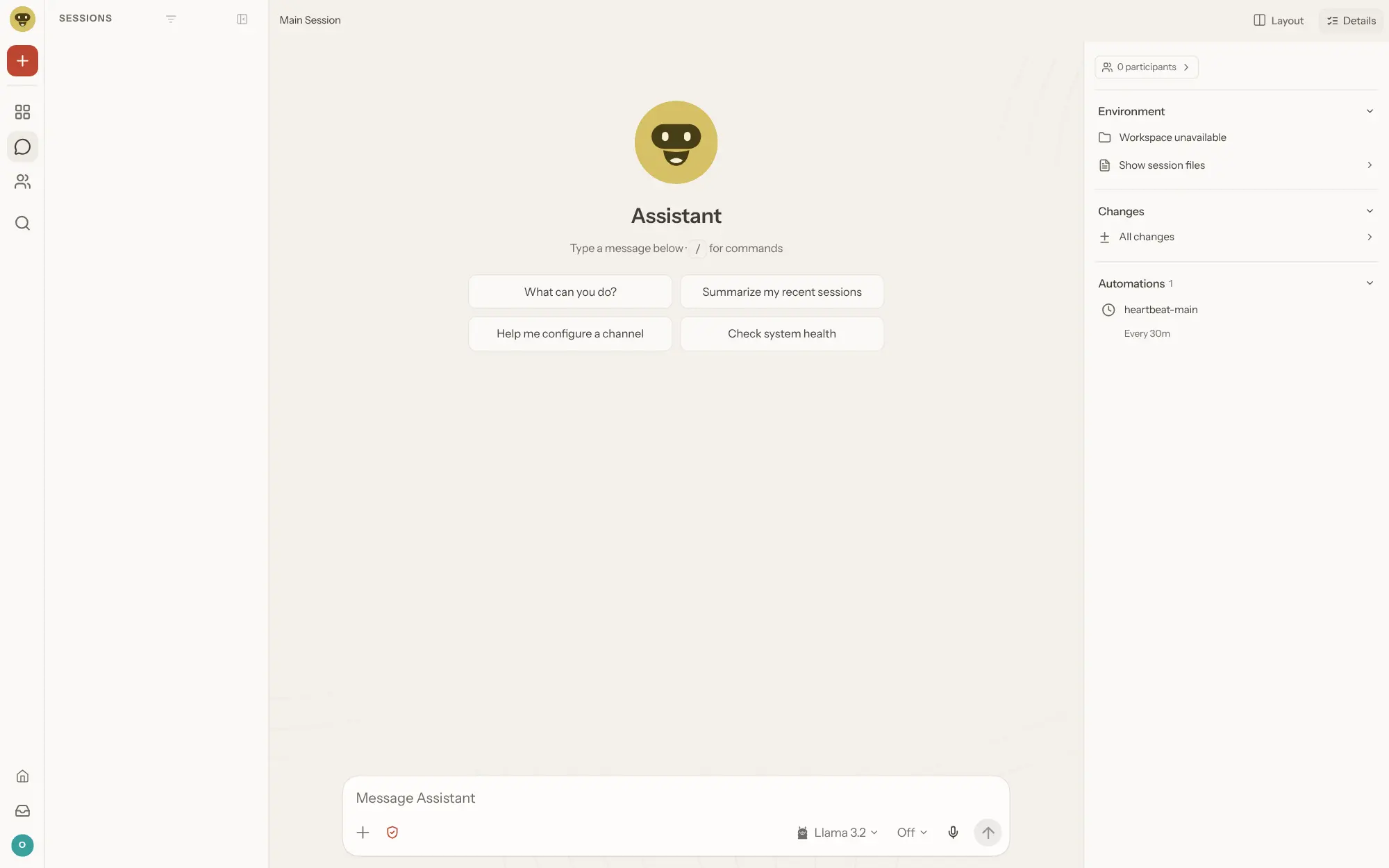
Besides chatting, OpenClaw can browse the web, fill in forms, read and write files, run commands and follow a schedule. Skills and plugins add more, from note apps to password managers. A consultant, for example, could message it on Telegram between meetings to collect this week's open client questions from a shared folder and get a summary every Monday morning. One OpenClaw can serve one person or a small team that trusts each other.
It connects to Anthropic, OpenAI, Google and many other providers, or to a local model through Ollama or LM Studio. Companion apps for iPhone, Android, Mac, Windows and Linux add voice and device actions.
Cloudgate installs OpenClaw on a server Cloudgate provides or one you connect, with a secure web address for its dashboard. Sign in with the access token Cloudgate generates, approve your browser once, connect your AI model, then add your chat apps. Your assistant's memory and settings stay on your server.
What you can do with OpenClaw
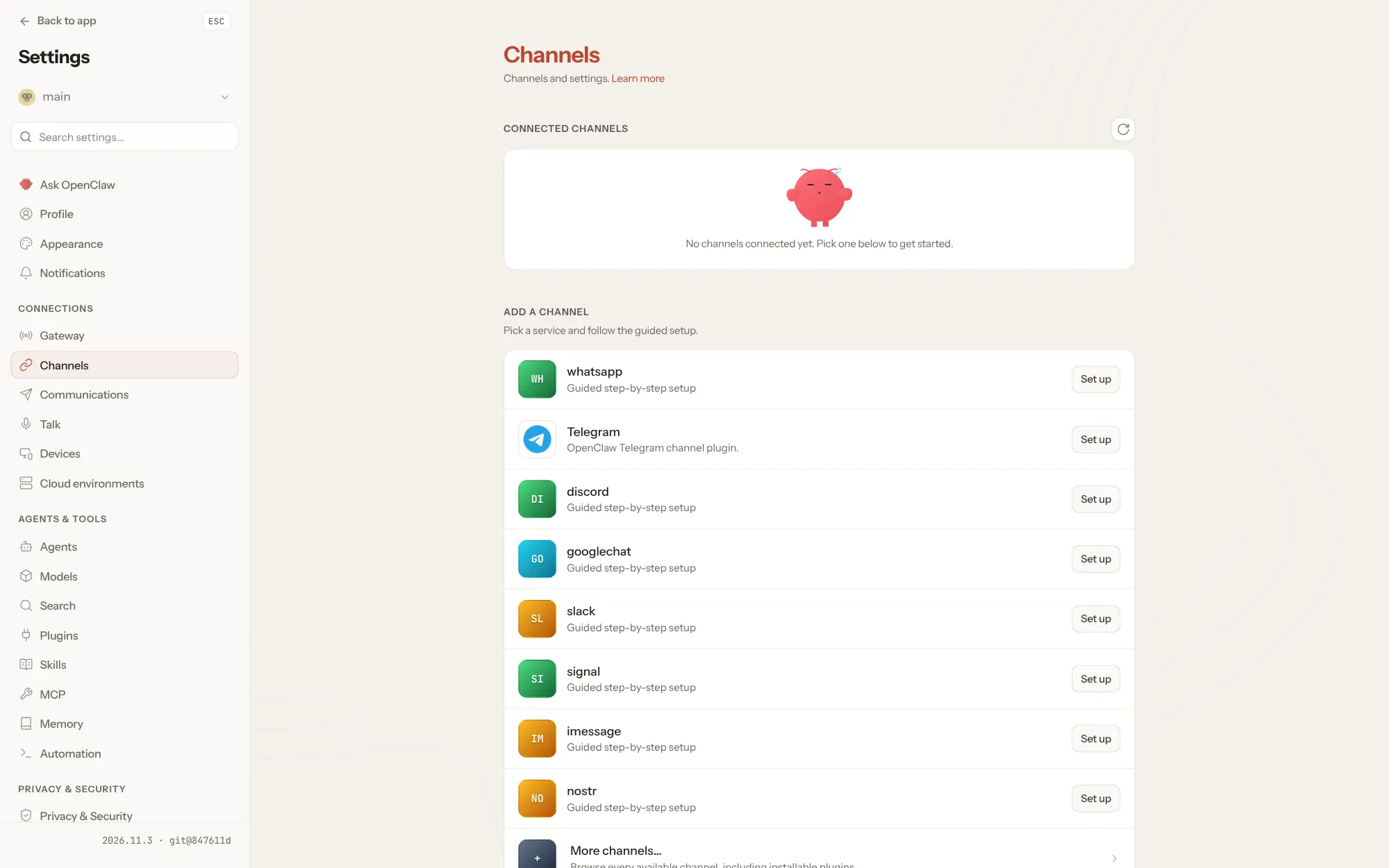
- Message it from the apps you already use Talk to your assistant in WhatsApp, Telegram, Slack, Discord, Signal, Microsoft Teams and many more, in direct messages or group chats.
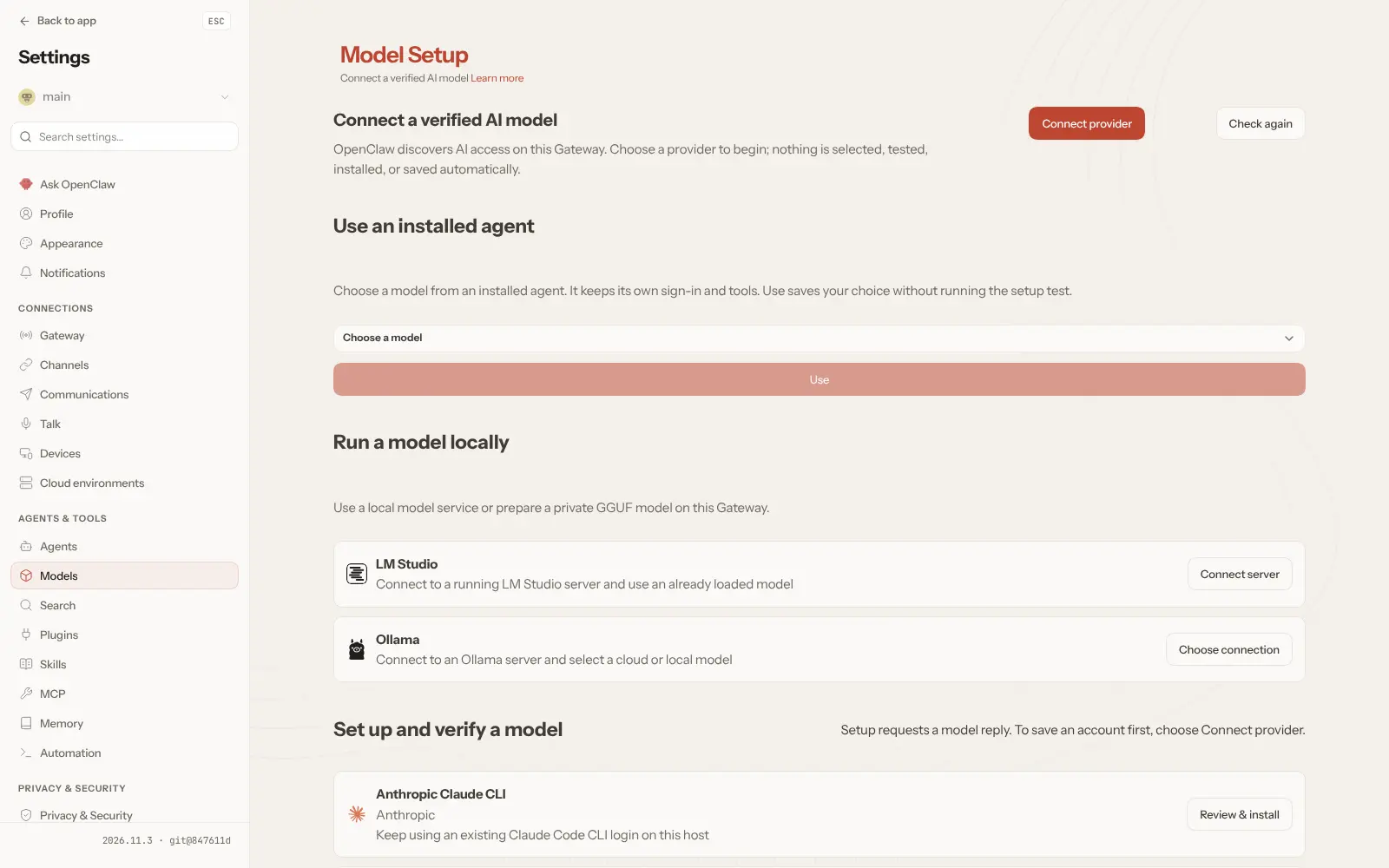
- Choose the AI model Connect Anthropic, OpenAI, Google or another provider, or a local model through Ollama or LM Studio, and switch later.
- Let it do tasks, not only answer It can browse the web, fill in forms, read and write files and run commands, with sandboxing if you want it.
- It remembers what matters Preferences, projects and people carry over from one conversation to the next, stored on your server.
- Put work on a schedule Set up recurring jobs, such as a morning summary or a regular check, that run without you asking.
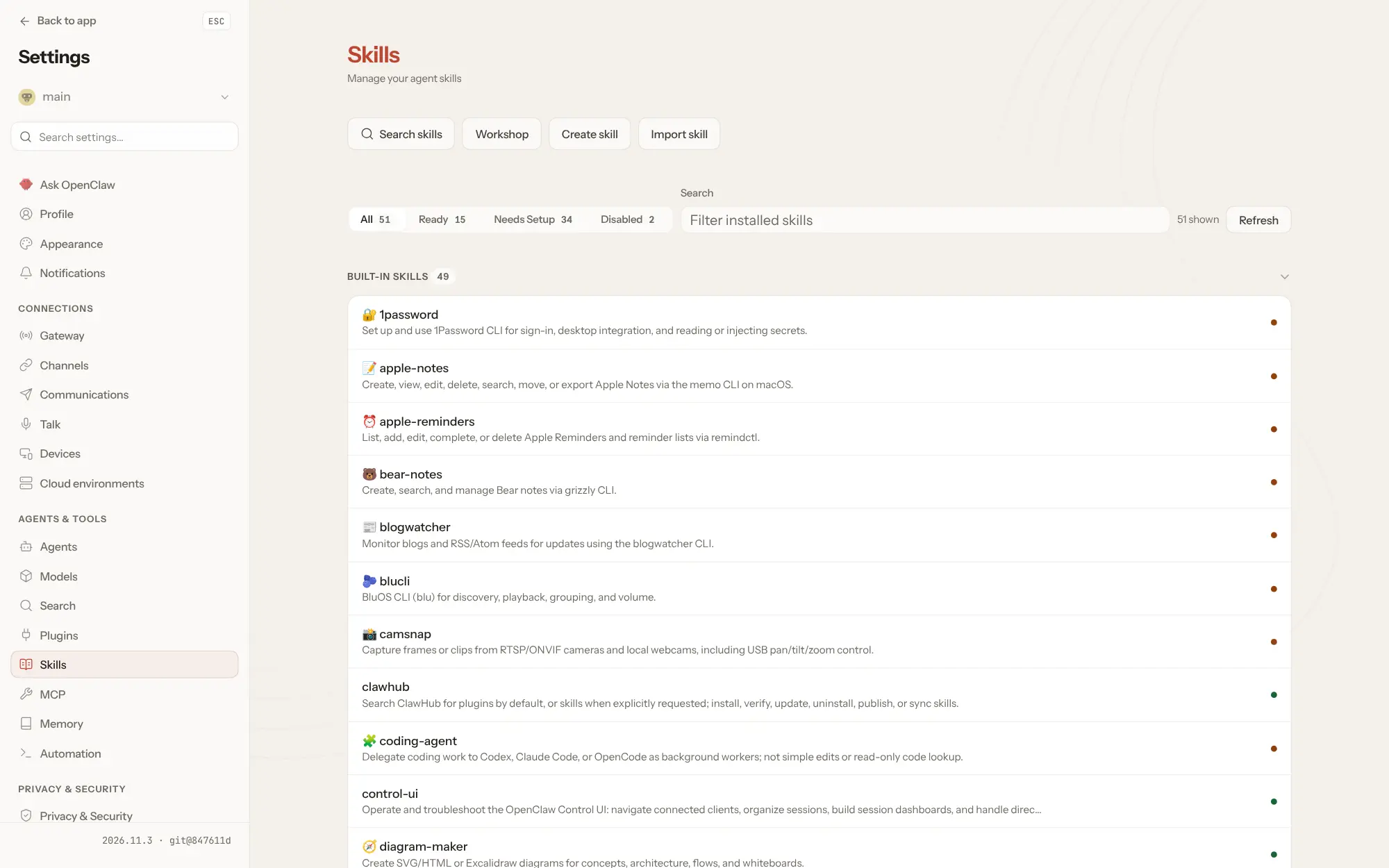
- Add skills and plugins Turn on built-in skills, install more from the ClawHub catalogue, or create your own.
- Manage it from a web dashboard Chat, review sessions and set up models, channels, skills and devices in the browser.
- Use the phone and desktop apps Companion apps for iPhone, Android, Mac, Windows and Linux add voice and device actions.
Replaces Manus and Lindy
OpenClaw does the same job as Manus and Lindy. Here is what changes when you switch.
- No subscription; you pay for your server and the AI model you use
- Memory, settings and credentials stay on your own server
- Pick any model provider, or a local model, and change it whenever you like
- Reach it from the chat apps you already use
- You bring the AI model, and its provider bills the usage unless you run a local one
- Each chat app needs its own setup, such as a bot token or a QR code
- The assistant can act on its server, so you must keep access to it tight
- More setup and less hand-holding than a hosted agent service
What happens when you click Deploy?
You do not need a server or any technical knowledge. Four steps, and OpenClaw is running at its own web address.
- Step 1 Click Deploy and create your account
Deploy takes you to Cloudgate. Create an account, or log in if you have one. OpenClaw itself is free.
- Step 2 Choose a server
No server? Get one from Cloudgate: pick a size and a country, and Cloudgate gets it ready. Already have one? Connect it instead.
- Step 3 Cloudgate sets up OpenClaw
It prepares the server, makes the passwords the app needs and starts it. There is nothing to install and nothing to write down.
- Step 4 Open your app and sign in
Your app gets a free web address to start, without https. Add your own domain, like app.yourshop.com, and Cloudgate secures it with https for you.
New to Cloudgate? See what Cloudgate is
Run Cloudgate yourself? Deploy from your own console
In your Cloudgate console, open Templates and choose OpenClaw.
Questions
Is OpenClaw free?
Yes, OpenClaw is free and open source under the MIT licence, with no paid edition or hosted plan. You pay for your server and for the AI model provider you connect, unless you run a local model.
Is OpenClaw a good alternative to Manus?
Yes, if you want a personal AI agent that you run and control yourself. OpenClaw keeps its memory and settings on your server and works with the model you choose, but you set it up, connect your chat apps and look after its security, which a hosted service like Manus does for you.
Does OpenClaw come with an AI model?
No, OpenClaw does not include a model. On first sign-in it opens Model Setup, where you connect a provider such as Anthropic, OpenAI or Google with an API key, or a local model through Ollama or LM Studio. The provider bills its own usage.
How do I sign in to OpenClaw the first time?
OpenClaw has no username or password. You sign in to the dashboard with the access token Cloudgate generates for it. Each new browser must then be approved once, by running `node dist/index.js devices approve` with the request's ID in the OpenClaw container; after that the dashboard opens on Model Setup. Keep that token private, because anyone who has it can control the assistant.
Which chat apps can I use OpenClaw from?
OpenClaw works with more than 25 messaging services, including WhatsApp, Telegram, Slack, Discord, Signal, iMessage, Microsoft Teams, Google Chat and Matrix. You add each one under Settings > Channels; Telegram needs only a bot token, while WhatsApp is linked by scanning a QR code.
Is it safe to run OpenClaw on a server?
Yes, if you keep access to OpenClaw tight. OpenClaw can run commands and use files on its server, so the project asks you to read its security guide before connecting other people, and to run a separate copy for people who don't trust each other. By default, strangers who message OpenClaw must be approved before it answers them.
What server size do I need for OpenClaw?
Plan for a server with at least 4 GB of memory when the AI model runs with a cloud provider. In our test OpenClaw used about 1.4 GB at idle, with no tasks running, and using its web browser tool needs more. Running a local model needs a much larger server.
Do I need technical skills to run OpenClaw?
No. Click Deploy, create your Cloudgate account and choose a server, and Cloudgate sets up OpenClaw and gives it a web address. You use it in your browser like any other online tool.
Do I need my own server for OpenClaw?
No. When you deploy OpenClaw, hosted Cloudgate can provide a server. If you already rent one, you can connect it instead.
Can I move my data from Manus to OpenClaw?
Most people export from Manus and import into OpenClaw. The official guides at docs.openclaw.ai walk through it.
Related apps

A self-hosted AI agent that remembers your work and learns skills.

A self-hosted AI agent with its own computer that does tasks for you.

Build AI agents that work in your business apps, self-hosted.

Private AI chat over your own documents, for staff and your website.