

I

Open-source alternatives to iLovePDF

Stirling PDF is a self-hosted iLovePDF alternative that merges, splits, compresses, converts and signs PDFs, and its PDF tools are open source. iLovePDF’s free plan caps file sizes and how many files go into one task, and every file is uploaded to its servers; Stirling PDF processes them on your own.

3 alternatives Free apps Our pick: Stirling PDF

At a glance

App Good for Code Import from iLovePDF Ease of use
Stirling PDF Small offices that edit, convert and sign PDFs and want documents kept off third-party websites Code Open source Import from iLovePDF Yes Easy
BentoPDF Small offices that want quick, private PDF tools with no accounts and only a tiny server Code Open source Import from iLovePDF Yes Easy
OmniTools Anyone who uses free online tool sites for quick PDF, image, video or data jobs and wants one private, ad-free set Code Open source Import from iLovePDF Yes Easy

Why look for an alternative to iLovePDF?

iLovePDF is a popular online PDF toolbox. On its website you can merge, split, compress, convert, rotate, watermark, unlock and sign PDFs, one tool per task, and it also has desktop and phone apps and a paid plan.

People look for an alternative because the free plan caps file sizes and how many files go into one task, the paid plan charges per user, and every document is uploaded to iLovePDF's servers. For contracts, invoices or personal records many businesses would rather keep files in-house. A self-hosted toolbox such as Stirling PDF offers the same tools in the browser, on a server you control.

The alternatives, compared

Stirling PDF

Our pick

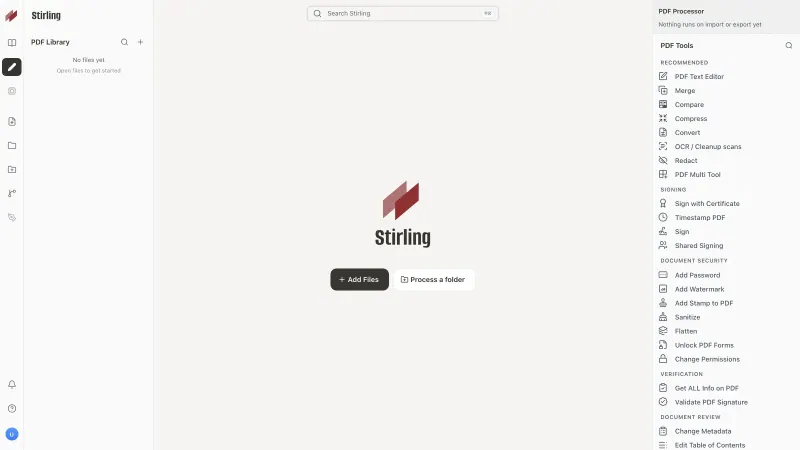
PDF editor to merge, convert, sign and OCR your files.

Matches iLovePDF's toolbox, merge, split, compress, convert, OCR, watermark and sign, with documents processed on your own server instead of uploaded to a website. iLovePDF needs no hosting and has polished phone apps. Stirling PDF is free for up to 5 user accounts, and it needs a fairly large server because conversion and OCR use a lot of memory.
Easy Open source

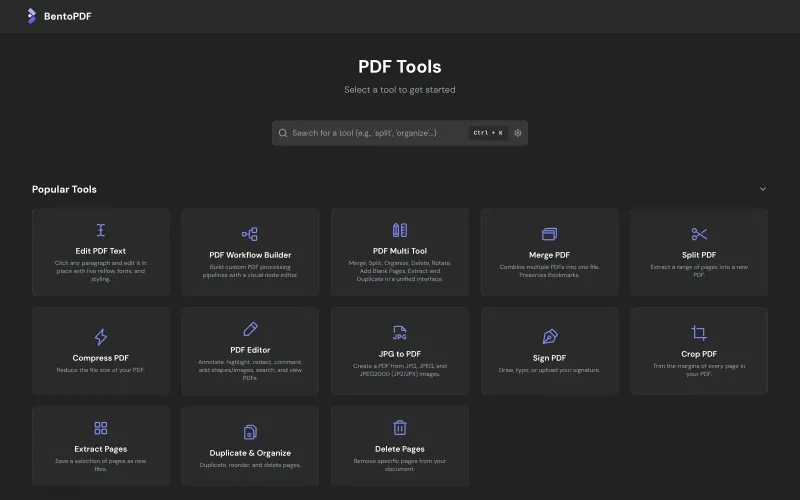
PDF tools that run in your browser, so files never upload.

Works like iLovePDF, pick a tool and drop in a file, with dozens of tools for merging, splitting, compressing, converting Office files, OCR, editing text, signing and forms, all run in your own browser so files are never uploaded. It has no accounts, no API and no phone apps, and large files or OCR are only as fast as the device you use.

What you gain
  • Files are processed on each person's own computer and never sent to any server
  • No daily task limits, file caps or per-person subscription
  • No accounts to manage, so the whole team can use it from day one
What is different
  • Big files and heavy jobs, such as Office conversion and OCR, are only as fast as the computer they run on
  • There are no accounts, saved files or history; you download each result
  • No phone or desktop apps, and no way to send a document to others for signature
Easy Open source

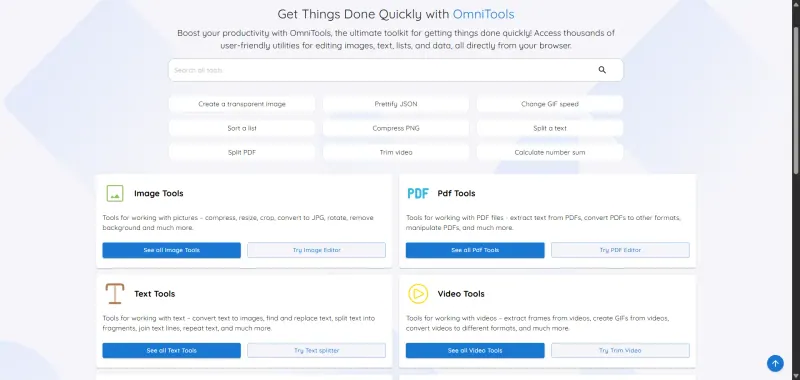
Online tools for PDFs, images, video, text and data.

A lighter choice for the basic jobs: merge, split, rotate, compress, password-protect and turn PDFs into images, with files processed in your own browser and never uploaded. It has no Word or Excel conversion, no OCR and no e-signatures, but it adds image, video, text and data tools and runs on the smallest server.

What you gain
  • Files are processed in your own browser and never uploaded to a server
  • No ads, no sign-up and no daily task limits
  • Everyday image, video, text and data tools sit next to the PDF tools, on your own web address
What is different
  • The PDF tools are basic, with no Word or Excel conversion, no OCR for scanned PDFs and no e-signatures; Stirling PDF is the better pick for PDF work
  • Big video and PDF jobs run on your own computer or phone, so they can be slow or fail on an older device
  • No phone apps, though the site works in a phone's browser
Easy Open source

Moving from iLovePDF

There is nothing to import: iLovePDF works on files you upload and download, and Stirling PDF opens the same PDFs. Download anything you kept in iLovePDF's cloud storage first. Give your team Stirling PDF's web address, and if you often chain tools in iLovePDF, such as convert then merge then compress, save that chain as an automation in Stirling PDF and run it on a whole batch of files at once. If your team only merges, splits and compresses PDFs, OmniTools is enough: share its web address and the same jobs run in each person's browser. BentoPDF also runs in the browser but covers far more tools, including Office conversion and OCR, and its Workflow Builder chains steps the way you would in iLovePDF.

Questions

What is the best open-source alternative to iLovePDF?

Start with Stirling PDF. All 3 are free and open source.

Does Stirling PDF limit file sizes like iLovePDF's free plan?

No. Stirling PDF has no plan limit on file size and accepts uploads of up to 2,000 MB by default; in practice your server's memory is the limit. Very large files and OCR take longer on a small server.

Can Stirling PDF convert Word and Excel files to PDF?

Yes. It converts Word, Excel and PowerPoint files, images, web pages and ebooks to PDF, and PDFs back into other formats.

Should I choose Stirling PDF, BentoPDF or OmniTools?

Choose Stirling PDF if PDFs are a regular part of your work and you want user accounts, an API and the work done on the server, which needs a fairly large one. Choose BentoPDF for a similar range of tools with files kept in each person's browser, on a tiny server with no accounts. Choose OmniTools for occasional merging, splitting and compressing, alongside image and text tools.

Are these iLovePDF alternatives really free?

Yes, Stirling PDF, BentoPDF and OmniTools are free. To run them you need Cloudgate and a server. Use hosted Cloudgate, which can also provide the server, or install Cloudgate on a server of your own for free. Cloudgate's plans and prices are at cloudgate.octabyte.io/pricing. One server can run several apps.

Do I need a developer to replace iLovePDF?

No. Cloudgate installs the app you choose on your server and gives it a secure web address, and you use it in your browser instead of iLovePDF.