
Open-source alternatives to Adobe Acrobat

Stirling PDF is the self-hosted Adobe Acrobat alternative we recommend: its PDF tools are open source, and it edits, merges, converts, signs and OCRs PDFs in your browser. Acrobat Pro is a subscription for each person who uses it; Stirling PDF is free for up to 5 users, and your files never leave your server.

2 alternatives Free apps Our pick: Stirling PDF

At a glance

App Good for Code Import from Adobe Acrobat Ease of use
Stirling PDF Small offices that edit, convert and sign PDFs and want documents kept off third-party websites Code Open source Import from Adobe Acrobat Yes Easy
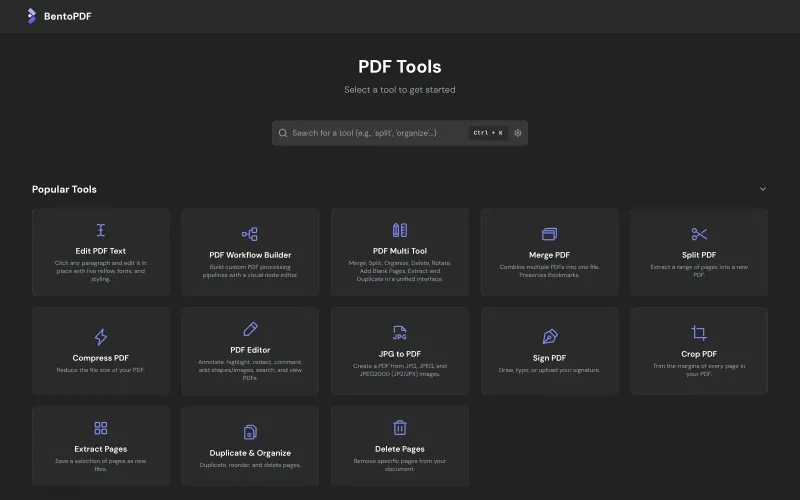
BentoPDF Small offices that want quick, private PDF tools with no accounts and only a tiny server Code Open source Import from Adobe Acrobat Yes Easy

Why look for an alternative to Adobe Acrobat?

Adobe Acrobat is Adobe's PDF software. Acrobat Pro, the paid edition, edits text and images in PDFs, converts them to and from Office files, reads scans with OCR, redacts, protects, compares and signs documents, and links to Adobe's cloud and e-signature service.

Offices look for an alternative because Acrobat Pro is a subscription for every person who uses it, and most people only need a handful of its tools: merge, compress, convert, OCR and sign. Online tools are cheaper but mean uploading contracts and personal records to someone else's website. A self-hosted PDF toolbox such as Stirling PDF or BentoPDF does those everyday jobs in the browser, on your own server, with no fee per seat.

The alternatives, compared

Stirling PDF

Our pick

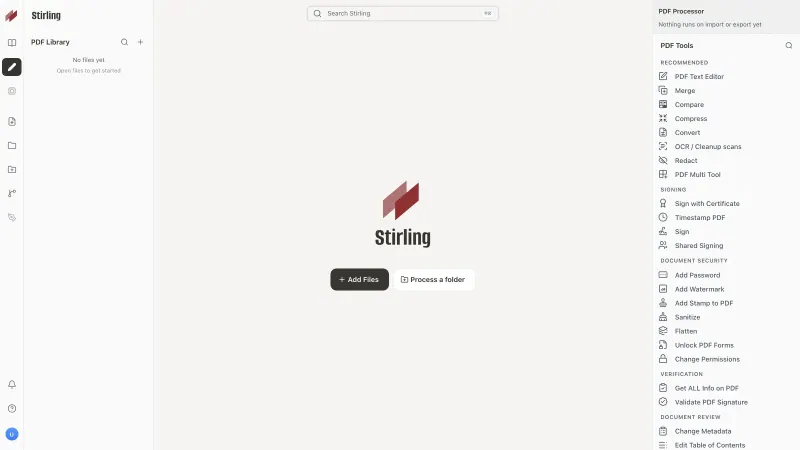
PDF editor to merge, convert, sign and OCR your files.

Covers the everyday Acrobat Pro jobs, editing text, merging, converting Office files, OCR, redacting, signing and filling forms, in one browser workspace with no fee per seat. Acrobat is more polished, has a stronger form designer and may read poor scans better. Stirling PDF is open core: the PDF tools are MIT-licensed, while sign-in and user accounts are proprietary code that is free for up to 5 users.

What you gain
  • Documents are processed on your own server, not uploaded to someone else's website
  • No per-person subscription for up to 5 people
  • No daily limit on how many files you can work on by hand
What is different
  • The free plan covers up to 5 user accounts; more people need Stirling's paid Team plan
  • Acrobat is more polished and has a stronger form designer
  • No phone apps, though a phone can send photos of pages to it as a PDF
Easy Open source

PDF tools that run in your browser, so files never upload.

Covers many everyday Acrobat jobs, editing text in place, converting Office files, OCR, redacting, signing with a drawn signature or a certificate, and filling or creating forms, all run in each person's browser with no accounts and no user limit. Acrobat is more polished, has cloud storage, phone apps and requests for others to sign, and BentoPDF has no API.

Easy Open source

Moving from Adobe Acrobat

There is nothing to move: Stirling PDF works on the same PDF files you open in Acrobat today, so you upload a file, pick a tool and download the result. Make a list of the Acrobat jobs your team does most, such as combining scans, compressing for email or redacting, and try each one on a few real documents. If you repeat the same steps often, save them as an automation, for example OCR then compress then watermark. Invite up to four colleagues on the free plan; a bigger team needs Stirling's paid Team plan. For an office of any size with no accounts to manage, give everyone BentoPDF's web address instead: it is fully open source and does the work in each browser. Acrobat's Adobe Sign workflows have no match in either, so for contracts that several people sign, use an e-signature app such as DocuSeal.

Questions

What is the best open-source alternative to Adobe Acrobat?

Start with Stirling PDF. Both are free and open source.

Can Stirling PDF edit the text in a PDF like Acrobat?

Yes. Its PDF Text Editor changes existing text and images in a PDF, so you do not need the original Word file. For complex layouts Acrobat's editor is more polished.

Is Stirling PDF free for a whole office?

For up to 5 people, yes. The free plan covers every PDF tool and up to 5 user accounts; more users, SAML sign-in and audit logs need a paid plan. You also pay for your server.

Does Stirling PDF send my files anywhere?

No. Files are processed on your own server. The only thing it asks on first sign-in is whether to share anonymous usage data, which you can decline.

Should I choose Stirling PDF or BentoPDF?

Choose Stirling PDF for user accounts, an API and automations run on the server, for up to 5 people free. Choose BentoPDF for a larger office with no accounts to manage: it runs in each person's browser, on a tiny server, with no user limit.

Are these Adobe Acrobat alternatives really free?

Yes, Stirling PDF and BentoPDF are free. To run them you need Cloudgate and a server. Use hosted Cloudgate, which can also provide the server, or install Cloudgate on a server of your own for free. Cloudgate's plans and prices are at cloudgate.octabyte.io/pricing. One server can run several apps.

Do I need a developer to replace Adobe Acrobat?

No. Cloudgate installs the app you choose on your server and gives it a secure web address, and you use it in your browser instead of Adobe Acrobat.