DumbPad
A simple self-hosted notepad that saves as you type, behind a PIN.
No server needed to start: Cloudgate can provide one. What happens when you click Deploy
What is DumbPad?
DumbPad is a simple self-hosted notepad: write Markdown notes in your browser, they save as you type, and one PIN keeps them private.
DumbPad is a free, open-source, self-hosted notepad: you open its web address, type, and your notes save themselves as you go. It is a simple alternative to Simplenote or Google Keep for people who want quick notes kept on their own server, with no accounts to create.
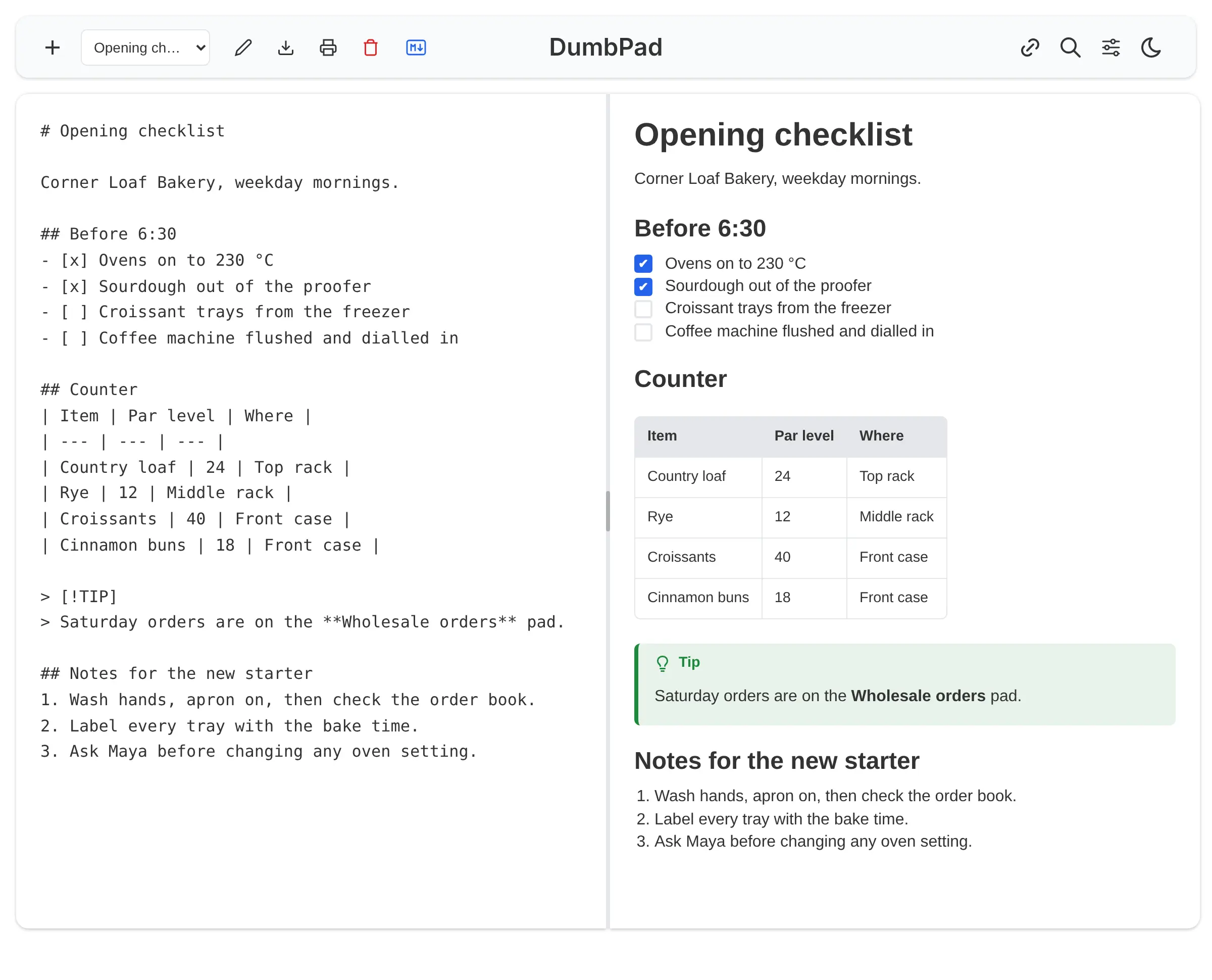
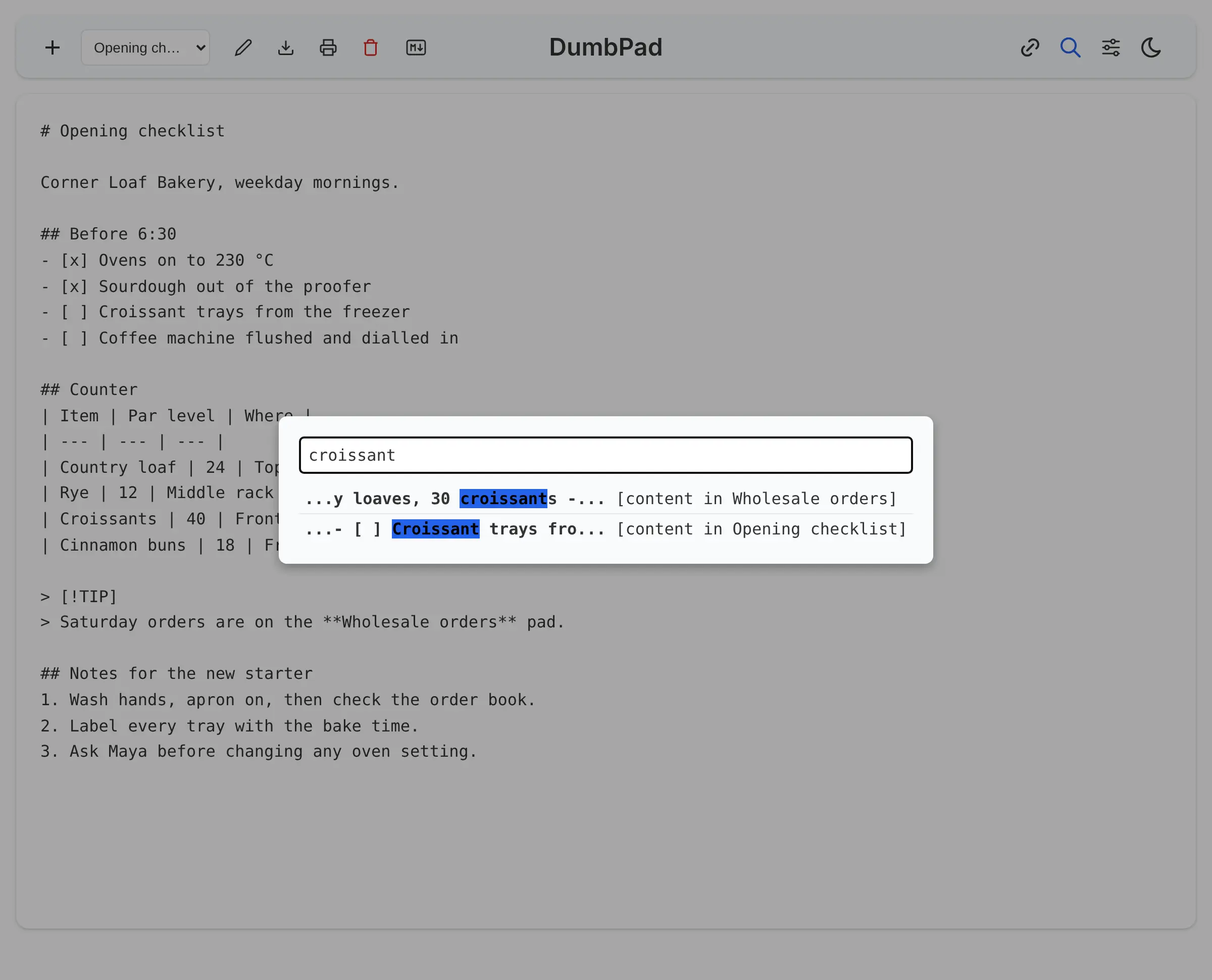
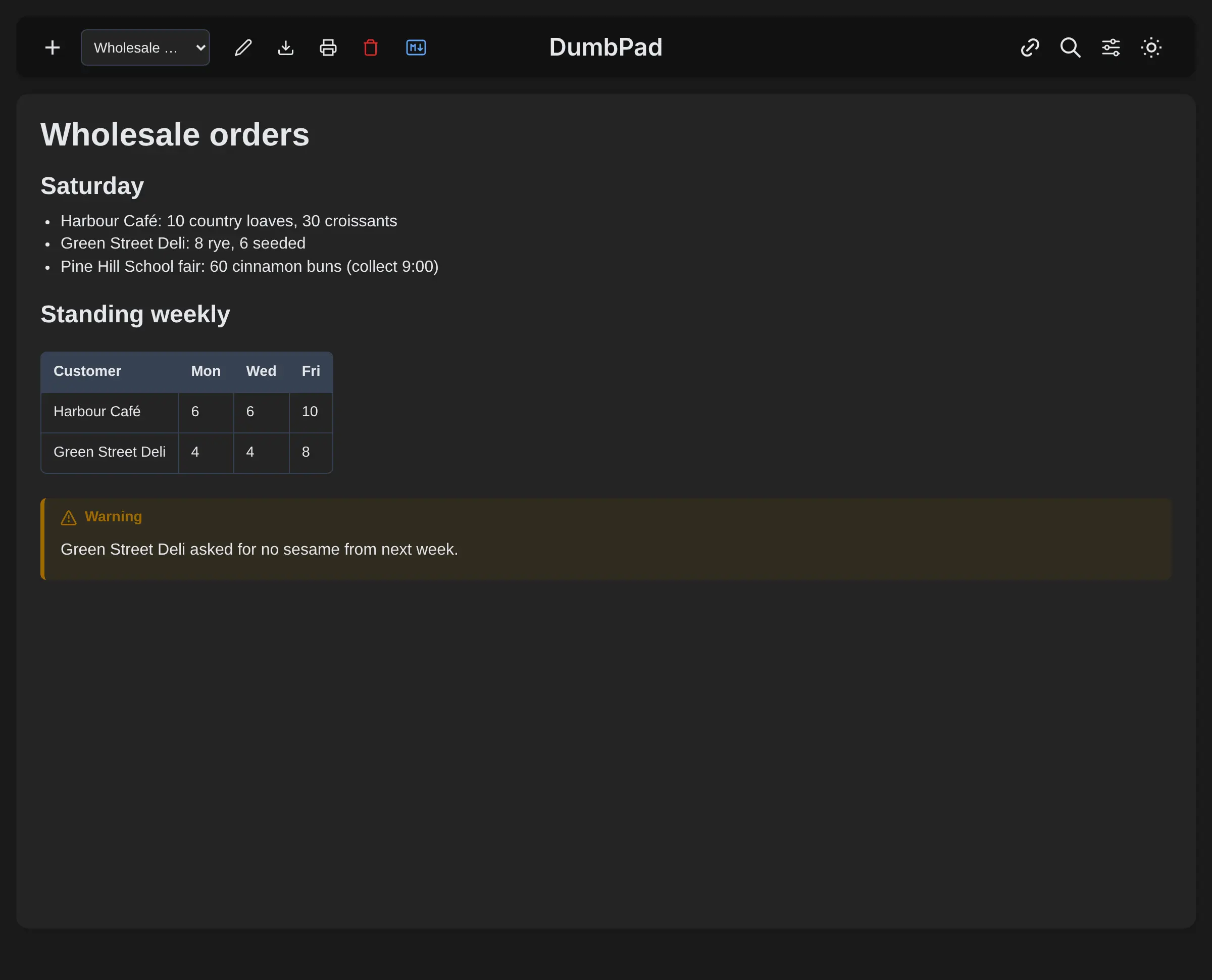
You can keep several named notepads, format them with Markdown checklists, tables and tip or warning boxes, and switch between writing, a side-by-side preview and the finished note. Search finds a word across every notepad. A bakery, for example, could keep its opening checklist, wholesale orders and supplier calls as three notepads, open them on the counter tablet, and have the owner update the checklist from home while the morning baker watches it change.
DumbPad works in any browser on a computer or phone, and can be added to a phone's home screen. One shared PIN protects all the notes, so it suits one person or a small team who trust each other, not separate private accounts. Notes are kept as plain text files and can be downloaded as text or Markdown at any time.
Cloudgate installs DumbPad on a server Cloudgate provides or one you connect and gives it a secure web address. You choose the PIN during setup, then open the address and start writing.
What you can do with DumbPad
- Just start typing Open the page and write; every change saves itself a moment after you stop typing.
- Keep several notepads Create, rename and switch between named notepads, such as one for opening tasks and one for orders.
- Format with Markdown Add headings, checklists, tables and coloured tip or warning boxes, and see them in a side-by-side preview.
- Search every note Type a word to find it across the names and contents of all your notepads, even with a typo.
- Write together, live Several people can open the same notepad and see each other's changes as they type.
- Keep it private with a PIN One PIN opens your notes, and too many wrong tries lock the page for 15 minutes.
- Share, download or print Copy a link straight to one notepad, download it as a text or Markdown file, or print it with its formatting.
Replaces Simplenote, Google Keep and Apple Notes
DumbPad does the same job as Simplenote, Google Keep and Apple Notes. Here is what changes when you switch.
- Your notes stay on your own server, as plain text files
- Nothing to sign up for; open the page, type the PIN and write
- Several people can edit the same notepad at once and watch it change
- Markdown checklists, tables and a live preview, with no subscription
- One shared PIN instead of personal accounts, so everyone with it sees every notepad
- No pictures, attachments, tags, folders or reminders
- No phone or desktop app; it runs in the browser and can be added to a home screen
- No import tool for notes from Simplenote, Google Keep or Apple Notes
What happens when you click Deploy?
You do not need a server or any technical knowledge. Four steps, and DumbPad is running at its own web address.
- Step 1 Click Deploy and create your account
Deploy takes you to Cloudgate. Create an account, or log in if you have one. DumbPad itself is free.
- Step 2 Choose a server
No server? Get one from Cloudgate: pick a size and a country, and Cloudgate gets it ready. Already have one? Connect it instead.
- Step 3 Cloudgate sets up DumbPad
It prepares the server, makes the passwords the app needs and starts it. There is nothing to install and nothing to write down.
- Step 4 Open your app and sign in
Your app gets a free web address to start, without https. Add your own domain, like app.yourshop.com, and Cloudgate secures it with https for you.
New to Cloudgate? See what Cloudgate is
Run Cloudgate yourself? Deploy from your own console
In your Cloudgate console, open Templates and choose DumbPad.
Questions
Is DumbPad free?
Yes. DumbPad is free and open source under the GPL-3.0 licence, with no paid edition and no paid features. You pay only for your server.
Is DumbPad a good Simplenote alternative?
Yes, if you want a quick, plain notepad on your own server rather than in someone else's cloud. Like Simplenote it keeps things minimal, and it adds Markdown preview and live editing with others. Simplenote has phone and desktop apps, personal accounts and tags; DumbPad runs in a browser and is opened with one shared PIN.
How do I sign in to DumbPad the first time?
You type the PIN you chose when Cloudgate installed it. DumbPad has no user accounts and no sign-up page; anyone with the PIN can open and edit every notepad, so keep it secret.
Can several people use DumbPad at the same time?
Yes. Everyone who knows the PIN can open DumbPad at once, and people on the same notepad see each other's typing live. There are no separate accounts or per-person permissions.
Can I import my notes from Simplenote or Google Keep?
No, DumbPad has no import tool. Plain text files can be added to its notes folder on the server and appear after a page refresh, so notes exported as text can be moved across with some manual work.
Is there a DumbPad phone app?
No, there is no app in the app stores. DumbPad's pages fit a phone screen, and you can add it to your phone's home screen from the browser so it opens like an app.
What server size does DumbPad need?
Very little. DumbPad is one small program that keeps notes as plain files, with no database, so Cloudgate puts it on its smallest server size.
Do I need technical skills to run DumbPad?
No. Click Deploy, create your Cloudgate account and choose a server, and Cloudgate sets up DumbPad and gives it a web address. You use it in your browser like any other online tool.
Do I need my own server for DumbPad?
No. When you deploy DumbPad, hosted Cloudgate can provide a server. If you already rent one, you can connect it instead.
Related apps

Markdown notes you find by search and tags, not folders.
Catch quick thoughts and keep notes, with AI search if you want it.

Notes, checklists and task boards in plain files.
Jot down quick notes and checklists on a private timeline.