
PandaWiki
A docs and help site that answers visitors' questions with AI.
No server needed to start: Cloudgate can provide one. What happens when you click Deploy
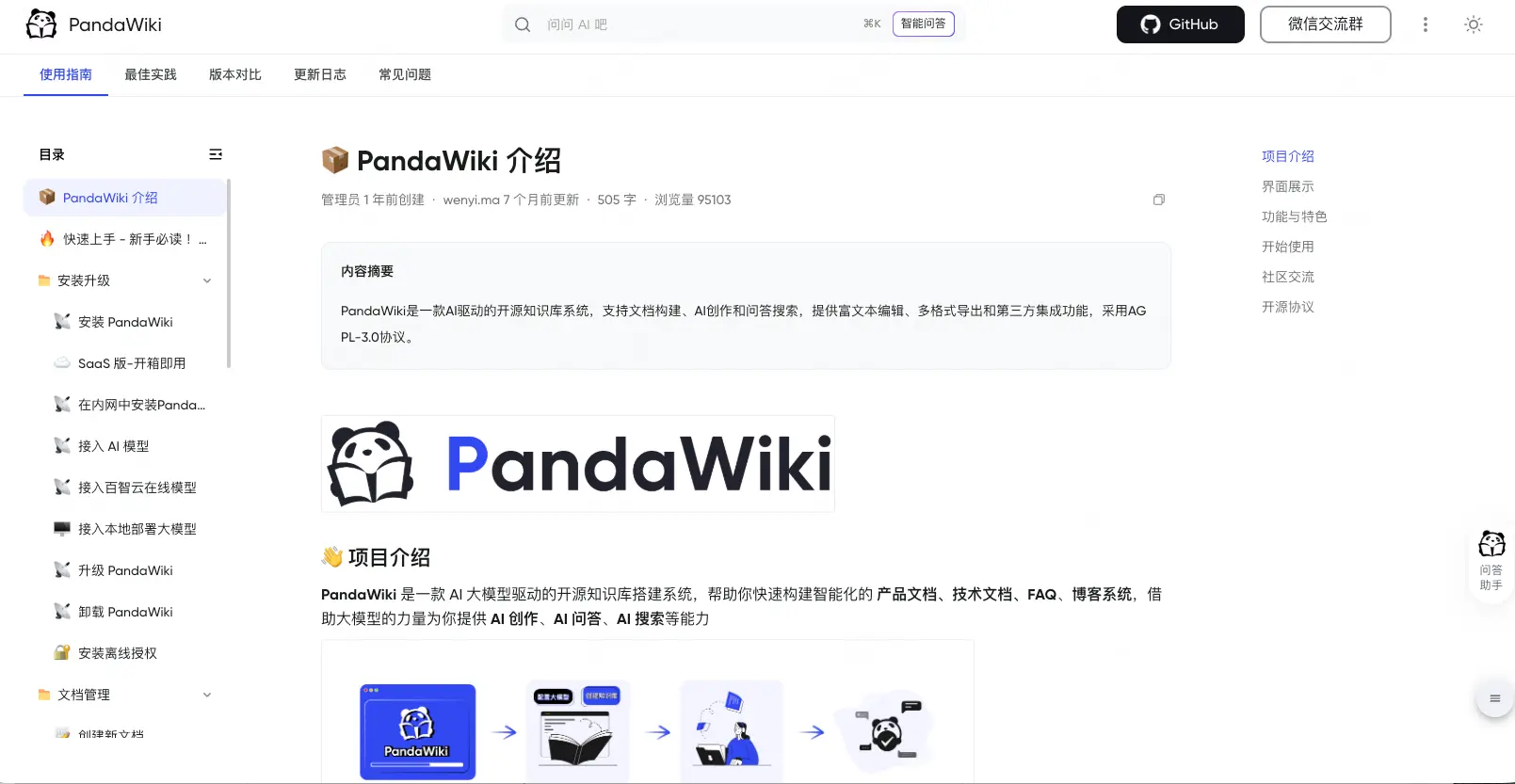
What is PandaWiki?
PandaWiki is a self-hosted AI knowledge base: publish product docs or a help centre and let visitors ask an AI that answers from your documents.
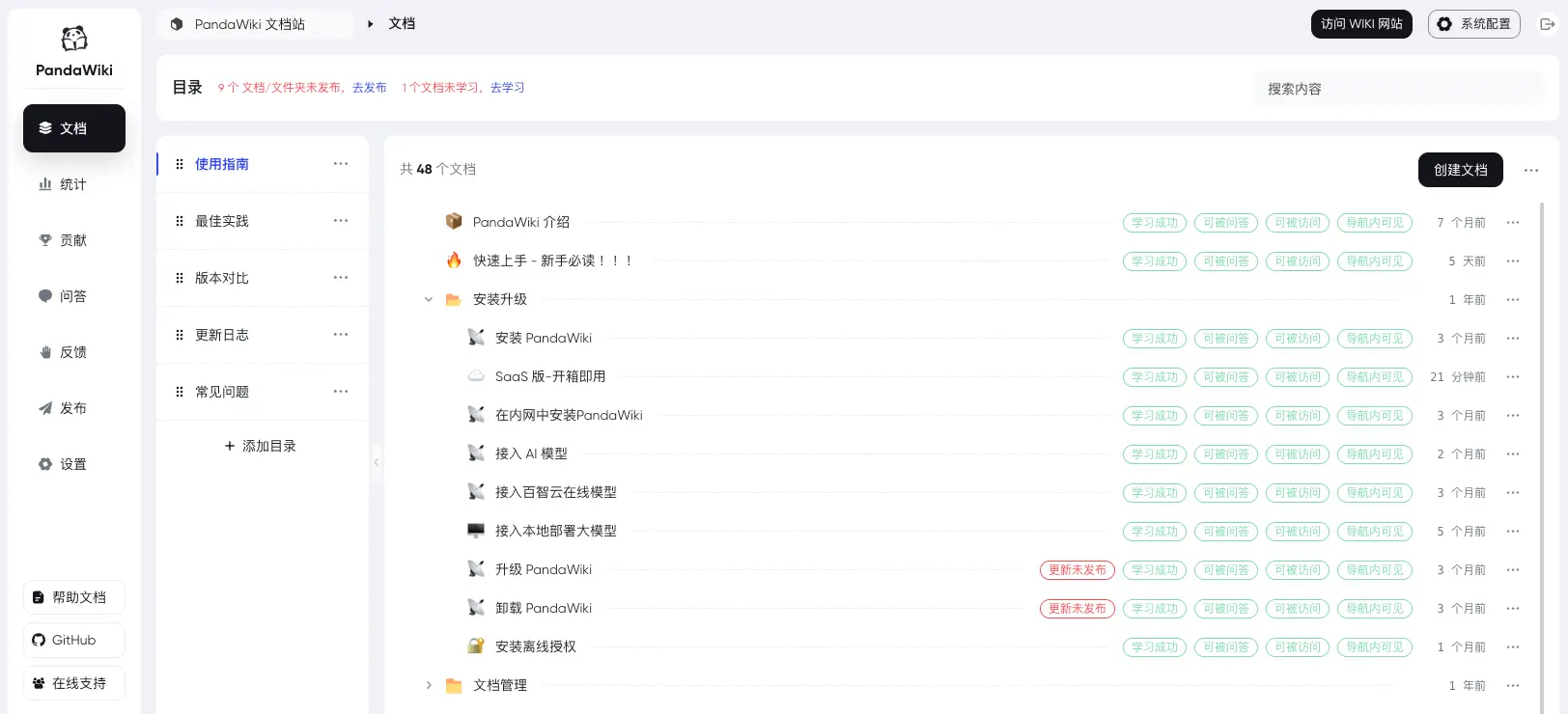
PandaWiki is a self-hosted AI knowledge base that turns your documents into a public docs or help website and answers visitors' questions from them, a do-it-yourself alternative to GitBook with a Chatbase-style AI assistant built in. You write in an admin console, publish to the wiki site, and readers can search or ask a question in plain words.
A company selling a router could, for example, put its setup guides and FAQ into PandaWiki, add the AI chat widget to its own website, and let customers ask "how do I reset the password?" at night instead of waiting for support.
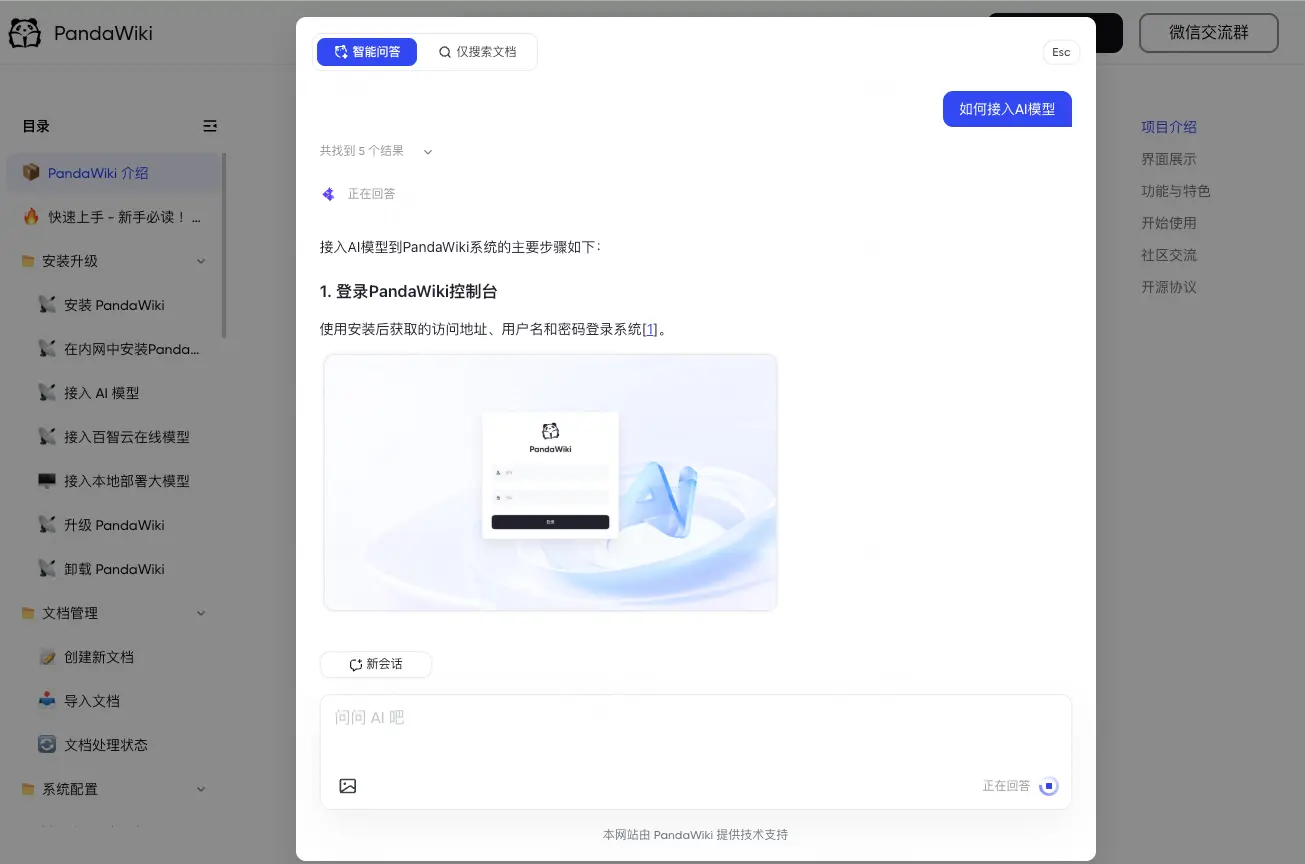
PandaWiki needs AI models you connect before you create your first knowledge base: an OpenAI-compatible service, Alibaba's DashScope or models you run yourself with Ollama. It is built in China and its screens are in Chinese only. The free, open-source edition covers one wiki site, up to 300 documents and one admin; paid editions add more, plus private wikis and single sign-on.
Cloudgate installs PandaWiki on a server Cloudgate provides or one you connect, with two secure web addresses: one for the admin console and one for the public wiki. Sign in as admin, connect your AI models, then create your knowledge base and publish it at the second address. It needs a medium server with 2 GB of memory, and only one PandaWiki can run on each server.
What you can do with PandaWiki
- Publish a docs website Turn your documents into a public wiki site with a table of contents, search and a page outline.
- Let visitors ask AI Visitors type a question and get an answer written from your documents, with links to the pages it used.
- Write with AI help A rich editor that accepts Markdown and HTML, with AI writing help, and export to Word, PDF or Markdown.
- Bring in existing content Import from a web page, a sitemap, an RSS feed or files, with importers for Notion, Confluence and other tools.
- Answer where people already ask Add the AI answers to your own website as a chat widget, or as a bot in Discord, DingTalk, Feishu or WeCom.
- See what readers look for Basic statistics show visits, questions asked, popular pages and where visitors came from.
Replaces GitBook and Chatbase
PandaWiki does the same job as GitBook and Chatbase. Here is what changes when you switch.
- Your documents and your visitors' questions stay on your server
- A docs site and an AI chat widget in one app
- You choose the AI model, including one that runs on your own hardware
- The interface is in Chinese only
- The free edition allows one wiki site, 300 documents and one admin
- Private wikis, sign-in for readers, version history and an API are paid features
- The AI features need an AI model you connect and pay for separately
What happens when you click Deploy?
You do not need a server or any technical knowledge. Four steps, and PandaWiki is running at its own web address.
- Step 1 Click Deploy and create your account
Deploy takes you to Cloudgate. Create an account, or log in if you have one. PandaWiki itself is free.
- Step 2 Choose a server
No server? Get one from Cloudgate: pick a size and a country, and Cloudgate gets it ready. Already have one? Connect it instead.
- Step 3 Cloudgate sets up PandaWiki
It prepares the server, makes the passwords the app needs and starts it. There is nothing to install and nothing to write down.
- Step 4 Open your app and sign in
Your app gets a free web address to start, without https. Add your own domain, like app.yourshop.com, and Cloudgate secures it with https for you.
New to Cloudgate? See what Cloudgate is
Run Cloudgate yourself? Deploy from your own console
In your Cloudgate console, open Templates and choose PandaWiki.
Questions
What is PandaWiki?
PandaWiki is a self-hosted knowledge base that publishes your documents as a wiki website and answers visitors' questions with AI. It is made by Chaitin Tech, and its free edition is open source under the AGPL-3.0 licence.
Is PandaWiki free?
Yes, the open-source edition of PandaWiki is free, with one wiki site, up to 300 documents and one admin account. Paid editions add more sites, documents and admins, plus features such as single sign-on, private wikis and version history.
Is PandaWiki available in English?
No, PandaWiki's admin console and wiki site are in Chinese only. Your own documents can be in any language, but menus and buttons stay in Chinese.
Do I need an AI model for PandaWiki?
Yes. PandaWiki won't create your first knowledge base until AI models are connected, namely a chat model, an embedding model, a rerank model and an analysis model, set up by hand or with one API key in its quick setup. It works with OpenAI-compatible services, Alibaba's DashScope and models you run yourself with Ollama.
How do I sign in to PandaWiki the first time?
Sign in at the first web address, the admin console, with the username admin and the password Cloudgate generated, shown on the app's variables page. Connect your AI models, create a knowledge base, and in its access settings enter the second web address with port 80, and the public wiki then appears there. The admin password is set from that variable each time PandaWiki starts, so change it there rather than in the console.
Is PandaWiki a good alternative to GitBook?
It can be. PandaWiki suits a public docs or help site with AI answers built in, where it can replace GitBook. Its free edition is limited to one site, 300 documents and one admin, and the interface is in Chinese, so a team that writes in English may prefer another wiki.
Can I import my docs from Notion or Confluence into PandaWiki?
Yes, PandaWiki has importers for Notion and Confluence, as well as Feishu docs, Yuque, Wiki.js, web pages, sitemaps, RSS feeds and files.
Do I need technical skills to run PandaWiki?
No. Click Deploy, create your Cloudgate account and choose a server, and Cloudgate sets up PandaWiki and gives it a web address. You use it in your browser like any other online tool.
Do I need my own server for PandaWiki?
No. When you deploy PandaWiki, hosted Cloudgate can provide a server. If you already rent one, you can connect it instead.
Related apps

A clean docs site with a block editor, free to self-host.

A simple self-hosted wiki in Markdown, with every change kept.

A simple, searchable help centre built from Markdown pages.

A self-hosted Markdown wiki with live co-writing and Git sync.