
WiseMapping
Mind maps your team can build, share and embed.
No server needed to start: Cloudgate can provide one. What happens when you click Deploy
What is WiseMapping?
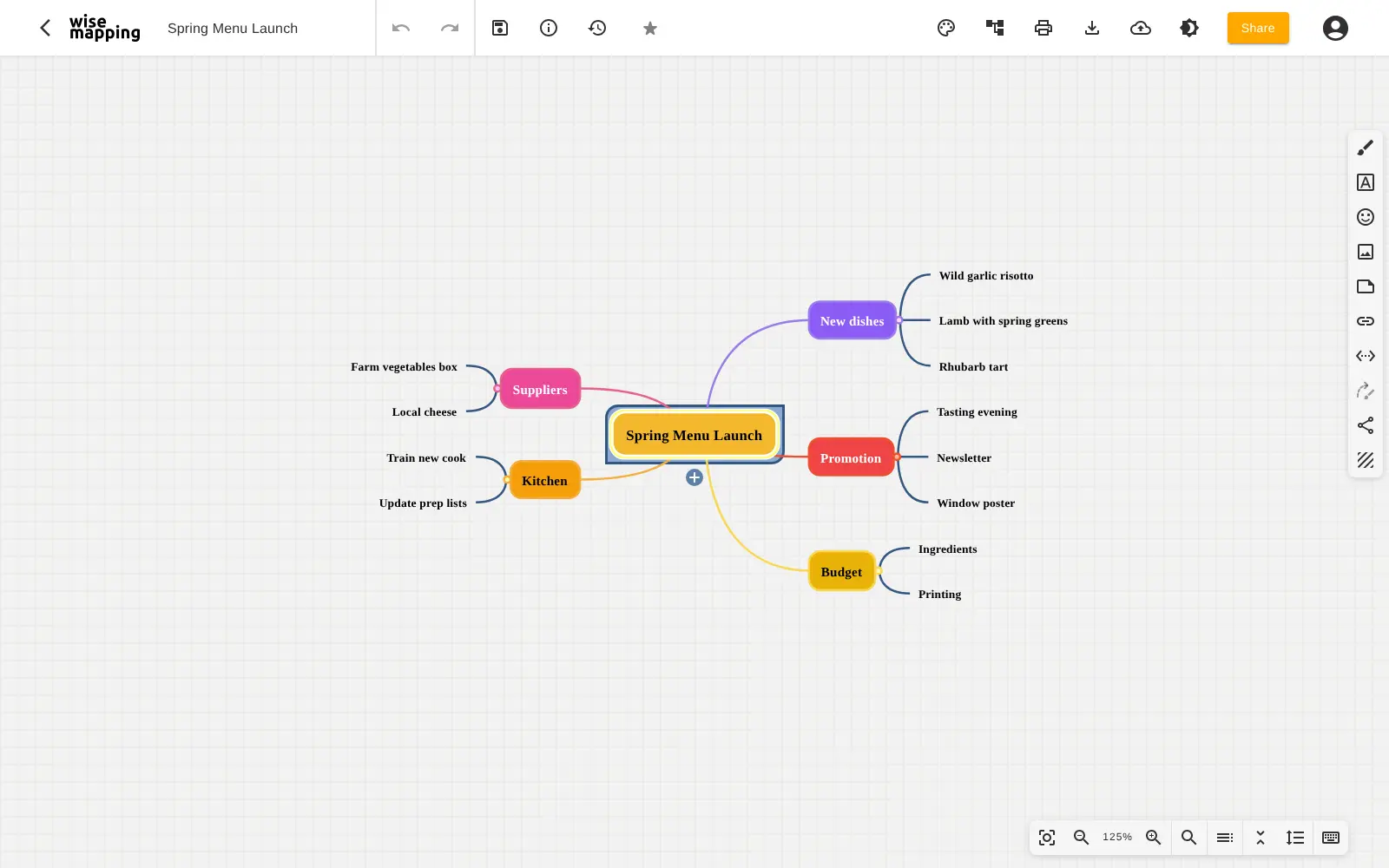
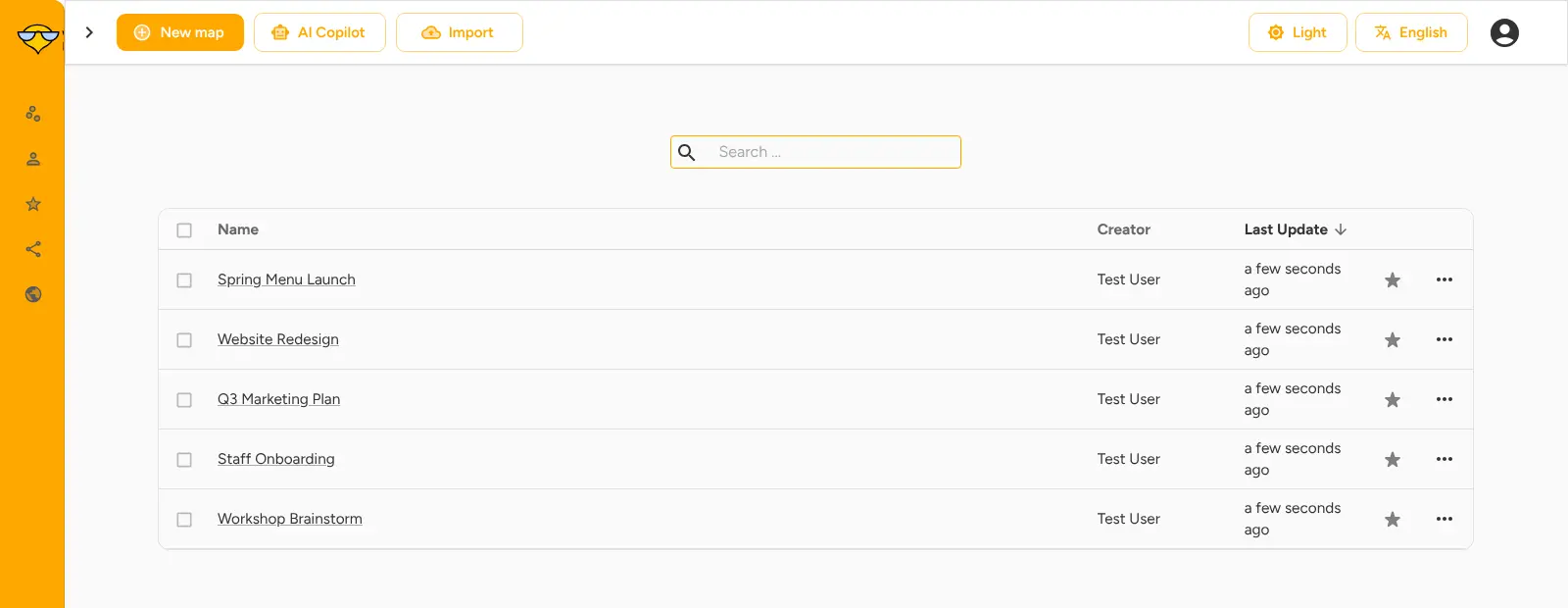
Self-hosted WiseMapping: create, share and embed mind maps in the browser, and import XMind and MindManager files.
WiseMapping is a self-hosted mind mapping app that runs in your web browser, a free alternative to MindMeister, XMind and MindManager for teams that want their mind maps on their own server. You build maps of topics and branches, add notes, links and icons, and share each map with the people who need it.
A café owner, for example, can plan a spring menu launch as one map, with branches for new dishes, suppliers, promotion and kitchen training, then invite the head chef to edit it and the front-of-house team to view it. If a change goes wrong, the map's history brings back an earlier version.
WiseMapping opens XMind, MindManager, FreeMind and Freeplane files, so existing maps can come with you, and it exports to PDF, images, Markdown and text. Maps can be made public and embedded in a website or help page. It works in any browser, on a computer or a phone, in 13 languages.
WiseMapping is free under its own licence, which asks that the "powered by WiseMapping" notice stays on screen. Cloudgate installs it on a server Cloudgate provides or one you connect, together with the database it needs, and gives it a secure web address.
What you can do with WiseMapping
- Draw mind maps in the browser Add topics and branches by drag and drop or keyboard, in a classic radial map or a top-down tree.
- Make every map readable Choose from seven themes, colours, shapes, fonts and line styles, in light or dark mode.
- Keep detail on each topic Attach notes, web links, icons, emoji and images, and draw arrows between any two ideas.
- Share maps with your team Invite people to each map as an editor or a viewer, and the map is locked while someone edits it.
- Publish and embed maps Make a map public and embed it in a website, blog or help page.
- Go back to an earlier version Browse a map's history and restore any previous version.
- Bring your maps with you Import XMind, MindManager, FreeMind, Freeplane and OPML files, and export to PDF, PNG, SVG, Markdown or text.
Replaces MindMeister, XMind and MindManager
WiseMapping does the same job as MindMeister, XMind and MindManager. Here is what changes when you switch.
- No subscription and no limit on maps or people
- Your mind maps stay on your own server
- Opens your XMind and MindManager files
- Every feature is included, with nothing behind a paid plan
- One person edits a map at a time, rather than everyone live at once
- No comments, presentation mode or phone apps
- Fewer links to other apps than MindMeister
- The "powered by WiseMapping" notice has to stay on every screen
What happens when you click Deploy?
You do not need a server or any technical knowledge. Four steps, and WiseMapping is running at its own web address.
- Step 1 Click Deploy and create your account
Deploy takes you to Cloudgate. Create an account, or log in if you have one. WiseMapping itself is free.
- Step 2 Choose a server
No server? Get one from Cloudgate: pick a size and a country, and Cloudgate gets it ready. Already have one? Connect it instead.
- Step 3 Cloudgate sets up WiseMapping
It prepares the server, makes the passwords the app needs and starts it. There is nothing to install and nothing to write down.
- Step 4 Open your app and sign in
Your app gets a free web address to start, without https. Add your own domain, like app.yourshop.com, and Cloudgate secures it with https for you.
New to Cloudgate? See what Cloudgate is
Run Cloudgate yourself? Deploy from your own console
In your Cloudgate console, open Templates and choose WiseMapping.
Questions
Is WiseMapping free?
Yes, WiseMapping is free, with every feature included and no limit on maps or users. Its code is public under the WiseMapping Public License, which is Apache 2.0 plus one rule, that the "powered by WiseMapping" notice stays on every screen. You pay only for your server.
Is WiseMapping a good alternative to MindMeister?
Yes, if your team mainly needs to create, share and embed mind maps without a subscription. MindMeister offers live co-editing, comments, presentations and phone apps that WiseMapping lacks, but WiseMapping covers editing, sharing, version history and import and export on your own server.
Can I import my XMind or MindManager mind maps into WiseMapping?
Yes, WiseMapping imports XMind (.xmind) and MindManager (.mmap) files, as well as FreeMind, Freeplane and OPML. MindMeister's own .mind files cannot be imported directly.
How do I sign in to WiseMapping the first time?
Sign in to WiseMapping with the admin email you typed at setup, in lowercase, and the password Cloudgate created, shown on the app's variables page as ADMIN_PASSWORD. There are no built-in accounts. Colleagues can sign up on the sign-in page, and the admin activates each new account in Admin console > Accounts, because no email server is set up for them to confirm it themselves.
Can several people work on the same mind map in WiseMapping?
Yes, you can share each map with colleagues as editors or viewers. Only one person edits a map at a time, because WiseMapping locks a map while it is open for editing so nobody's changes are overwritten.
Is there a WiseMapping phone or desktop app?
No phone app, but WiseMapping works in the browser on phones, tablets and computers. A separate WiseMapping Desktop app for Windows, macOS and Linux keeps maps offline on one computer.
What server size do I need for WiseMapping?
A small server with about 2 GB of memory suits most teams, because WiseMapping is one app plus a PostgreSQL database. Cloudgate sets up both, and you can move to a bigger server later.
Do I need technical skills to run WiseMapping?
No. Click Deploy, create your Cloudgate account and choose a server, and Cloudgate sets up WiseMapping and gives it a web address. You use it in your browser like any other online tool.
Do I need my own server for WiseMapping?
No. When you deploy WiseMapping, hosted Cloudgate can provide a server. If you already rent one, you can connect it instead.
Related apps

Mind maps your team edits together, shared by link.

A free whiteboard for mind maps, flowcharts and sketches.

Draw flowcharts, org charts and diagrams in your browser.

AI design studio for web pages, prototypes and decks.