M

Self-hosted alternatives to MindMeister

TeamMapper is a free, open-source MindMeister alternative for drawing mind maps and building them together in real time, shared by a link or QR code. MindMeister’s free plan limits how many maps you keep and its paid plans are per user; TeamMapper has no map limit and no accounts, though unused maps are deleted after a set number of days, 30 by default.

2 alternatives Free apps Our pick: TeamMapper

At a glance

App Good for Code Ease of use
TeamMapper Teams, teachers and workshops brainstorming on a shared mind map without accounts Code Open source Easy
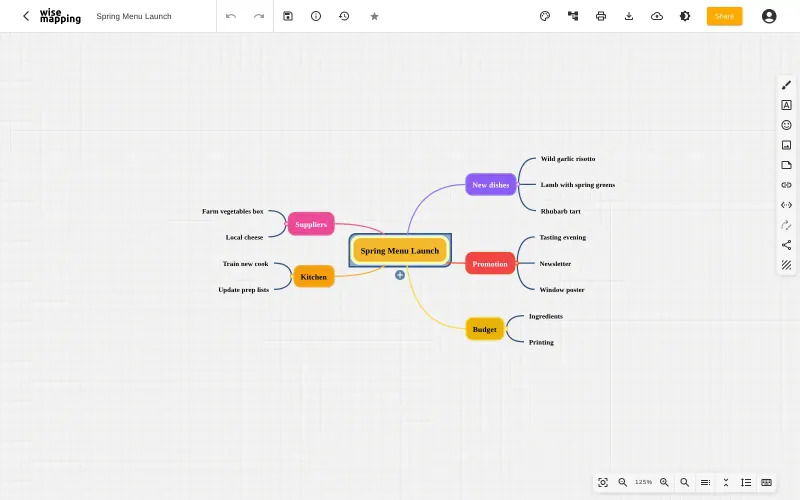
WiseMapping Teams, schools and small businesses that want shared mind maps with no per-user fee Code Source-available Easy

Why look for an alternative to MindMeister?

MindMeister is an online mind-mapping tool for individuals and teams, with shared folders, templates, comments, a presentation mode and phone apps.

People look for an alternative because its free plan limits how many mind maps you can keep, and paid plans are priced per user. Many only need a quick map that a group builds together in a meeting, workshop or class. TeamMapper does that on your own server, with no accounts and no limit on maps. WiseMapping suits teams that want to keep their maps in accounts, with sharing, version history and embedding.

The alternatives, compared

TeamMapper

Our pick

Mind maps your team edits together, shared by link.

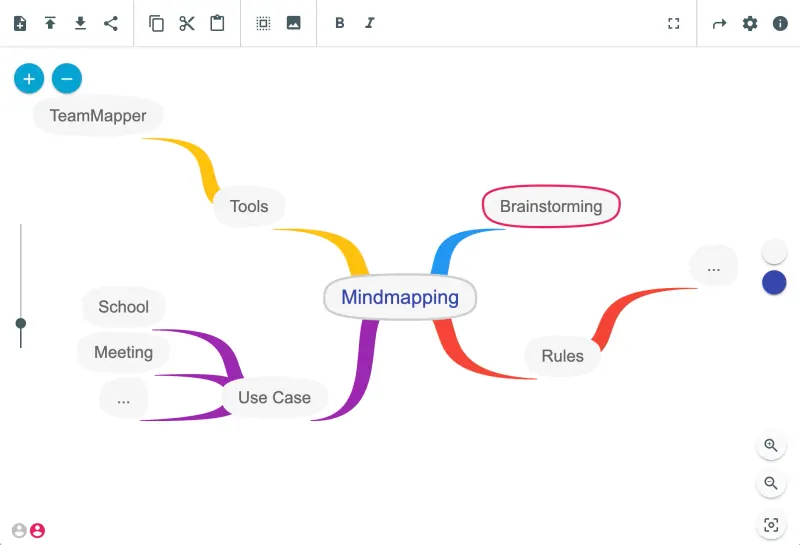
Draws mind maps in the browser that several people edit at once, shared by a view-only or edit link or a QR code, with no accounts or sign-ups. It is simpler than MindMeister, with no folders, presentation mode, templates, comments, history or phone apps, and maps nobody has changed for a set number of days are deleted.

What you gain
  • No per-person plan or limit on the number of maps
  • Nobody needs an account; a link is enough to join a map
  • Your maps are stored on your own server, not in someone else's cloud
What is different
  • Maps can't be imported from MindMeister or Coggle
  • No accounts means no per-person permissions, comments or version history; anyone with the edit link can change the map
  • Maps are deleted after the set number of days without changes, so it isn't a long-term archive
Easy Open source

Mind maps your team can build, share and embed.

Keeps maps in accounts: you draw mind maps in the browser, share each one with colleagues as editors or viewers, make maps public and embed them, and go back to earlier versions, with no limit on maps. Only one person edits a map at a time, it has no comments, presentation mode or phone app, and MindMeister's own files cannot be imported, though XMind, MindManager, FreeMind and OPML files can.

What you gain
  • No subscription and no limit on maps or people
  • Your mind maps stay on your own server
  • Opens your XMind and MindManager files
What is different
  • One person edits a map at a time, rather than everyone live at once
  • No comments, presentation mode or phone apps
  • Fewer links to other apps than MindMeister
Easy Source-available

Moving from MindMeister

TeamMapper cannot import MindMeister maps; it imports only its own JSON files and Mermaid mind maps. Recreate the maps you still use, starting with the active ones, and keep MindMeister's exports of the rest as an archive. Share view-only links widely and edit links only with people who should edit, since anyone with the edit link can change a map, and export important maps as JSON to keep a copy. WiseMapping cannot import MindMeister's own files either; recreate the maps you still use, or import any copies you have in FreeMind, MindManager, XMind or OPML format. Then share each map with colleagues as editors or viewers; new colleagues sign up and the admin activates their accounts in the Admin console.

Questions

What is the best self-hosted alternative to MindMeister?

Start with TeamMapper. Both are free to self-host. TeamMapper is open source; WiseMapping (source-available) publishes its code under a licence with conditions an open-source licence does not have, such as limits on reselling it, keeping the maker's branding or a paid key for some features.

Does TeamMapper need accounts?

No. There are no accounts or sign-ups: you create a map and share a view-only link or an edit link, or a QR code. Anyone with the edit link can change the map.

Are TeamMapper maps kept forever?

No. A map nobody has changed for a set number of days is deleted, 30 by default; you choose the number when you install it. Export a map as a JSON file to keep a copy you can import again.

Should I choose TeamMapper or WiseMapping?

TeamMapper if a group builds a map live at the same time and you want no accounts. WiseMapping if you want maps kept in accounts with sharing per person, version history and XMind or MindManager import, and can accept that one person edits a map at a time.

Are these MindMeister alternatives really free?

Yes, TeamMapper and WiseMapping are free. To run them you need Cloudgate and a server. Use hosted Cloudgate, which can also provide the server, or install Cloudgate on a server of your own for free. Cloudgate's plans and prices are at cloudgate.octabyte.io/pricing. One server can run several apps.

Do I need a developer to replace MindMeister?

No. Cloudgate installs the app you choose on your server and gives it a secure web address, and you use it in your browser instead of MindMeister.