
draw.io
Draw flowcharts, org charts and diagrams in your browser.
No server needed to start: Cloudgate can provide one. What happens when you click Deploy
What is draw.io?
Self-hosted draw.io: draw flowcharts, org charts, network and UML diagrams in your browser, and open Visio and Lucidchart files. Diagrams stay on your device.
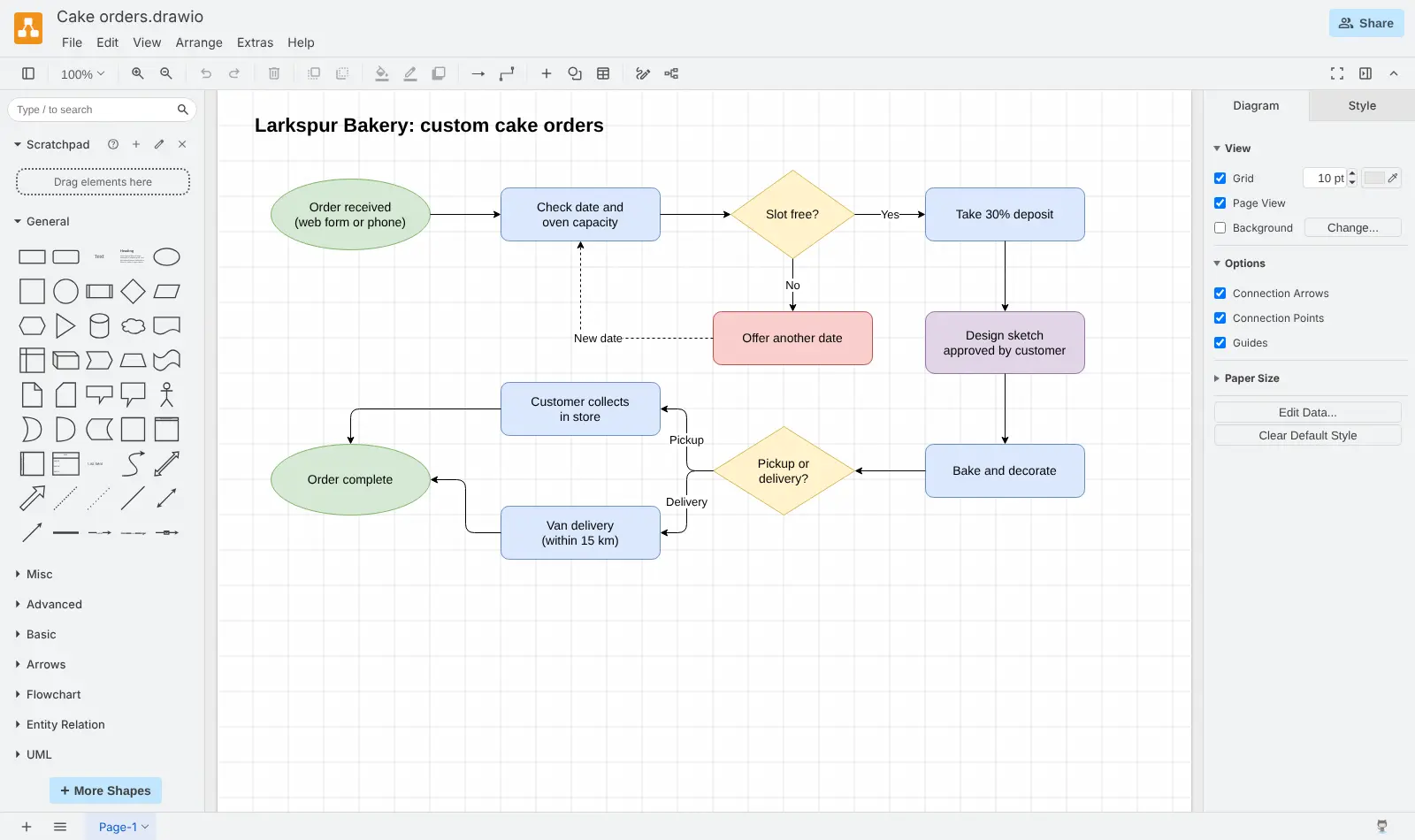
Self-hosted draw.io is a free, open-source diagram editor that runs in your web browser, for drawing flowcharts, org charts, network diagrams and process maps instead of paying for Microsoft Visio or Lucidchart. You drag shapes from large libraries onto the page, connect them with arrows and style them, or start from one of its many templates.
There are no accounts and nothing is stored on the server: each diagram is saved as a file on your own computer, and you can export it as an image or a PDF. draw.io also opens Visio .vsdx files and Lucidchart diagrams, so old work is not lost. A bakery, for example, could map how a custom cake order moves from enquiry to pickup, then print the chart for the kitchen wall.
Be aware of the limits. People cannot edit the same diagram at the same time, anyone with the address can use the editor, and the makers of draw.io call this server version a test version, with a paid production version available. Cloudgate is not connected with draw.io; the name belongs to its makers.
Cloudgate installs draw.io on a server Cloudgate provides or one you connect and gives it a secure web address. Open it and start drawing.
What you can do with draw.io
- Draw any kind of diagram Flowcharts, org charts, network and cloud diagrams, UML, database diagrams, process maps, mind maps and wireframes.
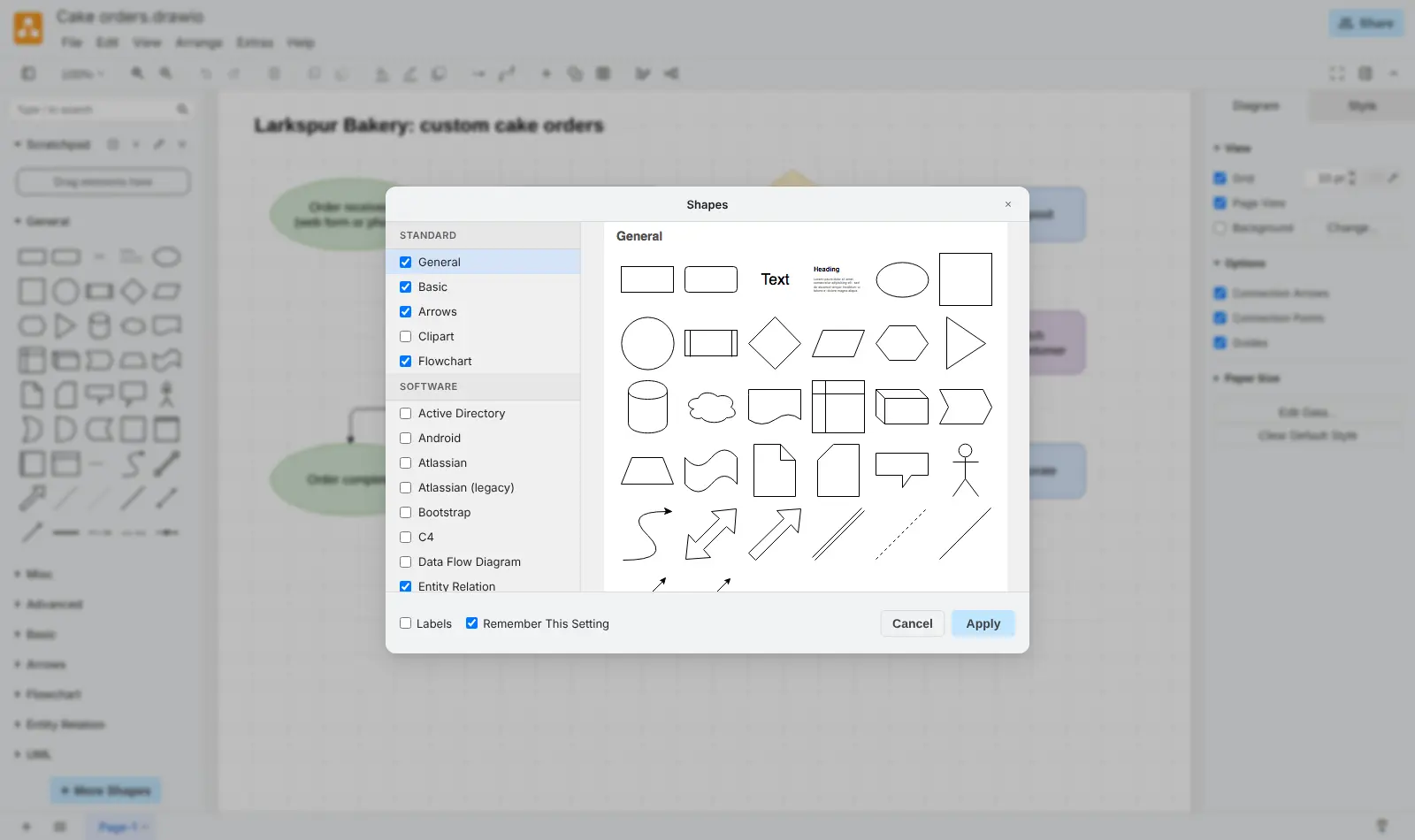
- Pick from large shape libraries Turn on extra libraries such as Active Directory, Android, Bootstrap, C4 and data flow from the More Shapes window.
- Start from a template Ready-made layouts for business canvases, timelines, network maps, software and database diagrams, and wireframes.
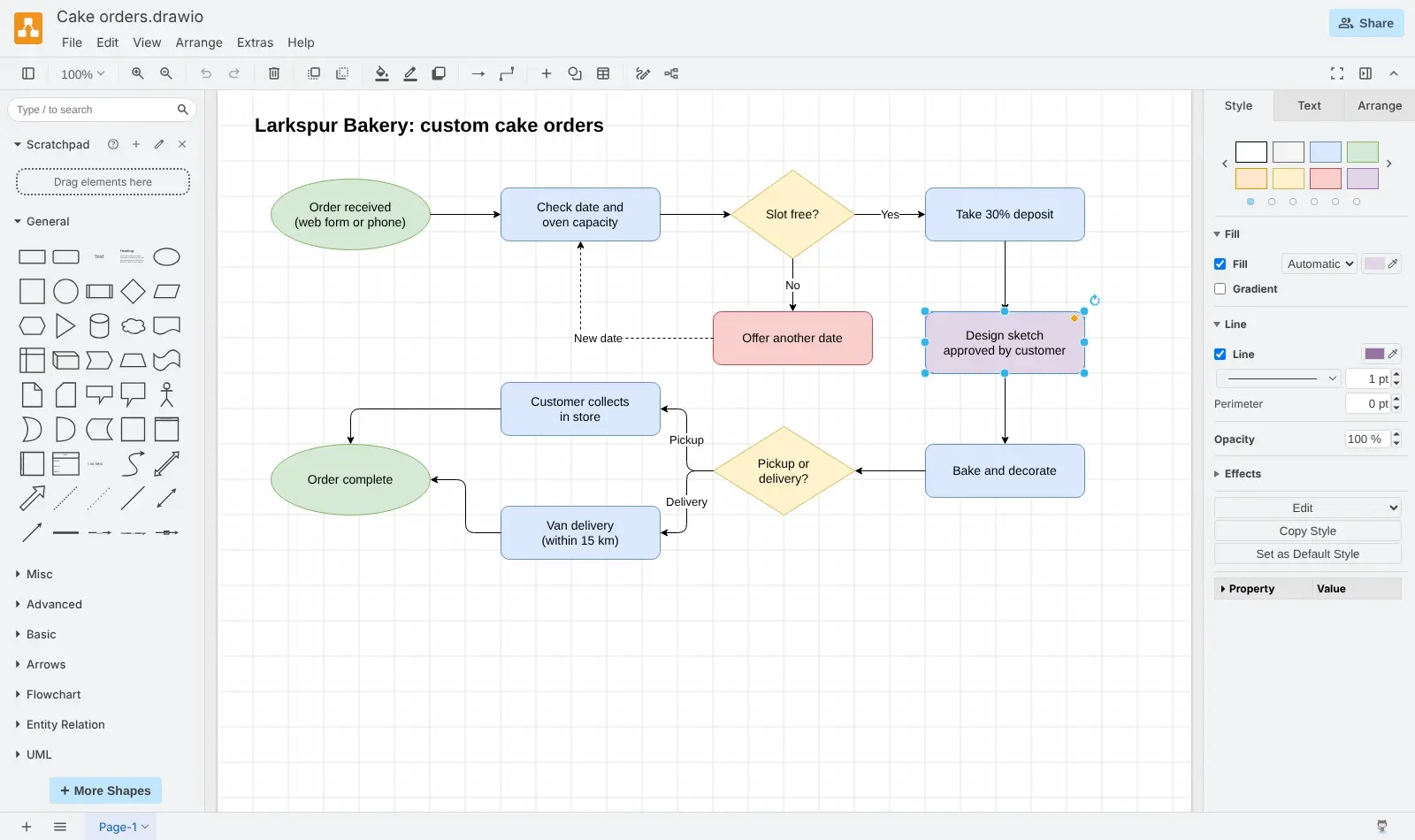
- Style and arrange with precision Set fill, line and text styles, snap connectors to tidy right angles, and use layers and several pages per file.
- Open Visio and Lucidchart files Import Visio .vsdx files, Lucidchart and Gliffy diagrams, and keep working on them in the browser.
- Export pictures to share Save diagrams as PNG, JPEG or SVG images, or as a PDF through your browser's print window.
- Keep diagrams on your own device Diagrams are saved as files on your computer, so nothing you draw is stored on the server.
Replaces Microsoft Visio and Lucidchart
draw.io does the same job as Microsoft Visio and Lucidchart. Here is what changes when you switch.
- No licence fee or per-person plan
- Visio and Lucidchart files can be imported
- Diagrams stay as files on your own computers, not in someone else's cloud
- No accounts to manage; anyone on the team just opens the address
- No live co-editing, comments or shared team workspace
- Each person saves and backs up their own diagram files; the server keeps nothing
- Fewer data-linked features than Visio
- Its makers call this server version a test version and sell a paid production version
What happens when you click Deploy?
You do not need a server or any technical knowledge. Four steps, and draw.io is running at its own web address.
- Step 1 Click Deploy and create your account
Deploy takes you to Cloudgate. Create an account, or log in if you have one. draw.io itself is free.
- Step 2 Choose a server
No server? Get one from Cloudgate: pick a size and a country, and Cloudgate gets it ready. Already have one? Connect it instead.
- Step 3 Cloudgate sets up draw.io
It prepares the server, makes the passwords the app needs and starts it. There is nothing to install and nothing to write down.
- Step 4 Open your app and sign in
Your app gets a free web address to start, without https. Add your own domain, like app.yourshop.com, and Cloudgate secures it with https for you.
New to Cloudgate? See what Cloudgate is
Run Cloudgate yourself? Deploy from your own console
In your Cloudgate console, open Templates and choose draw.io.
Questions
Is draw.io free?
Yes, draw.io is free and open source under the Apache 2.0 licence, and you pay only for your server. Its makers describe this server version as "a test version… for evaluating draw.io", and say a paid production version is available for production use.
Is draw.io a good alternative to Microsoft Visio?
Yes, for drawing flowcharts, org charts and network diagrams in the browser with no licence fee. draw.io opens Visio .vsdx files, but it has fewer data-linked features than Visio and no live co-editing.
Is draw.io a good alternative to Lucidchart?
Yes, if you mainly need the diagrams. draw.io has the same kinds of diagrams and large shape libraries, and it imports Lucidchart files, but it has no real-time collaboration, comments or shared team workspace.
Where does self-hosted draw.io save my diagrams?
On each person's own device. Self-hosted draw.io stores nothing on the server, so you download a .drawio file and open it again later. Saving to Google Drive, OneDrive or GitLab needs extra setup that this template does not include.
Can several people edit a diagram at the same time?
No, draw.io does not support real-time collaborative editing. To work together, people pass the .drawio file to each other or keep it in a shared folder.
Do I need an account to use self-hosted draw.io?
No, self-hosted draw.io has no accounts, no sign-in and no admin. Anyone who has the web address can open the editor, so share it only with the people who should use it.
Can I export a diagram as a PDF?
Yes, draw.io saves PDFs through your browser's print window, where you choose "Save as PDF". PNG, JPEG and SVG images export directly from the editor.
Do I need technical skills to run draw.io?
No. Click Deploy, create your Cloudgate account and choose a server, and Cloudgate sets up draw.io and gives it a web address. You use it in your browser like any other online tool.
Do I need my own server for draw.io?
No. When you deploy draw.io, hosted Cloudgate can provide a server. If you already rent one, you can connect it instead.
Can I move my data from Microsoft Visio to draw.io?
Most people export from Microsoft Visio and import into draw.io. The official guides at www.drawio.com walk through it.
Related apps

A free whiteboard for mind maps, flowcharts and sketches.

AI design studio for web pages, prototypes and decks.

Design 3D floor plans in your browser.

Design and prototype together in your browser, like Figma.