
TeamMapper
Mind maps your team edits together, shared by link.
No server needed to start: Cloudgate can provide one. What happens when you click Deploy
What is TeamMapper?
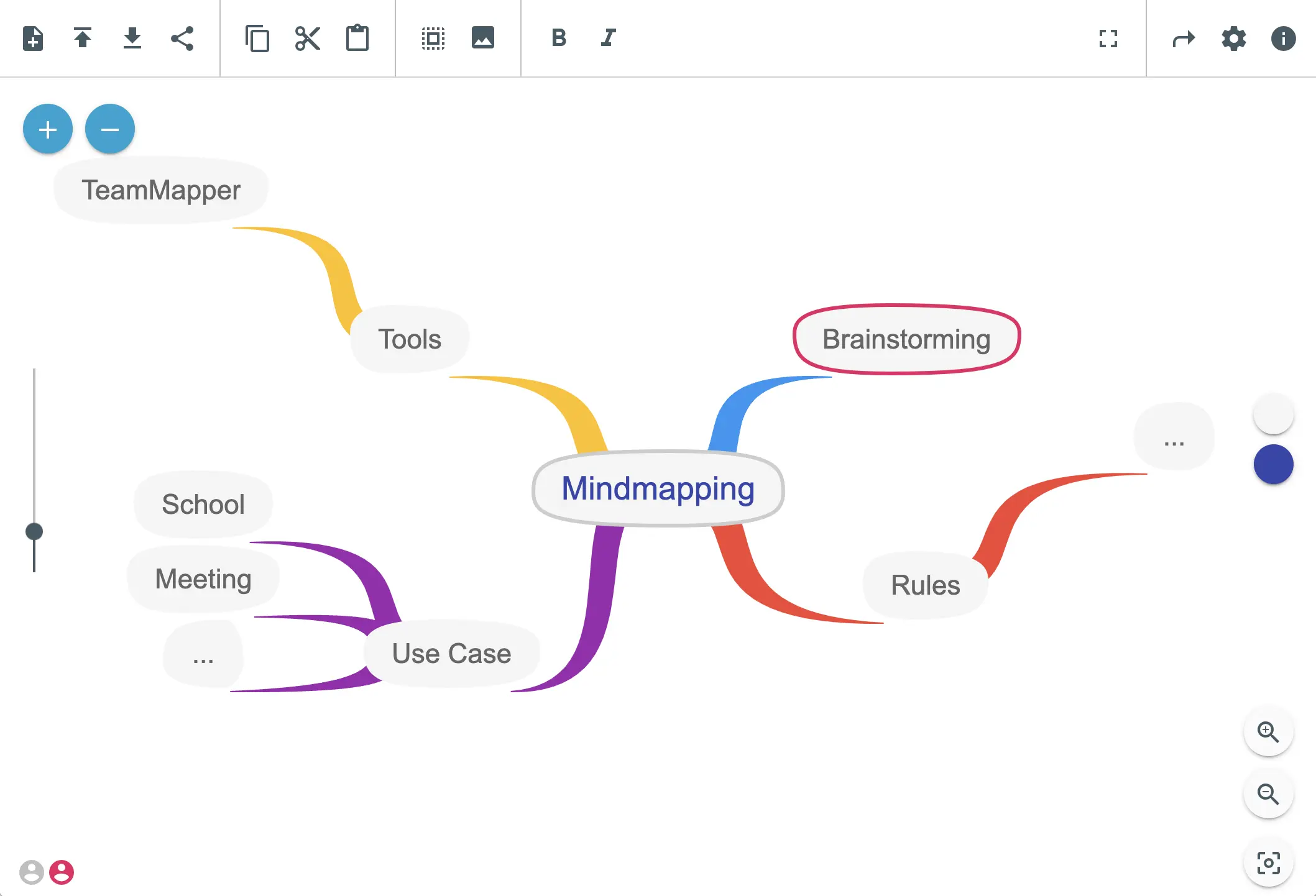
Self-hosted TeamMapper: an open-source MindMeister alternative for mind maps your team edits together live, shared by link with no accounts.
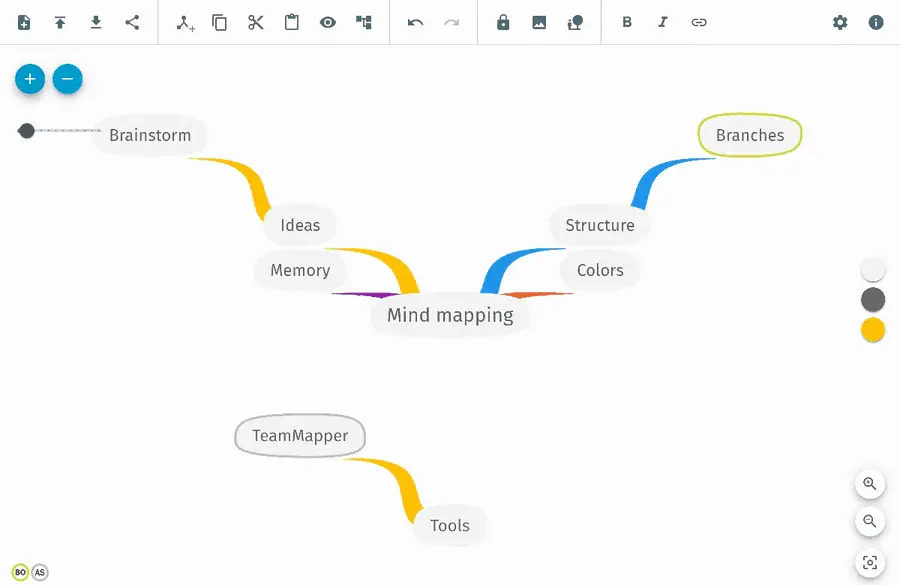
Self-hosted TeamMapper is a free, open-source mind map tool that your team edits together in real time, shared by a link, as an alternative to MindMeister or Coggle. You start a map, add ideas as nodes, and send a link or QR code: a view-only link for people who should follow along, or an edit link for people who should help build it. Nobody has to sign up.
Nodes can have colours, pictures and web links, and a finished map exports as a PDF, an image or a file you can import again later. A bakery team, for example, could plan a new seasonal menu in one shared map during a meeting, with each person adding dishes and suppliers from their own laptop, then print the result as a PDF.
Be aware of the trade-offs. There are no accounts, so anyone with the edit link can change the map, and maps nobody has changed for a set number of days (30 unless you choose more at setup) are deleted. There is no import from MindMeister or Coggle and no phone app. Cloudgate is not connected with TeamMapper; the name belongs to its makers.
Cloudgate installs TeamMapper on a server Cloudgate provides or one you connect and gives it a secure web address. Open it and start mapping.
What you can do with TeamMapper
- Build a mind map together, live Several people add and move nodes on the same map at once and see each other's changes straight away.
- Share by link or QR code Send a view-only link to people who should watch, or an edit link to people who should help build the map.
- No accounts to manage Nobody signs up or logs in; whoever has a map's link can open it.
- Style your ideas Give nodes colours, bold or italic text, pictures and web links.
- Import and export Import JSON or Mermaid mind maps, and export as PDF, PNG, JPEG, SVG, JSON or Mermaid.
- Old maps clean themselves up A map nobody has changed for a set number of days (30 unless you choose otherwise) is deleted automatically.
- Work in your language The app is available in English, German, French, Spanish, Italian, Brazilian Portuguese, Japanese and Chinese.
Replaces MindMeister and Coggle
TeamMapper does the same job as MindMeister and Coggle. Here is what changes when you switch.
- No per-person plan or limit on the number of maps
- Nobody needs an account; a link is enough to join a map
- Your maps are stored on your own server, not in someone else's cloud
- Unused maps are deleted on a schedule you choose
- Maps can't be imported from MindMeister or Coggle
- No accounts means no per-person permissions, comments or version history; anyone with the edit link can change the map
- Maps are deleted after the set number of days without changes, so it isn't a long-term archive
- No phone or desktop apps, and fewer extras such as templates or presentation mode
What happens when you click Deploy?
You do not need a server or any technical knowledge. Four steps, and TeamMapper is running at its own web address.
- Step 1 Click Deploy and create your account
Deploy takes you to Cloudgate. Create an account, or log in if you have one. TeamMapper itself is free.
- Step 2 Choose a server
No server? Get one from Cloudgate: pick a size and a country, and Cloudgate gets it ready. Already have one? Connect it instead.
- Step 3 Cloudgate sets up TeamMapper
It prepares the server, makes the passwords the app needs and starts it. There is nothing to install and nothing to write down.
- Step 4 Open your app and sign in
Your app gets a free web address to start, without https. Add your own domain, like app.yourshop.com, and Cloudgate secures it with https for you.
New to Cloudgate? See what Cloudgate is
Run Cloudgate yourself? Deploy from your own console
In your Cloudgate console, open Templates and choose TeamMapper.
Questions
Is TeamMapper free?
Yes, TeamMapper is free and open source under the MIT licence. There is no paid edition and no limit on maps or people; you pay only for your server.
Is TeamMapper a good alternative to MindMeister?
Yes, if you need shared mind maps for brainstorming, meetings or lessons. Several people edit the same map live and nobody needs an account, but TeamMapper has no phone apps, comments, templates or presentation mode, and it can't import MindMeister maps.
Do people need an account to use TeamMapper?
No, TeamMapper has no accounts and no sign-in. You share each map with a view-only link or an edit link, by URL or QR code, and anyone with the edit link can change the map.
How long does TeamMapper keep my mind maps?
TeamMapper deletes a map after a set number of days without changes, 30 by default; you choose the number when you install it. Export a map as a JSON file to keep a copy you can import again later.
Can I import my maps from MindMeister or Coggle?
No, TeamMapper imports only its own JSON files and Mermaid mind maps. Maps from MindMeister or Coggle have to be built again.
Can I export a TeamMapper mind map as a PDF or image?
Yes, TeamMapper exports a map as a PDF, a PNG or JPEG picture, or an SVG, as well as JSON and Mermaid text.
Is there a TeamMapper phone app?
No, TeamMapper has no phone or desktop apps. You use it in a web browser.
Do I need technical skills to run TeamMapper?
No. Click Deploy, create your Cloudgate account and choose a server, and Cloudgate sets up TeamMapper and gives it a web address. You use it in your browser like any other online tool.
Do I need my own server for TeamMapper?
No. When you deploy TeamMapper, hosted Cloudgate can provide a server. If you already rent one, you can connect it instead.
Related apps

Mind maps your team can build, share and embed.

Draw flowcharts, org charts and diagrams in your browser.

A free whiteboard for mind maps, flowcharts and sketches.

AI design studio for web pages, prototypes and decks.