
Drawnix
A free whiteboard for mind maps, flowcharts and sketches.
No server needed to start: Cloudgate can provide one. What happens when you click Deploy
What is Drawnix?
Self-hosted Drawnix: a free, open-source whiteboard for mind maps, flowcharts and sketches, built from Markdown or Mermaid and saved in your browser.
Drawnix is a free, open-source whiteboard for mind maps, flowcharts and freehand drawing, and self-hosted Drawnix is a simple alternative to XMind and Whimsical. It runs in your web browser, and each board is saved on your own device as you work, with no account to create.
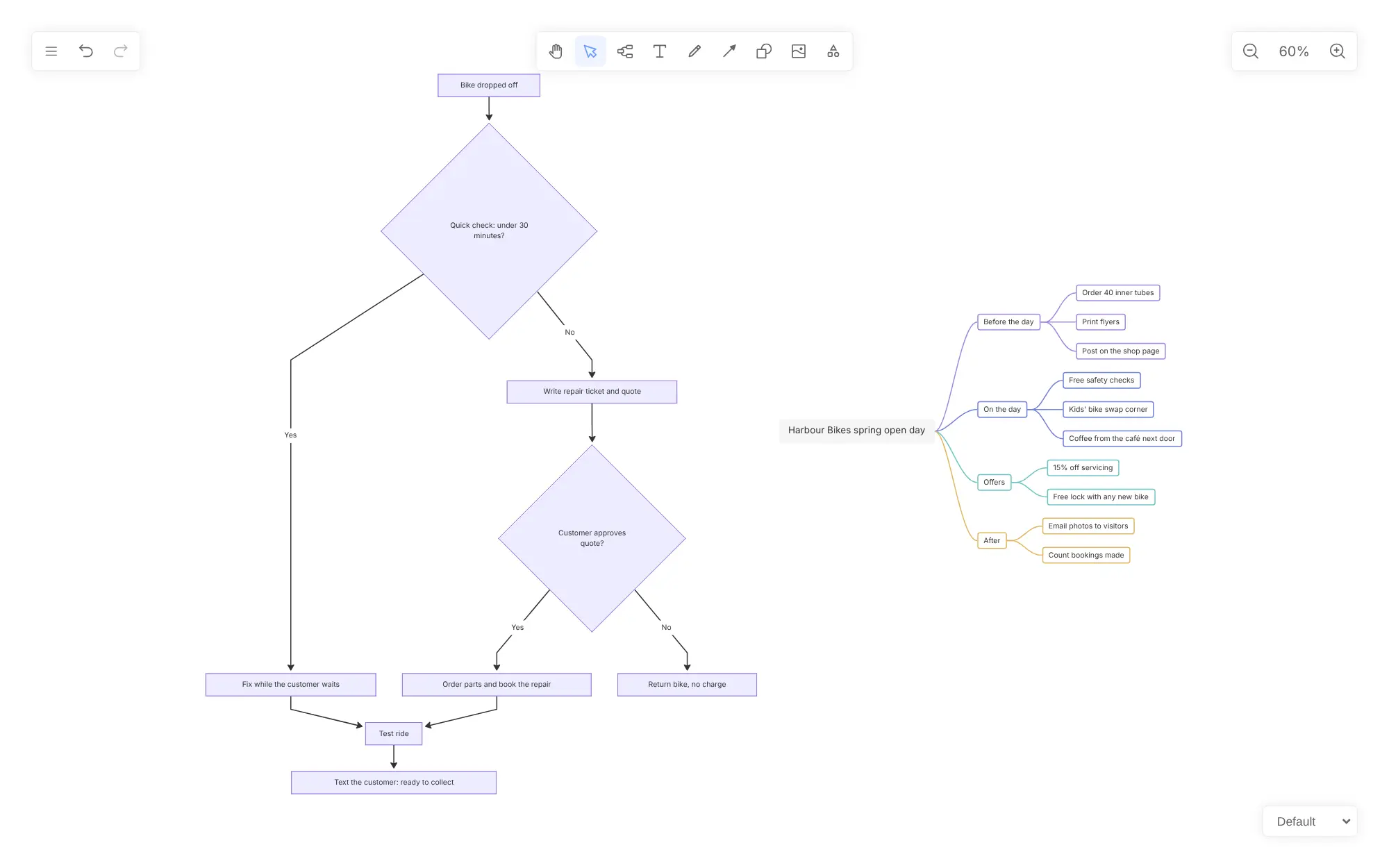
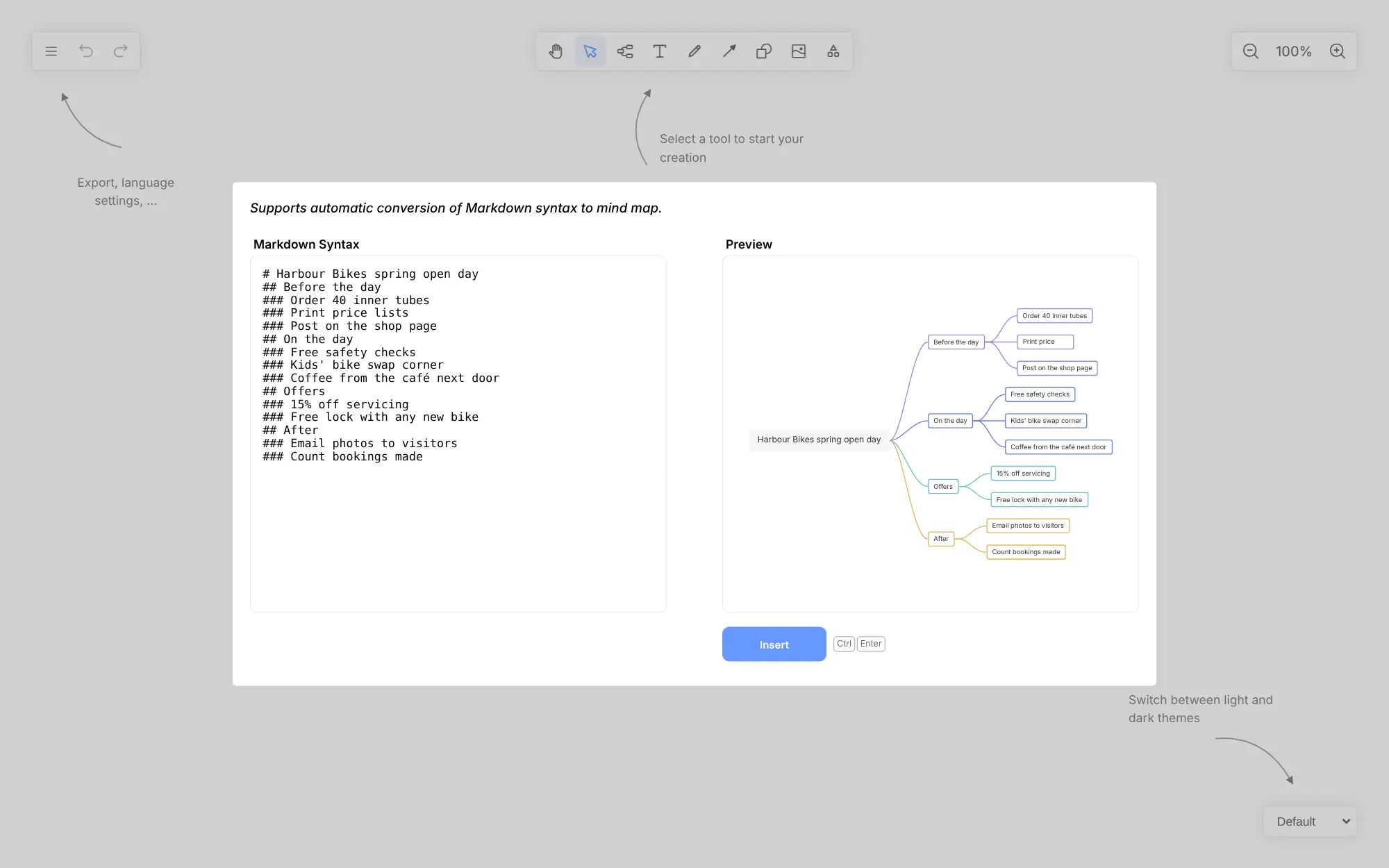
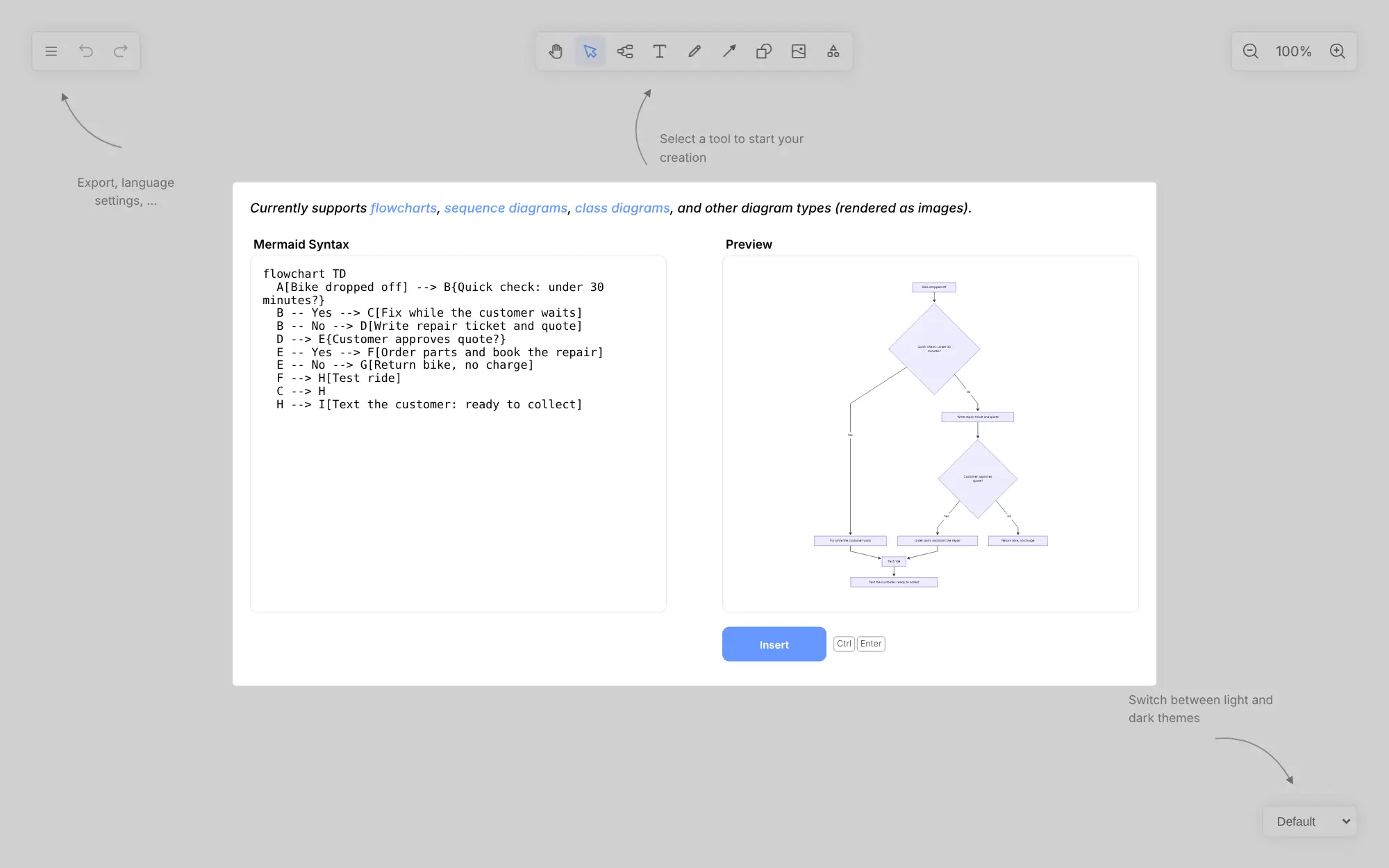
One endless board holds a mind map with coloured branches, flowcharts of shapes and arrows, freehand sketches, text and images. You can also start from text: paste a Markdown outline and it becomes a mind map, or paste Mermaid code and it becomes a flowchart you can keep editing. A bike repair shop, for example, could map out its spring open day as a mind map and sketch its repair process as a flowchart beside it, then export both as pictures for the staff noticeboard.
Drawnix is made for one person at a time. It has no live collaboration, comments or sign-in, and each browser keeps a single board, so save a .drawnix file to keep a copy, move a board to another computer or share it. If your team needs to draw together live, it is not a full Miro replacement.
Cloudgate installs Drawnix on a server Cloudgate provides or one you connect and gives it a secure web address. Cloudgate is not connected with Drawnix or its makers.
What you can do with Drawnix
- Mind maps and flowcharts on one board Build a mind map with coloured branches next to a flowchart of shapes and arrows, on a canvas you can zoom and pan without limit.
- Turn a Markdown outline into a mind map Paste a list of headings, see the mind map in a preview, and insert it on the board to keep editing.
- Turn Mermaid code into a flowchart Paste a Mermaid flowchart, sequence diagram or class diagram and it becomes shapes you can move and restyle; other Mermaid diagrams go in as pictures.
- Draw, write and add pictures Sketch with a freehand pen in preset colours and sizes, rub out with the eraser, and add text and images anywhere on the board.
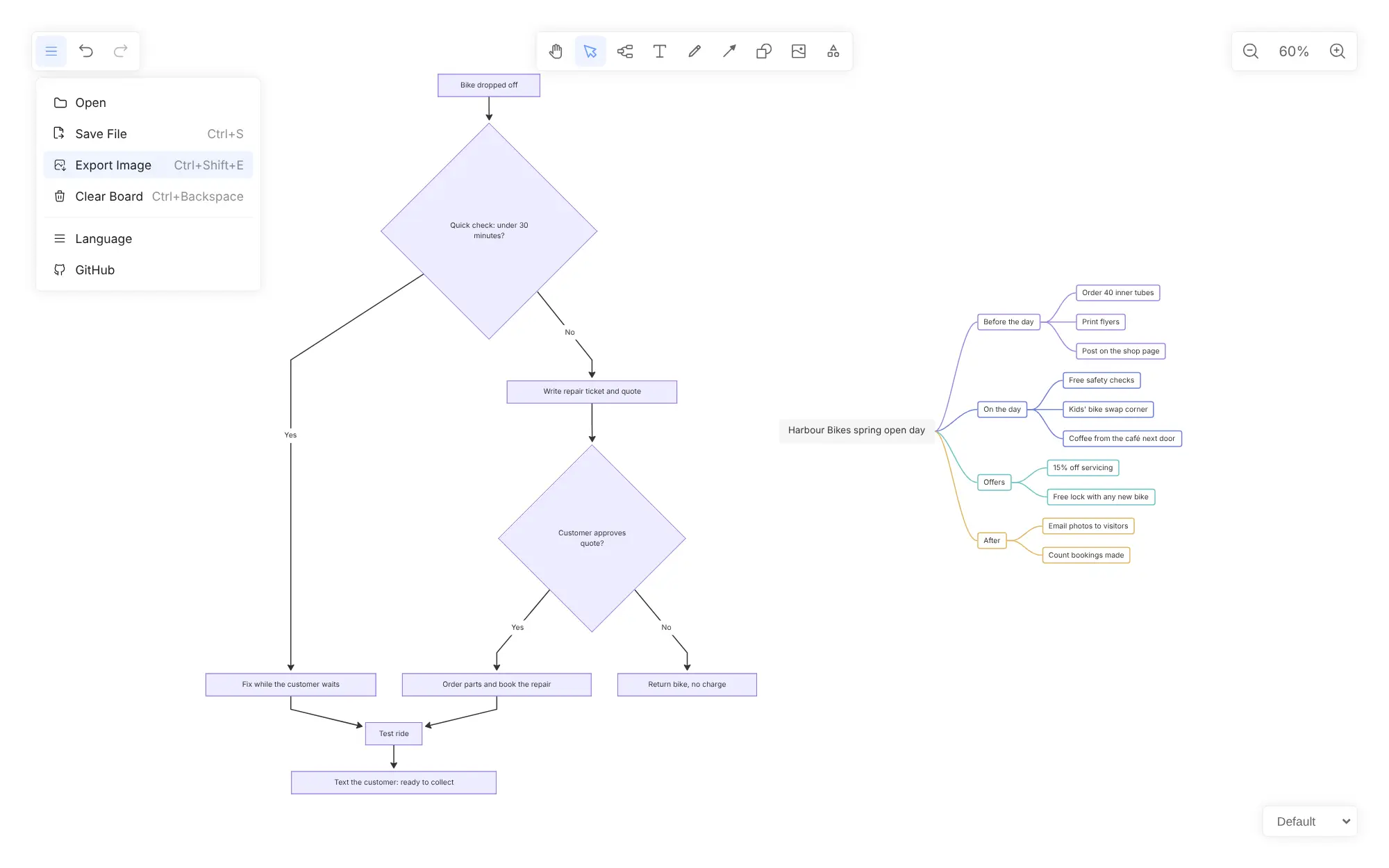
- Save, open and export your work Save a board as a .drawnix file to open later, export it as a PNG, JPG or SVG picture, or copy it to paste into a document.
- Themes and five languages Choose from six colour themes, including dark, and use the board in English, Chinese, Russian, Arabic or Vietnamese, on a computer or a tablet.
Replaces XMind, Whimsical and Miro
Drawnix does the same job as XMind, Whimsical and Miro. Here is what changes when you switch.
- Free and open source, with no subscription and no fee per person
- Mind maps and flowcharts in one tool, built straight from Markdown or Mermaid text
- No account to create; your boards stay in your own browser, not in someone else's cloud
- Opens in any browser, including on a tablet
- Made for one person at a time; no live collaboration, comments or share links
- Each browser keeps one board, and clearing the browser's data deletes it unless you saved a file
- No templates library, presentation mode or app integrations
- No import from XMind, Whimsical or Miro
What happens when you click Deploy?
You do not need a server or any technical knowledge. Four steps, and Drawnix is running at its own web address.
- Step 1 Click Deploy and create your account
Deploy takes you to Cloudgate. Create an account, or log in if you have one. Drawnix itself is free.
- Step 2 Choose a server
No server? Get one from Cloudgate: pick a size and a country, and Cloudgate gets it ready. Already have one? Connect it instead.
- Step 3 Cloudgate sets up Drawnix
It prepares the server, makes the passwords the app needs and starts it. There is nothing to install and nothing to write down.
- Step 4 Open your app and sign in
Your app gets a free web address to start, without https. Add your own domain, like app.yourshop.com, and Cloudgate secures it with https for you.
New to Cloudgate? See what Cloudgate is
Run Cloudgate yourself? Deploy from your own console
In your Cloudgate console, open Templates and choose Drawnix.
Questions
Is Drawnix free?
Yes, Drawnix is free and open source under the MIT licence, with no paid edition and no fee per person. You pay only for your server.
Is Drawnix a good alternative to XMind?
Yes, Drawnix works well for making clear mind maps and saving them as pictures, in a browser and for free. It has fewer mind-map features than XMind, with no outline view or presentation mode, and it cannot open XMind files.
Is Drawnix a good alternative to Miro?
Partly. Drawnix gives you an endless board with mind maps, flowcharts, shapes, drawing and images, but only one person works on a board at a time, with no live collaboration, comments or templates. If you need to draw together live, a shared whiteboard such as WBO fits better.
Where does Drawnix save my boards?
In your own web browser. Drawnix saves the board automatically on the device you are using, not on the server, so it is private to you. Use Save File to keep a .drawnix copy, which is also how you back up a board, move it to another computer or keep several boards.
Can several people work on the same board?
No, Drawnix has no accounts or live collaboration. To share a board, send the .drawnix file, which the other person opens in their own Drawnix, or export the board as a picture.
How do I sign in to Drawnix the first time?
You don't; Drawnix has no sign-in. Open its web address and start drawing. The first time, the menus may show in Chinese, so open the menu at the top left, choose Language and pick English.
Can I import my mind maps from XMind or my boards from Miro?
No, Drawnix cannot import XMind, Miro or Whimsical files. It opens .drawnix files and builds new mind maps from a Markdown outline and new flowcharts from Mermaid code.
Do I need technical skills to run Drawnix?
No. Click Deploy, create your Cloudgate account and choose a server, and Cloudgate sets up Drawnix and gives it a web address. You use it in your browser like any other online tool.
Do I need my own server for Drawnix?
No. When you deploy Drawnix, hosted Cloudgate can provide a server. If you already rent one, you can connect it instead.
Related apps

A self-hosted whiteboard your team can draw on together, live.

Mind maps your team can build, share and embed.

Draw flowcharts, org charts and diagrams in your browser.

AI design studio for web pages, prototypes and decks.