
Open Design
AI design studio for web pages, prototypes and decks.
No server needed to start: Cloudgate can provide one. What happens when you click Deploy




What is Open Design?
Open Design is a self-hosted AI design studio that turns a brief into web pages, prototypes and slide decks in your brand's style, using your own AI key.
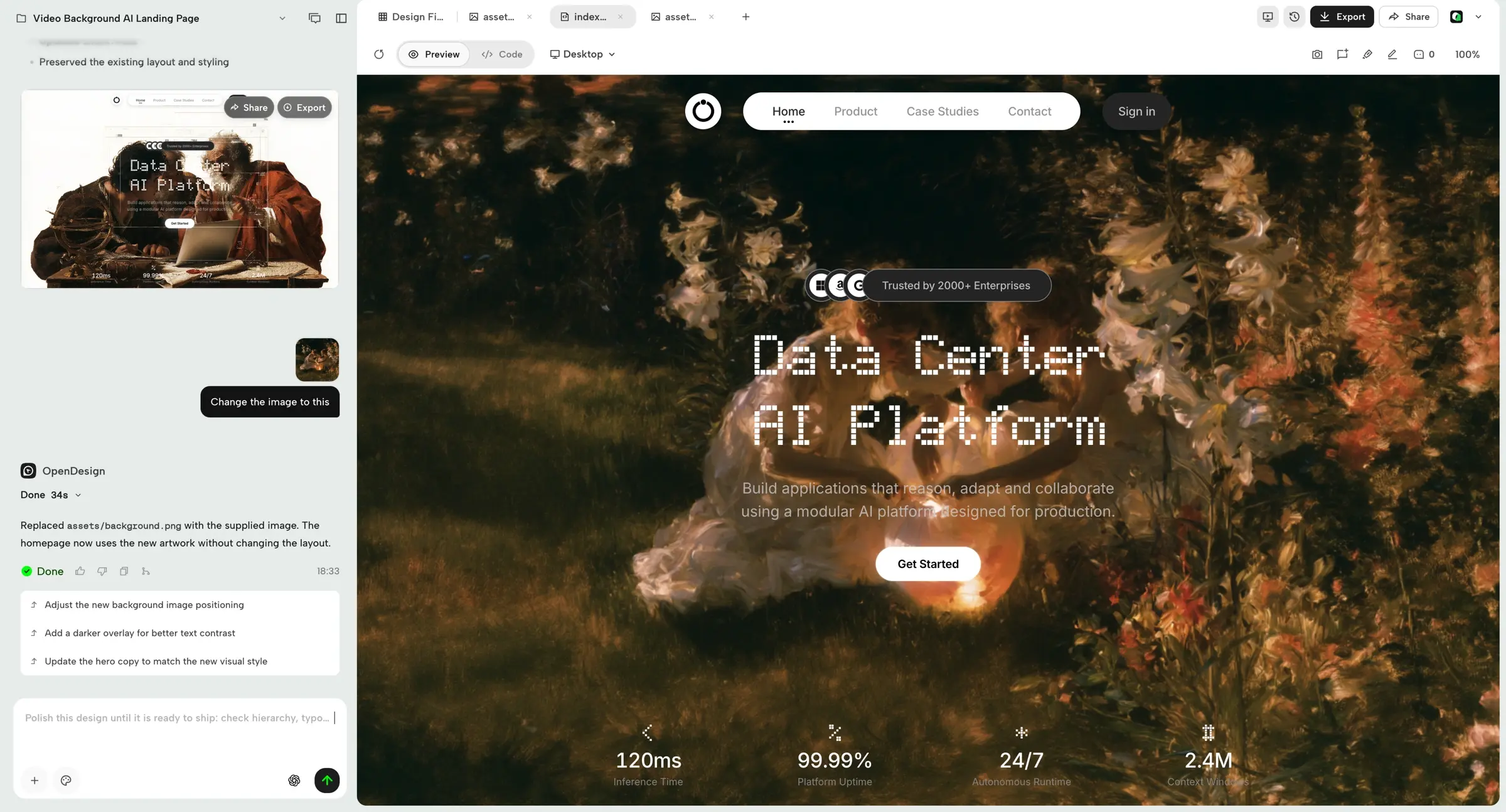
Open Design is a free, open-source, self-hosted AI design studio that turns a written brief into web pages, clickable prototypes and slide decks, an alternative to Claude Design and v0. You describe what you need, it builds the design in a live preview, and you keep refining it in plain words until it is ready to share or hand to a developer.
Every design follows a design system, the colours, fonts and style of a brand, so results stay consistent. More than 150 design systems come with it, and you can add your own. A bakery owner, for example, could ask for a spring menu landing page and a short slide deck for a supplier meeting in the bakery's own colours, then download the deck as PowerPoint.
Open Design works with the AI provider you choose: you paste an API key from Anthropic, OpenAI, Google Gemini or another compatible service, and that provider bills you for what you use. Designs export as HTML, PDF, PowerPoint, Markdown or ZIP.
Cloudgate installs Open Design on a server Cloudgate provides or one you connect and gives it a secure web address. Sign in with the shared password Cloudgate generates, connect your AI key, and start your first design. Your projects and keys stay on your server.
What you can do with Open Design
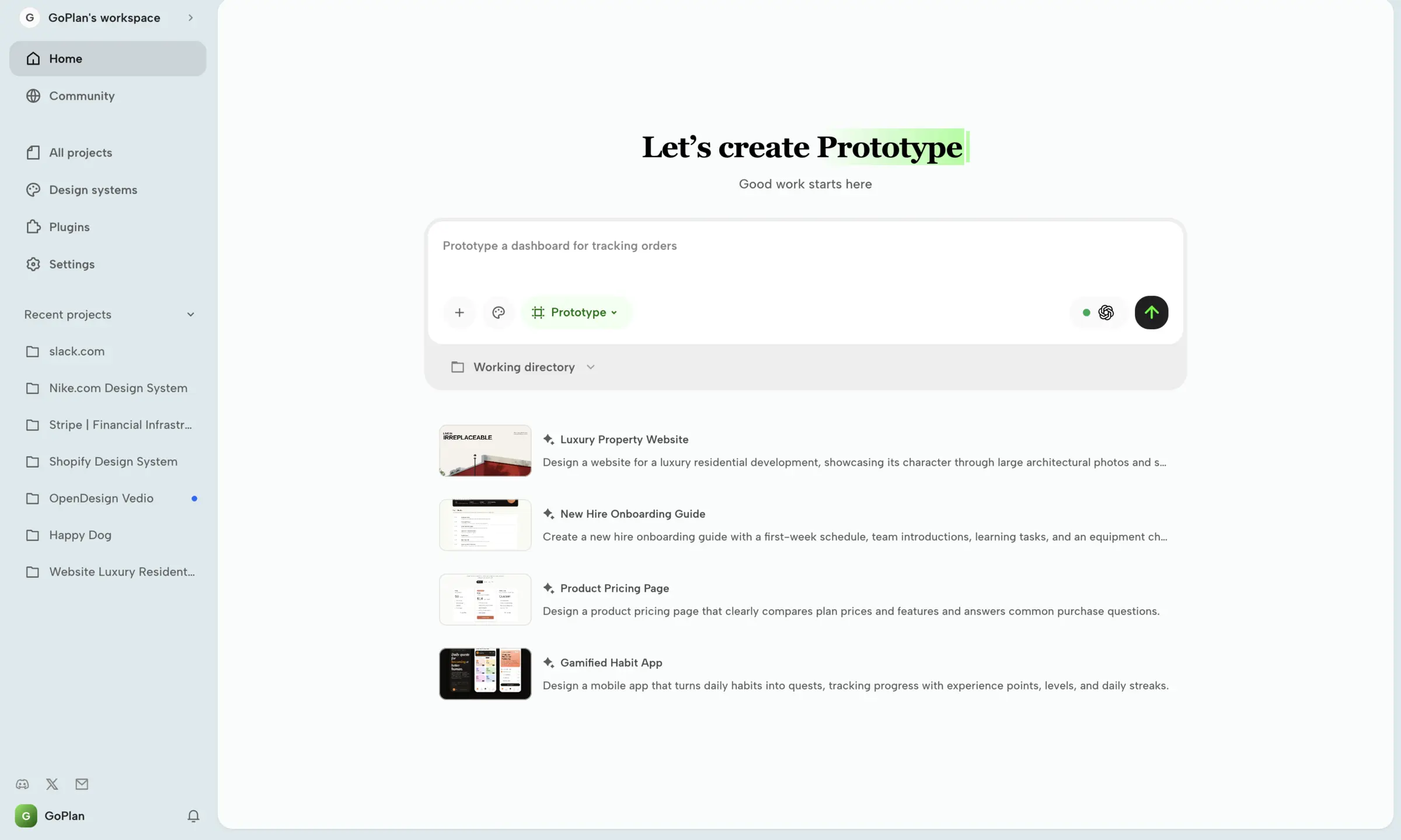
- Describe it, get a design Type a brief such as "a pricing page for our bakery", pick prototype, slides or image, and watch it build in a live preview.
- Refine it in plain words Ask for changes in the chat, such as a darker background or a new section, and the same design is updated.
- Make web pages and prototypes Landing pages, dashboards, pricing pages and mobile app screens come out as real web pages you can click through.
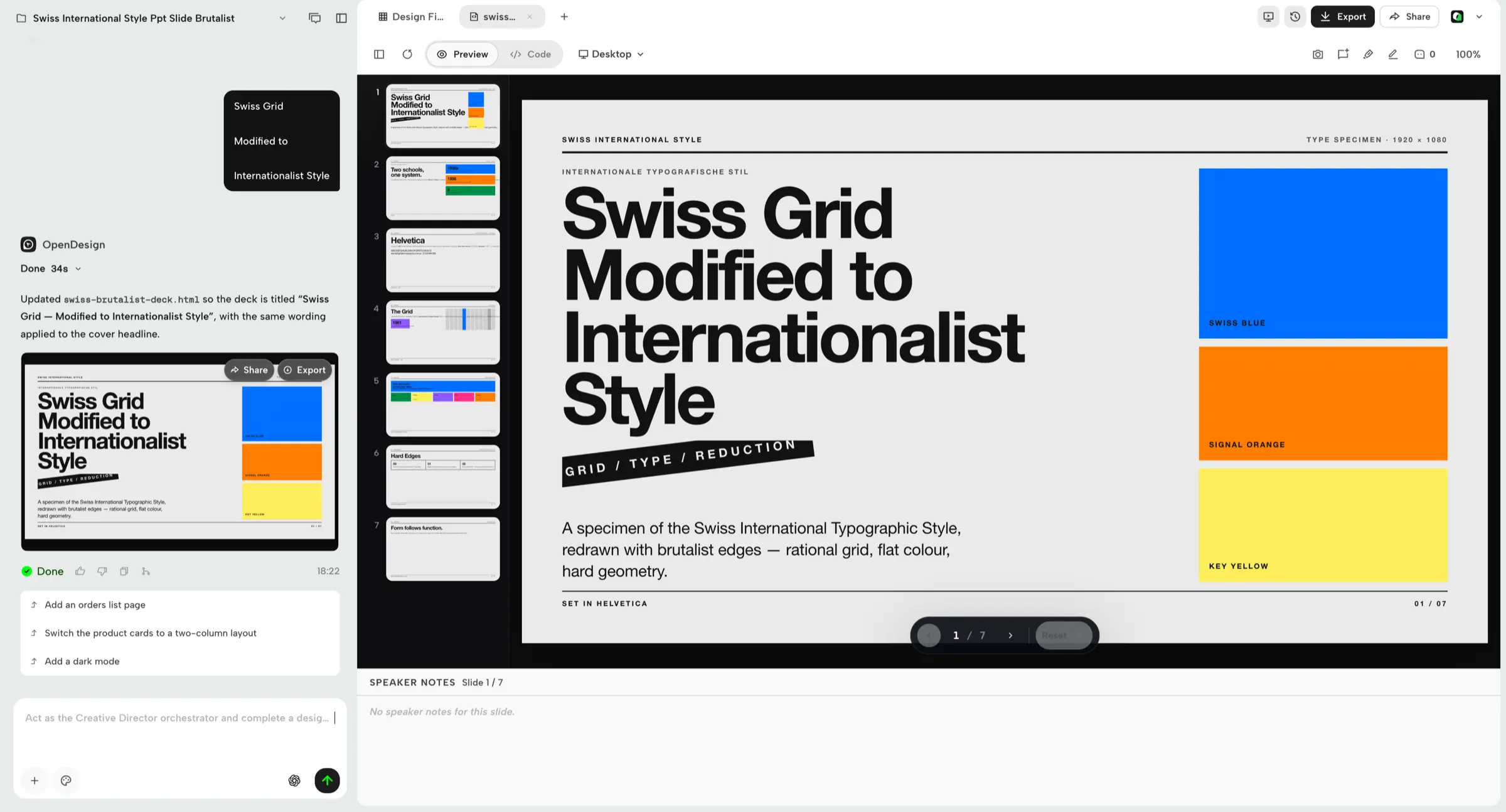
- Build slide decks Make pitch decks and weekly updates with speaker notes, from 15 deck templates and 36 themes.
- Stay on brand Choose from more than 150 ready-made design systems, or add your own colours, fonts and style for every design to follow.
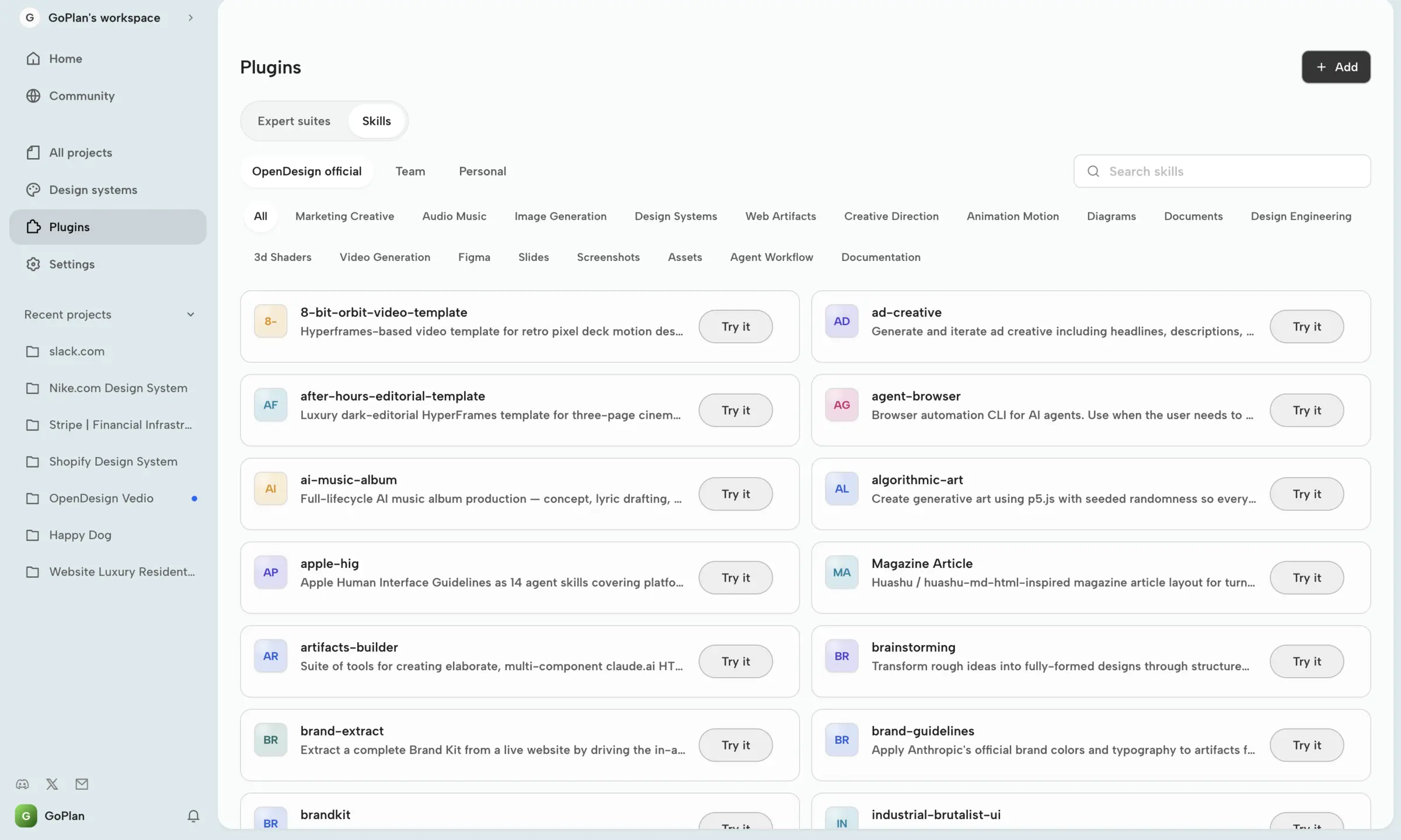
- Start from templates and plugins Ready-made starters cover pricing pages, onboarding guides, OKR scorecards, social posts, emails and more.
- Export and hand over Download your work as HTML, PDF, PowerPoint, Markdown or a ZIP file, and give developers real web code to build on.
Replaces Claude Design and v0
Open Design does the same job as Claude Design and v0. Here is what changes when you switch.
- Use the AI model you choose, and change provider whenever you like
- Your projects, brand files and API keys stay on your own server
- No design subscription; you pay for your server and the AI you use
- Open-source code you can inspect and adapt
- You need your own AI provider key, and each design uses paid AI tokens
- One shared password for the workspace, with no separate user accounts
- It makes web pages, decks and prototypes, not Figma files or finished apps
- Your Claude Design projects do not move across
What happens when you click Deploy?
You do not need a server or any technical knowledge. Four steps, and Open Design is running at its own web address.
- Step 1 Click Deploy and create your account
Deploy takes you to Cloudgate. Create an account, or log in if you have one. Open Design itself is free.
- Step 2 Choose a server
No server? Get one from Cloudgate: pick a size and a country, and Cloudgate gets it ready. Already have one? Connect it instead.
- Step 3 Cloudgate sets up Open Design
It prepares the server, makes the passwords the app needs and starts it. There is nothing to install and nothing to write down.
- Step 4 Open your app and sign in
Your app gets a free web address to start, without https. Add your own domain, like app.yourshop.com, and Cloudgate secures it with https for you.
New to Cloudgate? See what Cloudgate is
Run Cloudgate yourself? Deploy from your own console
In your Cloudgate console, open Templates and choose Open Design.
Questions
Is Open Design free?
Yes, Open Design is free and open source under the Apache 2.0 licence. You pay for your server and for the AI provider whose key you connect. The project also sells optional hosted AI credits, which you don't need.
Is Open Design a good alternative to Claude Design?
Yes, if you want prompt-to-design on your own server with the AI model you choose. Open Design makes the same kinds of prototypes, web pages and slide decks, but you set it up and bring your own AI key, which Claude Design does for you inside a Claude subscription.
Do I need my own AI key for Open Design?
Yes, Open Design has no AI model of its own. You paste an API key from a provider such as Anthropic, OpenAI, Google Gemini or Azure OpenAI, or any OpenAI-compatible service, and that provider bills you for what you use. You can also sign in to the project's paid hosted AI instead.
How do I sign in to Open Design the first time?
Your browser asks for a username and password before Open Design opens. The username is open-design and the password is the one Cloudgate generates and shows with your app. Everyone who uses the workspace shares that password, so give it only to people you trust.
Can I import my Claude Design projects into Open Design?
No, there is no import from Claude Design. Export what you need from Claude Design, then recreate your brand in Open Design as a design system and continue there.
Can Open Design export to Figma or PowerPoint?
Open Design exports to PowerPoint, PDF, HTML, Markdown and ZIP, but not to Figma. Designs are real web pages, so developers can take the HTML straight into their own project.
What server size do I need for Open Design?
A small server is enough, because the AI work happens at your AI provider, not on your server. Open Design runs as one light app and stores your projects in its own folder, with no separate database to look after.
Do I need technical skills to run Open Design?
No. Click Deploy, create your Cloudgate account and choose a server, and Cloudgate sets up Open Design and gives it a web address. You use it in your browser like any other online tool.
Do I need my own server for Open Design?
No. When you deploy Open Design, hosted Cloudgate can provide a server. If you already rent one, you can connect it instead.
Related apps

Draw flowcharts, org charts and diagrams in your browser.

A free whiteboard for mind maps, flowcharts and sketches.

Design 3D floor plans in your browser.
Design and prototype together in your browser, like Figma.