
X

Self-hosted alternatives to XMind

WiseMapping is a free, source-available XMind alternative that runs in the browser and opens your .xmind files, so a team can build, share and embed mind maps on its own server. XMind is a subscription for its desktop and phone apps; self-hosted WiseMapping has no subscription and no limit on maps or people, though it has fewer map types and no phone app.

2 alternatives Free apps Our pick: WiseMapping

At a glance

App Good for Code Import from XMind Ease of use
WiseMapping Teams, schools and small businesses that want shared mind maps with no per-user fee Code Source-available Import from XMind Yes Easy
Drawnix Teachers, planners and small-business owners who want mind maps, flowcharts and sketches on one free board, working on their own Code Open source Import from XMind No Easy

Why look for an alternative to XMind?

XMind is mind-mapping software for computers and phones, with many map types, such as fishbone, timeline and matrix diagrams, and themes, sold as a subscription.

People look for an alternative when they want maps a team opens in the browser and shares, rather than files on one computer, or when they don't want another subscription. A self-hosted WiseMapping opens your XMind files and keeps the maps on your own server, shared with the people who need them. Drawnix suits people who make mind maps now and then: it makes mind maps and flowcharts on one free whiteboard in any browser, with nothing to install, though it is a much simpler mind-mapping tool than XMind and cannot open XMind files.

The alternatives, compared

WiseMapping

Our pick

Mind maps your team can build, share and embed.

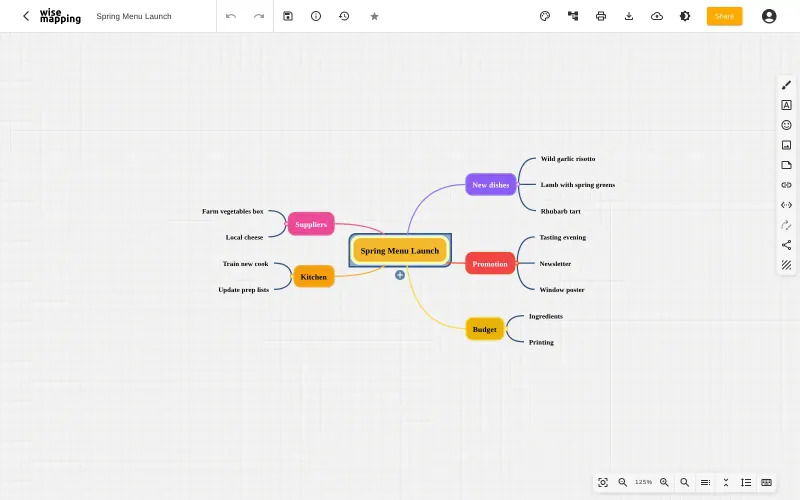
Imports your .xmind files and runs in the browser: maps of topics and branches with notes, links, icons and images, shared with colleagues as editors or viewers, embedded in a website and restored to earlier versions. XMind has more map types, such as fishbone, timeline and matrix, and polished desktop and phone apps; WiseMapping has a radial map and a top-down tree, and one person edits a map at a time.
Easy Source-available

A free whiteboard for mind maps, flowcharts and sketches.

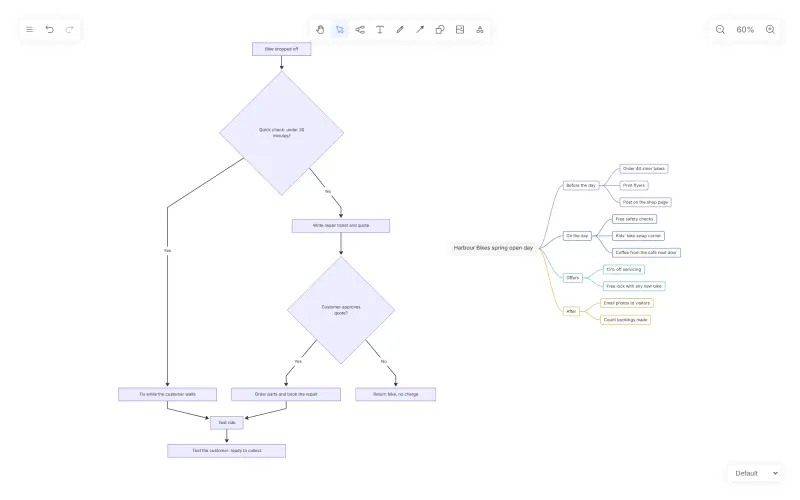
Makes clear mind maps in the browser, builds one from a Markdown outline, and saves it as a picture or a .drawnix file, on a whiteboard that also holds flowcharts, shapes and freehand drawing. It has far fewer mind-map features than XMind, with no outline view or presentation mode, it cannot open XMind files, and each browser keeps one board unless you save files.

What you gain
  • Free and open source, with no subscription and no fee per person
  • Mind maps and flowcharts in one tool, built straight from Markdown or Mermaid text
  • No account to create; your boards stay in your own browser, not in someone else's cloud
What is different
  • Made for one person at a time; no live collaboration, comments or share links
  • Each browser keeps one board, and clearing the browser's data deletes it unless you saved a file
  • No templates library, presentation mode or app integrations
Easy Open source

Moving from XMind

Collect your .xmind files, then use Import in WiseMapping's map list to bring each one in. Check maps that used XMind's fishbone, timeline or matrix structures, since WiseMapping has only radial and tree layouts. Share each map with the colleagues who need it, as editors or viewers; colleagues sign up on the sign-in page, and the admin activates their accounts in the Admin console. Keep XMind until the maps you still use are in WiseMapping.

Drawnix cannot open XMind files. The quickest way across is through text: write each map's branches as a Markdown bulleted list, then paste it into Drawnix's Markdown-to-mind-map tool to rebuild the map in one step. Adjust the layout and colours on the board, then use Save File to keep a .drawnix copy of each map, since a browser keeps only one board at a time. Export finished maps as PNG or SVG pictures for documents and slides.

Questions

What is the best self-hosted alternative to XMind?

Start with WiseMapping. Both are free to self-host. Drawnix is open source; WiseMapping (source-available) publishes its code under a licence with conditions an open-source licence does not have, such as limits on reselling it, keeping the maker's branding or a paid key for some features.

Can WiseMapping or Drawnix open XMind files?

WiseMapping can; Drawnix cannot. WiseMapping imports .xmind files from its map list, as well as MindManager, FreeMind, Freeplane and OPML files. Drawnix opens only .drawnix files and builds new mind maps from a Markdown outline, so you bring an XMind map across as text.

Does WiseMapping work offline like the XMind app?

Not the self-hosted version, which runs in the browser on computers, tablets and phones. A separate WiseMapping Desktop app for Windows, macOS and Linux keeps maps offline on one computer.

Is WiseMapping open source?

Not strictly: it is source-available. Its code is public under the WiseMapping Public License, which is the Apache 2.0 licence plus one rule: the powered by WiseMapping notice stays on every screen. It is free to use, with every feature included and no limit on maps or users.

Can I keep several mind maps in Drawnix?

Yes, as files. Each browser shows one board at a time, so save each map with Save File and open the one you need.

Can I export a mind map as a picture?

Yes. WiseMapping exports maps to PDF, PNG, SVG, Markdown or text, and Drawnix exports the board as a PNG or SVG picture, ready for a document or a slide.

Are these XMind alternatives really free?

Yes, WiseMapping and Drawnix are free. To run them you need Cloudgate and a server. Use hosted Cloudgate, which can also provide the server, or install Cloudgate on a server of your own for free. Cloudgate's plans and prices are at cloudgate.octabyte.io/pricing. One server can run several apps.

Do I need a developer to replace XMind?

No. Cloudgate installs the app you choose on your server and gives it a secure web address, and you use it in your browser instead of XMind.