
Steedos
A self-hosted low-code platform for Salesforce-style business apps.
No server needed to start: Cloudgate can provide one. What happens when you click Deploy
What is Steedos?
Self-hosted Steedos is an open-source low-code platform for building business apps with custom objects, approval processes and Salesforce-style permissions.
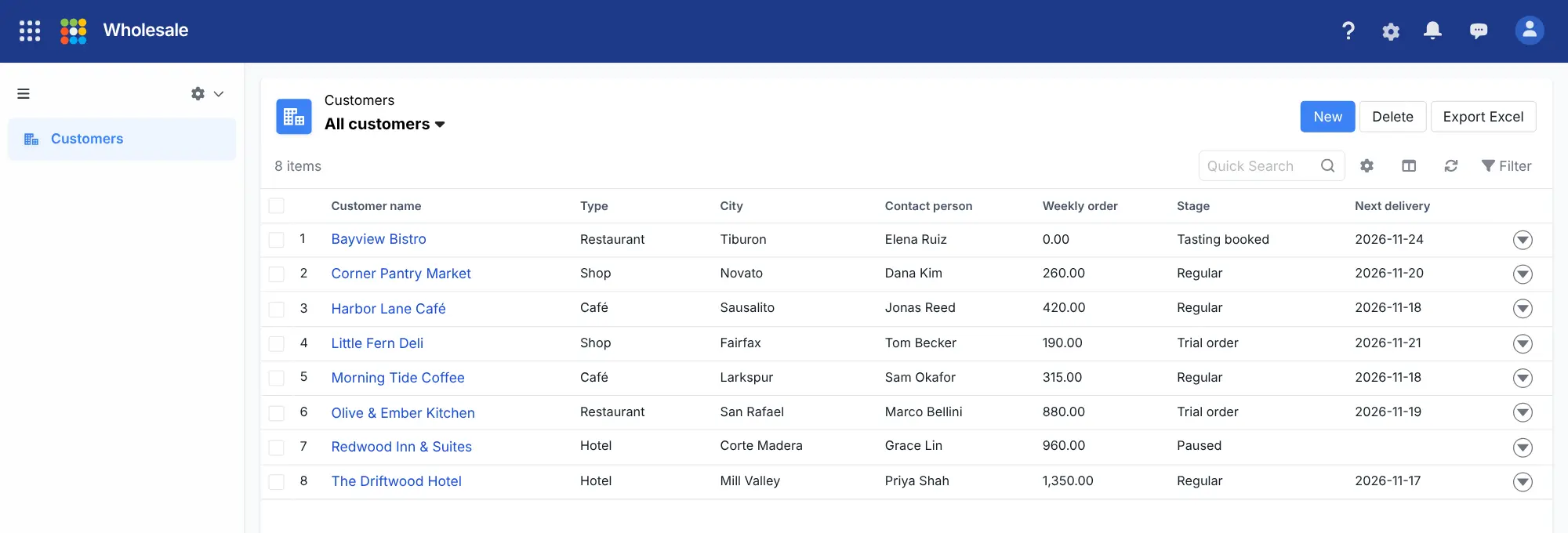
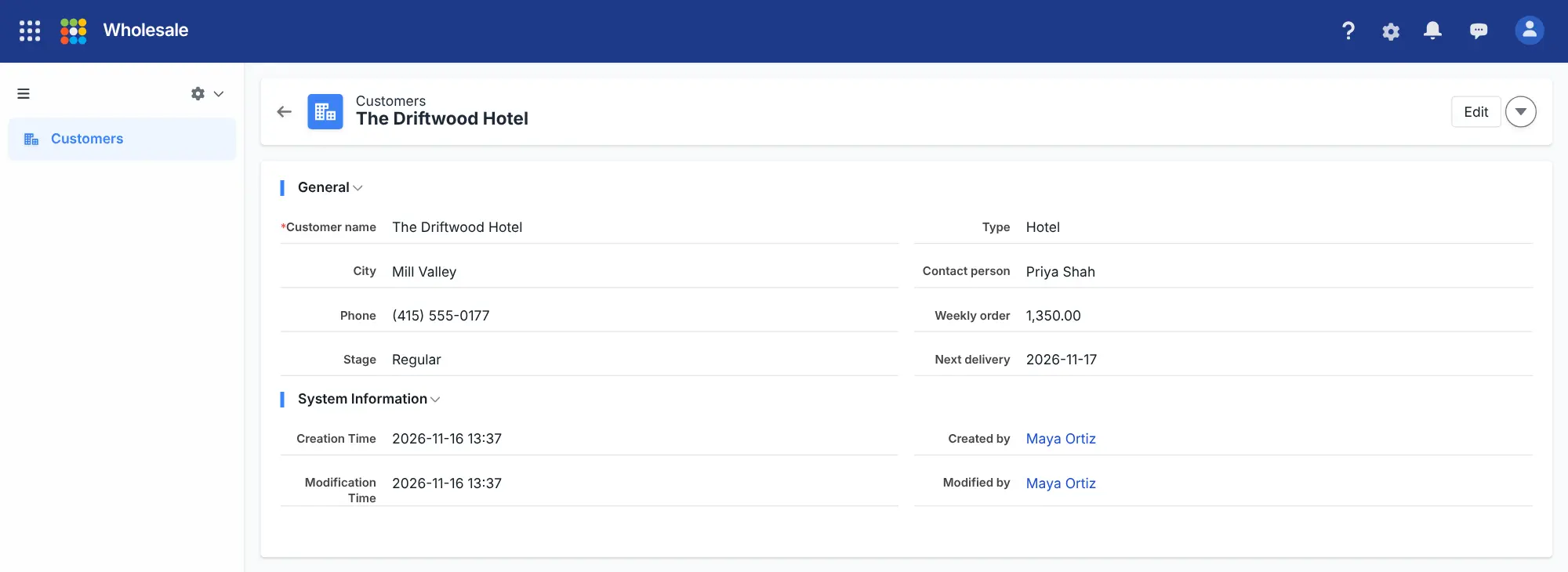
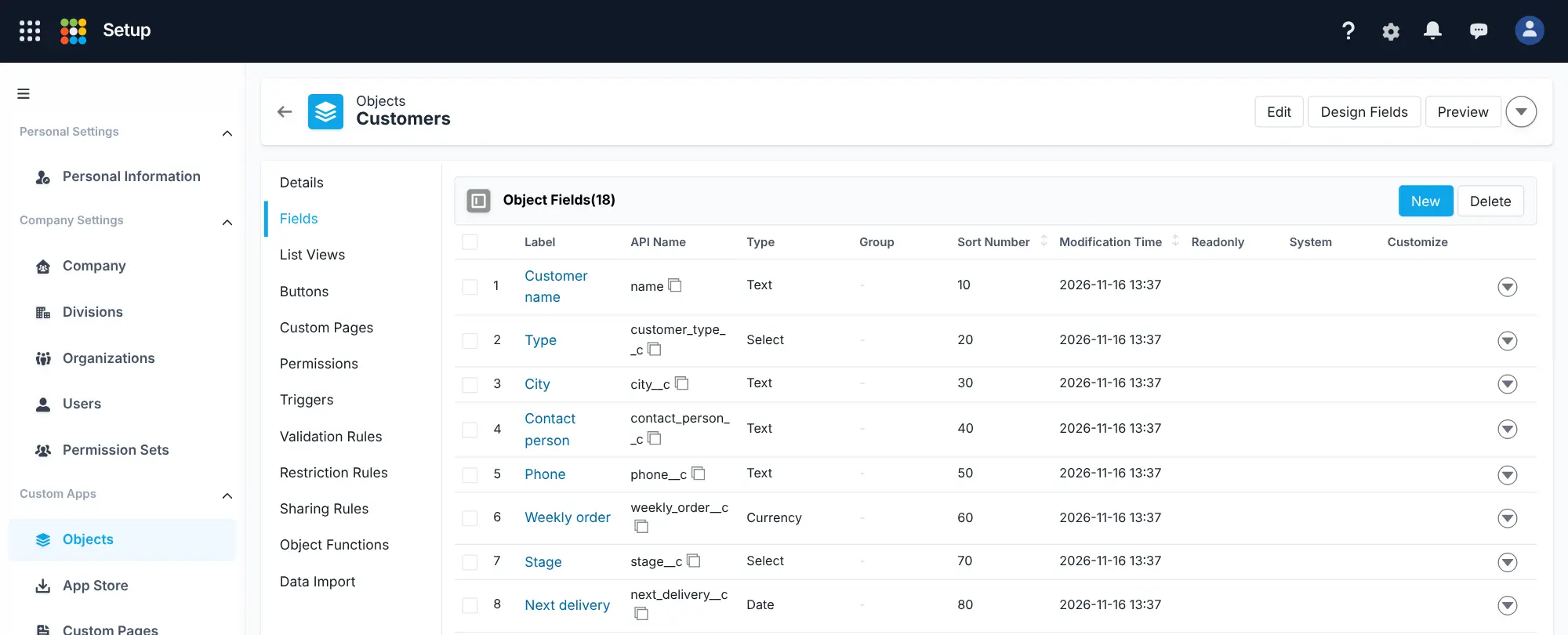
Steedos is an open-source, low-code platform for building your own business apps, and a self-hosted alternative to Salesforce Platform, Microsoft Power Apps and Zoho Creator. You define objects such as customers or contracts and their fields, save list views, lay out record pages, add workflow rules and approval processes, and decide who can see and change what with profiles, permission sets and sharing rules, the same ideas Salesforce uses. It starts empty: there is no ready-made CRM, so you build the app that fits your work.
A wholesale bakery, for example, could keep its cafés, hotels and shops as customers, with a type, a contact, a weekly order value and a stage from tasting to regular. A list view shows every customer's next delivery, and a new price agreement goes to the manager, then the owner, for approval.
Steedos runs in the browser. It imports and exports records with Excel and has REST, GraphQL and OData interfaces for other tools. Parts of its interface and documentation are in Chinese only.
Cloudgate installs Steedos on a server Cloudgate provides or one you connect and gives it a secure web address. Sign up right after setup: the first account becomes the administrator.
What you can do with Steedos
- Design your own objects Create record types such as customers, contracts or orders, with text, number, currency, date, dropdown, formula and linked-record fields, plus validation rules.
- Build apps without code Group objects into apps with tabs, save filtered list views as tables, split views or calendars, and lay out each record's page.
- Route records for approval Send a record for approval, lock it while it waits, and pass it from a manager to a director, with unanimous votes and reassignment.
- Automate routine updates Workflow rules update fields, send email alerts or call a webhook when a record is created or meets a condition, right away or a few days later.
- Control who sees what Profiles, permission sets, field permissions and sharing rules decide which records and fields each person can read or change.
- Import and export with Excel Admins set up import templates that map Excel columns to fields and skip duplicates; any list view exports to Excel.
- Keep a history of changes Field history tracking shows who changed a value, when, and what it was before, and audit logs record sign-ins and admin actions.
Replaces Salesforce Platform, Power Apps and Zoho Creator
Steedos does the same job as Salesforce Platform, Power Apps and Zoho Creator. Here is what changes when you switch.
- Free and open source in the version Cloudgate installs, with no fee per user
- Your records stay on your own server
- Uses Salesforce's own ideas and words, such as objects, profiles, permission sets, sharing rules and approval processes
- Multi-level approval processes are built in
- Parts of the interface and much of the website are in Chinese only, even with English selected
- There is no ready-made CRM; you build each app yourself
- No marketplace like AppExchange, and no importer for Salesforce apps or data
- Single sign-on, custom branding and cluster setups need a paid edition
What happens when you click Deploy?
You do not need a server or any technical knowledge. Four steps, and Steedos is running at its own web address.
- Step 1 Click Deploy and create your account
Deploy takes you to Cloudgate. Create an account, or log in if you have one. Steedos itself is free.
- Step 2 Choose a server
No server? Get one from Cloudgate: pick a size and a country, and Cloudgate gets it ready. Already have one? Connect it instead.
- Step 3 Cloudgate sets up Steedos
It prepares the server, makes the passwords the app needs and starts it. There is nothing to install and nothing to write down.
- Step 4 Open your app and sign in
Your app gets a free web address to start, without https. Add your own domain, like app.yourshop.com, and Cloudgate secures it with https for you.
New to Cloudgate? See what Cloudgate is
Run Cloudgate yourself? Deploy from your own console
In your Cloudgate console, open Templates and choose Steedos.
Questions
Is Steedos free?
Yes, the Community edition of Steedos 3.0.14, which Cloudgate installs, is free and open source under the AGPL-3.0 licence, with no limit on users. You pay only for your server. Paid editions from Steedos add custom branding, single sign-on, cluster setups and official support. Newer development versions have moved to a different licence with extra conditions, so check it before upgrading past 3.0.
Is Steedos a good alternative to Salesforce Platform?
Yes, if you want to build your own record apps with Salesforce-style objects, approvals and permissions on your own server without paying per user. Steedos has no app marketplace, no ready-made apps and a partly Chinese interface, so it suits teams willing to build and maintain their apps themselves.
Does Steedos come with a CRM?
No, a new Steedos workspace starts with only tasks, events, announcements and the setup area. You build a CRM or any other app yourself from objects, fields, list views and approval processes.
How do I sign in to Steedos the first time?
The first person to sign up on Steedos's web address creates the company workspace and becomes its admin, so open it and sign up right after setup. After that, sign-up is closed and the admin adds colleagues under Setup, Users. The first start takes about a minute, during which a "Steedos is initializing" page shows.
Can Steedos import my data from Salesforce or Excel?
Partly. Steedos has no Salesforce importer, so you recreate your objects and fields yourself. You can then export records from the old tool to Excel and bring them in with an import template that maps each column to a field and checks for duplicates.
Is Steedos available in English?
Partly. In Steedos, menus, list views and record pages appear in English, but some menus, system field names and much of the official website and documentation are in Chinese only, with English documentation for the main topics.
What server size does Steedos need?
Cloudgate asks for a large server for Steedos, because its own quick start recommends at least 4 GB of memory. The database, cache and app all run inside one container.
Do I need technical skills to run Steedos?
No. Click Deploy, create your Cloudgate account and choose a server, and Cloudgate sets up Steedos and gives it a web address. You use it in your browser like any other online tool.
Do I need my own server for Steedos?
No. When you deploy Steedos, hosted Cloudgate can provide a server. If you already rent one, you can connect it instead.
Related apps

A self-hosted low-code platform for your own CRM or records apps.

Build internal tools and admin panels on your own databases.

Build internal tools and public web apps on your own data.
Build no-code database apps, forms and portals on your own server.