
Corteza
A self-hosted low-code platform for your own CRM or records apps.
No server needed to start: Cloudgate can provide one. What happens when you click Deploy
What is Corteza?
Self-hosted Corteza: an open-source low-code platform to build your own CRM, service desk or records apps with forms, workflows, charts and permissions.
Corteza is an open-source, low-code platform for building your own business apps, such as a CRM, a service desk, a case tracker or an approvals log, and a self-hosted alternative to Salesforce Platform, Zoho Creator and Microsoft Power Apps. You define the kinds of records you keep and their fields, lay out pages with lists, charts and calendars, add workflows, and decide who can see and change what. Corteza starts empty: it doesn't come with a ready-made CRM, so you build the app that fits your work.
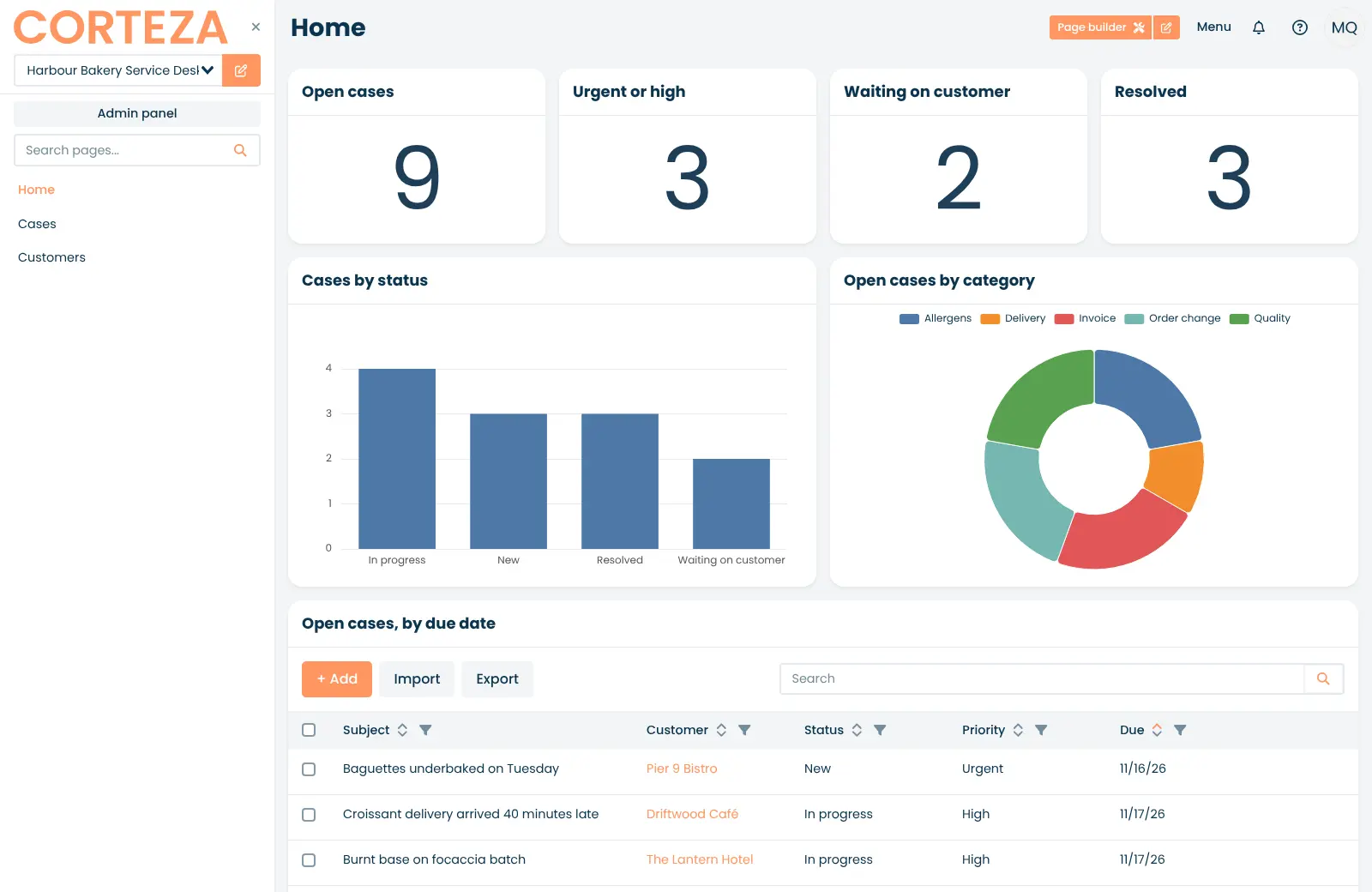
A wholesale bakery, for example, could build a service desk for complaints from the cafés and hotels it supplies. Each case has a customer, a category such as delivery or allergens, a priority and a due date; the home page counts open and urgent cases, charts them by status, and a workflow asks the manager to approve any refund.
Corteza runs in the browser and has no phone apps. It imports and exports records as CSV or JSON files and has an API for other tools. There is no paid edition.
Cloudgate installs Corteza on a medium server Cloudgate provides or one you connect, with its database, and gives it a secure web address. Sign up right after setup: the first account becomes the administrator.
What you can do with Corteza
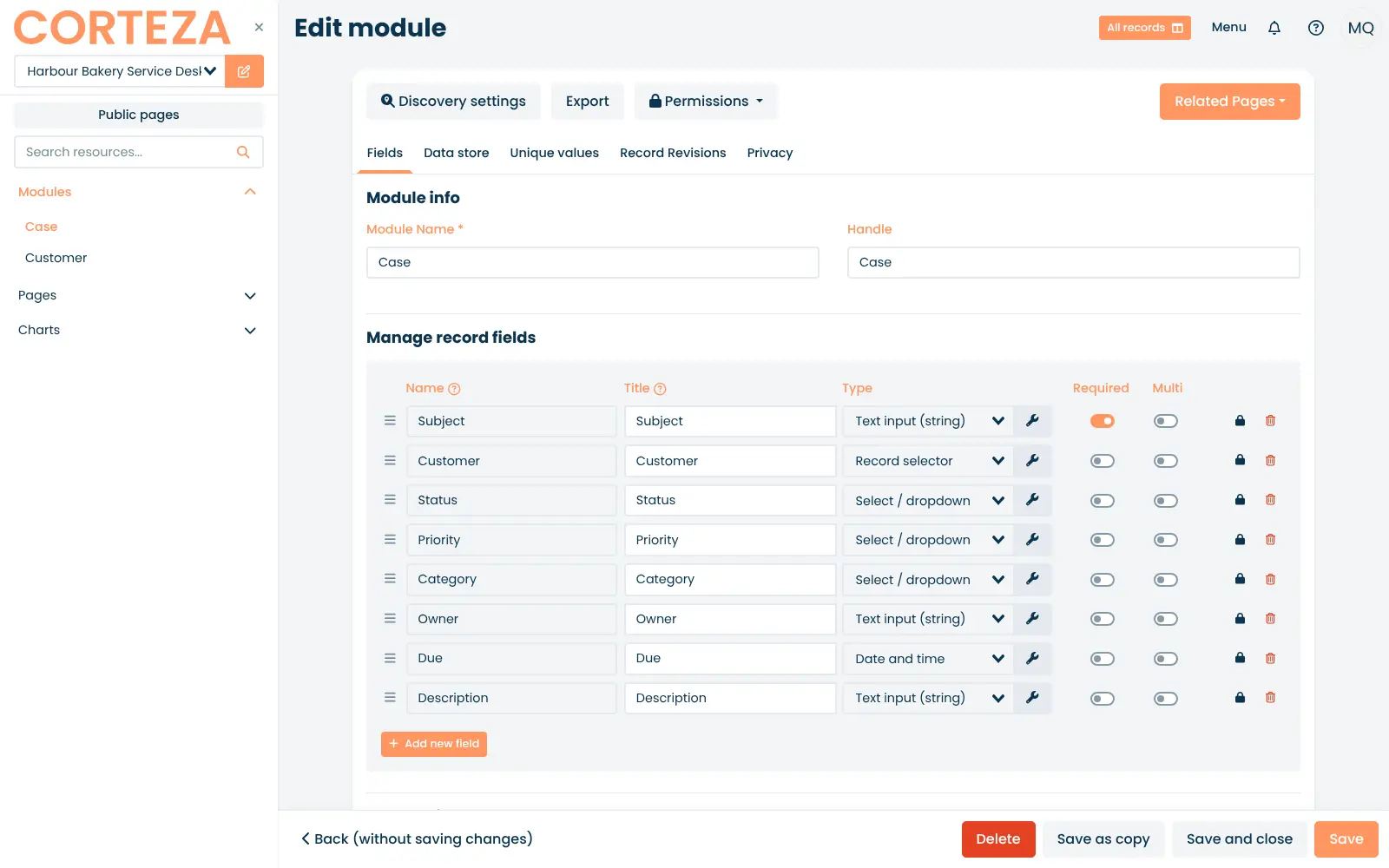
- Design your own records Create record types such as cases, customers or orders, with text, number, dropdown, date, file and linked-record fields, required fields and a history of every change.
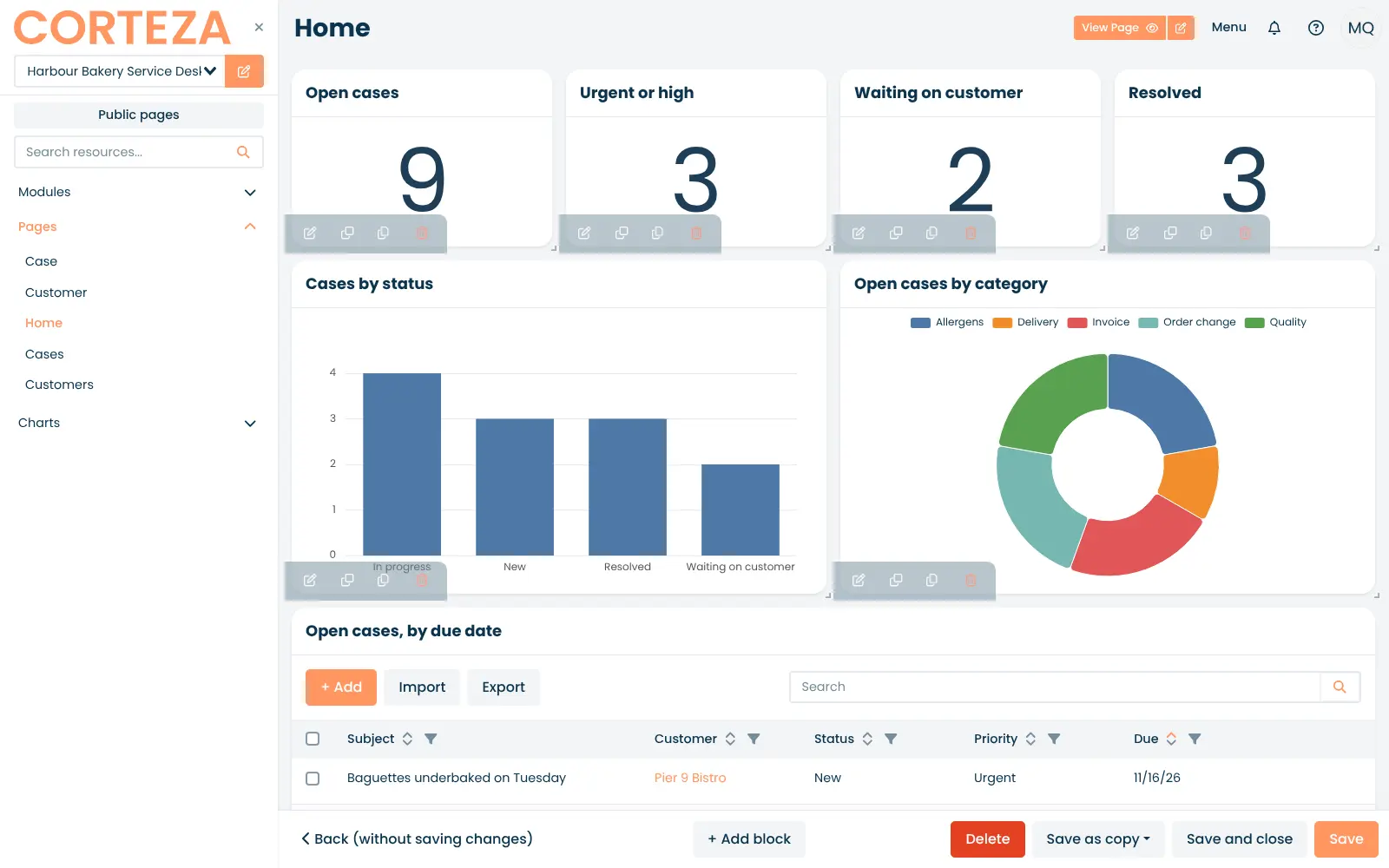
- Lay out pages without code Build pages from blocks such as record lists, single records, calendars, charts, totals, maps, comments and drag-and-drop card boards.
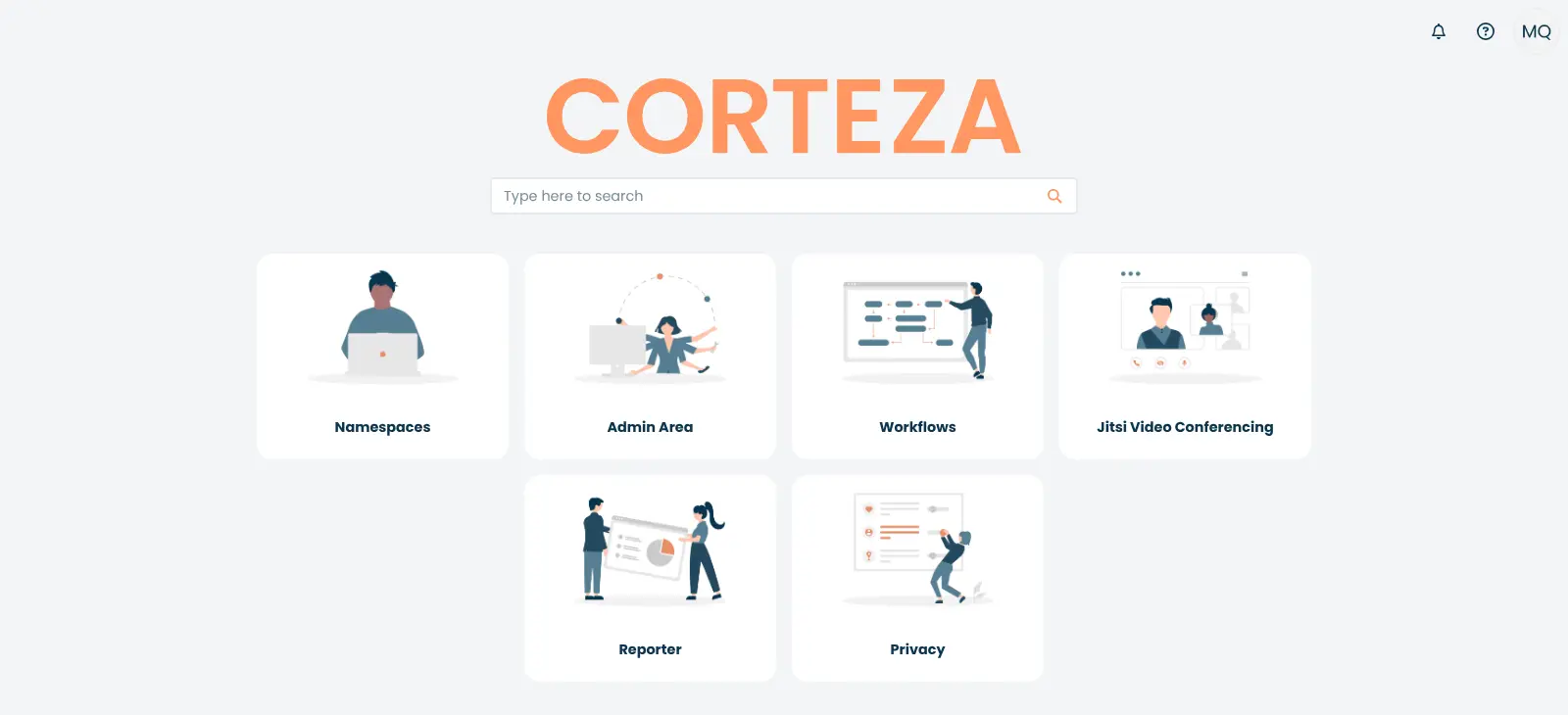
- Chart and report on your data Add bar, line, pie, doughnut, funnel and gauge charts to any page, and build separate reports with the Reporter app.
- Automate the routine steps Draw workflows that react when a record changes, ask someone for an approval or input, and update records for you.
- Control who sees what Give each role exactly the records, fields and pages it may read or change.
- Import and export records Bring records in from CSV or JSON files, export them again, and move a whole app to another Corteza by exporting it.
- Handle personal data requests A Privacy console helps a data protection officer review personal data and handle people's data requests.
Replaces Salesforce Platform, Zoho Creator and Power Apps
Corteza does the same job as Salesforce Platform, Zoho Creator and Power Apps. Here is what changes when you switch.
- Free and open source, with no fee per user or per app
- Your records stay on your own server
- Record types, page layouts, workflows and role permissions, the same building blocks as Salesforce Platform
- Sign in with an existing SAML or OpenID Connect account if you use one
- There is no ready-made CRM or case-management app; you build your own or import one someone has exported
- Far fewer ready-made apps and add-ons than Salesforce AppExchange or Zoho Creator's templates
- No phone apps; it works in the browser
- No importer for Salesforce or Zoho apps; you rebuild the app and bring records in by CSV
What happens when you click Deploy?
You do not need a server or any technical knowledge. Four steps, and Corteza is running at its own web address.
- Step 1 Click Deploy and create your account
Deploy takes you to Cloudgate. Create an account, or log in if you have one. Corteza itself is free.
- Step 2 Choose a server
No server? Get one from Cloudgate: pick a size and a country, and Cloudgate gets it ready. Already have one? Connect it instead.
- Step 3 Cloudgate sets up Corteza
It prepares the server, makes the passwords the app needs and starts it. There is nothing to install and nothing to write down.
- Step 4 Open your app and sign in
Your app gets a free web address to start, without https. Add your own domain, like app.yourshop.com, and Cloudgate secures it with https for you.
New to Cloudgate? See what Cloudgate is
Run Cloudgate yourself? Deploy from your own console
In your Cloudgate console, open Templates and choose Corteza.
Questions
Is Corteza free?
Yes, Corteza is free and open source under the Apache-2.0 licence, with no paid edition, no per-user fee and no limit on apps. You pay only for your server. Its maker, Planet Crust, sells hosting and support separately.
Does Corteza come with a CRM?
No, current versions of Corteza don't include a ready-made CRM or case-management app. The built-in CRM and Case Management apps were removed after version 2023.9, so you build your own from record types, pages and workflows, or import an app someone else has exported from Corteza.
Is Corteza a good alternative to Salesforce Platform?
Yes, if you want to build custom record apps on your own server without paying per user. Corteza uses the same building blocks as Salesforce Platform (record types, fields, page layouts, workflows and role permissions), but it has a much smaller ecosystem, no ready-made apps and no phone app, so you build each app yourself.
How do I sign in to Corteza the first time?
The first person to sign up on Corteza's web address becomes the administrator, so open it and create your account right after setup. After that anyone who reaches the address can still sign up, until you turn sign-up off in the Admin Area under Settings, Authentication.
Can I import my data from Salesforce or Zoho Creator into Corteza?
Partly. Corteza has no importer for Salesforce or Zoho Creator apps, so you rebuild the record types and pages yourself. You can then export each object or form from the old tool as a CSV file and import the records into the matching Corteza record type.
Do I need to know how to code to use Corteza?
No. In Corteza, record types, pages, charts, workflows and permissions are all set up with forms and drag and drop. Building a good app still takes some planning and configuration time. Automation scripts in JavaScript need an extra service that this template doesn't include.
What server size does Corteza need?
A medium server is enough for most small teams. Corteza's documentation asks for 1 CPU core and 2 GB of memory for up to 500 users, plus storage that grows with your records and files.
Do I need my own server for Corteza?
No. When you deploy Corteza, hosted Cloudgate can provide a server. If you already rent one, you can connect it instead.
Related apps

A self-hosted low-code platform for Salesforce-style business apps.

Build internal tools and admin panels on your own databases.

Build internal tools and public web apps on your own data.
Build no-code database apps, forms and portals on your own server.