P

Open-source alternatives to Power Apps

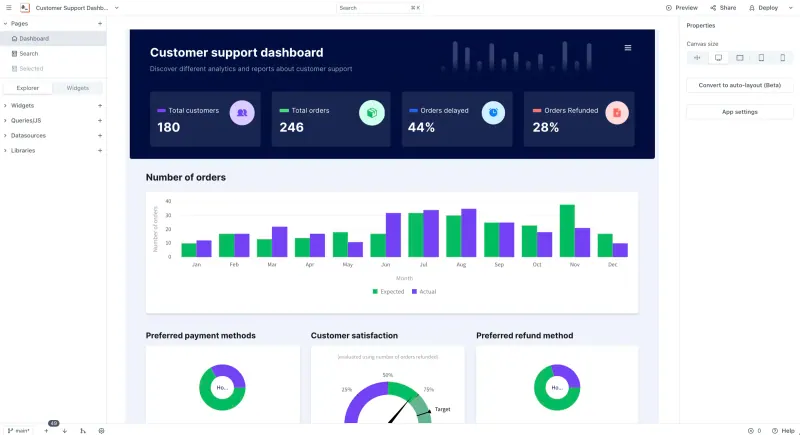
Appsmith is a free, open-source Microsoft Power Apps alternative for building business apps and internal tools on your own databases and APIs. Power Apps is priced per user and built around Microsoft 365 and Dataverse; self-hosted Appsmith has no per-user price, though it suits people who can write SQL and some JavaScript.

4 alternatives Free apps Our pick: Appsmith

At a glance

App Good for Code Ease of use
Appsmith Developers and technical teams building admin panels, dashboards and internal tools on their own databases and APIs Code Open source Some setup
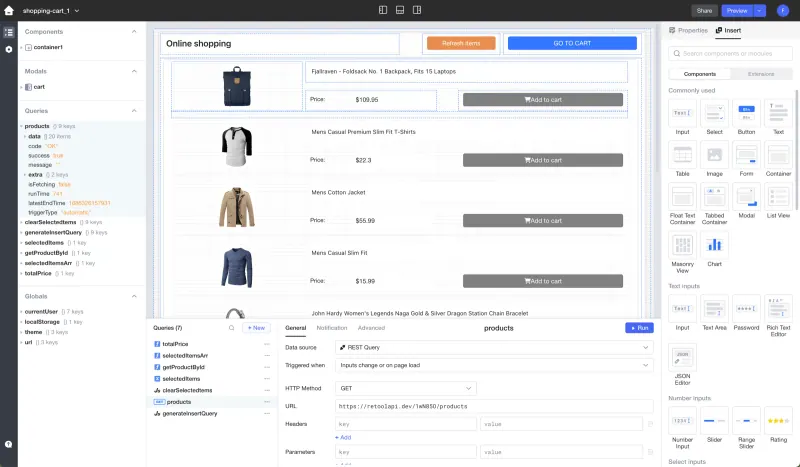
Lowcoder Small teams with a semi-technical builder making internal tools, plus public forms or simple customer portals, on their own databases and APIs Code Open source Some setup
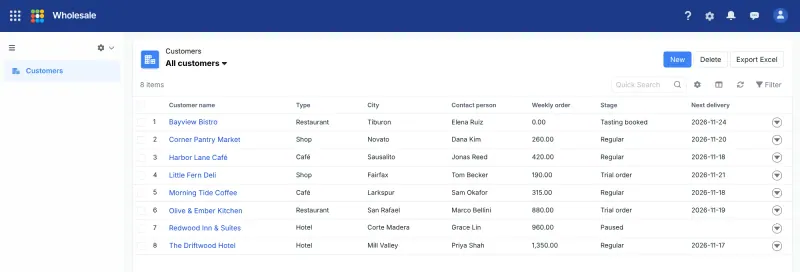
Steedos Teams that want Salesforce-style objects, approvals and permissions on their own server, and can live with a partly Chinese interface Code Open source Some setup
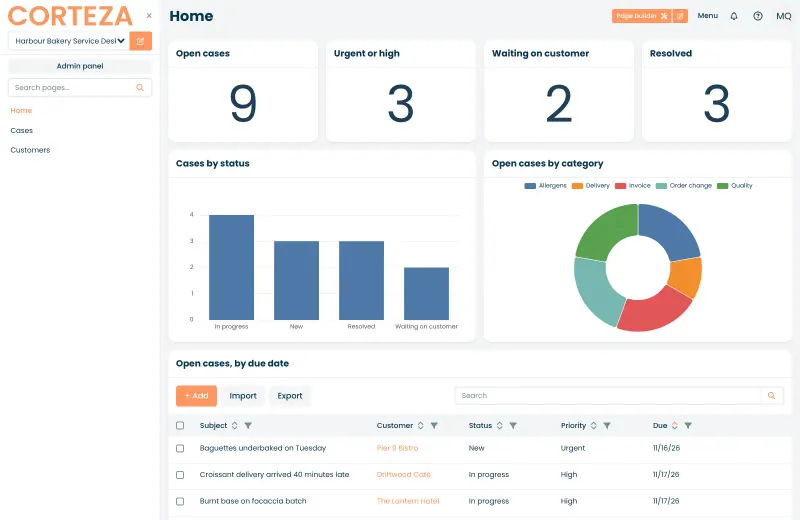
Corteza Teams that want to build their own CRM, case-management or records app with forms, workflows and permissions, without per-user fees Code Open source Some setup

Why look for an alternative to Power Apps?

Microsoft Power Apps is Microsoft's low-code platform for building business apps. It is part of the Power Platform, and its apps usually keep their data in Dataverse, SharePoint or other Microsoft 365 services.

People look for an alternative because Power Apps is priced per user. When we checked Microsoft's pricing page in November 2026, Power Apps Premium cost $20.00 per user a month, paid yearly, and the free Developer Plan is not for production use. Teams whose data lives in their own databases, outside Microsoft 365, often want a tool that connects to those directly. Appsmith builds apps on your own databases and APIs and, self-hosted, has no per-user price; Corteza builds apps that keep their own records, closer to model-driven Power Apps.

The alternatives, compared

Appsmith

Our pick

Build internal tools and admin panels on your own databases.

Builds forms, dashboards and admin screens on your own databases and APIs, with drag-and-drop widgets, SQL queries and JavaScript. It is aimed at developers and technical teams rather than business users, and has no ties to Microsoft 365, Dataverse or Power Automate; SSO and workflows are paid features.

Some setup Open source

Build internal tools and public web apps on your own data.

Builds business apps on databases you already have, including Microsoft SQL Server, PostgreSQL, MySQL and Google Sheets, or on REST and GraphQL APIs, with drag-and-drop components, SQL and JavaScript. It has no ties to Microsoft 365 or Dataverse, no built-in database and no workflow designer like Power Automate, but its free edition can publish apps for the public and embed them in a website.

Some setup Open source

A self-hosted low-code platform for Salesforce-style business apps.

Like model-driven Power Apps, it keeps its own records in objects with fields and relationships, with list views, page layouts, workflow rules, multi-level approvals and fine-grained permissions, built in the browser. It has no ties to Microsoft 365, Teams or Power Automate, no phone apps and no ready-made apps, and its interface is partly in Chinese.

Some setup Open source

A self-hosted low-code platform for your own CRM or records apps.

Closest to model-driven Power Apps: it keeps its own records, with record types and fields like Dataverse tables, page layouts, visual workflows with approvals, reports and role-based permissions, built in the browser with no per-user price. It has no ties to Microsoft 365 or Teams, no phone apps and no ready-made apps in the current release, so you build each one yourself.

Some setup Open source

Moving from Power Apps

There is no Power Apps importer, so you rebuild each app in Appsmith. If your data lives in Dataverse or SharePoint, decide first where it will live: Appsmith connects to databases such as Microsoft SQL Server, PostgreSQL and MySQL, to REST and GraphQL APIs, and to Google Sheets. Then recreate each screen with widgets, write the queries, and replace Power Fx formulas with JavaScript. Share the finished app with your team from its workspace.

Corteza has no Power Apps importer either. Recreate each Dataverse table as a Corteza record type with the same fields, export the rows as CSV files and import them into the matching record lists. Then lay out the pages, rebuild Power Automate flows as Corteza workflows, and set up roles and permissions before inviting your team.

Lowcoder has no Power Apps importer either and keeps no data of its own, so first move Dataverse or SharePoint data into a database such as Microsoft SQL Server or PostgreSQL, or a Google Sheet. Then connect it, rebuild each screen from components, replace Power Fx formulas with SQL queries and JavaScript, and invite your team from the workspace's Members settings.

Steedos has no Power Apps importer either. Recreate each Dataverse table as a Steedos object with the same fields, export the rows to Excel and bring them in through an import template, then rebuild forms as page layouts and flows as workflow rules or approval processes, and set up profiles and permissions before inviting your team.


Questions

What is the best open-source alternative to Power Apps?

Start with Appsmith. All 4 are free and open source.

Do I need to code to use Appsmith?

A little. You build screens by dragging widgets, but real apps need SQL queries and some JavaScript, so Appsmith suits people comfortable with both.

Should I choose Appsmith, Corteza, Lowcoder or Steedos?

Choose Appsmith if your data already lives in your own databases or APIs and someone on the team writes SQL and JavaScript. Choose Corteza if you want the app to keep its own records, like Dataverse, and build forms, workflows and permissions in the browser with little code. Choose Lowcoder if, like Appsmith, you build on your own data but also want public apps, such as a customer form, embedded in your website. Choose Steedos if you want records with multi-level approval processes and Salesforce-style permissions, and can live with a partly Chinese interface.

Can Appsmith connect to Microsoft SQL Server?

Yes. Microsoft SQL Server is one of Appsmith's built-in datasources, alongside PostgreSQL, MySQL, MongoDB, Oracle and others.

Are these Power Apps alternatives really free?

Yes, Appsmith, Lowcoder, Steedos and Corteza are free. To run them you need Cloudgate and a server. Use hosted Cloudgate, which can also provide the server, or install Cloudgate on a server of your own for free. Cloudgate's plans and prices are at cloudgate.octabyte.io/pricing. One server can run several apps.

Do I need a developer to replace Power Apps?

No. Cloudgate installs the app you choose on your server and gives it a secure web address, and you use it in your browser instead of Power Apps.