Open-source alternatives to Salesforce Platform

Corteza is a free, open-source Salesforce Platform alternative for building your own business apps from record types, page layouts, workflows and role-based permissions. Salesforce Platform is priced per user every month and runs only in Salesforce’s cloud; self-hosted Corteza has no per-user price, but you build each app yourself and there is no marketplace of ready-made add-ons.

2 alternatives Free apps Our pick: Corteza

At a glance

App Good for Code Import from Salesforce Platform Ease of use
Corteza Teams that want to build their own CRM, case-management or records app with forms, workflows and permissions, without per-user fees Code Open source Import from Salesforce Platform Partly Some setup
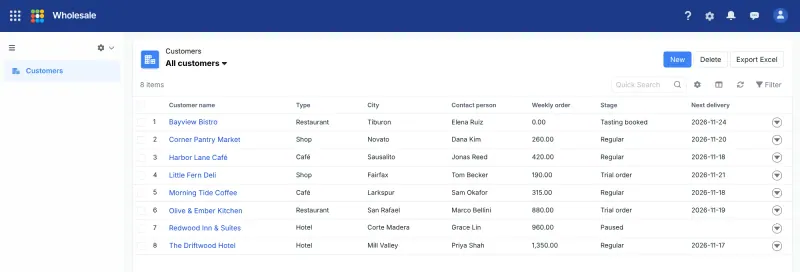
Steedos Teams that want Salesforce-style objects, approvals and permissions on their own server, and can live with a partly Chinese interface Code Open source Import from Salesforce Platform Partly Some setup

Why look for an alternative to Salesforce Platform?

Salesforce Platform, formerly known as Force.com and Lightning Platform, is Salesforce’s service for building custom business apps: you define objects and fields, lay out pages in Lightning App Builder, automate with Flow and control access with permission sets, and add apps from AppExchange.

Organisations look for an alternative because Salesforce Platform is priced per user every month and runs only in Salesforce’s cloud, so the cost grows with every person who needs access and the data sits with Salesforce. A self-hosted Corteza gives you the same kind of building blocks on your own server with no per-user price, in exchange for building and maintaining the apps yourself. Steedos follows Salesforce even more closely, with the same names for objects, profiles, permission sets and approval processes, though its interface is partly in Chinese.

The alternatives, compared

Corteza

Our pick

A self-hosted low-code platform for your own CRM or records apps.

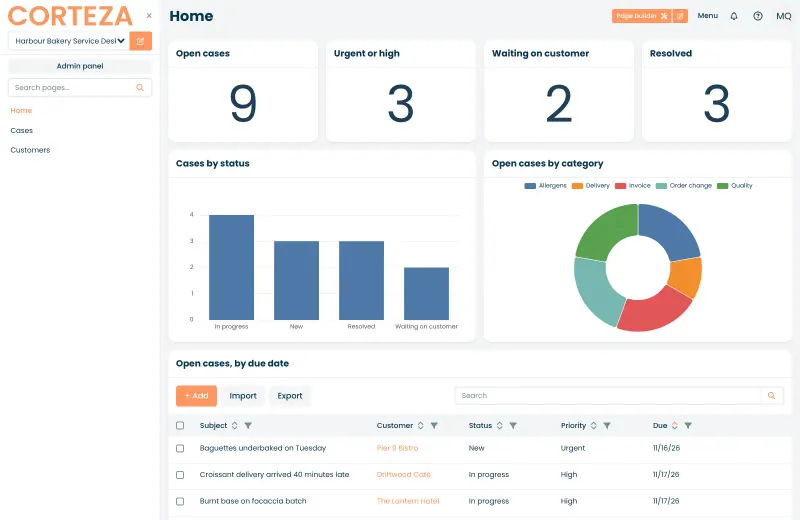
Works on the same idea as Salesforce Platform: record types with fields, page layouts, visual workflows with approvals, reports and charts, and fine-grained role-based permissions, plus a REST API. It ships no ready-made CRM, so you build each app yourself, and it has no app marketplace like AppExchange and no phone apps.

What you gain
  • Free and open source, with no fee per user or per app
  • Your records stay on your own server
  • Record types, page layouts, workflows and role permissions, the same building blocks as Salesforce Platform
What is different
  • There is no ready-made CRM or case-management app; you build your own or import one someone has exported
  • Far fewer ready-made apps and add-ons than Salesforce AppExchange or Zoho Creator's templates
  • No phone apps; it works in the browser
Some setup Open source

A self-hosted low-code platform for Salesforce-style business apps.

The closest copy of Salesforce Platform's way of working, down to its words: objects with fields, formulas and relationships, list views and page layouts, workflow rules, multi-level approval processes, and profiles, permission sets and sharing rules. Like Corteza it ships no ready-made CRM and has no app marketplace; its interface is partly in Chinese, and single sign-on and custom branding are in its paid editions.

What you gain
  • Free and open source in the version Cloudgate installs, with no fee per user
  • Your records stay on your own server
  • Uses Salesforce's own ideas and words, such as objects, profiles, permission sets, sharing rules and approval processes
What is different
  • Parts of the interface and much of the website are in Chinese only, even with English selected
  • There is no ready-made CRM; you build each app yourself
  • No marketplace like AppExchange, and no importer for Salesforce apps or data
Some setup Open source

Moving from Salesforce Platform

Corteza has no Salesforce importer. Start by recreating the objects you use as record types in Corteza, with matching fields, then export each Salesforce object as a CSV file and import it into the matching record list. Import parent records before the records that link to them, such as accounts before contacts. Rebuild page layouts with Corteza’s page builder, recreate Flows as Corteza workflows, and set up roles and permissions before inviting your team. Start with one app, check it with a few users, then move the next.

Steedos has no Salesforce importer either, but its objects, fields, profiles and permission sets map closely onto Salesforce's. Recreate each object with its fields and relationships, then export its records from Salesforce and bring them in through an Excel import template, which can insert or update records and check for duplicates; import parent records first. Rebuild approval processes and workflow rules in Steedos's setup pages, and set up profiles and permission sets before inviting your team.

Questions

What is the best open-source alternative to Salesforce Platform?

Start with Corteza. Both are free and open source.

Does Corteza come with a CRM like Salesforce?

No. Earlier versions shipped a ready-made CRM, but the current release starts empty: you build the CRM, case-management or other app from record types, pages and workflows, or import one someone else has exported.

Should I choose Corteza or Steedos?

Choose Corteza for an English interface and documentation and the Apache-2.0 licence, with charts and a page builder. Choose Steedos if you want Salesforce's own concepts, such as profiles, permission sets, sharing rules and multi-level approval processes, and Excel import templates, and can live with a partly Chinese interface.

Do I need to code to build apps in Corteza?

No. Record types, pages, charts and workflows are built in the browser. For more complex logic Corteza also runs JavaScript automation scripts, but they need an extra service, Corredor, which the Cloudgate template does not include.

Are these Salesforce Platform alternatives really free?

Yes, Corteza and Steedos are free. To run them you need Cloudgate and a server. Use hosted Cloudgate, which can also provide the server, or install Cloudgate on a server of your own for free. Cloudgate's plans and prices are at cloudgate.octabyte.io/pricing. One server can run several apps.

Do I need a developer to replace Salesforce Platform?

No. Cloudgate installs the app you choose on your server and gives it a secure web address, and you use it in your browser instead of Salesforce Platform.