
Paperclip
Run a team of AI agents with goals, tasks and budgets, self-hosted.
No server needed to start: Cloudgate can provide one. What happens when you click Deploy



What is Paperclip?
Self-hosted Paperclip manages a team of AI agents such as Claude Code and Codex, with goals, tasks, budgets and approvals, using your own AI key.
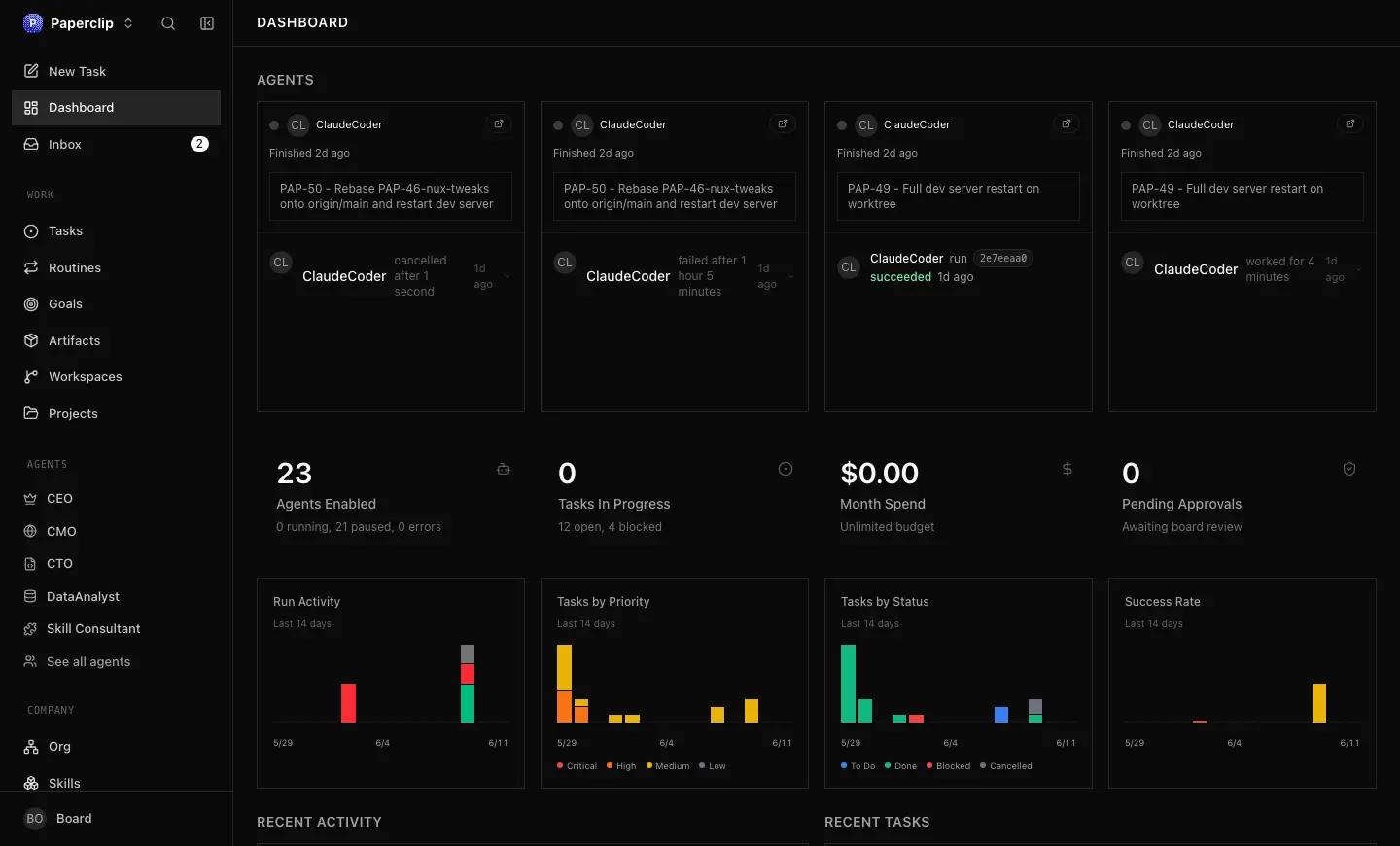
Self-hosted Paperclip is a free, open-source app for running a team of AI agents like a small company, an alternative to hosted AI agent services such as Relevance AI and Devin. You set goals, give each agent a role in an org chart, assign tasks and budgets, and follow their work and costs from one dashboard.
Paperclip does not do the work itself: it organizes the agents you bring, such as Claude Code, Codex or OpenCode, each using an AI provider you pay for or a supported subscription. Agents wake when a task is assigned or on a schedule, report back in the task thread, and pause when they reach their budget. You decide who gets hired and which work needs your approval. A two-person web agency, for example, could have one agent fix bugs in client websites and another draft weekly reports, then review both before anything goes out.
It connects to GitHub, Notion, Asana and your own MCP servers, and the dashboard works in a phone's browser. There are no phone apps.
Cloudgate installs Paperclip on a server Cloudgate provides or one you connect, with the database it needs and a secure web address. Create your account, claim the instance, then connect your first agent with your own AI key. Your tasks and history stay on your server.
What you can do with Paperclip
- Bring the agents you already use Hire Claude Code, Codex, OpenCode, Gemini CLI, Cursor, OpenClaw and other agents, each with the model you choose.
- Give every agent a role An org chart sets each agent's title, job description and who it reports to, alongside the people on your team.
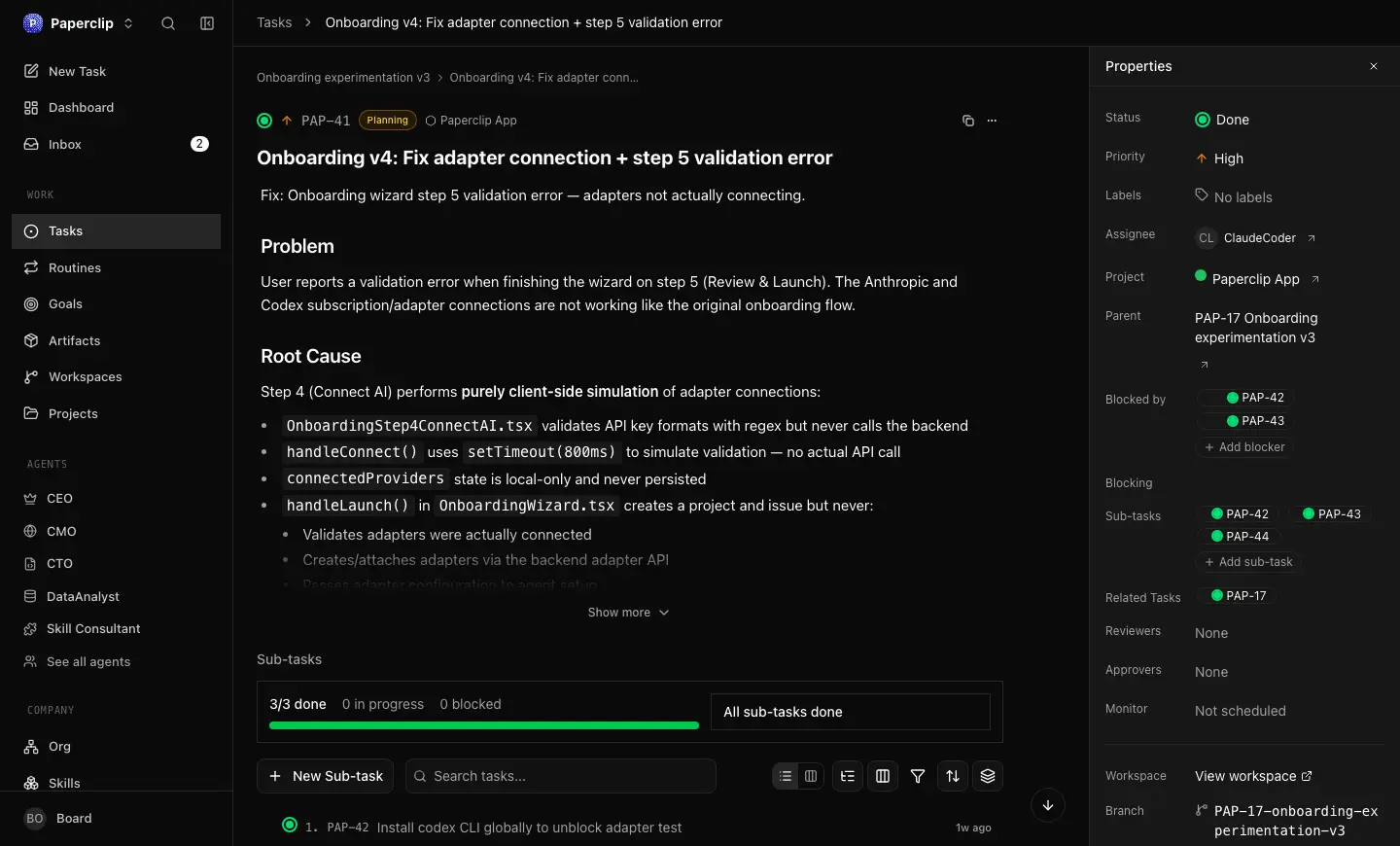
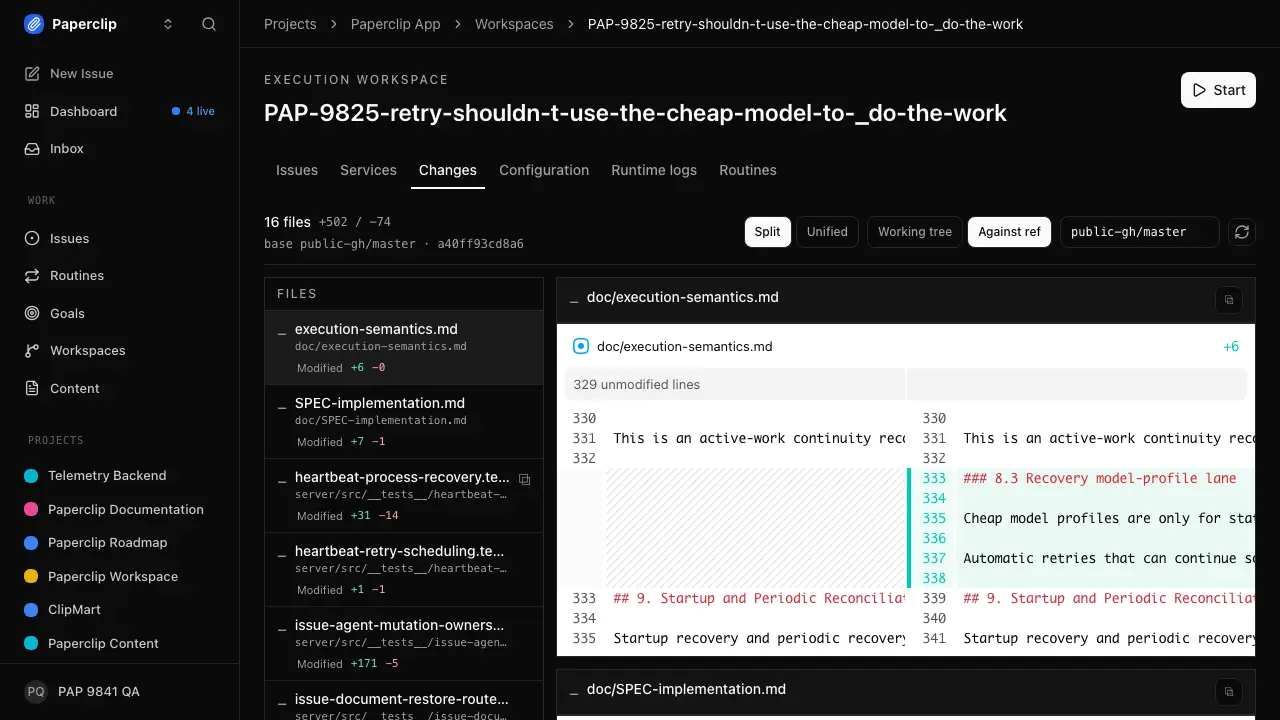
- Assign work like a task manager Tasks link to projects and company goals and keep the conversation, sub-tasks, files and run history in one thread.
- Keep AI spending under control Set budgets per company, agent or project, get a warning at 80% and have an agent pause when it reaches its limit.
- Stay the one who decides Approve new hires, add review and approval steps to tasks, and pause, reassign or stop any agent.
- Put recurring work on a schedule Routines create a task on a schedule or from a webhook and wake the agent that owns it.
- Connect your tools safely Link GitHub, Notion, Asana and your own MCP servers, and set each action to Allowed, Ask first or Off.
- Run several companies from one place Keep separate organizations, each with its own agents, tasks and history, in one installation.
Replaces Relevance AI and Devin
Paperclip does the same job as Relevance AI and Devin. Here is what changes when you switch.
- No subscription for Paperclip itself; you pay for your server and the AI you use
- Tasks, documents, approvals and run history stay on your own server
- Mix agents and AI providers in one team and change them whenever you like
- Budgets, approvals and an audit trail for every agent
- It brings no AI of its own, so you need an AI provider key or a supported subscription
- You hire and set up each agent yourself; there are no ready-made business assistants
- Agents can run commands and change code on the server, so review what each one may do
- It changes quickly, with new releases most weeks
What happens when you click Deploy?
You do not need a server or any technical knowledge. Four steps, and Paperclip is running at its own web address.
- Step 1 Click Deploy and create your account
Deploy takes you to Cloudgate. Create an account, or log in if you have one. Paperclip itself is free.
- Step 2 Choose a server
No server? Get one from Cloudgate: pick a size and a country, and Cloudgate gets it ready. Already have one? Connect it instead.
- Step 3 Cloudgate sets up Paperclip
It prepares the server, makes the passwords the app needs and starts it. There is nothing to install and nothing to write down.
- Step 4 Open your app and sign in
Your app gets a free web address to start, without https. Add your own domain, like app.yourshop.com, and Cloudgate secures it with https for you.
New to Cloudgate? See what Cloudgate is
Run Cloudgate yourself? Deploy from your own console
In your Cloudgate console, open Templates and choose Paperclip.
Questions
Is Paperclip free?
Yes, Paperclip is free and open source under the MIT licence, with no paid features in the self-hosted app and no Paperclip account needed. You pay for your server and for the AI provider your agents use.
Does Paperclip come with an AI model?
No, Paperclip organizes AI agents but does not include a model. Each agent needs its own access, such as an Anthropic API key for Claude Code or an OpenAI API key for Codex, or a supported Claude or ChatGPT subscription sign-in. The provider bills that usage, and a busy team of agents can use a lot.
Which AI agents work with Paperclip?
Paperclip works with Claude Code, Codex, OpenCode, Gemini CLI, Cursor, OpenClaw, Hermes, Pi, Grok Build and Kimi Code, and with any other agent that can be reached through a web address or a command. Claude Code, Codex and OpenCode come ready to use.
Is Paperclip a good alternative to Relevance AI?
Yes, if you want to run a team of AI agents on your own server with budgets and approvals. Paperclip manages agents you bring, such as Claude Code or Codex, rather than offering Relevance AI's ready-made business agents and no-code builder, so it takes more setup and suits teams comfortable with AI tools.
How do I sign in to Paperclip the first time?
Open your Paperclip address, create an account with your email and a password, then choose Claim this instance to become its administrator. There is no default password. After that you create your company and hire your first agent, usually a CEO agent.
Can I stop AI agents from overspending?
Yes, Paperclip tracks AI spending by agent, task, project and goal, warns you at 80% of a budget and pauses an agent when it reaches 100%. Work already running can take it slightly over the limit, and you can raise a budget at any time.
What server size do I need for Paperclip?
Paperclip's own guide says 2 GB of memory and one processor core are enough to start. Agents that check out and build code need more memory and disk, so choose a larger server if you plan to run several agents at once.
Do I need technical skills to run Paperclip?
No. Click Deploy, create your Cloudgate account and choose a server, and Cloudgate sets up Paperclip and gives it a web address. You use it in your browser like any other online tool.
Do I need my own server for Paperclip?
No. When you deploy Paperclip, hosted Cloudgate can provide a server. If you already rent one, you can connect it instead.
Can I move my data from Relevance AI to Paperclip?
Most people export from Relevance AI and import into Paperclip. The official guides at docs.paperclip.ing walk through it.
Related apps

Build AI agents that work in your business apps, self-hosted.

A self-hosted AI agent with its own computer that does tasks for you.

Private AI chat over your own documents, for staff and your website.

One private AI chat for many models, using your own API keys.