
Sharry
Send files by link, and let clients upload files to you.
No server needed to start: Cloudgate can provide one. What happens when you click Deploy
What is Sharry?
Sharry is a self-hosted file sharing app: send files by expiring link, and give clients an upload page to send files back to you.
Sharry is a free, open-source, self-hosted file sharing app: a WeTransfer alternative for sending files by link, and a Dropbox file request alternative for receiving them. You upload files, choose when the link expires, add a password if you like, and send the link. To collect files, you make an upload page and anyone with its link can send files to you, with no account.
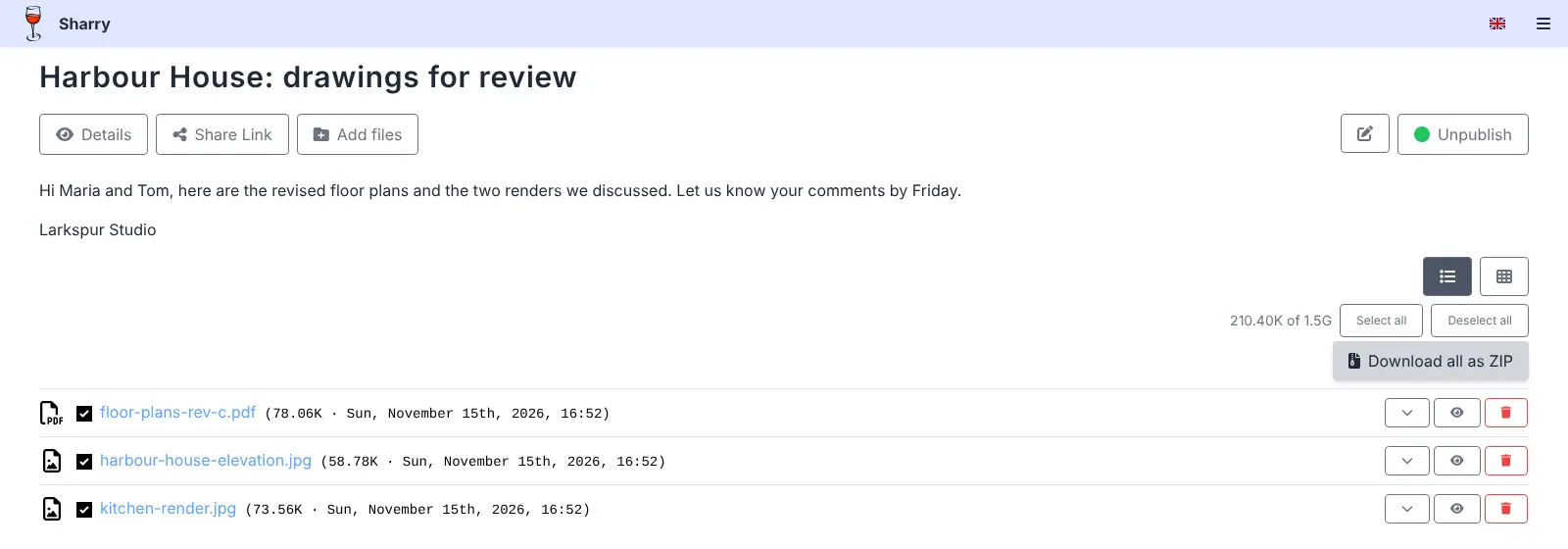
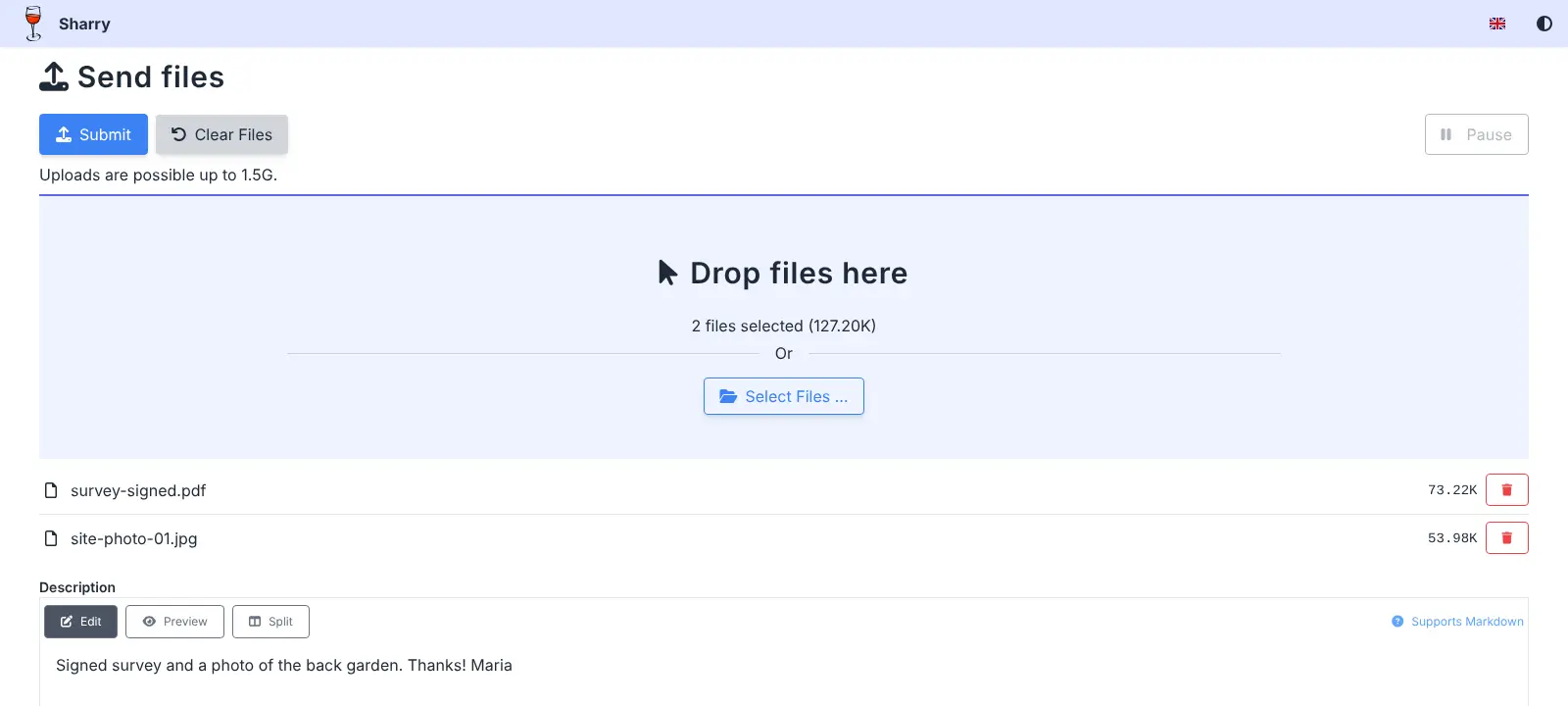
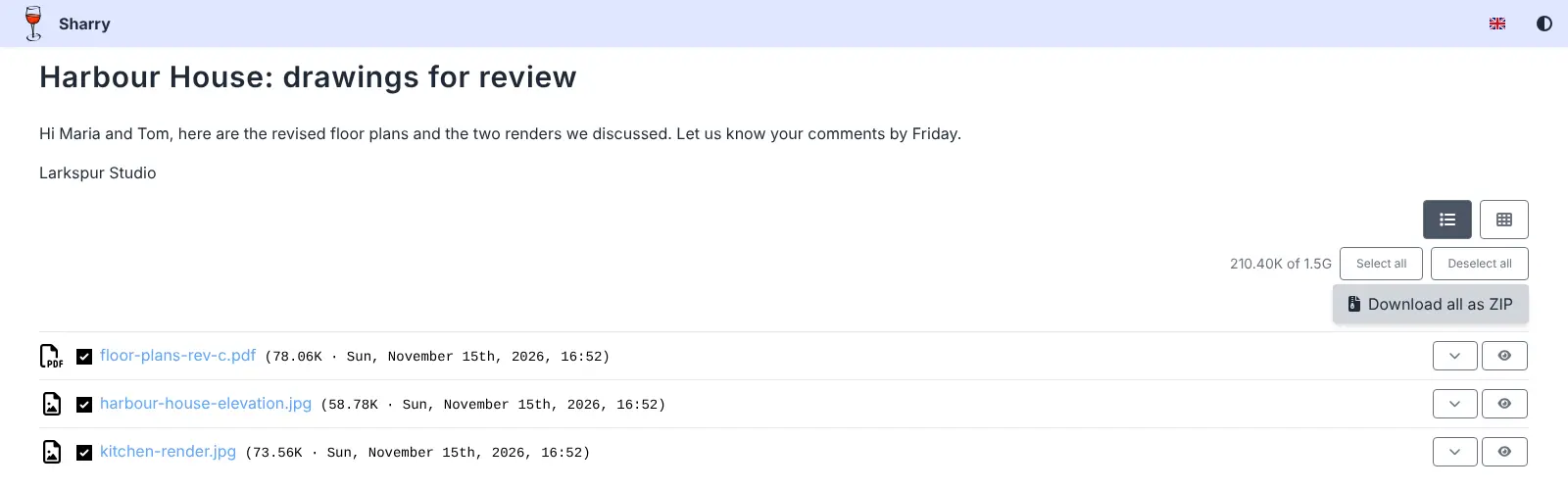
It is made for the back-and-forth with clients. A small architecture practice, for example, could send revised floor plans with a two-week, password-protected link, and give the client a separate upload page for the signed survey and site photos. Uploads and downloads resume after a dropped connection, recipients can preview pictures and PDFs and download everything as one ZIP file, and each share can carry a short note.
Sharry works in any browser, on phones as well as computers, in eight languages. Colleagues get their own accounts by invitation, and you can share an upload page with them so the whole team sees what comes in.
Cloudgate installs Sharry on your server with its database and a secure web address, and creates your admin password. Expired shares are deleted on their own, so your disk doesn't fill up.
What you can do with Sharry
- Send files with one link Upload files, publish the share and send its link; the people you send it to need no account.
- Collect files from anyone Make an upload page with a hard-to-guess link, and clients or suppliers send files to you without signing up.
- Decide how long links work Pick an expiry time, add an optional password and limit how many times the page can be opened.
- Pick up where an upload stopped Uploads and downloads resume after a dropped connection instead of starting again.
- Download everything as one ZIP Recipients preview pictures and PDFs, then download all the files or just the ones they tick.
- Add a note to every share Write a short message with headings and links, shown above the files on the download page.
- Share upload pages with colleagues Add teammates to an upload page so everyone sees the files that come in through it.
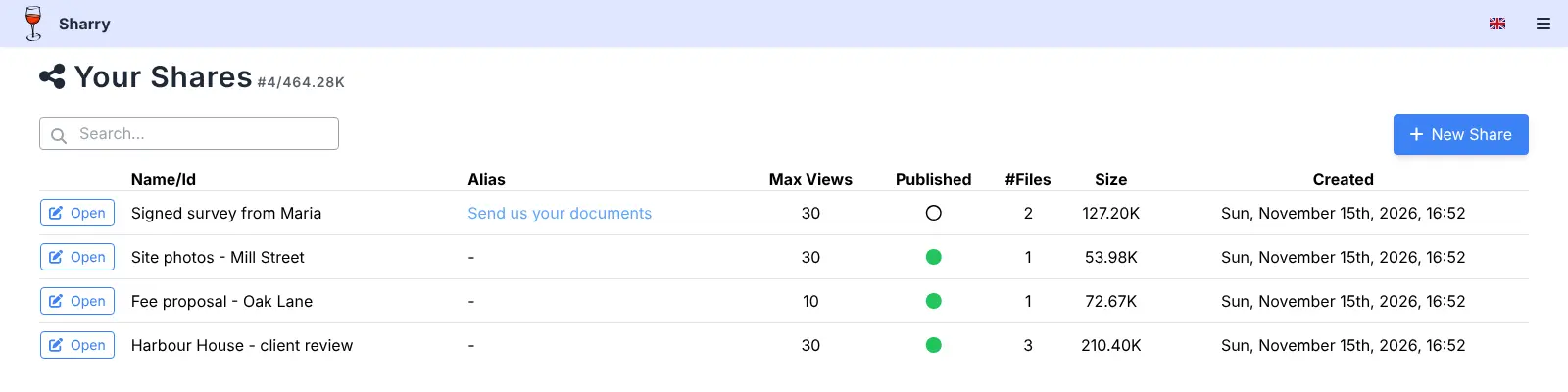
- Keep track of every share One list shows your shares, where each came from, its size and whether its link is live.
Replaces WeTransfer, Dropbox File Requests, Dropbox Transfer and Smash
Sharry does the same job as WeTransfer, Dropbox File Requests, Dropbox Transfer and Smash. Here is what changes when you switch.
- Send files and receive them, from one place, with no ads
- Files go between your server and your clients, not through another company
- No account needed for the people who send or download files
- Old shares are deleted on their own after they expire
- Each share holds up to 1.5 GB in this setup
- No e-mails sent for you, so you send links yourself and check for new uploads
- Plain pages, with no branded backgrounds
- Old transfers and file requests don't move across
What happens when you click Deploy?
You do not need a server or any technical knowledge. Four steps, and Sharry is running at its own web address.
- Step 1 Click Deploy and create your account
Deploy takes you to Cloudgate. Create an account, or log in if you have one. Sharry itself is free.
- Step 2 Choose a server
No server? Get one from Cloudgate: pick a size and a country, and Cloudgate gets it ready. Already have one? Connect it instead.
- Step 3 Cloudgate sets up Sharry
It prepares the server, makes the passwords the app needs and starts it. There is nothing to install and nothing to write down.
- Step 4 Open your app and sign in
Your app gets a free web address to start, without https. Add your own domain, like app.yourshop.com, and Cloudgate secures it with https for you.
New to Cloudgate? See what Cloudgate is
Run Cloudgate yourself? Deploy from your own console
In your Cloudgate console, open Templates and choose Sharry.
Questions
Is Sharry free?
Yes, Sharry is free and open source under the GPL-3.0-or-later licence. There is no paid edition or plan; you pay only for your server and its disk.
Is Sharry a good alternative to WeTransfer?
Yes, if you want to send files by link and also collect files back. You upload, set an expiry and an optional password, and send the link, much like WeTransfer. Each share holds up to 1.5 GB in this setup, and Sharry sends no e-mails for you.
Can people send me files in Sharry without an account?
Yes, through a Sharry alias page, which works like a Dropbox file request. You create an upload page with a hard-to-guess link, send it to a client, and they drop files onto it without signing up; the files appear in your list of shares.
How do I sign in to Sharry the first time?
Sign in to Sharry with the admin name you chose when installing and the password Cloudgate created, which is on the app's variables page. Nobody else can sign up on their own; you invite colleagues with an invitation key made under Administration.
How big can Sharry files be?
Each Sharry share can hold up to 1.5 GB in total in this setup, and a long upload resumes after a dropped connection. For bigger single transfers, split them across several shares.
How long do files stay in Sharry?
You choose for each share, up to a year. When the link expires, visitors can no longer open it, and Sharry deletes expired shares on its own a little later.
What server size do I need for Sharry?
A small server is enough for most small teams, because Sharry is one app plus a PostgreSQL database. What matters most is disk space for the files waiting to be downloaded.
Do I need technical skills to run Sharry?
No. Click Deploy, create your Cloudgate account and choose a server, and Cloudgate sets up Sharry and gives it a web address. You use it in your browser like any other online tool.
Do I need my own server for Sharry?
No. When you deploy Sharry, hosted Cloudgate can provide a server. If you already rent one, you can connect it instead.
Can I move my data from WeTransfer to Sharry?
Most people export from WeTransfer and import into Sharry. The official guides at eikek.github.io walk through it.
Related apps

Send large files by link, under your own logo.

Send large files with a link that expires, from your own server.

Send large files by link and see who downloaded each one.

File sharing with links that expire on their own.