
PsiTransfer
Send large files with a link that expires, from your own server.
No server needed to start: Cloudgate can provide one. What happens when you click Deploy


What is PsiTransfer?
PsiTransfer is a self-hosted WeTransfer alternative: send large files by link, with an optional password and an expiry date, and no accounts needed.
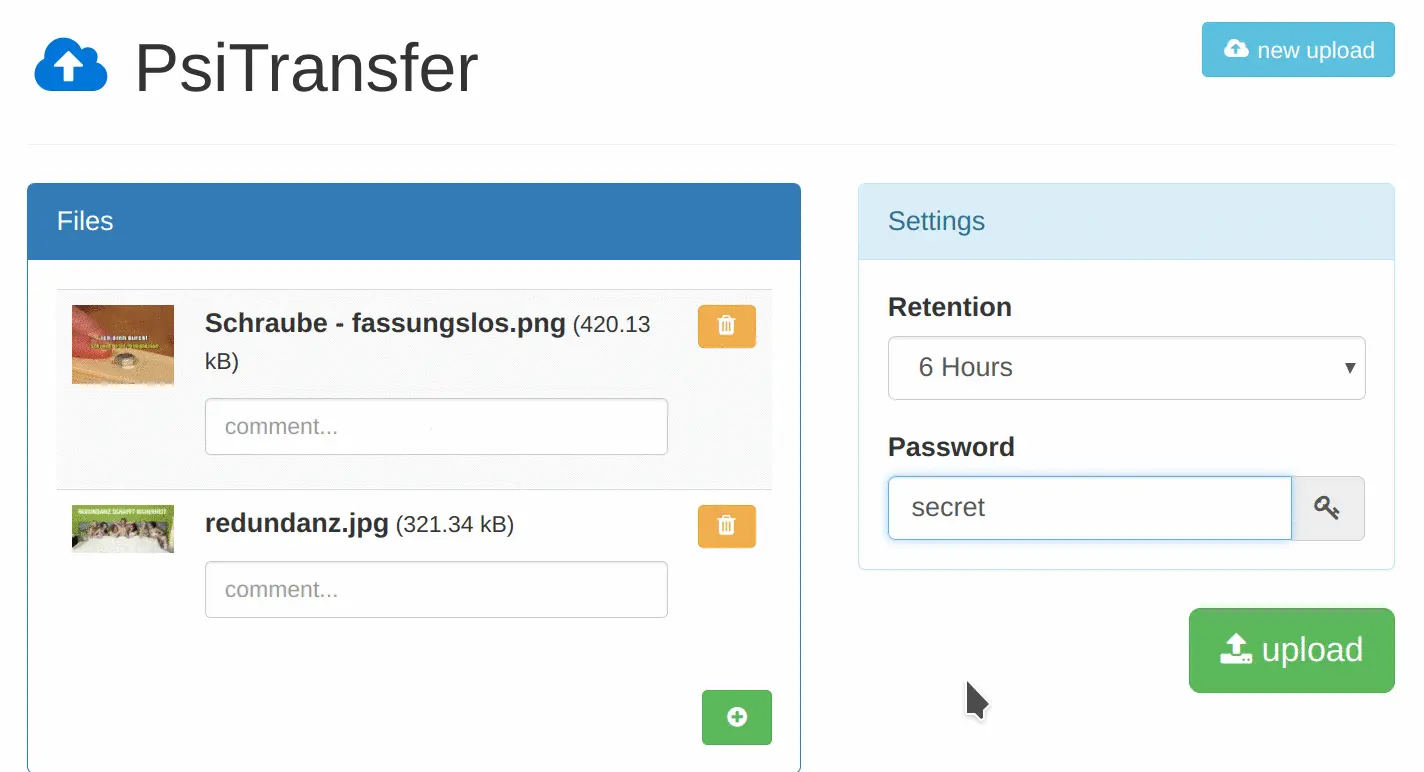
PsiTransfer is a free, open-source, self-hosted file transfer app: a simple WeTransfer alternative for sending large files by link from your own server. You drop files onto one page, choose how long they stay available, add a password if you like, and send the link. The people you send it to need no account.
It is made for sending big work to clients. Uploads and downloads resume after a dropped connection, so a slow hotel Wi-Fi doesn't mean starting a 20 GB upload again, and links can expire after a set time or after one download. A wedding videographer, for example, could send the finished film and the raw footage to a couple with a password and a two-week link, without paying for a transfer plan.
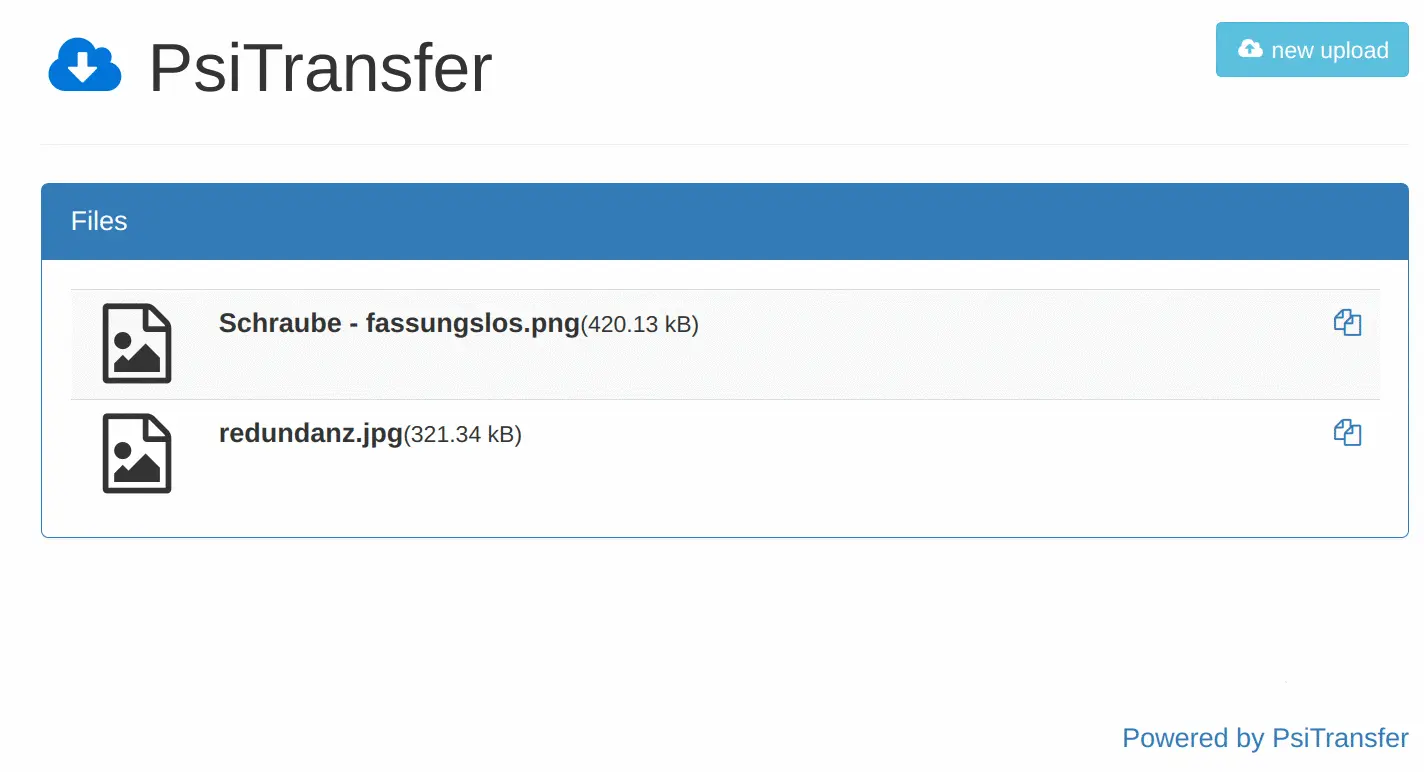
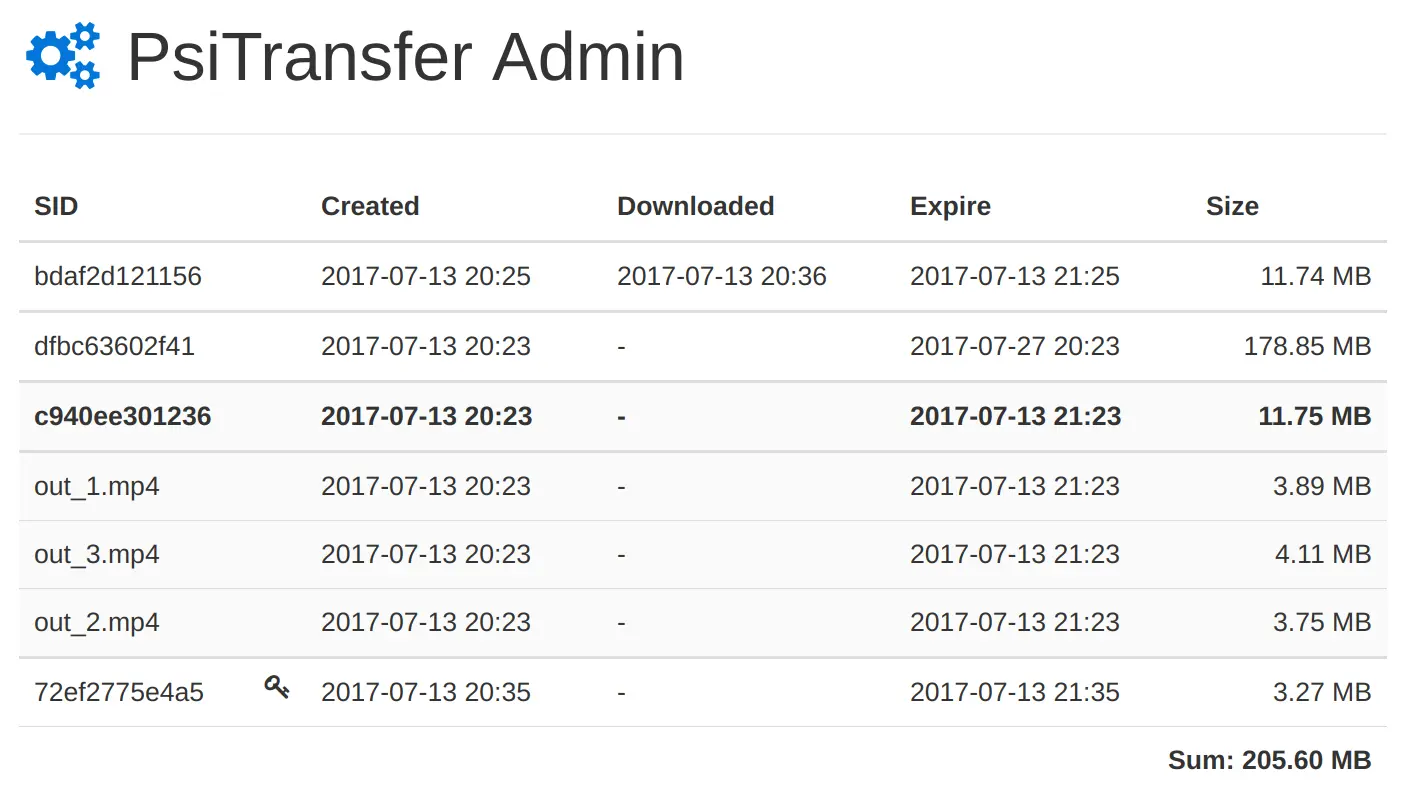
PsiTransfer works in any browser, on phones as well as computers, in 16 languages. Recipients can preview pictures and download everything as one ZIP file. An admin page shows every transfer, its size and when it expires.
Cloudgate installs PsiTransfer on your server with a secure web address and sets an upload password, so only you and your team can send files while anyone with a link can download. Old files are deleted on their own after 30 days at the latest, so your disk doesn't fill up.
What you can do with PsiTransfer
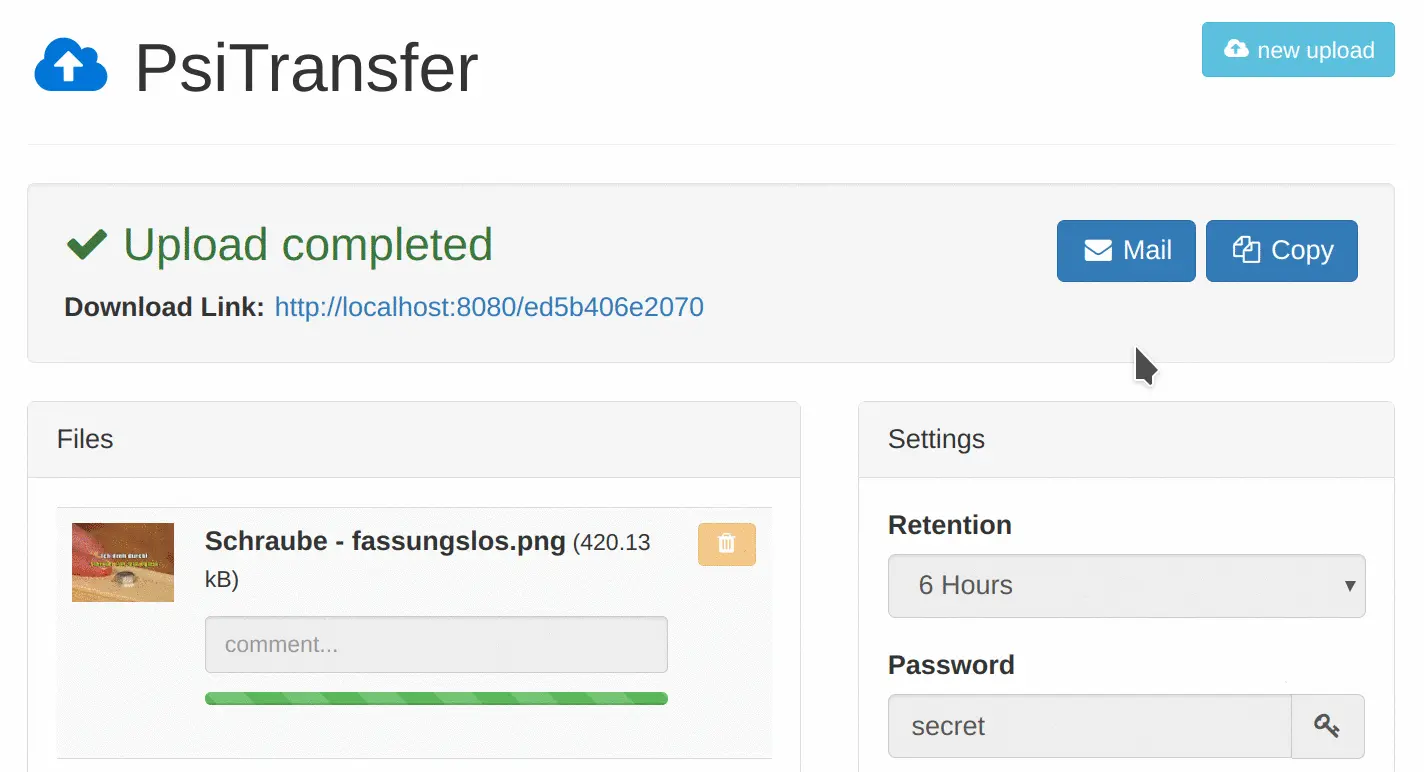
- Send very large files Drop in as many files as you like, as big as your server's disk allows, and get one download link.
- Pick up where it stopped Uploads and downloads resume after a dropped connection instead of starting again.
- Let links expire on their own Choose one hour up to four weeks, or a one-time download, and the files are deleted afterwards.
- Protect a transfer with a password Add an optional download password, and a short comment on each file.
- Share the link your way Copy the link, show a QR code, or open a ready-made e-mail in your own mail program.
- Make downloading easy Recipients need no account; they can preview pictures and download everything as one ZIP file.
- See every transfer An admin page lists each upload with its size, its download date and when it expires.
Replaces WeTransfer, Smash and Dropbox Transfer
PsiTransfer does the same job as WeTransfer, Smash and Dropbox Transfer. Here is what changes when you switch.
- No ads, no account and no sign-up for the people you send files to
- Files go from your server to your client, not through another company
- No per-transfer size cap beyond your server's disk
- Works in 16 languages, on phones as well as computers
- No e-mails sent for you and no download alerts by e-mail
- No branded transfer pages or background pictures
- Files are not encrypted on the server; a password protects the download list
- Old transfers don't move across, which rarely matters because they expire anyway
What happens when you click Deploy?
You do not need a server or any technical knowledge. Four steps, and PsiTransfer is running at its own web address.
- Step 1 Click Deploy and create your account
Deploy takes you to Cloudgate. Create an account, or log in if you have one. PsiTransfer itself is free.
- Step 2 Choose a server
No server? Get one from Cloudgate: pick a size and a country, and Cloudgate gets it ready. Already have one? Connect it instead.
- Step 3 Cloudgate sets up PsiTransfer
It prepares the server, makes the passwords the app needs and starts it. There is nothing to install and nothing to write down.
- Step 4 Open your app and sign in
Your app gets a free web address to start, without https. Add your own domain, like app.yourshop.com, and Cloudgate secures it with https for you.
New to Cloudgate? See what Cloudgate is
Run Cloudgate yourself? Deploy from your own console
In your Cloudgate console, open Templates and choose PsiTransfer.
Questions
Is PsiTransfer free?
Yes, PsiTransfer is free and open source under the BSD-2-Clause licence. There is no paid edition or plan; you pay only for your server and its disk.
Is PsiTransfer a good alternative to WeTransfer?
Yes, if you mainly need to send big files by link. In PsiTransfer you upload, choose when the link expires, add a password if you want, and send the link, much like WeTransfer. It has no branded pages and sends no e-mails for you.
Does the person I send files to with PsiTransfer need an account?
No, PsiTransfer has no accounts at all. The recipient opens the link, types the password if you set one, and downloads the files or all of them as one ZIP.
How do I sign in to PsiTransfer the first time?
PsiTransfer has no account to create. Cloudgate makes an upload password, which you type on the upload page, and an admin password for the admin page; you find both on the app's variables page.
How long do PsiTransfer files stay, and is there a size limit?
PsiTransfer keeps files from one hour up to four weeks, or until the first download, and every file is deleted after 30 days at the latest. There is no size limit apart from your server's free disk space.
Are my files encrypted in PsiTransfer?
No. PsiTransfer stores files unencrypted on your own server. The secure web address protects them while they travel, and a download password hides the list of files from anyone who doesn't have it.
What server size do I need for PsiTransfer?
The smallest Cloudgate server is enough, because PsiTransfer is one light app with no database. What matters is disk space for all the files waiting to be downloaded.
Do I need technical skills to run PsiTransfer?
No. Click Deploy, create your Cloudgate account and choose a server, and Cloudgate sets up PsiTransfer and gives it a web address. You use it in your browser like any other online tool.
Do I need my own server for PsiTransfer?
No. When you deploy PsiTransfer, hosted Cloudgate can provide a server. If you already rent one, you can connect it instead.
Can I move my data from WeTransfer to PsiTransfer?
Most people export from WeTransfer and import into PsiTransfer. The official guides at github.com walk through it.
Related apps

Send large files by link, under your own logo.

File sharing with links that expire on their own.

Send files by link, and let clients upload files to you.

Send large files by link from your own server, then let them expire.