
OTOBO
A self-hosted help desk and IT service desk that grew out of OTRS.
No server needed to start: Cloudgate can provide one. What happens when you click Deploy



What is OTOBO?
OTOBO is a self-hosted, open-source help desk and IT service desk with queues, SLAs and processes, and the free successor to OTRS Community Edition.
OTOBO is a free, open-source help desk and IT service desk that you can self-host, and the closest replacement for OTRS, whose free Community Edition it continues. It is also an alternative to Freshservice and Jira Service Management for teams that want ITIL-style ticketing without a fee per agent.
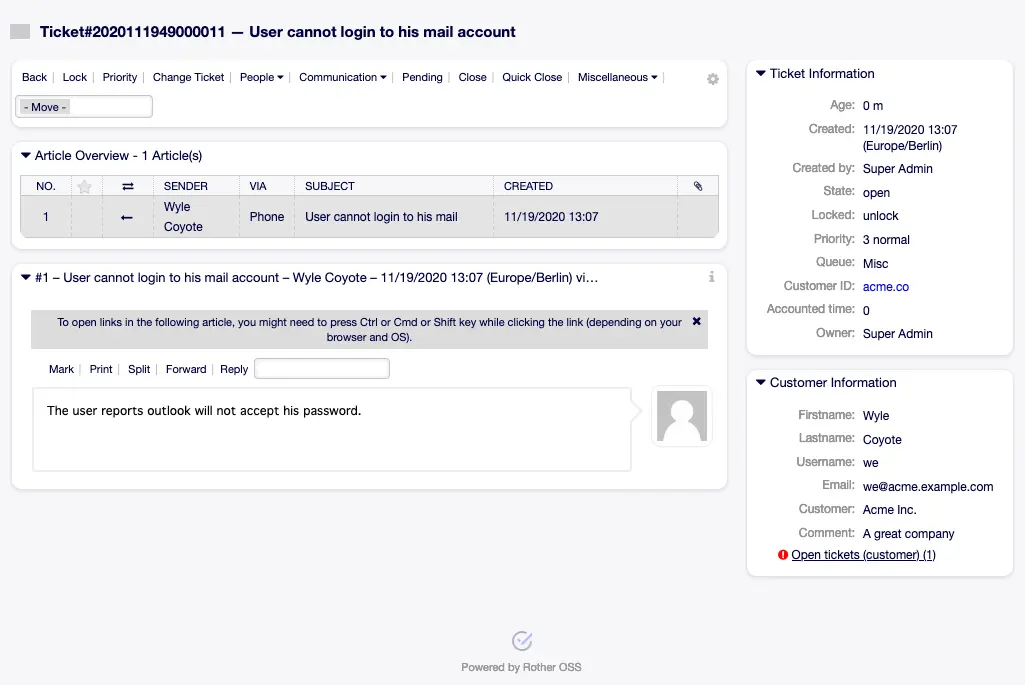
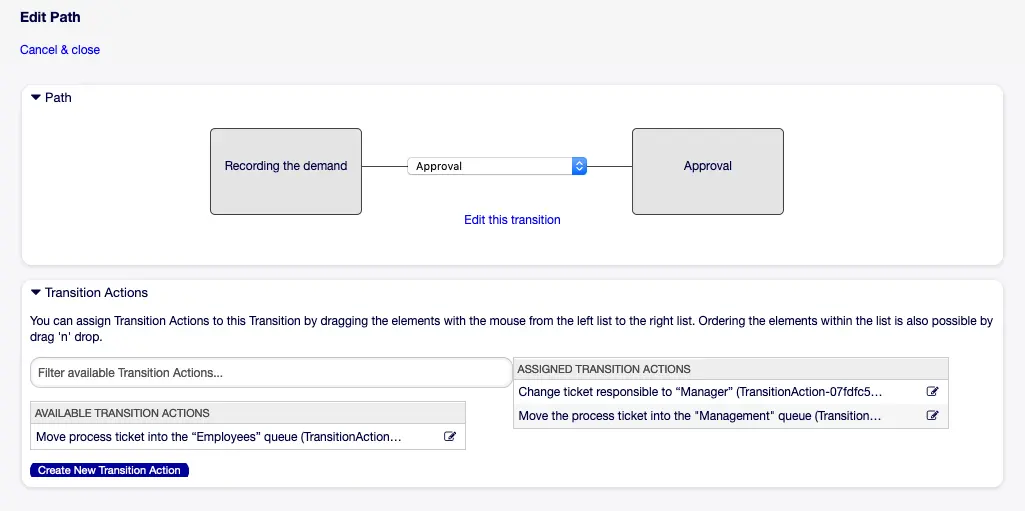
Requests arrive by email, through a customer portal or by phone, and land in queues where agents claim, answer and close them. Service levels warn you before a ticket runs late, and a visual editor turns routines such as approvals into guided steps. Free add-ons bring a knowledge base and full IT service management, with incidents, problems, changes and a record of your equipment. A five-person IT team at a group of care homes, for example, could give each home its own queue, have new laptop requests approved by a manager before anyone orders, and see every printer fault a home has reported.
OTOBO works in any web browser and can sign people in with Active Directory or LDAP. Teams leaving OTRS can bring their old tickets across with OTOBO's migration tool.
Cloudgate installs self-hosted OTOBO on a server Cloudgate provides or one you connect, sets up its database and search, and gives it a secure web address.
What you can do with OTOBO
- Work tickets in queues Requests arrive in queues where agents lock, prioritise, reply, add notes, merge and close them, with the full history kept.
- Take requests by email, portal and phone Emails to your support address become tickets, customers open their own in the web portal, and agents log phone calls.
- Keep to your response times Set service levels for each service, and OTOBO escalates and notifies when a ticket is about to miss its target.
- Give customers a self-service portal Customers sign in to open tickets, follow their progress and reply, in a portal you can style in your own colours.
- Model your processes Draw multi-step processes such as approvals or purchase requests in a visual editor, and OTOBO guides each ticket through them.
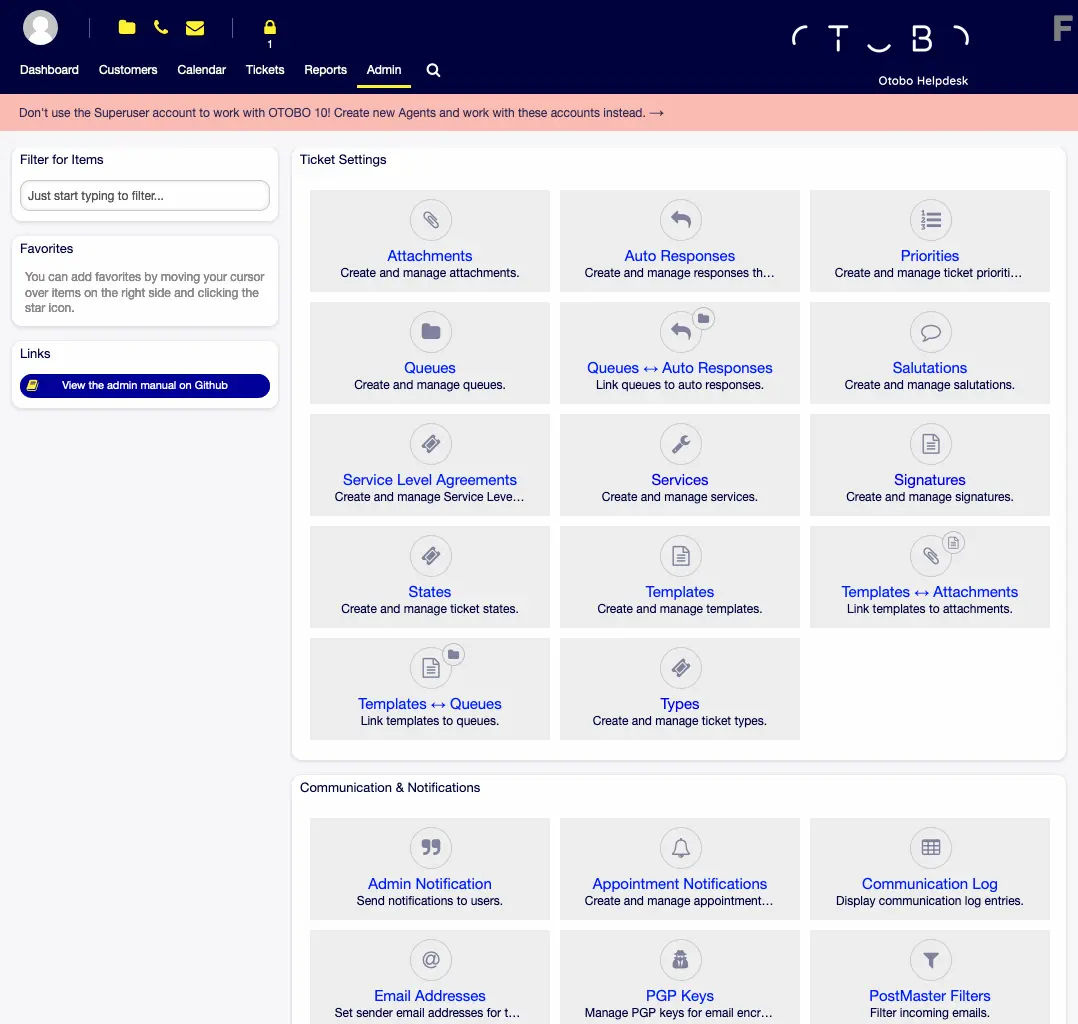
- Automate the routine Scheduled jobs, email filters, templates, automatic replies and notifications take care of repetitive work.
- Add a knowledge base and ITSM Free add-ons bring an FAQ for agents and customers, and incident, problem and change management with a database of your IT equipment.
- Sign in with your company directory Connect Active Directory or LDAP, and fetch mail from Microsoft 365 or Google with modern sign-in.
Replaces OTRS, Freshservice, Jira Service Management, ServiceNow and Zendesk
OTOBO does the same job as OTRS, Freshservice, Jira Service Management, ServiceNow and Zendesk. Here is what changes when you switch.
- No fee per agent and no paid edition; every feature is in the free software
- A supported way to bring your tickets and settings over from OTRS 6, OTRS 7 or the OTRS Community Edition
- Tickets, customers and attachments stay on your own server
- Queues, permissions and processes can be shaped to almost any way of working
- The screens are dense and look older than Freshservice or Zendesk, and there is a lot to configure before the team starts
- It needs a bigger server than most apps, with at least 8 GB of memory for everyday use and 16 GB recommended
- Email tickets need your own mailbox and outgoing mail server; there is no built-in live chat or social media inbox
- There is no importer from Freshservice, Jira Service Management or Zendesk, only from OTRS
What happens when you click Deploy?
You do not need a server or any technical knowledge. Four steps, and OTOBO is running at its own web address.
- Step 1 Click Deploy and create your account
Deploy takes you to Cloudgate. Create an account, or log in if you have one. OTOBO itself is free.
- Step 2 Choose a server
No server? Get one from Cloudgate: pick a size and a country, and Cloudgate gets it ready. Already have one? Connect it instead.
- Step 3 Cloudgate sets up OTOBO
It prepares the server, makes the passwords the app needs and starts it. There is nothing to install and nothing to write down.
- Step 4 Open your app and sign in
Your app gets a free web address to start, without https. Add your own domain, like app.yourshop.com, and Cloudgate secures it with https for you.
New to Cloudgate? See what Cloudgate is
Run Cloudgate yourself? Deploy from your own console
In your Cloudgate console, open Templates and choose OTOBO.
Questions
Is OTOBO free?
Yes. OTOBO is free and open source under the GPL-3.0 licence, with no paid edition and no limit on agents or tickets. Its maker, Rother OSS, earns money from optional support, consulting and hosting, not from the software.
Is OTOBO the same as OTRS?
No, but it is its closest relative. OTOBO began in 2019 as a fork of the free OTRS Community Edition, which OTRS later discontinued, so it works the way OTRS users expect while OTRS itself is now sold only as a paid product.
Can I move from OTRS to OTOBO?
Yes. OTOBO has an official migration tool that copies tickets, users, settings and attachments from OTRS 6, OTRS 7 or the OTRS Community Edition without changing the old system. The migration runs into OTOBO 10.1, which you then update step by step to the current version, so plan it with a test run first.
Is OTOBO a good alternative to Freshservice or Jira Service Management?
Yes, for teams that want an ITIL-style service desk with no fee per agent. OTOBO covers tickets, service levels, a customer portal and processes, and its free ITSM add-on adds incidents, problems, changes and an equipment database; it takes more setup than a hosted service and has no importer for either tool.
How do I sign in to OTOBO the first time?
Open the app's web address, add /otobo/index.pl, and sign in as root@localhost with the password Cloudgate generated. The first start takes a few minutes; then create named accounts for your agents, because OTOBO advises against working as the administrator day to day.
Can customers email the help desk?
Yes, once you connect a mailbox. OTOBO collects mail from your support address (including Microsoft 365 and Google accounts) and sends replies through your outgoing mail server, which you set up in the admin area after installation.
What size of server does OTOBO need?
At least 4 GB of memory for a trial, and at least 8 GB for everyday use, with 16 GB recommended, according to the OTOBO documentation, because it includes its own search engine.
Do I need technical skills to run OTOBO?
No. Click Deploy, create your Cloudgate account and choose a server, and Cloudgate sets up OTOBO and gives it a web address. You use it in your browser like any other online tool.
Do I need my own server for OTOBO?
No. When you deploy OTOBO, hosted Cloudgate can provide a server. If you already rent one, you can connect it instead.
Related apps

A self-hosted IT service desk with an inventory of every device.

A self-hosted IT help desk linked to a CMDB of everything you run.

An open-source ticketing system for support, IT and ops requests.

Self-hosted help desk for email tickets, SLAs and a customer portal.