
Request Tracker
An open-source ticketing system for support, IT and ops requests.
No server needed to start: Cloudgate can provide one. What happens when you click Deploy
What is Request Tracker?
Request Tracker (RT) is a self-hosted ticketing system, like Zendesk, that turns support and IT email into tickets sorted into queues.
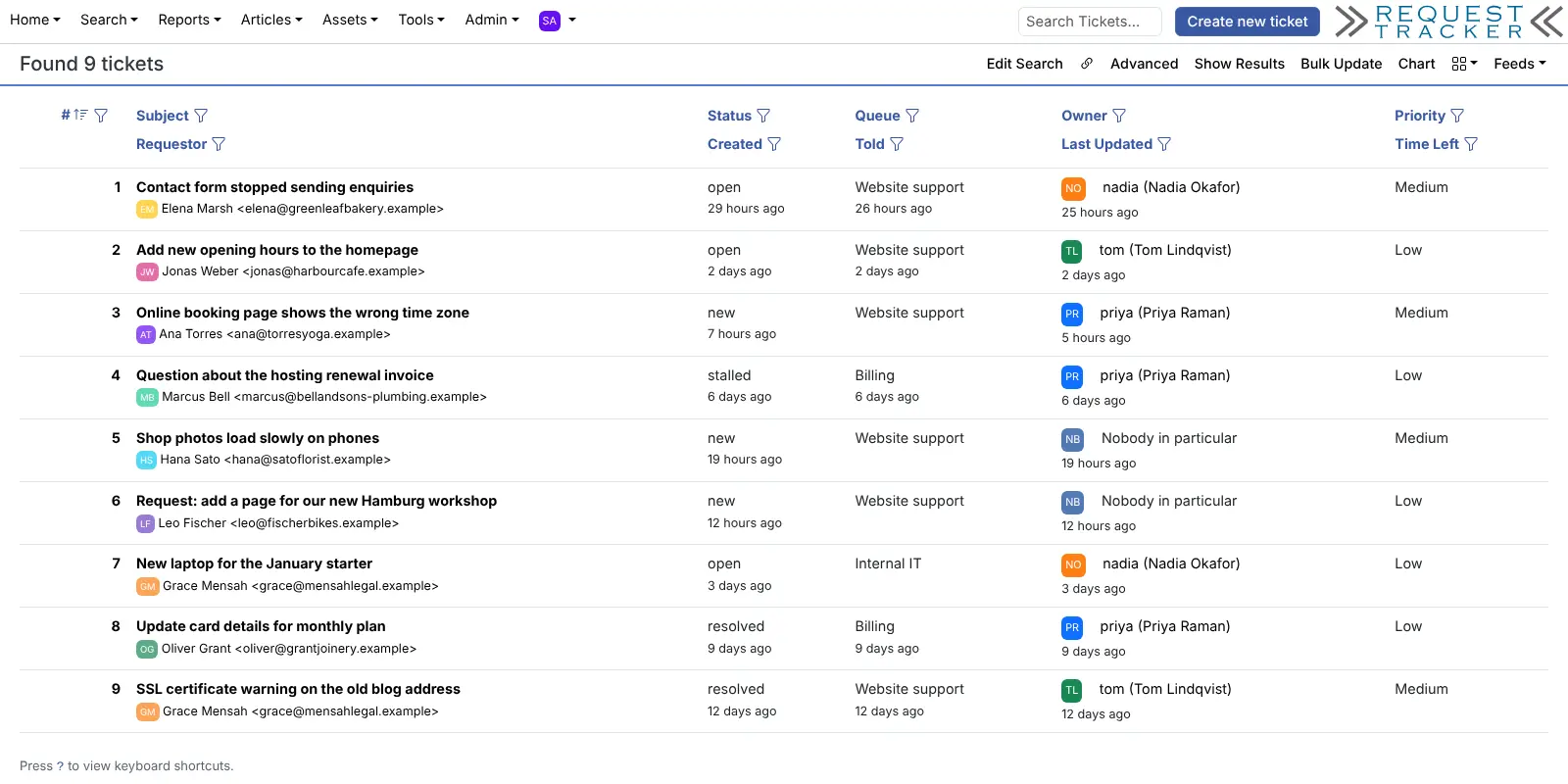
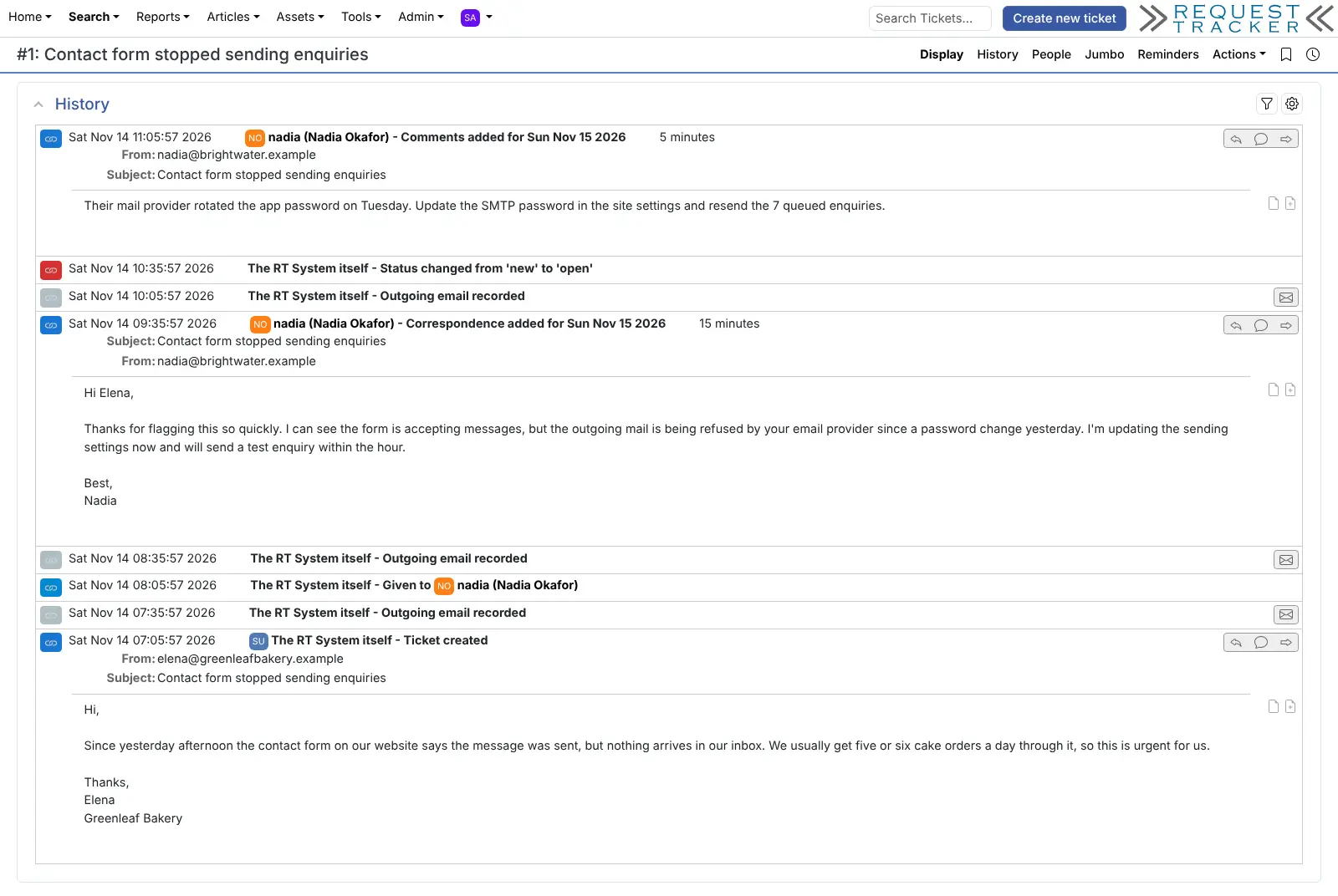
Request Tracker (RT) is a free, open-source ticketing system that you can self-host, an alternative to Zendesk, Freshdesk and Jira Service Management for support, IT and operations teams. Every request becomes a ticket in a queue, with an owner, a status and a full history of who did what and when.
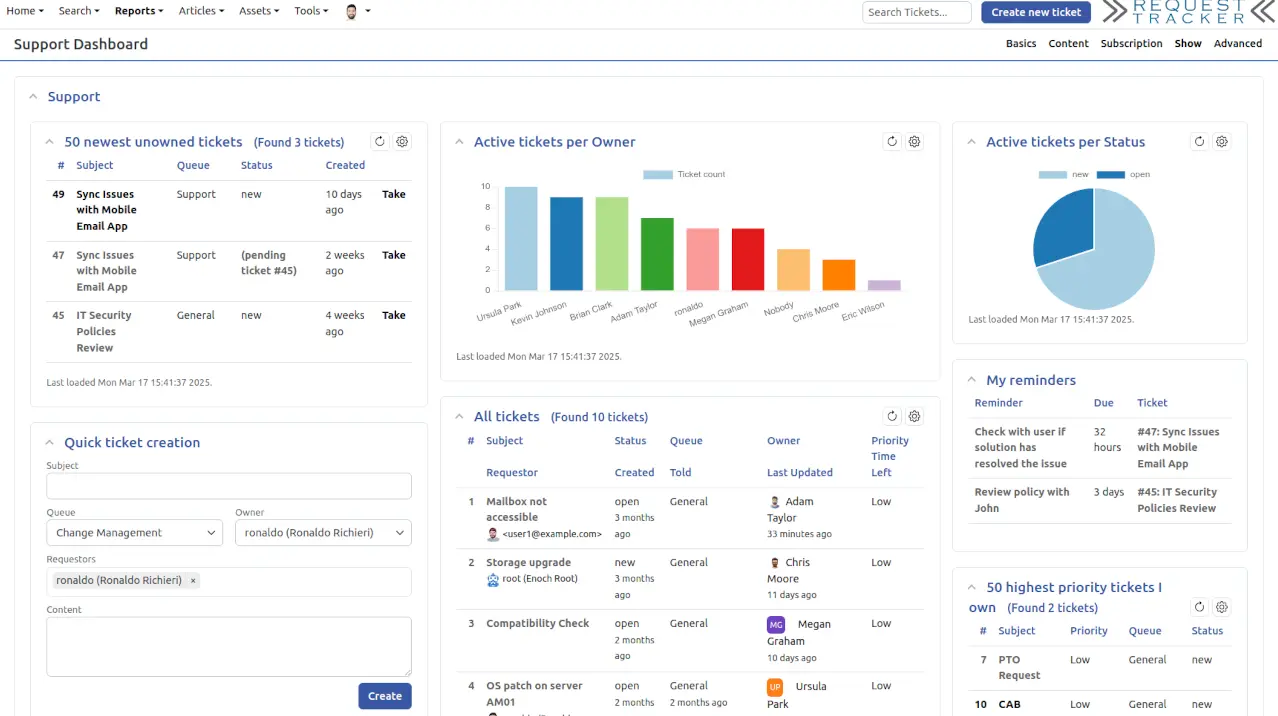
Customers and colleagues email a team address, and your staff answer from the browser or by replying to the email. Internal comments stay inside the team, rules send auto-replies and notify the right person, and dashboards show what is waiting. A five-person web studio, for example, could keep website support, billing questions and its own laptop requests in three separate queues, and see each morning which tickets nobody has taken yet.
Request Tracker has been developed for decades and is very configurable, with your own statuses, custom fields, permissions, a knowledge base, asset records and time tracking. Its interface is plain and dense rather than slick, and it takes some setup before it suits your team. It works in any browser, including on a phone, and connects to company sign-in and other tools through its API.
Cloudgate installs Request Tracker on a server Cloudgate provides or one you connect, with its database, and gives it a secure web address. Sign in as root with the generated password. To receive and send tickets by email, connect a mail server.
What you can do with Request Tracker
- Turn email into tickets Messages sent to a team address become tickets, and your team replies by email or in the browser.
- Sort work into queues Keep support, billing and internal IT apart, each with its own address, people and permissions.
- Reply or note privately Answer the customer, or add an internal comment only your team sees, with every change kept in the ticket's history.
- Shape your own process Set your own statuses, custom fields and roles, and draw the steps in a visual workflow editor.
- Automate the routine Rules send auto-replies, notify the right people, assign tickets and ask for approvals, and SLAs track response times in business hours.
- See the workload Dashboards, charts and saved searches show what is open, who owns it and how long it has waited.
- Keep answers and equipment together A knowledge base of ready-made replies, asset records for laptops and servers, and time tracking on every ticket.
Replaces Zendesk, Jira Service Management and Freshdesk
Request Tracker does the same job as Zendesk, Jira Service Management and Freshdesk. Here is what changes when you switch.
- No price per agent, however many people answer tickets
- Tickets and email history stay on your own server
- Queues, statuses, permissions and rules you can shape in detail
- The self-hosted version is the full software, with no paid edition
- Email in and out needs a mail server you connect yourself
- A plainer, denser interface than Zendesk, and more setup before it is ready
- No live chat, social or phone channels, and no AI features built in
- No built-in Zendesk importer; old tickets move across as spreadsheet files
What happens when you click Deploy?
You do not need a server or any technical knowledge. Four steps, and Request Tracker is running at its own web address.
- Step 1 Click Deploy and create your account
Deploy takes you to Cloudgate. Create an account, or log in if you have one. Request Tracker itself is free.
- Step 2 Choose a server
No server? Get one from Cloudgate: pick a size and a country, and Cloudgate gets it ready. Already have one? Connect it instead.
- Step 3 Cloudgate sets up Request Tracker
It prepares the server, makes the passwords the app needs and starts it. There is nothing to install and nothing to write down.
- Step 4 Open your app and sign in
Your app gets a free web address to start, without https. Add your own domain, like app.yourshop.com, and Cloudgate secures it with https for you.
New to Cloudgate? See what Cloudgate is
Run Cloudgate yourself? Deploy from your own console
In your Cloudgate console, open Templates and choose Request Tracker.
Questions
Is Request Tracker free?
Yes. Request Tracker is free and open source under the GPL-2.0 licence, and there is no paid self-hosted edition or fee per agent. Its maker, Best Practical, sells hosting, support and training, all optional.
Is Request Tracker a good alternative to Zendesk?
Yes, for teams whose support runs mostly by email and who want detailed control over queues and rules. Request Tracker covers tickets, SLAs, automation, a knowledge base and reports with no fee per agent. Zendesk has live chat, social and phone channels, a more polished interface and far more ready-made integrations.
How do I sign in to Request Tracker the first time?
Sign in with the username root and the password Cloudgate generates, shown on the app's variables page in Cloudgate. Request Tracker's well-known default password is replaced on the first start, so it cannot be used to sign in.
Can Request Tracker receive and send email?
Yes, but only after you connect Request Tracker to a mail server, which the template does not do for you. Until then the team can create and answer tickets in the browser, but no emails arrive as tickets and no replies or notifications go out.
Can I import my tickets from Zendesk into Request Tracker?
No, Request Tracker has no built-in Zendesk importer. Best Practical's guide exports Zendesk views as spreadsheet (CSV) files and loads them with a free import extension, which takes some technical work.
Should I choose Request Tracker or Zammad?
Choose Request Tracker for email-based ticketing with very detailed queues, permissions and rules on a small server. Choose Zammad for a more modern interface, chat and social channels, and a built-in importer for Zendesk and Freshdesk.
Is there a Request Tracker phone app?
No, there is no official iPhone or Android app. Request Tracker works in a phone's browser and has a simplified mobile view.
Do I need technical skills to run Request Tracker?
No. Click Deploy, create your Cloudgate account and choose a server, and Cloudgate sets up Request Tracker and gives it a web address. You use it in your browser like any other online tool.
Do I need my own server for Request Tracker?
No. When you deploy Request Tracker, hosted Cloudgate can provide a server. If you already rent one, you can connect it instead.
Related apps

Self-hosted help desk for email tickets, SLAs and a customer portal.

A self-hosted help desk that turns customer messages into tickets.

A self-hosted shared inbox for customer email, like Help Scout.

A self-hosted help desk and IT service desk that grew out of OTRS.