
T

Open-source alternatives to TinyPNG

MAZANOKE is a free, open-source TinyPNG alternative that shrinks, resizes and converts images in your own browser, so pictures are never uploaded anywhere. TinyPNG’s free web tool takes up to 20 images of 5 MB each and keeps uploads on its servers for up to 48 hours; MAZANOKE has no limits, though it has no API or WordPress plugin.

2 alternatives Free apps Our pick: MAZANOKE

At a glance

App Good for Code Ease of use
MAZANOKE Anyone who shrinks photos for a website, email or listing and doesn't want to upload them to a free tool site Code Open source Easy
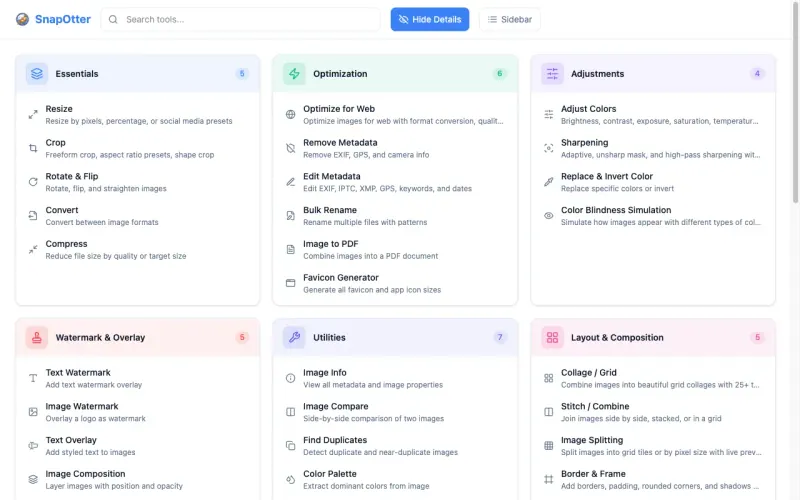
SnapOtter Small teams that convert, shrink and tidy many kinds of files and want one private toolbox instead of several websites Code Open source Easy

Why look for an alternative to TinyPNG?

TinyPNG is a popular website for making PNG, JPG and WebP images smaller without a visible loss in quality, from the company Tinify, which also sells an API and a WordPress plugin. Its free web tool takes a limited number of images at a time, and paid Web Pro and Web Ultra plans raise the limits.

People look for an alternative because of those limits and because every image is uploaded to TinyPNG's servers, where it is kept for up to 48 hours. That is a concern for private photos, client work and screenshots with personal details. MAZANOKE is open source and does the same everyday job, making images smaller, resizing them and converting formats, entirely in your browser, with no limits, no sign-up and no uploads. SnapOtter does it on your own server instead, with an API and many more file tools.

The alternatives, compared

MAZANOKE

Our pick

Shrink and convert images in your browser, with no uploads.

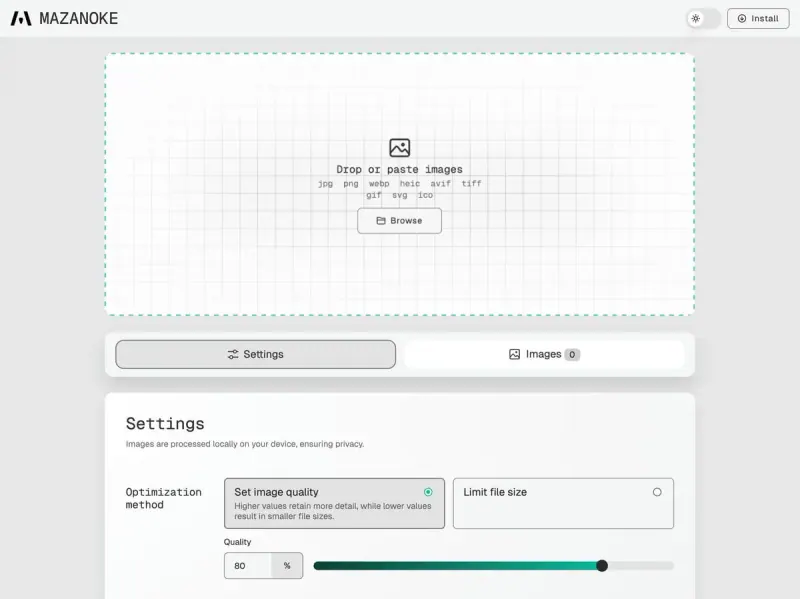
Shrinks JPG, PNG and WebP images to a quality level or a target file size, resizes them and converts between formats, including iPhone HEIC photos, with batches downloaded together. Every image is processed in your own browser, so nothing is uploaded, and there are no limits on count or size. TinyPNG's compression engine, API and WordPress plugin are not matched, so it suits images you optimise by hand.

What you gain
  • Your images never leave your device, not even to your own server
  • No limits on how many images or how large they are
  • No ads, no sign-up and no paid plan
What is different
  • It only shrinks, resizes and converts; there is no cropping, editing or watermarks
  • No API or WordPress plugin to compress images automatically
  • Big batches run on your own computer or phone, so an older device is slower
Easy Open source

File tools for images, PDFs, video, audio and documents.

Compresses, resizes and converts images on your server, including to a target file size, with batches and an API for every tool, so your own scripts can shrink images automatically. It also has more than 200 other tools, from cropping and watermarks to PDFs and video. Images are uploaded to your own server rather than kept in the browser, it needs more memory than MAZANOKE, and it has no WordPress plugin.

Easy Open source

Moving from TinyPNG

There is nothing to move: TinyPNG keeps no library of your images. Open MAZANOKE at the address Cloudgate gives you, choose a quality level or a target file size and, if you like, a maximum width and height, then drop, browse or paste your images and download the smaller files one by one or all together. Install it from the browser on your phone or computer to keep it a click away; it keeps working offline once loaded. If you compress images automatically through TinyPNG's API or WordPress plugin, keep that set up, because MAZANOKE has no API, or point your scripts at SnapOtter's API with a key.

Questions

What is the best open-source alternative to TinyPNG?

Start with MAZANOKE. Both are free and open source.

Does MAZANOKE upload my images?

No. MAZANOKE does all the work in your browser, so pictures stay on your device and never reach the server it is installed on. It also removes EXIF details such as location and date from the optimized images.

Does MAZANOKE limit how many images I can compress?

No. There is no limit on the number or size of images, though a large batch runs on your own computer or phone, so an older device is slower.

Can MAZANOKE compress images automatically for my website?

No. MAZANOKE has no API or WordPress plugin; you drop images in and download the results. SnapOtter has an API your own scripts can call, though no WordPress plugin either.

Should I choose MAZANOKE or SnapOtter?

Choose MAZANOKE to compress images by hand with nothing uploaded, even to your own server. Choose SnapOtter if you also want an API, cropping, watermarks and other file tools in one app on your server.

Are these TinyPNG alternatives really free?

Yes, MAZANOKE and SnapOtter are free. To run them you need Cloudgate and a server. Use hosted Cloudgate, which can also provide the server, or install Cloudgate on a server of your own for free. Cloudgate's plans and prices are at cloudgate.octabyte.io/pricing. One server can run several apps.

Do I need a developer to replace TinyPNG?

No. Cloudgate installs the app you choose on your server and gives it a secure web address, and you use it in your browser instead of TinyPNG.