
S

Open-source alternatives to ShareFile

SFTPGo is a free, open-source ShareFile alternative for exchanging files with clients: each client gets an account and a private folder, and you send download or upload links with a password and an expiry date. ShareFile is a paid subscription with e-signatures, an Outlook plug-in and phone apps; self-hosted SFTPGo has no per-account fee, though it has none of those extras.

3 alternatives Free apps Our pick: SFTPGo

At a glance

App Good for Code Ease of use
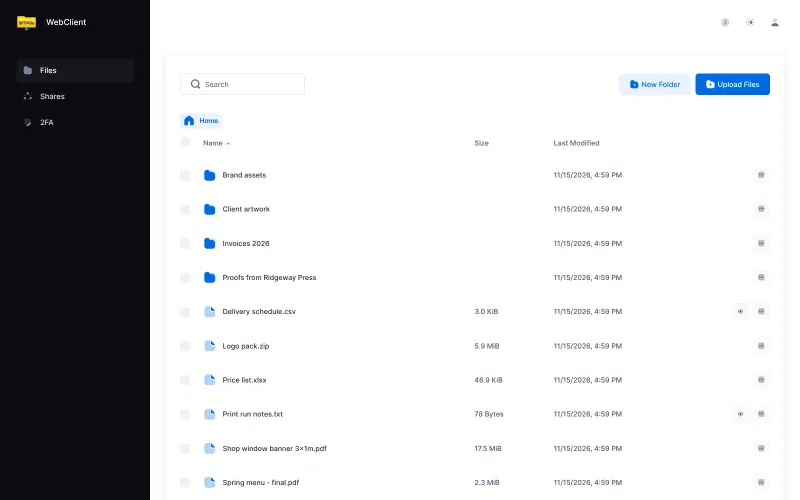
SFTPGo Businesses that swap files with clients and partners and want one account and folder for each Code Open source Some setup
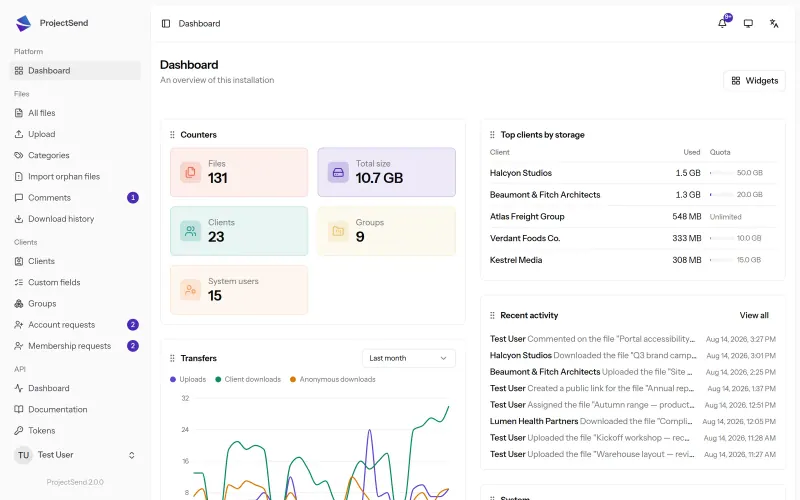
ProjectSend Accountants, law firms and agencies sending files to clients through a private portal Code Open source Some setup
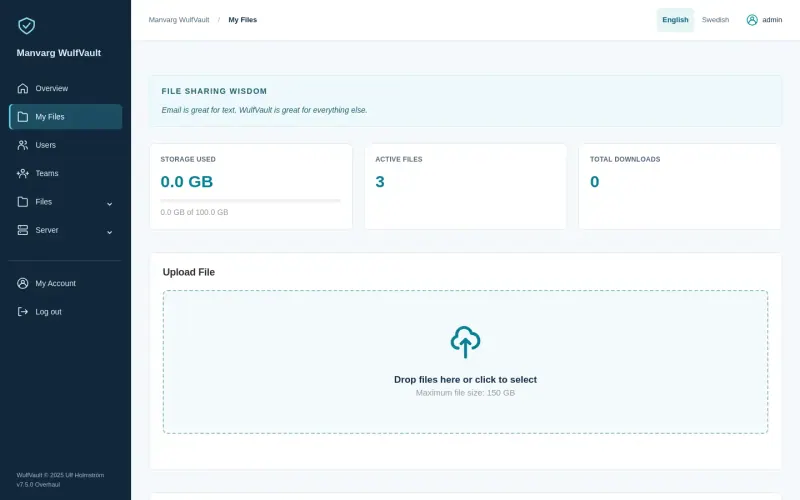
WulfVault Teams that send large files to clients and need a record of who downloaded what Code Open source Easy

Why look for an alternative to ShareFile?

ShareFile, made by Progress and formerly Citrix ShareFile, is a hosted file-sharing service for businesses that exchange documents with clients, such as accounting firms, law firms and agencies. Clients get a portal to download and upload files, and ShareFile adds e-signatures, document request lists, Office integrations and desktop sync apps.

Firms look for an alternative because ShareFile is a paid subscription charged per user, and because their clients' tax returns, contracts and statements sit on another company's servers. Many only use the portal: a private place where each client picks up and sends back files. A self-hosted ProjectSend does that on your own server, with no fee per user or client, a record of every download and your own branding. SFTPGo gives every client their own folder and secure links on your server, with no fee per account. WulfVault sends large files by link and records who downloaded each one, with an audit log of every action. Either way, you set up and look after the server and do without the extras.

The alternatives, compared

SFTPGo

Our pick

Exchange files with clients and partners, each in their own folder.

Gives each client or partner an account and a private folder they open in the browser to upload and download files, with permissions per folder and storage quotas, plus share links with a password, an expiry date and a use limit, and upload-only links to collect files. ShareFile adds e-signatures, request lists, office editing, an Outlook plug-in and phone apps, which SFTPGo's open-source edition does not have.

What you gain
  • No fee per user or per partner account
  • Files stay on your server or in cloud storage you choose
  • Upload-only links, quotas and per-folder permissions are all included
What is different
  • On Cloudgate it works in the browser only; partners can't connect with an SFTP or FTP program
  • There are no phone, desktop sync or Outlook apps, and no e-signatures
  • New features now go mainly to the makers' paid Enterprise edition, such as office editing and virus scanning
Some setup Open source

A private client portal for sending files, on your own server.

Does the portal part of ShareFile: each client signs in to a private page to download the files you share and upload their own, you choose which client or group sees each file, and a log shows every download. It has no e-signatures, request lists, Office editing, desktop sync or phone apps, and it sends email notifications only once you add your own mail server.

What you gain
  • No fee per user, client or gigabyte; the limit is your server's disk
  • Clients' documents stay on your server, not with another company
  • Every download is on record, including files shared by public link
What is different
  • No desktop sync or phone apps; clients use it in a web browser
  • No e-signatures, request lists or Office editing built in
  • You set up your own mail server before clients get email notifications
Some setup Open source

Send large files by link and see who downloaded each one.

Sends large files to clients by link with a password and an expiry, and records every download, with the client's email when you choose sign-in downloads; upload request links let clients send files back. It adds teams with storage quotas, your logo and colours on download pages, two-step sign-in, single sign-on and an audit log. It has no e-signatures, request lists, Office editing, Outlook plug-in or phone apps.

Easy Open source

Moving from ShareFile

None of these apps has a ShareFile importer, so download the files you still need from ShareFile and move one client at a time. Keep your ShareFile account open until every client has signed in once.

In SFTPGo's admin pages, create a group for shared settings, then an account for each client with its own folder and quota, and upload their files. Send each client their sign-in details, and replace ShareFile file requests with SFTPGo upload links.

In ProjectSend, add each client, or a group for a company with several contacts, and upload the files you still want them to see, sorted into folders or categories. Add your mail server in ProjectSend's email settings and send a test email, so clients are told when something new arrives. Put your logo and colours on the client pages, then send each client their sign-in details and a note that their documents have moved.

In WulfVault, add your logo and colours, create a team for your staff with its storage limit, and enter your email server's details so links can go out by email. Upload each client's files with a password and an expiry, choose sign-in downloads so each client's email is recorded, and send an upload request link where you used a ShareFile file request.

Questions

What is the best open-source alternative to ShareFile?

Start with SFTPGo. If you want something simpler, try WulfVault. All 3 are free and open source.

Do my clients need an account?

Only to have their own folder or page. In SFTPGo, anyone can download from a share link or send files through an upload link without an account. In ProjectSend, you can make a public link with an expiry date or a download limit, and ProjectSend still records each download. In WulfVault, clients download straight from the link, or make a free download account if you want their email recorded with each download.

Can clients upload files to me, as in a ShareFile portal?

Yes, with all three. In ProjectSend, clients upload documents from their own page, and uploads resume if the connection drops, so large files get through. In SFTPGo, clients upload into their own folder, or anyone can send files through an upload-only link. In WulfVault, send an upload request link and the files arrive in your account.

Do SFTPGo, ProjectSend or WulfVault have e-signatures or request lists like ShareFile?

No. All three send and receive files, but none has e-signatures, document request lists or Office editing. Keep a separate signing tool if you need one.

Should I choose SFTPGo, ProjectSend or WulfVault?

Choose ProjectSend for a branded portal where each client picks up and sends back files, with every download on record. Choose SFTPGo if you want each client to have their own folder with storage quotas and folder permissions, plus share and upload links with passwords and use limits. Choose WulfVault for sending large files by link with a download history for each file, teams with storage quotas, single sign-on and an audit log.

Can clients connect with an SFTP program?

Not on Cloudgate. SFTPGo supports SFTP, FTP and WebDAV, but this template turns them off because they need ports a web address cannot carry, so clients use the browser.

Can I be told when a client uploads a file?

Yes, in SFTPGo. Once email is set up, an Event Manager rule can send an email when a file is uploaded.

Can I put my firm's branding on the portal?

Yes, in ProjectSend. You can theme the client pages and the emails clients receive, so the portal looks like your own. WulfVault also shows your logo, colours and company name on its download pages.

Are these ShareFile alternatives really free?

Yes, SFTPGo, ProjectSend and WulfVault are free. To run them you need Cloudgate and a server. Use hosted Cloudgate, which can also provide the server, or install Cloudgate on a server of your own for free. Cloudgate's plans and prices are at cloudgate.octabyte.io/pricing. One server can run several apps.

Do I need a developer to replace ShareFile?

No. Cloudgate installs the app you choose on your server and gives it a secure web address, and you use it in your browser instead of ShareFile.