O

Open-source alternatives to Otter.ai

Scriberr is a free, open-source Otter.ai alternative that transcribes recordings on your own server, labels who said what, and summarises transcripts with an AI model you connect. Otter’s free plan stops at 300 minutes a month and 30 minutes per conversation; Scriberr has no minute limit, though it does not join live meetings or caption them as they happen.

2 alternatives Free apps Our pick: Scriberr

At a glance

App Good for Code Ease of use
Scriberr Transcribing interviews, meetings and voice memos privately, with no per-minute fees Code Open source Some setup
Speakr Teams that want meeting transcripts and summaries kept on their own server Code Open source Some setup

Why look for an alternative to Otter.ai?

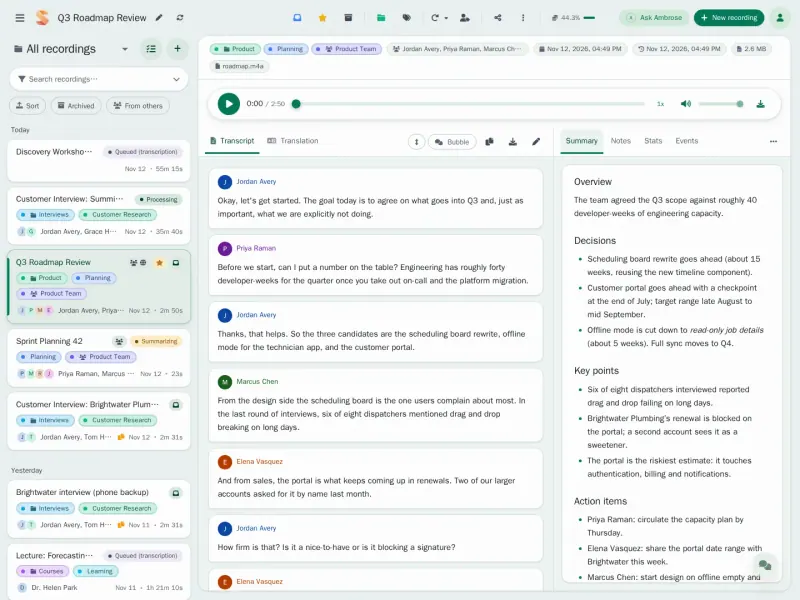
Otter.ai records and transcribes meetings and conversations, labels who said what, writes summaries, and has an assistant that joins Zoom, Google Meet and Microsoft Teams calls to take notes for you.

People look for an alternative because Otter's free plan stops at 300 transcription minutes a month and 30 minutes per conversation, paid plans are per user, and every recording is uploaded to Otter's cloud. Scriberr transcribes recordings on your own server with open speech models, so there is no minute limit and private audio stays with you. Speakr keeps recordings, transcripts and summaries on your own server for a whole team, and you pay only the AI service that processes them. Both work on recordings, not live calls.

The alternatives, compared

Scriberr

Our pick

Audio transcription that keeps recordings private.

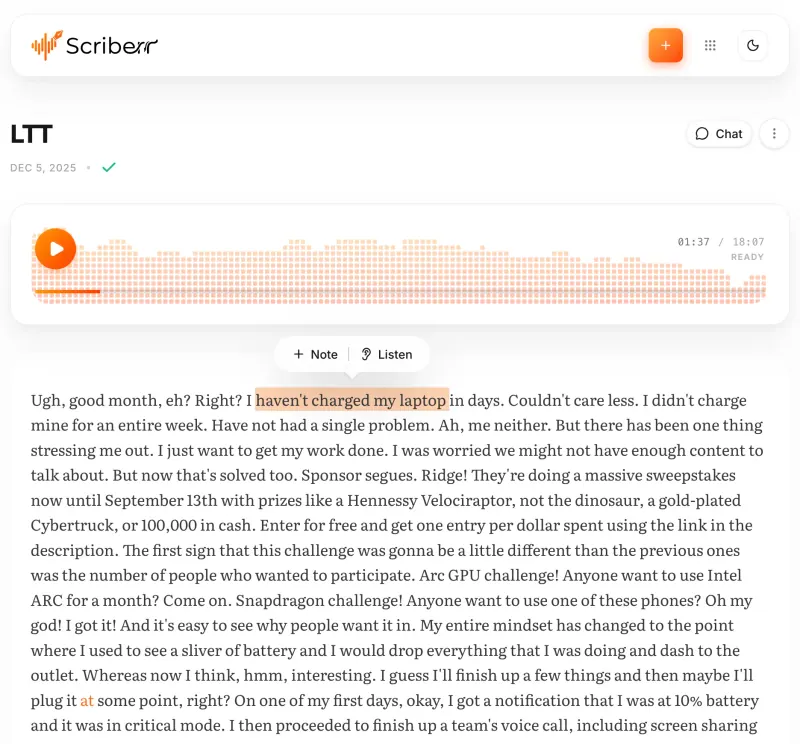
Transcribes recordings you upload or record in the browser with open speech models on your own server, labels speakers, follows the audio word by word, and lets you summarise or question a transcript with an AI model you connect. Otter joins Zoom, Meet and Teams calls and transcribes them live; Scriberr has no meeting bot or live captions, it has one login rather than team workspaces, and speed depends on your server.

What you gain
  • No per-minute or monthly fees, however much you transcribe
  • Recordings are transcribed on your own server and never uploaded to a transcription company
  • Summaries and chat can use an AI model you run yourself, through Ollama
What is different
  • It transcribes recordings only; there is no meeting bot and no live captions
  • Machine transcription only, with no human transcribers, and speed and accuracy depend on your server
  • One account only, so there are no shared team workspaces
Some setup Open source

Meeting transcripts, AI summaries and action items.

Does Otter's main job: upload a recording or record in the browser, and Speakr writes a transcript with speaker labels and a summary with action items, and answers questions about a meeting. Inquire Mode, which asks across your whole library, is off by default. It has no assistant that joins Zoom, Meet or Teams calls by itself, so you record the call's audio from your browser or upload the file afterwards. Transcripts and summaries come from the AI service you connect, such as OpenAI.

What you gain
  • Recordings and transcripts are stored on your own server
  • No price per seat; you pay for the server and the AI you use
  • Change the summary instructions for each kind of meeting
What is different
  • It does not join your Zoom, Teams or Google Meet calls by itself; you record from the browser or upload afterwards
  • Transcripts and summaries need an AI service, such as an OpenAI API key
  • Speakr is still in alpha, so it changes often
Some setup Open source

Moving from Otter.ai

Export the transcripts you want to keep from Otter as text or subtitle files before you cancel. To transcribe old meetings again in Scriberr, download their audio from Otter and upload it. Going forward, record meetings with your call app's own recording, or record in the browser with Scriberr, then upload the file. Add a free Hugging Face token in Scriberr's settings for speaker labels, and connect Ollama or an OpenAI-compatible service if you want summaries and chat.

Speakr has no importer for Otter either, but it takes the audio and video files you already have. Gather the recordings of past meetings you want to keep, then drag them into Speakr, several at once, and it transcribes and summarises each one with the OpenAI API key you gave at setup. For new meetings, start a recording in Speakr's browser tab with your microphone and the call's audio mixed, or upload the recording your meeting app saves. Then invite your colleagues and share recordings with them or with their group.

Questions

What is the best open-source alternative to Otter.ai?

Start with Scriberr. Both are free and open source.

Should I choose Scriberr or Speakr?

Choose Scriberr to transcribe on your own server with open speech models, so audio never leaves it and there is no per-minute bill. Choose Speakr for a team: it has user accounts, groups and sharing, and writes summaries with action items, but the template sends audio to OpenAI for transcription.

Can Scriberr or Speakr join my Zoom or Google Meet calls?

No. Neither has a meeting bot. Record the meeting in your call app, or in the browser, and upload the file afterwards.

Does Scriberr need a GPU?

No. Cloudgate installs Scriberr's CPU version, which runs on an ordinary server; smaller speech models are the quick choice there, and larger ones are slower. Scriberr's separate NVIDIA GPU version is not part of this template.

Does my audio leave my server?

With Scriberr, no: it transcribes on your own server, and only summaries and chat send transcript text out if you connect an outside AI service. With Speakr, the audio and text go to the AI service you connect, such as OpenAI, which bills you for use.

Can a whole team use Speakr?

Yes. Speakr has user accounts and groups, recordings can be shared inside the team or by public link, and people can sign in through an OIDC provider such as Keycloak, Azure AD or Google.

Are these Otter.ai alternatives really free?

Yes, Scriberr and Speakr are free. To run them you need Cloudgate and a server. Use hosted Cloudgate, which can also provide the server, or install Cloudgate on a server of your own for free. Cloudgate's plans and prices are at cloudgate.octabyte.io/pricing. One server can run several apps.

Do I need a developer to replace Otter.ai?

No. Cloudgate installs the app you choose on your server and gives it a secure web address, and you use it in your browser instead of Otter.ai.