M

Open-source alternative to Microsoft Whiteboard

WBO is a free, open-source Microsoft Whiteboard alternative: a shared board in any browser where several people draw, write and sketch at the same time, saved on your own server. Microsoft Whiteboard now needs a work or school Microsoft account; WBO needs no Microsoft account at all, though it has no ink-to-shape, sticky notes, templates or Teams integration.

Free app Code: Open source Import from Microsoft Whiteboard: No Easy

Why look for an alternative to Microsoft Whiteboard?

Microsoft Whiteboard is Microsoft's freeform digital whiteboard, part of Microsoft 365 and Teams, where people draw, write and add sticky notes together, with boards stored in the owner's OneDrive.

People look for an alternative because Microsoft has narrowed who can use it. Its support pages say the standalone Whiteboard apps for Windows, iPhone and Android retired on October 16, 2026, and Whiteboard now continues only for work or school accounts, on the web and in Teams; people with personal Microsoft accounts lost it. Teachers, tutors and small teams without a work Microsoft 365 plan, or who simply want boards on their own server, can run WBO: a shared whiteboard in any browser with no Microsoft account. In return, it has fewer tools than Whiteboard.

How WBO compares

WBO

A self-hosted whiteboard your team can draw on together, live.

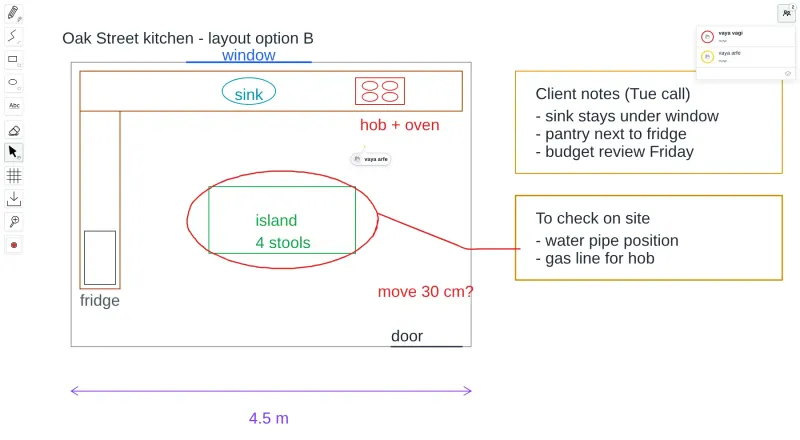
Gives you the freeform side of Microsoft Whiteboard in any browser: several people draw and write on one large board at the same time with a pen, lines, shapes, text and an eraser, and every board is saved on your server. It works with a finger or stylus on tablets and needs no Microsoft account. It has no ink-to-shape, sticky notes, templates, images or Teams integration, and boards download only as SVG images.
Easy Open source

Moving from Microsoft Whiteboard

WBO cannot open Microsoft Whiteboard files, so export any boards you want to keep as images from Whiteboard first, and start new boards in WBO. Open your WBO address, sign in with the login Cloudgate shows, and give each board a name, such as a lesson or a project; the name becomes the board's address. Send that link and the login to the people you want to draw with, and they can join from a computer, tablet or phone browser. Boards save as you draw, and the download button keeps a copy as an SVG image.

Questions

What is the best open-source alternative to Microsoft Whiteboard?

WBO is the free, open-source alternative to Microsoft Whiteboard for drawing together on a whiteboard in the catalogue today. Gives you the freeform side of Microsoft Whiteboard in any browser: several people draw and write on one large board at the same time with a pen, lines, shapes, text and an eraser, and every board is saved on your server. It works with a finger or stylus on tablets and needs no Microsoft account. It has no ink-to-shape, sticky notes, templates, images or Teams integration, and boards download only as SVG images.

Do I need a Microsoft account to use WBO?

No. WBO runs on your own server, and people join a board with its link and the login you share, in any browser.

Does WBO work with a pen on a tablet?

Yes. WBO supports touch, so you can draw with a finger or stylus in a tablet's browser, and you can add it to the home screen like an app. It does not turn handwriting into shapes.

Can I use WBO in a Teams meeting?

Not built in. Share the board's link in the meeting chat, and everyone opens it in their browser alongside the call.

Is WBO really free compared with Microsoft Whiteboard?

Yes, WBO is free. To run them you need Cloudgate and a server. Use hosted Cloudgate, which can also provide the server, or install Cloudgate on a server of your own for free. Cloudgate's plans and prices are at cloudgate.octabyte.io/pricing. One server can run several apps.

Do I need a developer to replace Microsoft Whiteboard?

No. Cloudgate installs WBO on your server and gives it a secure web address, and you use it in your browser instead of Microsoft Whiteboard.