
Tolgee
App translation, edited right inside your own app.
No server needed to start: Cloudgate can provide one. What happens when you click Deploy
What is Tolgee?
Self-hosted Tolgee: an open-source localization platform where your team translates app text in a web editor or by clicking it in the app.
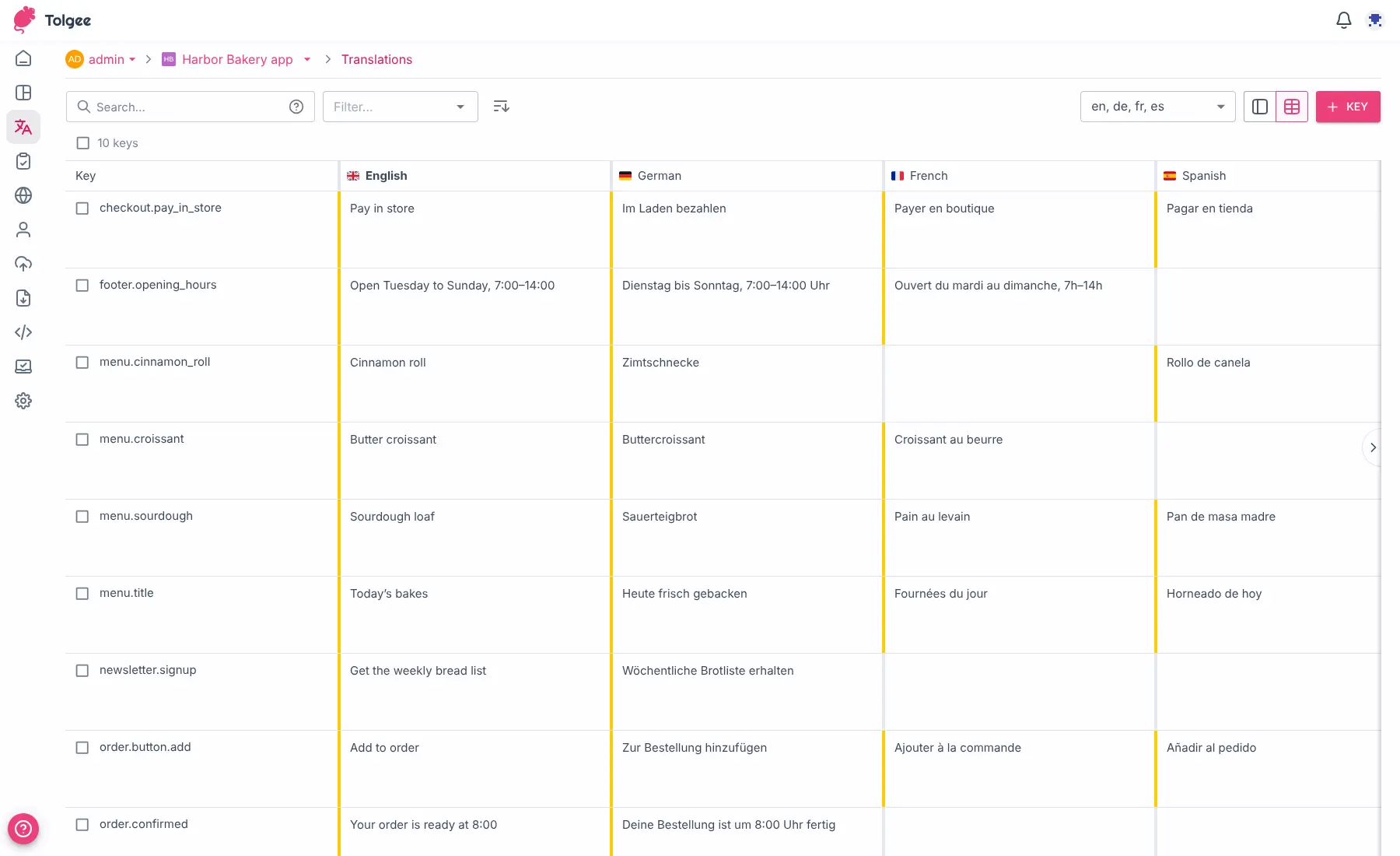
Tolgee is an open-source localization platform you can self-host instead of paying for Lokalise, Phrase or Crowdin. Your app's text is stored as phrases with a translation for each language, and your team translates them in a web editor or by clicking the text right inside your running app or website.
That in-context editing is what sets it apart: a translator, product manager or client holds Alt, clicks a button label and fixes the German wording on the spot, and a one-click screenshot shows everyone where the phrase appears. A bakery chain with an ordering app, for example, could let its French and Spanish shop managers correct menu names themselves, while machine translation from DeepL or Google fills in new items first.
Tolgee works with React, Angular, Vue, Next.js, Svelte, Android and iOS apps, imports and exports the usual translation files, and has a Figma plugin and a command-line tool. Self-hosted Tolgee is free for up to 10 seats; some team features, such as tasks, glossaries and quality checks, need a paid licence. If you want every feature free and a Git-based workflow, Weblate is the other open-source choice.
Cloudgate installs Tolgee on a server Cloudgate provides or one you connect, with its database, and gives it a secure web address.
What you can do with Tolgee
- Translate inside your own app Hold Alt (Option on a Mac), click any text in your running app or website and change its translations in a small window, with no files to hunt for.
- Show translators where the text appears Take a screenshot in one click with the text highlighted, so translators see the button or page each phrase belongs to.
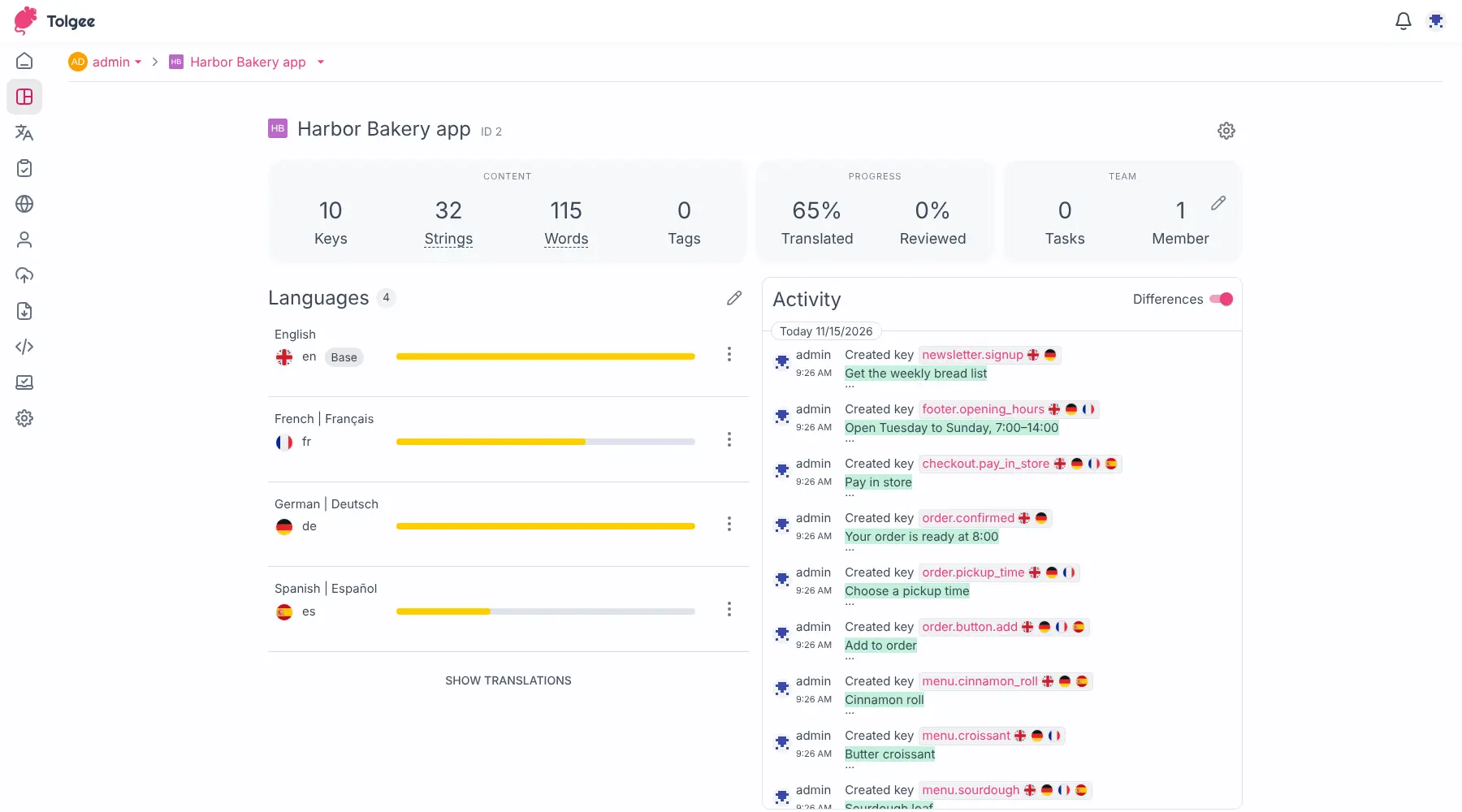
- Edit every language side by side A web editor lists each phrase with all its languages, with comments, a history of every change and a log of who did what.
- Get a first draft from machine translation Connect your own DeepL, Google Translate, Amazon or Microsoft Azure account, and new phrases can be translated as soon as they are added.
- Reuse earlier translations Translation memory suggests wording you have already used in the project, with how closely it matches.
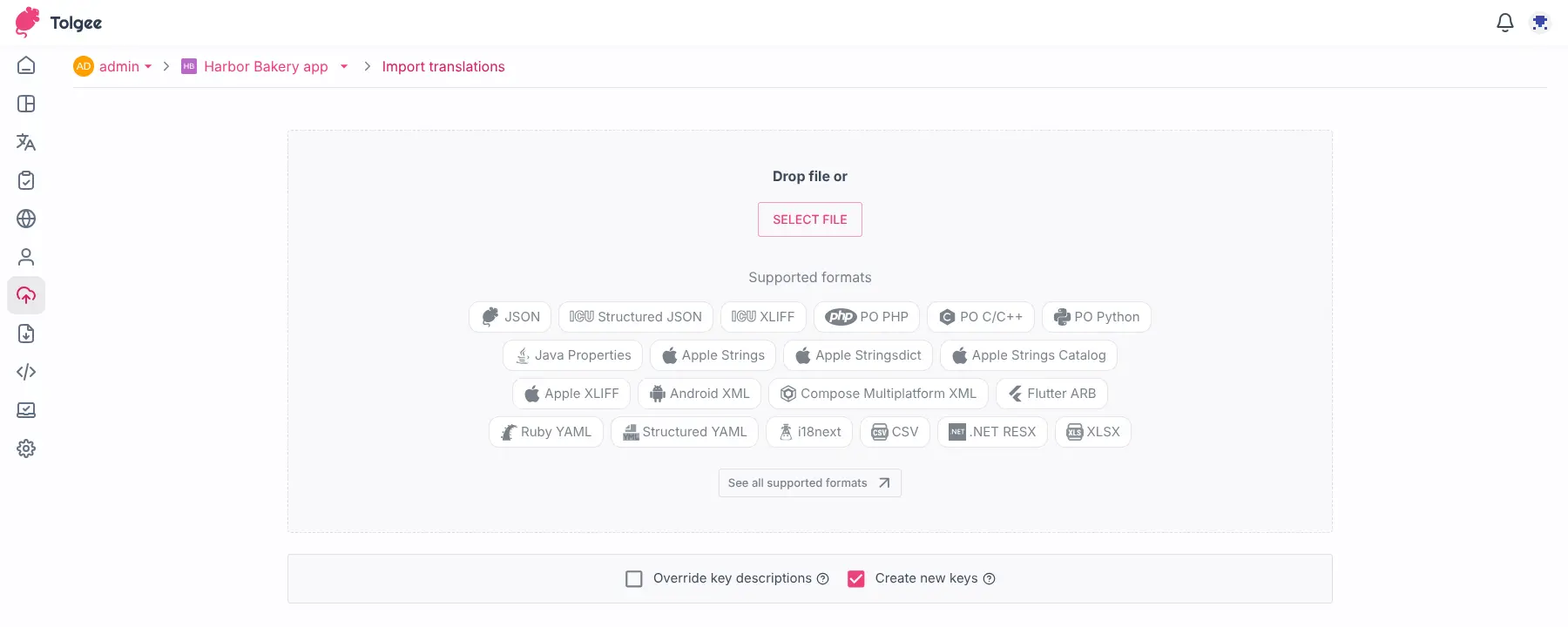
- Import and export your files Bring in and download JSON, XLIFF, gettext PO, Android, iOS, Flutter, YAML, CSV, Excel and other common translation files.
- Connect your app and design tools Ready-made kits for React, Angular, Vue, Next.js, Svelte, Android and iOS, plus a Figma plugin, a command-line tool and an API.
Replaces Lokalise, Phrase and Crowdin
Tolgee does the same job as Lokalise, Phrase and Crowdin. Here is what changes when you switch.
- No monthly plan for up to 10 team members, with no limit on keys or languages
- Your app's text and translations stay on your own server
- Translators fix text by clicking it in the real app, with screenshots for context
- The core is open source under the Apache 2.0 licence
- The free self-hosted version is limited to 10 seats
- Tasks, glossaries, quality checks, branching, webhooks, single sign-on and detailed permissions need a paid Tolgee licence
- There is no direct importer from Lokalise or Phrase; you export your files and import them
- Ordering professional translators through Tolgee is only on Tolgee's own cloud
What happens when you click Deploy?
You do not need a server or any technical knowledge. Four steps, and Tolgee is running at its own web address.
- Step 1 Click Deploy and create your account
Deploy takes you to Cloudgate. Create an account, or log in if you have one. Tolgee itself is free.
- Step 2 Choose a server
No server? Get one from Cloudgate: pick a size and a country, and Cloudgate gets it ready. Already have one? Connect it instead.
- Step 3 Cloudgate sets up Tolgee
It prepares the server, makes the passwords the app needs and starts it. There is nothing to install and nothing to write down.
- Step 4 Open your app and sign in
Your app gets a free web address to start, without https. Add your own domain, like app.yourshop.com, and Cloudgate secures it with https for you.
New to Cloudgate? See what Cloudgate is
Run Cloudgate yourself? Deploy from your own console
In your Cloudgate console, open Templates and choose Tolgee.
Questions
Is Tolgee free?
Yes, self-hosted Tolgee is free for up to 10 seats, with unlimited keys, and its core is open source under the Apache 2.0 licence. Some team features, such as tasks, glossaries, quality checks, branching, webhooks, single sign-on and detailed permissions, need a paid licence from Tolgee.
Is Tolgee a good alternative to Lokalise?
Yes, for a small team translating a web or mobile app, Tolgee does the same key-based work as Lokalise, and you run it on your own server with no monthly plan. Its strength is editing text inside the running app; workflow tools such as tasks, glossaries and quality checks need a paid Tolgee licence.
What is the difference between Tolgee and Weblate?
Tolgee is built around editing text inside your running app, while Weblate is built around your code repository, reading translation files from Git and sending changes back. Weblate is GPL-licensed with every feature free, including glossaries and quality checks; free Tolgee is capped at 10 seats and puts those features behind a paid licence.
Can I import my translations from Lokalise or Phrase?
Partly, you export your translation files from Lokalise or Phrase, for example as JSON or XLIFF, and import them into a Tolgee project. Tolgee has no direct importer, so comments, screenshots and history do not move across.
Do translators need to know how to code?
No, translators work in Tolgee's web editor or click text inside your app to change it. A developer connects your app to Tolgee once, which is what makes in-context editing and automatic updates work.
How do I sign in to Tolgee the first time?
You sign in with the email address you typed when you set up Tolgee and the password Cloudgate created for you, which is shown on the app's variables page. Public sign-up is off, so the admin invites colleagues to projects.
What server size do I need for Tolgee?
Tolgee's documentation asks for at least 2 CPU cores and 4 GB of memory, and recommends more for large projects. It runs with its own database, so it needs more room than a simple web app.
Do I need my own server for Tolgee?
No. When you deploy Tolgee, hosted Cloudgate can provide a server. If you already rent one, you can connect it instead.
Related apps

Translate your app, website and docs together, on your own server.

Keep your app's translations in one place, with your translators.

PDF tools that run in your browser, so files never upload.

Online office for Word, Excel and PowerPoint files.