
Ever Traduora
Keep your app's translations in one place, with your translators.
No server needed to start: Cloudgate can provide one. What happens when you click Deploy




What is Ever Traduora?
Self-hosted Ever Traduora: a simple, open-source place for your team to translate an app's text, with file import, export and an API.
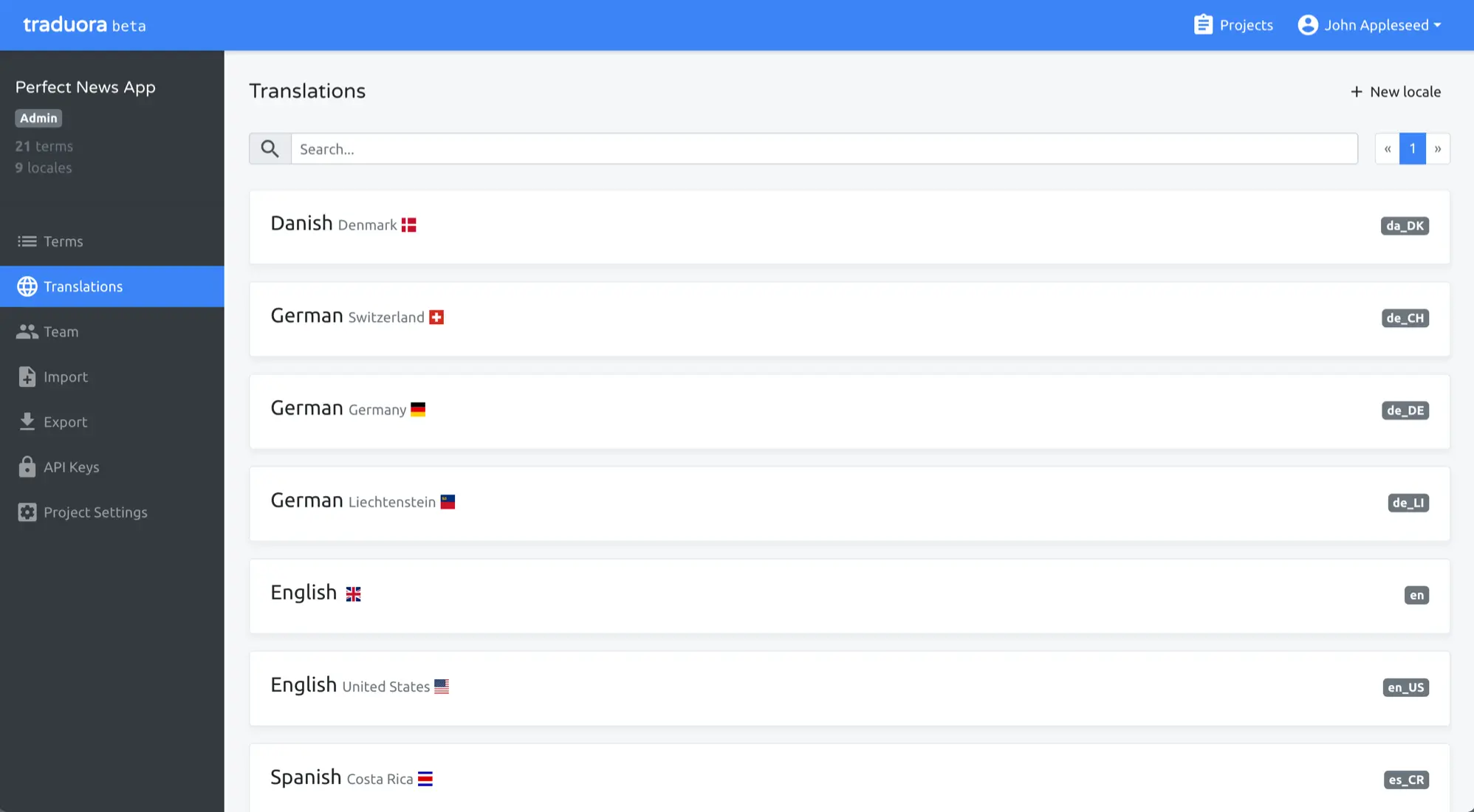
Self-hosted Traduora is a free, open-source translation management tool that you can run instead of paying for Lokalise, Crowdin or Phrase. Your app's text is stored as terms, each with a translation for every language, and your team translates them together in a simple web editor on your own server.
It is deliberately small. You import the translation files your app already uses, such as JSON, gettext PO, XLIFF, Android XML or iOS Strings, translate and label the terms, and export them again, or let your app fetch them through an API key. A software agency building a booking app for a hotel group, for example, could invite the client's German and Spanish staff as editors, give the client's manager a read-only view, and have the build download the latest wording before each release.
The open-source Traduora is free, with no seat limit. It has no machine translation, translation memory or Git connection, so if you need those, Weblate and Tolgee are the other open-source choices. Ever Traduora is made by Ever Co. and its contributors; Cloudgate is not affiliated with them.
Cloudgate installs Traduora on a server Cloudgate provides or one you connect, with its database, and gives it a secure web address.
What you can do with Ever Traduora
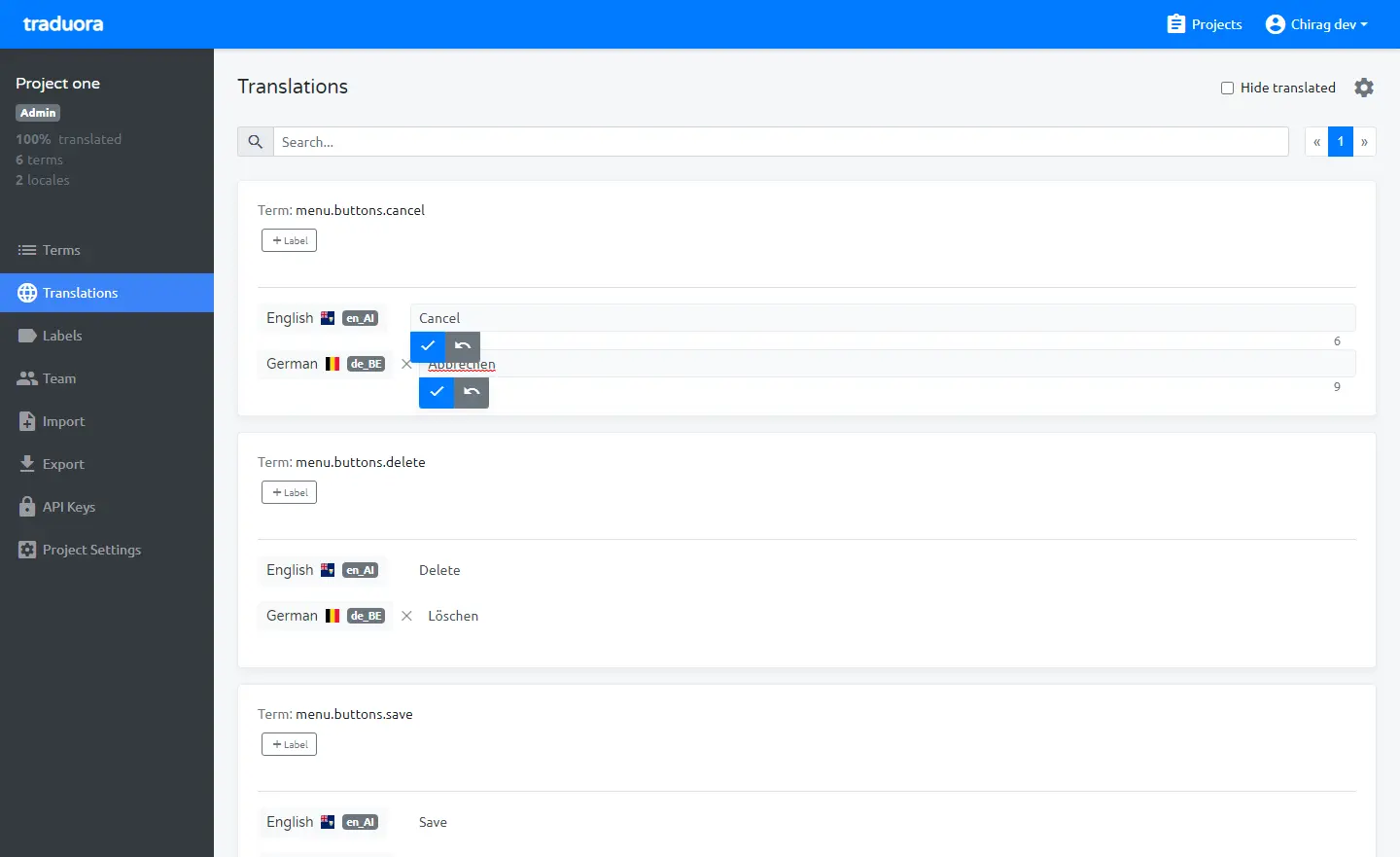
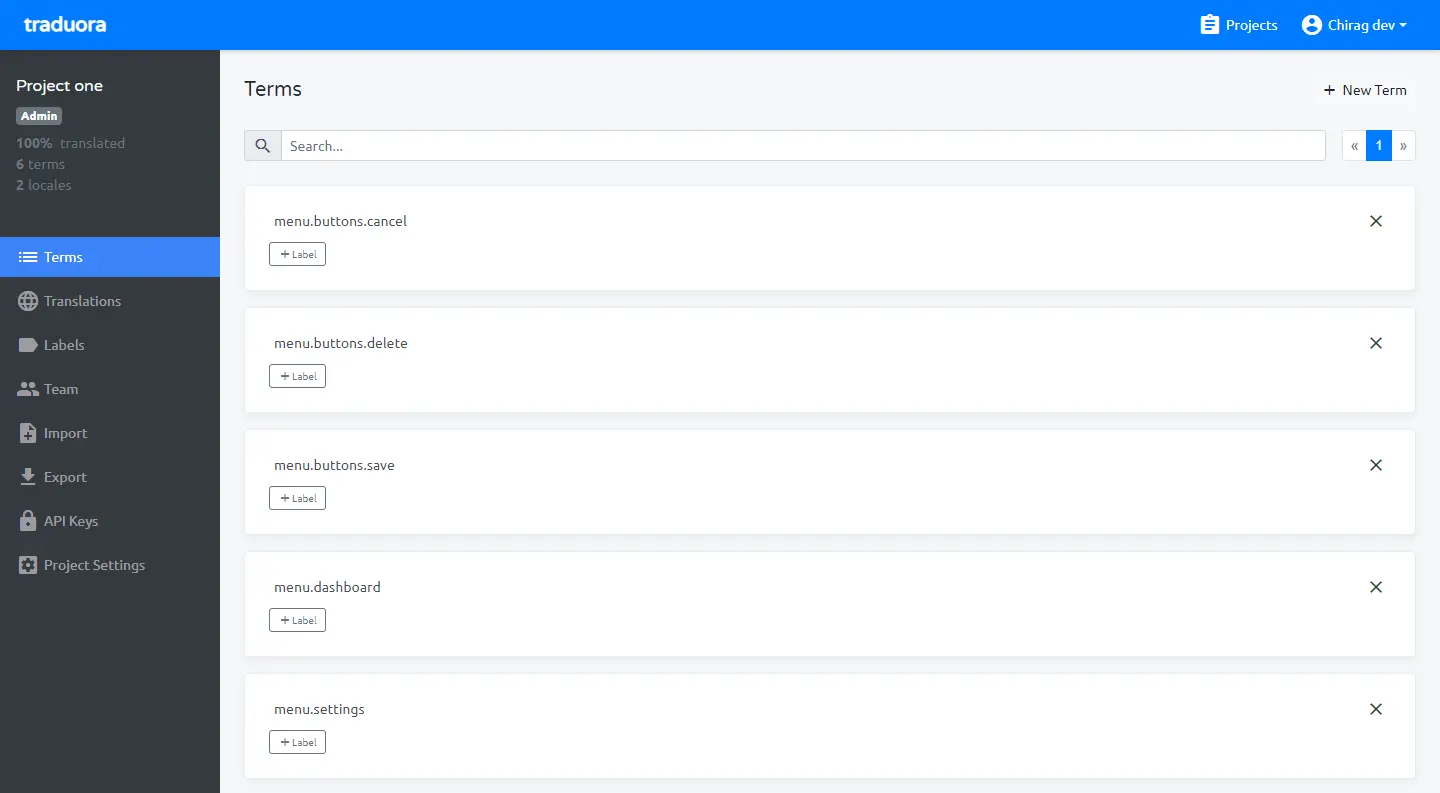
- Keep every phrase in one project Each piece of your app's text is a term, with its translation in every language and a running count of how much is translated.
- Translate in a simple web editor See each term with all its languages, edit a translation in place, hide the ones that are done and search across everything.
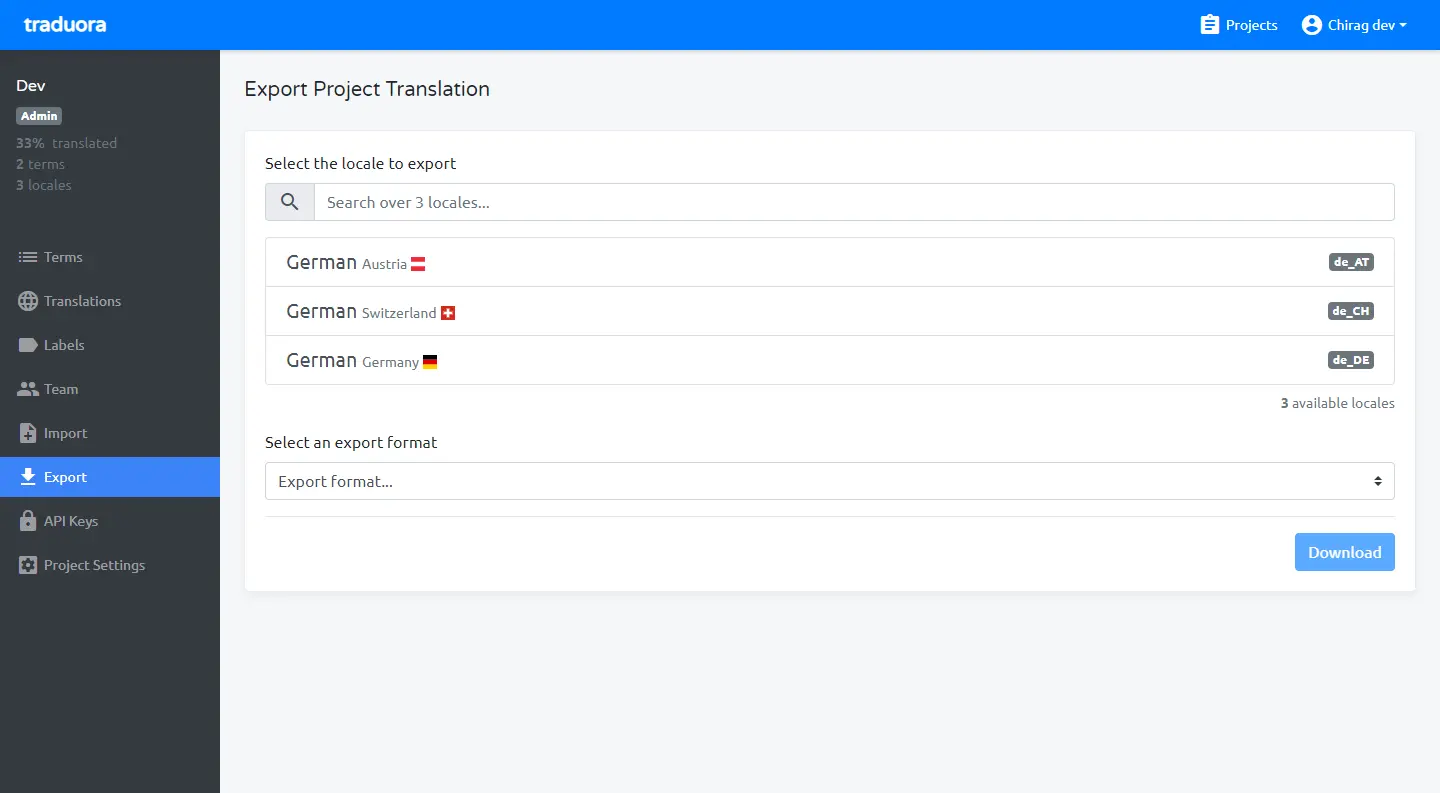
- Import and export your files Bring in and download JSON, YAML, CSV, gettext PO, XLIFF, Android XML, iOS Strings, Java properties, PHP and .NET RESX files.
- Sort terms with labels Tag terms and translations with labels, such as a screen or a release, to find and filter them quickly.
- Give each person the right role Invite your team to a project as an admin, an editor who translates, or a viewer who can only read and export.
- Fetch translations automatically Create API keys for a project, so your app or build can download its latest translations without anyone exporting files by hand.
Replaces Lokalise, Crowdin, Phrase and Transifex
Ever Traduora does the same job as Lokalise, Crowdin, Phrase and Transifex. Here is what changes when you switch.
- Every feature is free, with no plan, seat limit or price per word
- Your app's text and translations stay on your own server
- A short, simple screen list that a new translator learns in minutes
- The code is open source under the AGPL licence
- There is no machine translation, translation memory or glossary
- It does not connect to your Git repository; you import and export files or use the API
- There are no ready-made kits for app frameworks and no in-app editing
- Moving from Lokalise or Crowdin means exporting your files and importing them, without comments or history
What happens when you click Deploy?
You do not need a server or any technical knowledge. Four steps, and Ever Traduora is running at its own web address.
- Step 1 Click Deploy and create your account
Deploy takes you to Cloudgate. Create an account, or log in if you have one. Ever Traduora itself is free.
- Step 2 Choose a server
No server? Get one from Cloudgate: pick a size and a country, and Cloudgate gets it ready. Already have one? Connect it instead.
- Step 3 Cloudgate sets up Ever Traduora
It prepares the server, makes the passwords the app needs and starts it. There is nothing to install and nothing to write down.
- Step 4 Open your app and sign in
Your app gets a free web address to start, without https. Add your own domain, like app.yourshop.com, and Cloudgate secures it with https for you.
New to Cloudgate? See what Cloudgate is
Run Cloudgate yourself? Deploy from your own console
In your Cloudgate console, open Templates and choose Ever Traduora.
Questions
Is Ever Traduora free?
Yes, Ever Traduora is free and open source under the AGPL-3.0 licence, with no seat limit. When you self-host it, you pay only for your server; Ever Co. also lists paid plans on its pricing page, which you do not need to run it.
Is Traduora a good alternative to Lokalise?
Yes, Traduora replaces Lokalise at no cost for a small team that mainly needs a shared place to keep, translate and export its app's text files. It does far less than Lokalise, with no machine translation, translation memory or app framework kits, so larger localization teams usually need Weblate or Tolgee.
What is the difference between Traduora, Weblate and Tolgee?
Traduora is the simplest of the three, a web editor plus file import, export and an API, free and open source. Weblate connects to your Git repository and adds translation memory, glossaries and quality checks; Tolgee lets you edit text inside your running app, and its free self-hosted version is limited to 10 seats.
Can I import my translations from Lokalise or Crowdin?
Partly, you export each language from Lokalise or Crowdin as a file, for example JSON, XLIFF or gettext PO, and import it into a Traduora project. There is no direct importer, so comments, screenshots and history stay behind.
Does Traduora translate automatically?
No, Traduora has no machine translation at the moment. Your translators type or paste each translation, or you import files that were translated elsewhere.
Who can see and edit translations in Traduora?
Only the people you add to a Traduora project can see it, each with a role. Admins manage the project and its team, editors add and change terms and translations, and viewers can read and export but not edit. Invitations and password resets are sent by email, which needs an email (SMTP) service that this setup does not configure.
How do I sign in to Traduora the first time?
You sign in to Traduora with the admin email you entered when you set it up and the password Cloudgate created for you, which is shown on the app's variables page. You can change the email, name and password afterwards in your account settings.
Do I need technical skills to run Ever Traduora?
No. Click Deploy, create your Cloudgate account and choose a server, and Cloudgate sets up Ever Traduora and gives it a web address. You use it in your browser like any other online tool.
Do I need my own server for Ever Traduora?
No. When you deploy Ever Traduora, hosted Cloudgate can provide a server. If you already rent one, you can connect it instead.
Related apps

Translate your app, website and docs together, on your own server.

App translation, edited right inside your own app.

PDF tools that run in your browser, so files never upload.

Online office for Word, Excel and PowerPoint files.