
Weblate
Translate your app, website and docs together, on your own server.
No server needed to start: Cloudgate can provide one. What happens when you click Deploy
What is Weblate?
Self-hosted Weblate: open-source translation platform that syncs with Git. Translate apps, websites and docs as a team, with no Crowdin or Lokalise bill.
Self-hosted Weblate is a free, open-source translation platform for software, websites and documentation, and an alternative to Crowdin, Lokalise and Phrase. It connects to the Git repository that holds your translation files, brings new text to your translators, and commits their finished work back, so translations keep pace with each release.
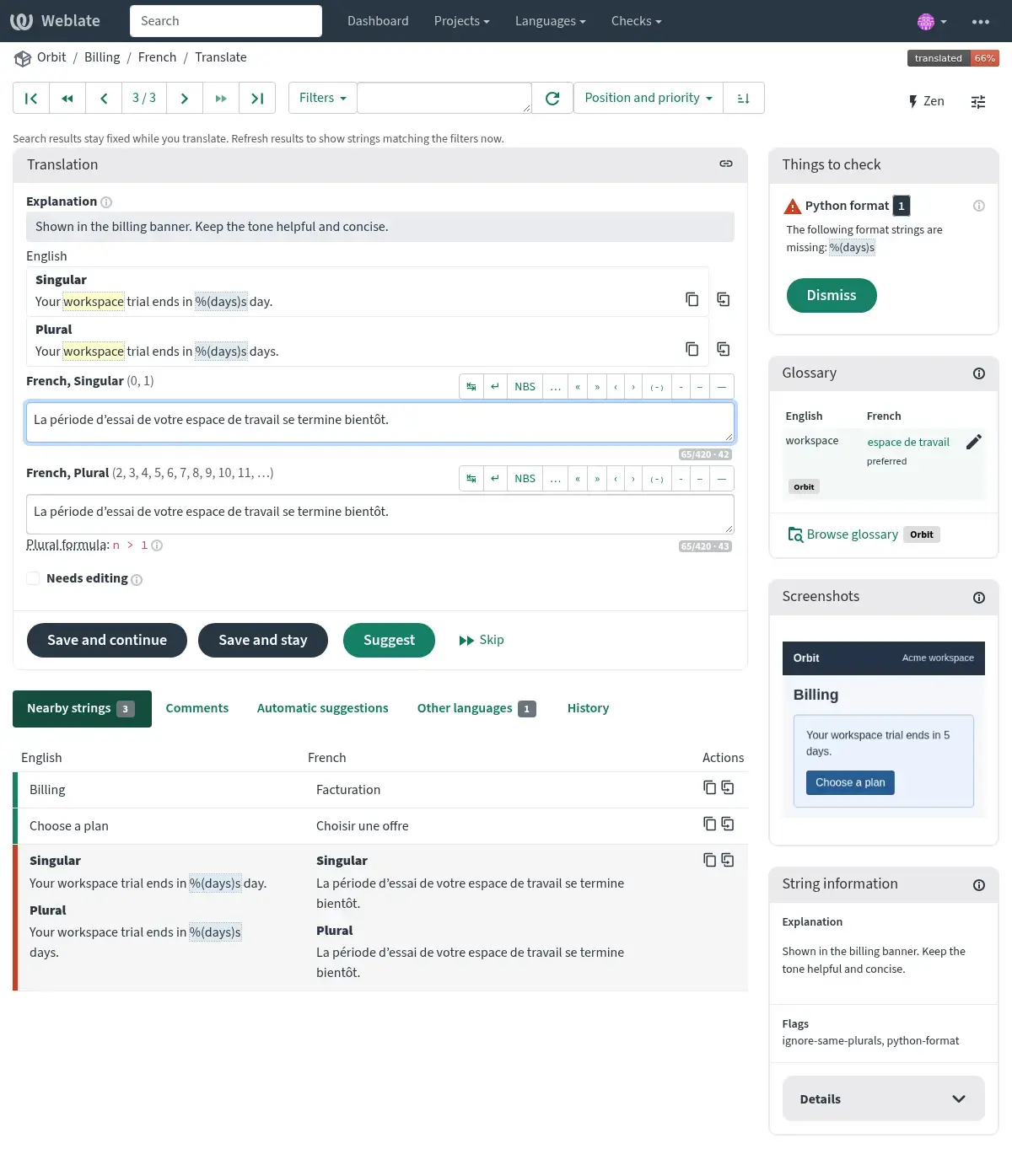
Translators work in the browser, with the context they need: explanations, screenshots, a shared glossary, translation memory and checks that catch mistakes such as a missing placeholder. A small software company, for example, could have its own staff translate the app into German and French, invite a freelancer for Japanese, and review every change before it reaches the next release, without paying per string or per language. Machine translation from services like DeepL or LibreTranslate is optional and stays a suggestion until someone accepts it.
Weblate handles common formats such as PO, XLIFF, JSON, Android and iOS files, and works with GitHub, GitLab, Gitea, Bitbucket and Azure DevOps. Files can also be uploaded by hand.
Cloudgate installs Weblate on a server Cloudgate provides or one you connect, with its database, a secure web address and your email service for invitations and notifications. Cloudgate is not affiliated with the Weblate project.
What you can do with Weblate
- Keep translations in step with your code Connect your Git repository, and new text reaches translators automatically while finished translations are committed back.
- Translate in the browser with context Translators see explanations, plural forms, nearby strings, comments and screenshots of where the text appears.
- Catch mistakes before they ship Automatic checks flag problems such as a missing placeholder, and reviewers can approve translations before they are used.
- Keep your wording consistent A shared glossary and translation memory reuse the terms and sentences your team has already translated.
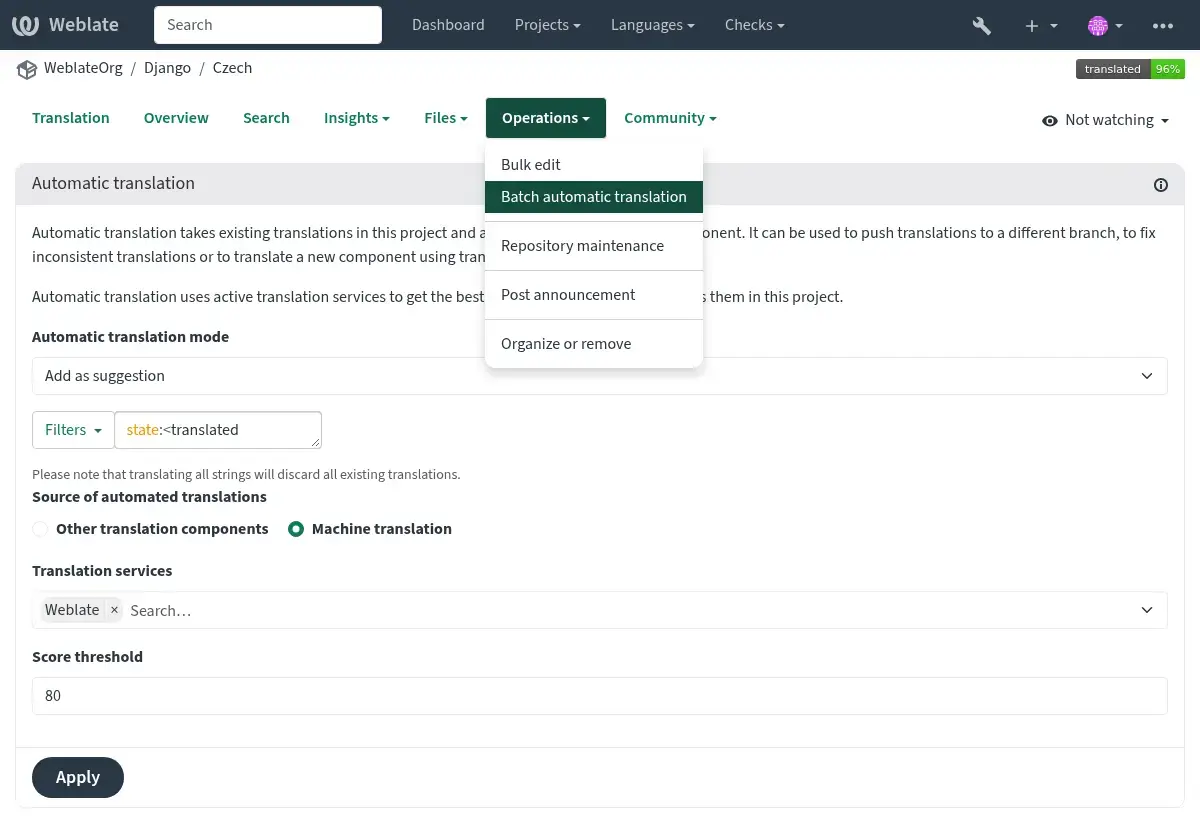
- Use machine translation only if you want Get optional suggestions from DeepL, Google, Microsoft, LibreTranslate, OpenAI and other services, or work entirely with people.
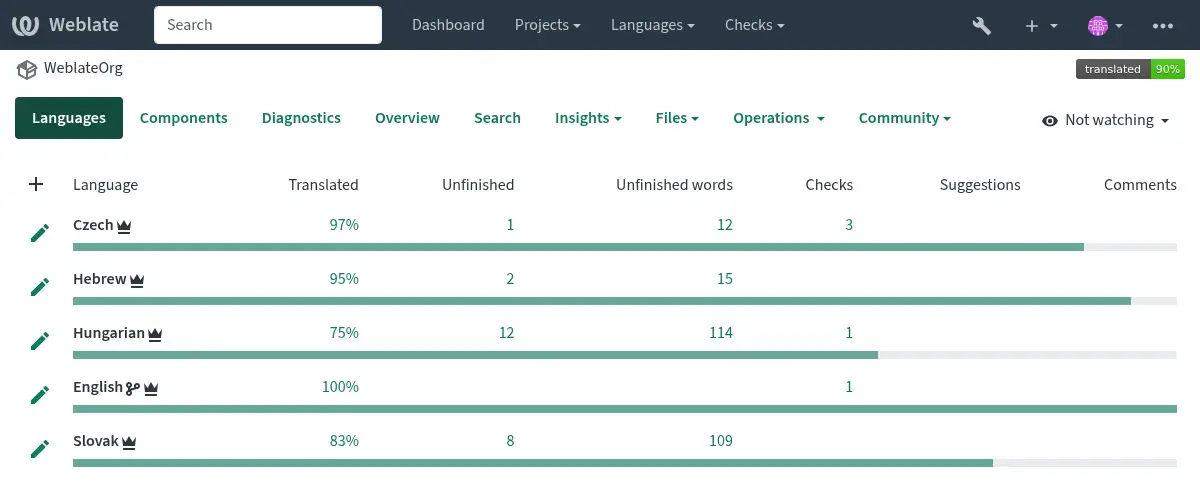
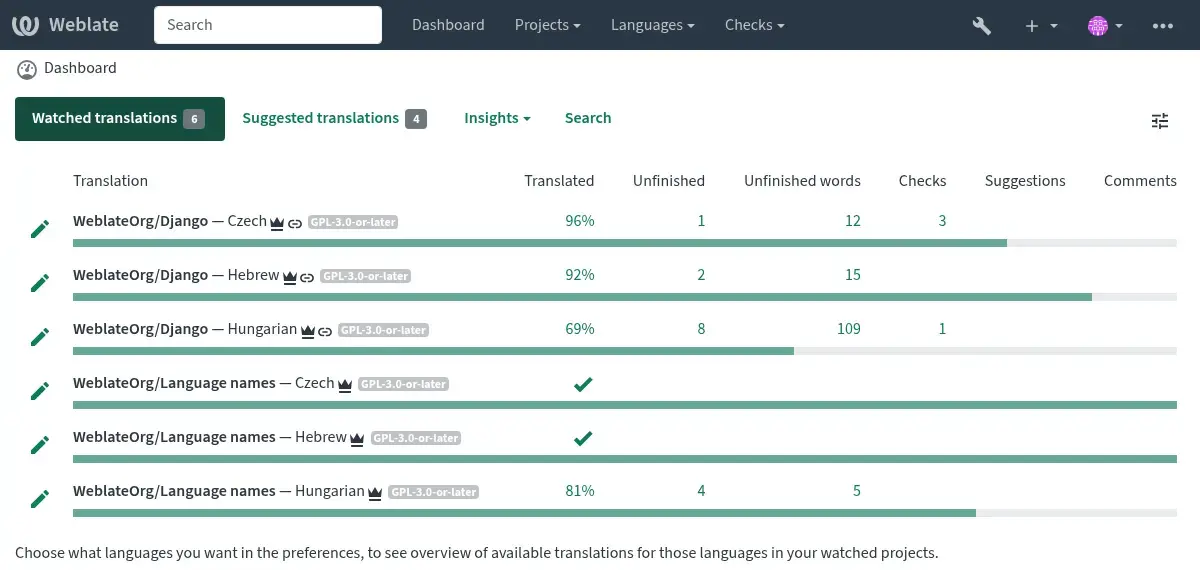
- Bring your team or your community Give staff, freelancers and volunteers their own accounts and roles, with notifications and progress reports.
- Work with the files you already have Handles common formats such as gettext PO, XLIFF, JSON, Android, iOS, Java properties, RESX, YAML, Markdown and Office files.
Replaces Crowdin, Lokalise, Phrase and Transifex
Weblate does the same job as Crowdin, Lokalise, Phrase and Transifex. Here is what changes when you switch.
- No plan priced by the number of strings or languages, and no paid features to unlock
- Your source text and translations stay on your own server
- Translations are committed straight to your repository, with credit to each translator
- Open source, so you can inspect it and keep using it whatever happens to a vendor
- Built around Git, so the smoothest setup needs your translation files in a repository
- More technical to set up and run than a cloud service, and it needs an email service
- Moving over brings your files and translation memory, not your old workflows, comments or history
- Fewer ready-made plugins for design tools and website builders than the big cloud platforms
What happens when you click Deploy?
You do not need a server or any technical knowledge. Four steps, and Weblate is running at its own web address.
- Step 1 Click Deploy and create your account
Deploy takes you to Cloudgate. Create an account, or log in if you have one. Weblate itself is free.
- Step 2 Choose a server
No server? Get one from Cloudgate: pick a size and a country, and Cloudgate gets it ready. Already have one? Connect it instead.
- Step 3 Cloudgate sets up Weblate
It prepares the server, makes the passwords the app needs and starts it. There is nothing to install and nothing to write down.
- Step 4 Open your app and sign in
Your app gets a free web address to start, without https. Add your own domain, like app.yourshop.com, and Cloudgate secures it with https for you.
New to Cloudgate? See what Cloudgate is
Run Cloudgate yourself? Deploy from your own console
In your Cloudgate console, open Templates and choose Weblate.
Questions
Is Weblate free?
Yes, Weblate is free and open source under the GPL-3.0-or-later licence, and the self-hosted version has no paid features or limits on strings or languages. You pay only for your server. The Weblate team sells hosting and support, which you don't need here, and machine translation services such as DeepL charge their own fees if you choose to connect them.
Is Weblate a good alternative to Crowdin or Lokalise?
Yes, for teams whose translations live in a Git repository, Weblate covers the same core work as Crowdin, Lokalise and Phrase, with a browser editor, glossary, translation memory, quality checks, reviews and machine translation suggestions. It is more technical to set up and has fewer ready-made plugins, but it costs nothing per string and keeps your text on your server.
Can I move my translations from Crowdin, Lokalise or Phrase to Weblate?
Partly. Export your translation files from the old platform, put them in your repository or upload them, and Weblate detects the format and languages; translation memory and glossaries can be imported too. Workflows, permissions, comments and history do not move, so set those up again in Weblate.
How do I sign in to Weblate the first time?
Sign in at your Weblate address with the username admin and the password Cloudgate shows on the app's variables page. To change that password later, change it on the variables page, because Weblate resets the admin account to it whenever the app restarts. Sign-ups are closed by default, so you add translators yourself unless you turn open sign-up on.
Do Weblate translators need to know Git or code?
No, Weblate translators work entirely in the web browser, typing translations next to the original text. Only the person who sets up a project connects the repository or uploads the files.
Does Weblate use machine translation or AI?
Only if you want it to. Weblate works fully with human translators, and you can add suggestions from services such as DeepL, Google Translate, Microsoft Translator, LibreTranslate or OpenAI with your own account, and keep their results as suggestions for a person to check.
What server size do I need for Weblate?
Weblate needs at least 3 GB of memory and 2 processor cores for the app and its database, so Cloudgate installs it on a server with 4 GB. Projects with hundreds of components need more memory.
Do I need my own server for Weblate?
No. When you deploy Weblate, hosted Cloudgate can provide a server. If you already rent one, you can connect it instead.
Related apps

Keep your app's translations in one place, with your translators.

App translation, edited right inside your own app.

PDF tools that run in your browser, so files never upload.

Online office for Word, Excel and PowerPoint files.