
Wiki.js
A self-hosted Markdown wiki with live co-writing and Git sync.
No server needed to start: Cloudgate can provide one. What happens when you click Deploy
What is Wiki.js?
Wiki.js is a free, open-source, self-hosted wiki with Markdown, live co-writing, approvals and Git sync, in place of Confluence and GitBook.
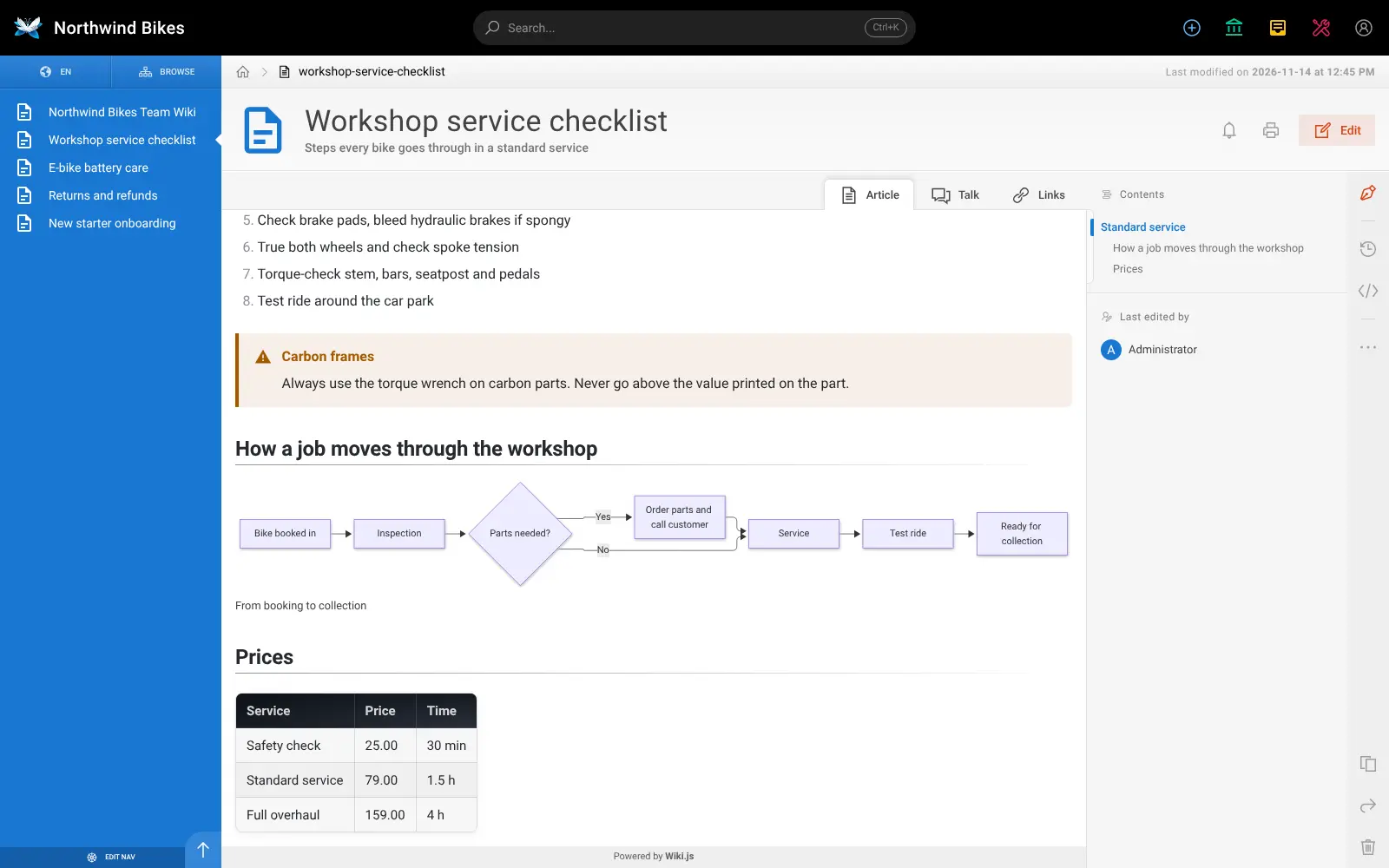
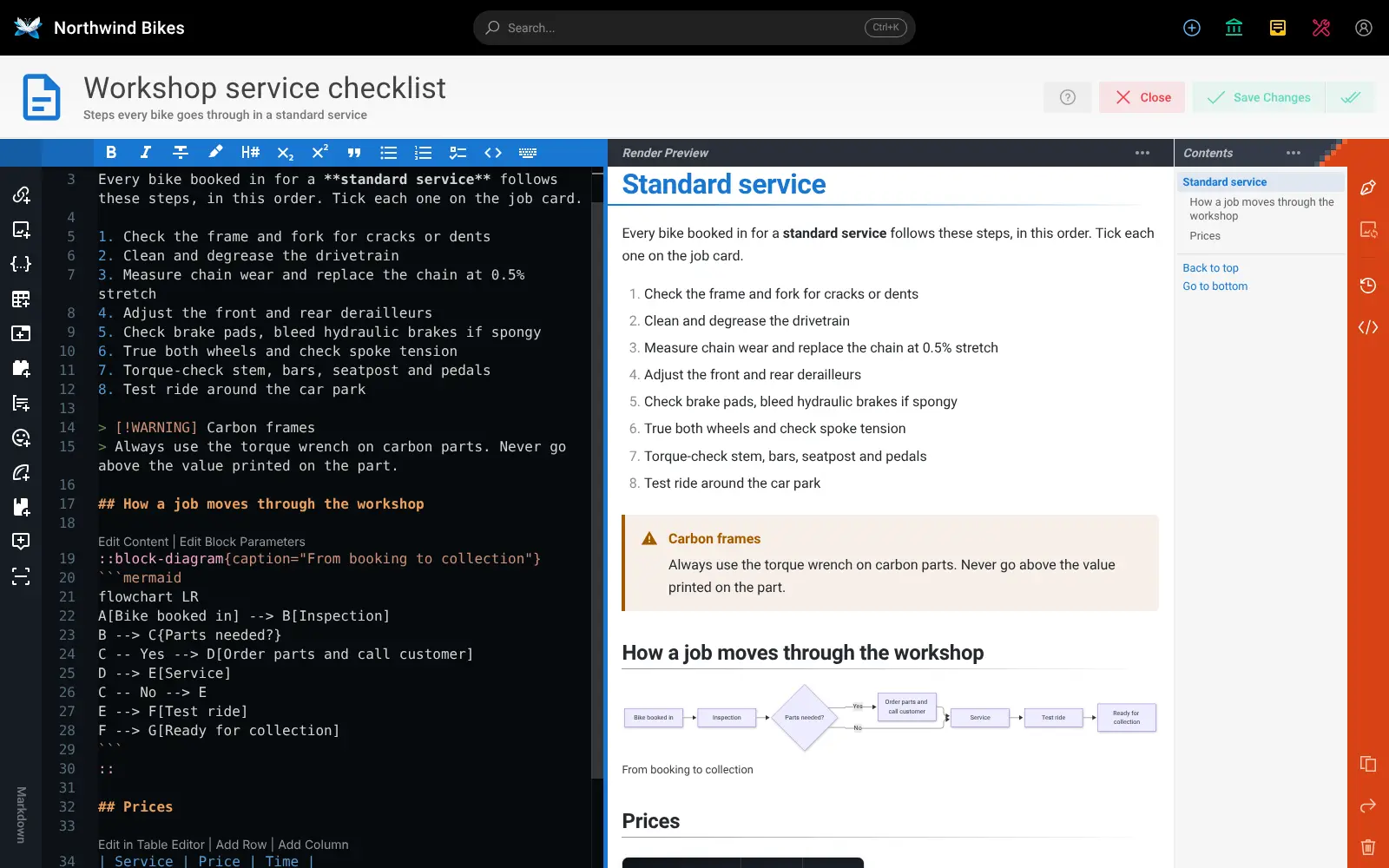
Wiki.js is a free, open-source, self-hosted wiki for your company's documentation, and an alternative to Confluence, GitBook and Notion. Your team writes pages in a Markdown editor with a live preview or a visual editor, organises them in a page tree, and finds them with built-in search.
Version 3 adds Live Notes, where several people write the same document at once, plus comments and an approval step: read-only members propose changes and reviewers accept or decline them. Pages can hold flowcharts, tables, tabs and warning boxes. A small architecture practice, for example, could keep its drawing standards, project start-up checklist and site-visit safety rules in one wiki, let junior staff suggest corrections, and have a partner approve them.
Every page can be synced both ways with a Git repository as plain Markdown files. People sign in with a password or passkey, or through Google, GitHub, Microsoft Entra, LDAP or SAML. Wiki.js has no phone app, but it works in a phone's browser, and it has no importer for Confluence or Notion.
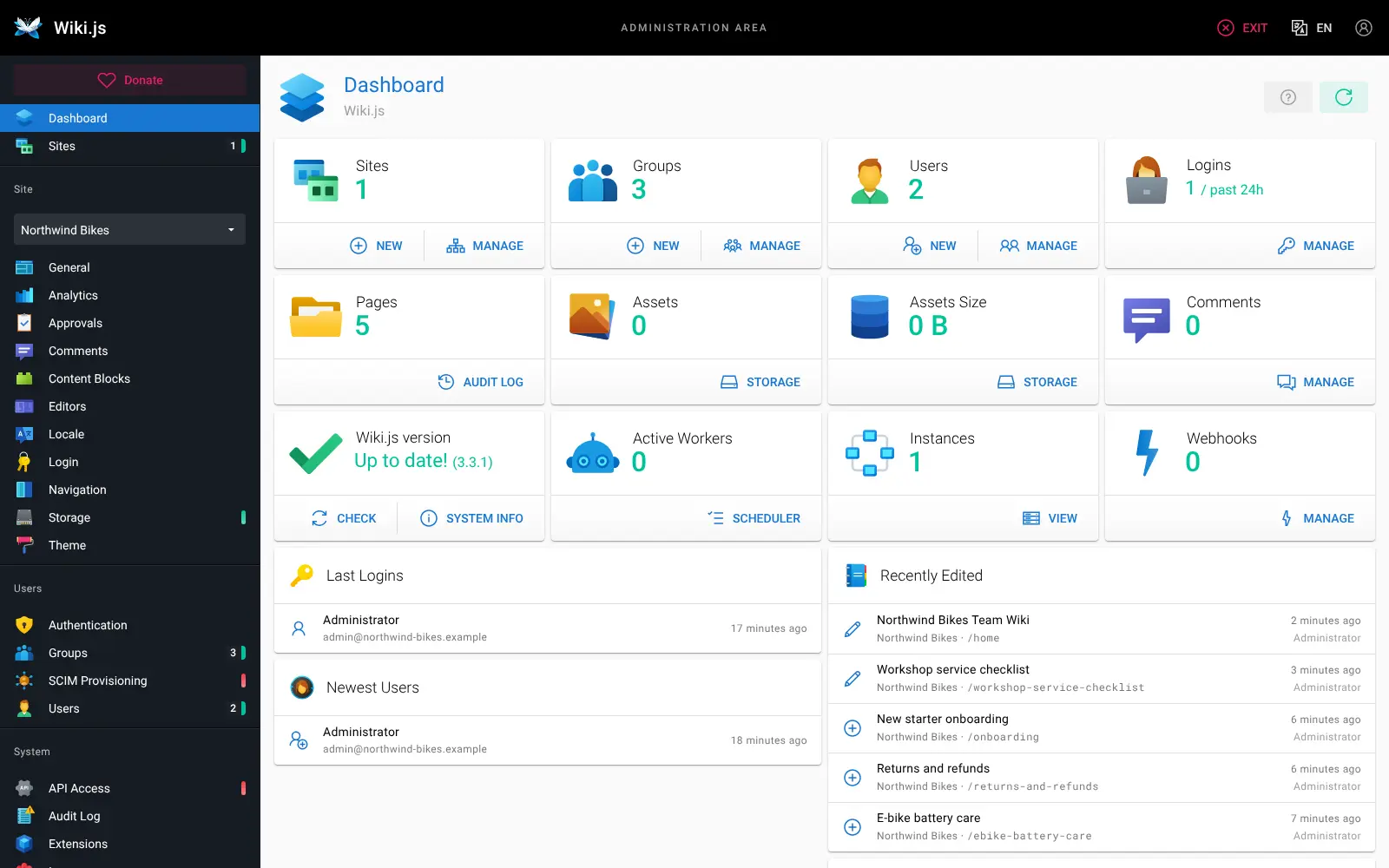
Cloudgate installs Wiki.js and its database on a server Cloudgate provides or one you connect, and gives it a secure web address. Sign in with your admin email and the password Cloudgate shows, then set the site hostname and turn on trusted proxy headers in Administration.
What you can do with Wiki.js
- Write the way you like Use a Markdown editor with a live preview beside it, a visual editor for rich text, or AsciiDoc.
- Write together, live Live Notes let any number of people write the same document at once, then publish it as a normal page.
- Review changes before they go live Read-only members can propose edits, and reviewers approve or decline them; everyone can comment on pages.
- Put diagrams in your pages Draw flowcharts with Mermaid, PlantUML or draw.io, sketch on Excalidraw boards, and add tables, tabs and callouts.
- Keep your pages in Git Sync pages both ways with a Git repository as plain Markdown files, or back them up to S3, Azure, Google Cloud or SFTP.
- Find anything quickly Search every page with built-in full-text search, and filter by tag.
- Choose who sees what Set permissions per path and per site, and sign people in with passwords and passkeys, Google, GitHub, Microsoft Entra, LDAP or SAML.
- Run more than one wiki Host several separate wikis, each with its own web address, theme and sign-in, from one Wiki.js.
Replaces Confluence, GitBook and Notion
Wiki.js does the same job as Confluence, GitBook and Notion. Here is what changes when you switch.
- Free and open source under the AGPL-3.0, with no paid edition and no price per user
- Live co-writing, comments and approvals of edits are all in the free app
- Two-way Git sync keeps every page as a plain Markdown file you own
- Your documentation stays on your own server
- Far fewer add-ons and macros than Confluence's marketplace
- A wiki for documents only, with no Notion-style databases or boards
- No importer for Confluence, Notion or GitBook, so pages move across by hand or as Markdown files
- No phone app; you use it in the phone's web browser
What happens when you click Deploy?
You do not need a server or any technical knowledge. Four steps, and Wiki.js is running at its own web address.
- Step 1 Click Deploy and create your account
Deploy takes you to Cloudgate. Create an account, or log in if you have one. Wiki.js itself is free.
- Step 2 Choose a server
No server? Get one from Cloudgate: pick a size and a country, and Cloudgate gets it ready. Already have one? Connect it instead.
- Step 3 Cloudgate sets up Wiki.js
It prepares the server, makes the passwords the app needs and starts it. There is nothing to install and nothing to write down.
- Step 4 Open your app and sign in
Your app gets a free web address to start, without https. Add your own domain, like app.yourshop.com, and Cloudgate secures it with https for you.
New to Cloudgate? See what Cloudgate is
Run Cloudgate yourself? Deploy from your own console
In your Cloudgate console, open Templates and choose Wiki.js.
Questions
Is Wiki.js free?
Yes, Wiki.js is free and open source under the AGPL-3.0 licence, with no paid or enterprise edition and no feature held back. You pay only for your server; the project is funded by donations and sponsors.
Is Wiki.js a good alternative to Confluence?
Yes, for a team wiki. Wiki.js 3 has live co-writing, comments, approvals of proposed edits, page watching, version history and many single sign-on options. It has far fewer add-ons and macros than Confluence, and no Confluence importer.
Can Wiki.js replace GitBook?
Yes, for Markdown documentation. Wiki.js syncs pages both ways with a Git repository as plain Markdown files, and you can make pages public by letting guests read them. It has no GitBook importer, but Markdown files in Git can be synced in.
How do I sign in to Wiki.js the first time?
Sign in to Wiki.js with the admin email you entered when installing and the password Cloudgate created, which is shown on the app's variables page. There is no default password. Then, in Administration, set the Site Hostname under General so the wiki can send emails, and turn on "Trust X-Forwarded-* Proxy Headers" under Security.
How is Wiki.js different from BookStack, Outline and Docmost?
Wiki.js syncs pages both ways with Git, and adds approvals of edits and several wikis in one install. BookStack is simpler, with books and chapters and no live co-editing. Outline and Docmost import Notion exports, which Wiki.js cannot.
Can I import my Confluence or Notion pages into Wiki.js?
No, Wiki.js has no importer for Confluence, Notion or GitBook. It imports backups from Wiki.js 2 and HedgeDoc notes, so plan to copy other pages across by hand or as Markdown files.
What server size do I need for Wiki.js?
A small server with 1 GB of memory is enough for a team wiki, and Cloudgate sets up Wiki.js and its PostgreSQL database together on it. Wiki.js needs its own web address, such as wiki.yourcompany.com, rather than a sub-folder.
Do I need technical skills to run Wiki.js?
No. Click Deploy, create your Cloudgate account and choose a server, and Cloudgate sets up Wiki.js and gives it a web address. You use it in your browser like any other online tool.
Do I need my own server for Wiki.js?
No. When you deploy Wiki.js, hosted Cloudgate can provide a server. If you already rent one, you can connect it instead.
Related apps

A simple self-hosted wiki in Markdown, with every change kept.

A simple self-hosted wiki, organised like books on a shelf.

A self-hosted Markdown wiki your team and AI assistants can share.

An open-source team wiki with spaces, live editing and diagrams.