
tela
A self-hosted Markdown wiki your team and AI assistants can share.
No server needed to start: Cloudgate can provide one. What happens when you click Deploy


What is tela?
tela is a self-hosted Markdown team wiki, an open-source Confluence alternative that AI assistants like Claude and ChatGPT can read and write.
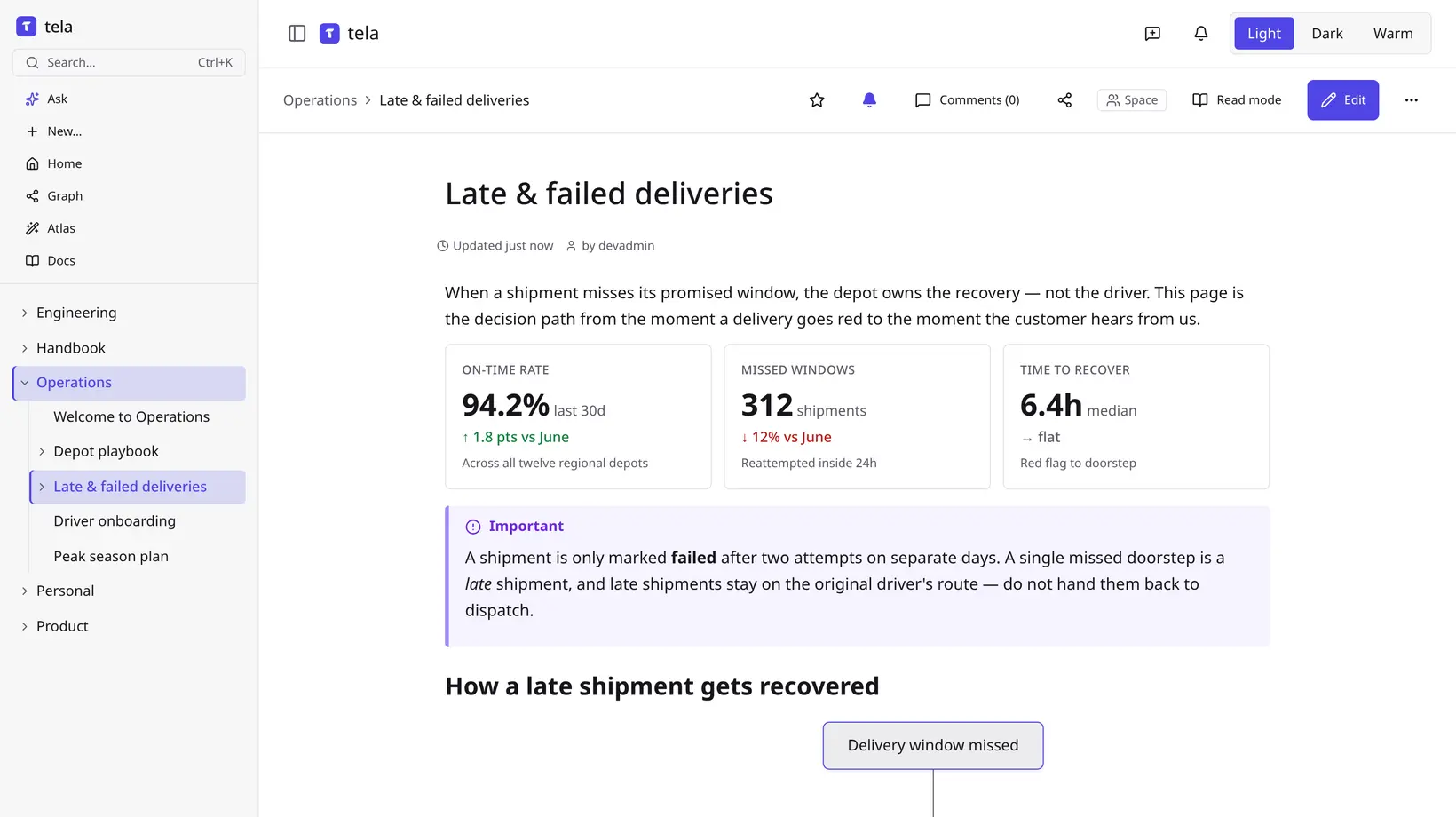
tela is a self-hosted, open-source team wiki and an alternative to Confluence, Notion and GitBook, where your team writes its handbook, guides and project notes in Markdown. Pages live in spaces with nested page trees, several people can edit the same page at once, and everyone can search across every page they can see.
What sets tela apart is that AI assistants can use the wiki too. Its built-in connector lets Claude, ChatGPT or Cursor search, read and write pages with the permissions you set. A delivery company, for example, could keep its depot playbook in tela and ask its AI assistant which steps apply when a shipment is late, with the answer taken from the team's own pages.
Every page is stored as plain Markdown, so you can sync the wiki to a folder on your computer, export it as a zip or PDF, or make one space public as a website. Asking questions of your docs and Atlas, which drafts pages from your code, need an AI provider of your own. tela works in any web browser; there are no phone apps.
Cloudgate installs tela with its database on a server Cloudgate provides or one you connect and gives it a secure web address. The admin account is created for you, with a password Cloudgate generates.
What you can do with tela
- Write together Several people can edit the same page at once, leave comments and look back through each page's history.
- Organise by space Group pages into spaces such as Handbook or Operations, with pages nested inside pages and links between them.
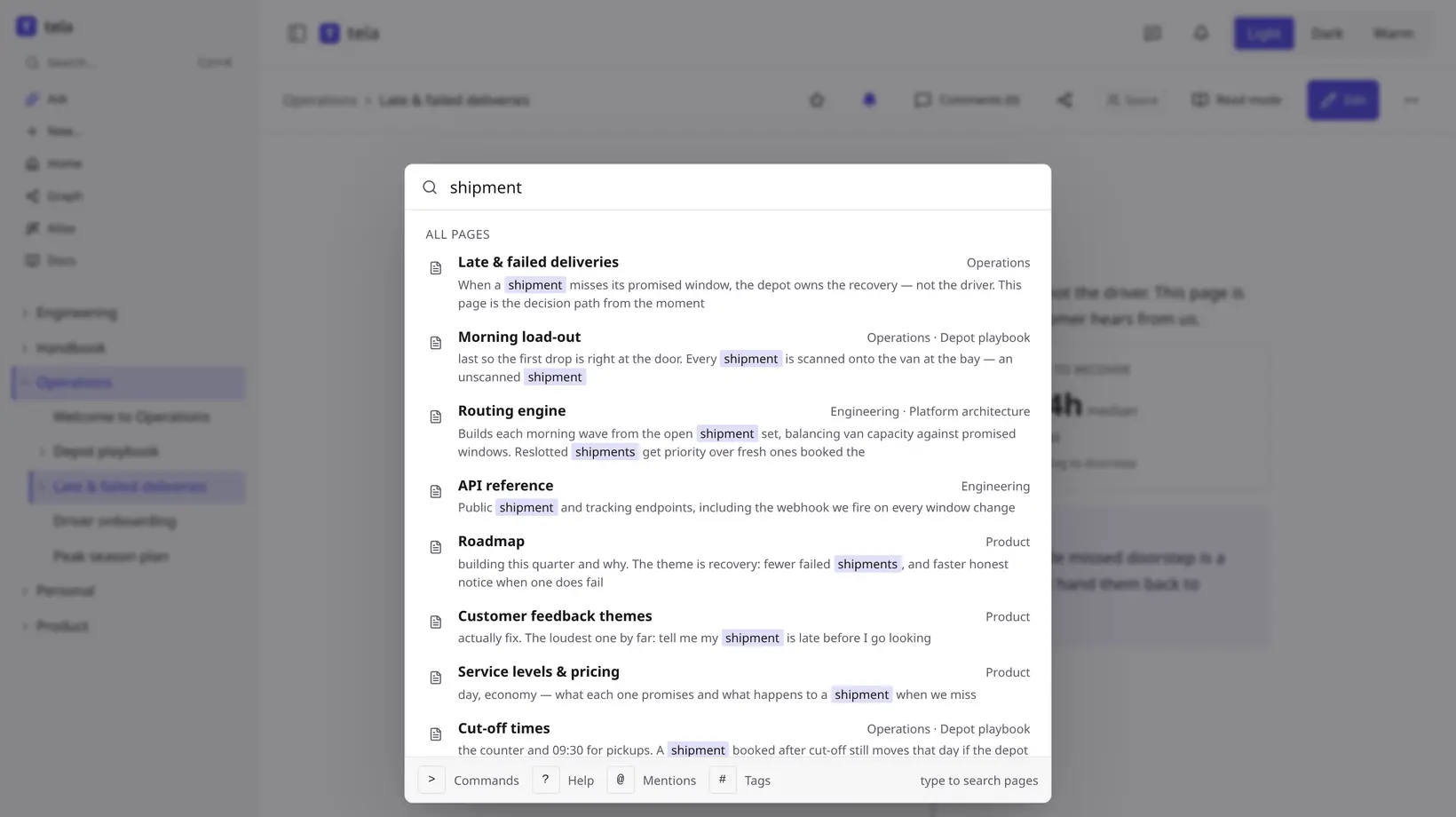
- Find it fast Search every page you have access to, with the matching words highlighted in each result.
- Let AI assistants help Connect Claude, ChatGPT or Cursor so they can search, read and write pages, with the permissions you choose.
- Keep plain Markdown files Every page is stored as Markdown, and you can sync the wiki to a folder on your computer or export it to a zip or PDF.
- Publish a space Make one space public and it becomes a website anyone can read without signing in, while the rest stays private.
- Pages, slides and sheets A page can also be a slide deck or a spreadsheet with working formulas, so related work sits in one place.
Replaces Confluence, Notion and GitBook
tela does the same job as Confluence, Notion and GitBook. Here is what changes when you switch.
- No price per member, however big the team gets
- Your pages stay on your own server as plain Markdown you can take anywhere
- AI assistants such as Claude and ChatGPT can search and update the wiki directly
- The whole app is open source under the AGPL
- It has no direct importer for Confluence or Notion; you bring pages in from a Markdown export
- It has no databases or boards like Notion
- Single sign-on and audit logs need a paid Enterprise licence key
- It works in the browser only, with no phone apps
What happens when you click Deploy?
You do not need a server or any technical knowledge. Four steps, and tela is running at its own web address.
- Step 1 Click Deploy and create your account
Deploy takes you to Cloudgate. Create an account, or log in if you have one. tela itself is free.
- Step 2 Choose a server
No server? Get one from Cloudgate: pick a size and a country, and Cloudgate gets it ready. Already have one? Connect it instead.
- Step 3 Cloudgate sets up tela
It prepares the server, makes the passwords the app needs and starts it. There is nothing to install and nothing to write down.
- Step 4 Open your app and sign in
Your app gets a free web address to start, without https. Add your own domain, like app.yourshop.com, and Cloudgate secures it with https for you.
New to Cloudgate? See what Cloudgate is
Run Cloudgate yourself? Deploy from your own console
In your Cloudgate console, open Templates and choose tela.
Questions
Is tela free?
Yes, tela is free and open source under the AGPL licence, and you pay only for your server. Some company features, such as single sign-on and audit logs, need a paid Enterprise licence key.
Is tela a good alternative to Confluence or Notion?
Yes, if you want a team wiki for handbooks, guides and project notes that you host yourself. tela covers writing together, comments, page history and search, but it has no databases like Notion and fewer add-ons than Confluence.
How do I set up the tela admin account?
Cloudgate creates the tela admin account for you. Sign in with the username admin and the password shown on the app's variables page in Cloudgate. Sign-up starts closed, so add your team from the admin pages, or open sign-up there once email works.
Can I bring my documents into tela from Confluence or Notion?
Partly. tela imports a folder of Markdown files as a tree of pages, with a preview first, so you export from Confluence or Notion to Markdown and import that. Word and Excel files need converting to Markdown first.
Does tela work with ChatGPT or Claude?
Yes, tela has a built-in connector (an MCP server) that lets Claude, ChatGPT, Cursor and other AI assistants search, read and write pages, limited to the access you give them.
Does tela include its own AI features?
No, not out of the box. In tela, asking questions of your docs, search by meaning and Atlas, which drafts pages from your code, work once you connect an AI provider of your own; ordinary search works without one.
Is my data private with tela?
Yes. tela stores your pages, comments and attachments on your own server, and only the spaces you choose to make public can be read on the web.
Do I need technical skills to run tela?
No. Click Deploy, create your Cloudgate account and choose a server, and Cloudgate sets up tela and gives it a web address. You use it in your browser like any other online tool.
Do I need my own server for tela?
No. When you deploy tela, hosted Cloudgate can provide a server. If you already rent one, you can connect it instead.
Can I move my data from Confluence to tela?
Most people export from Confluence and import into tela. The official guides at telawiki.com walk through it.
Related apps

A simple self-hosted wiki in Markdown, with every change kept.

A simple self-hosted wiki, organised like books on a shelf.

A self-hosted Markdown wiki with live co-writing and Git sync.

An open-source team wiki with spaces, live editing and diagrams.