BookStack
A simple self-hosted wiki, organised like books on a shelf.
No server needed to start: Cloudgate can provide one. What happens when you click Deploy




What is BookStack?
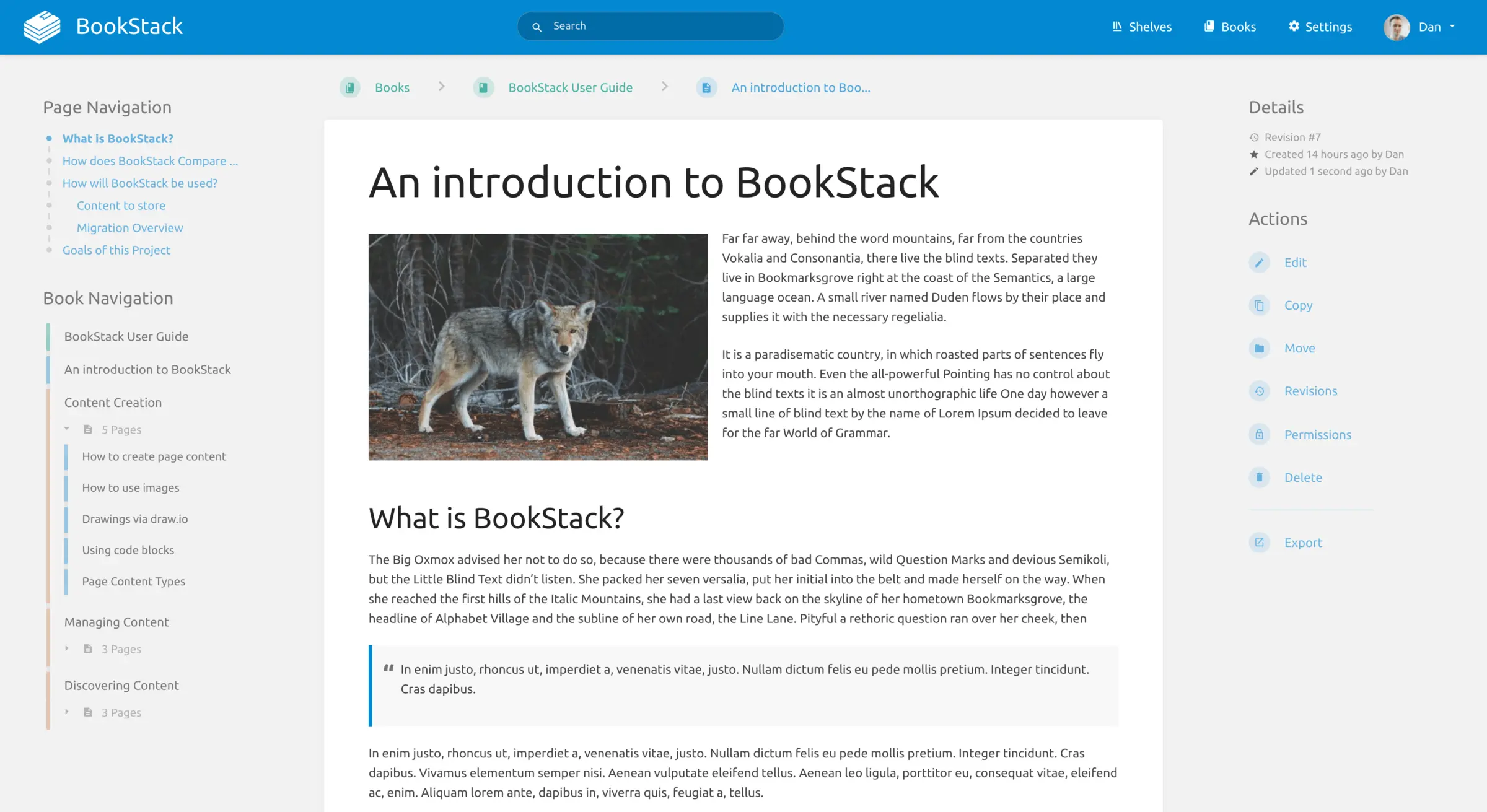
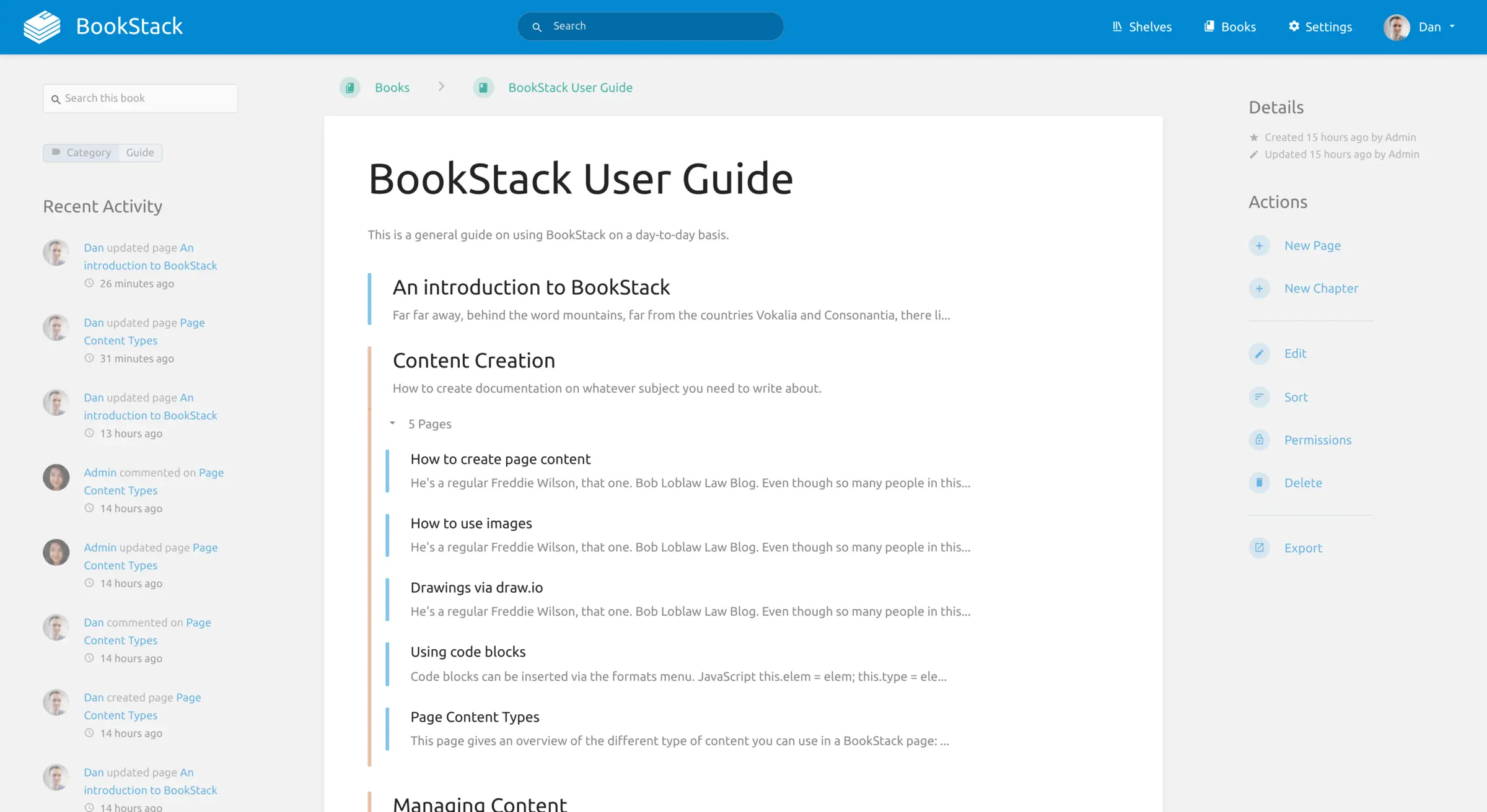
BookStack is a free, open-source, self-hosted team wiki that organises your docs into shelves, books, chapters and pages, in place of Confluence.
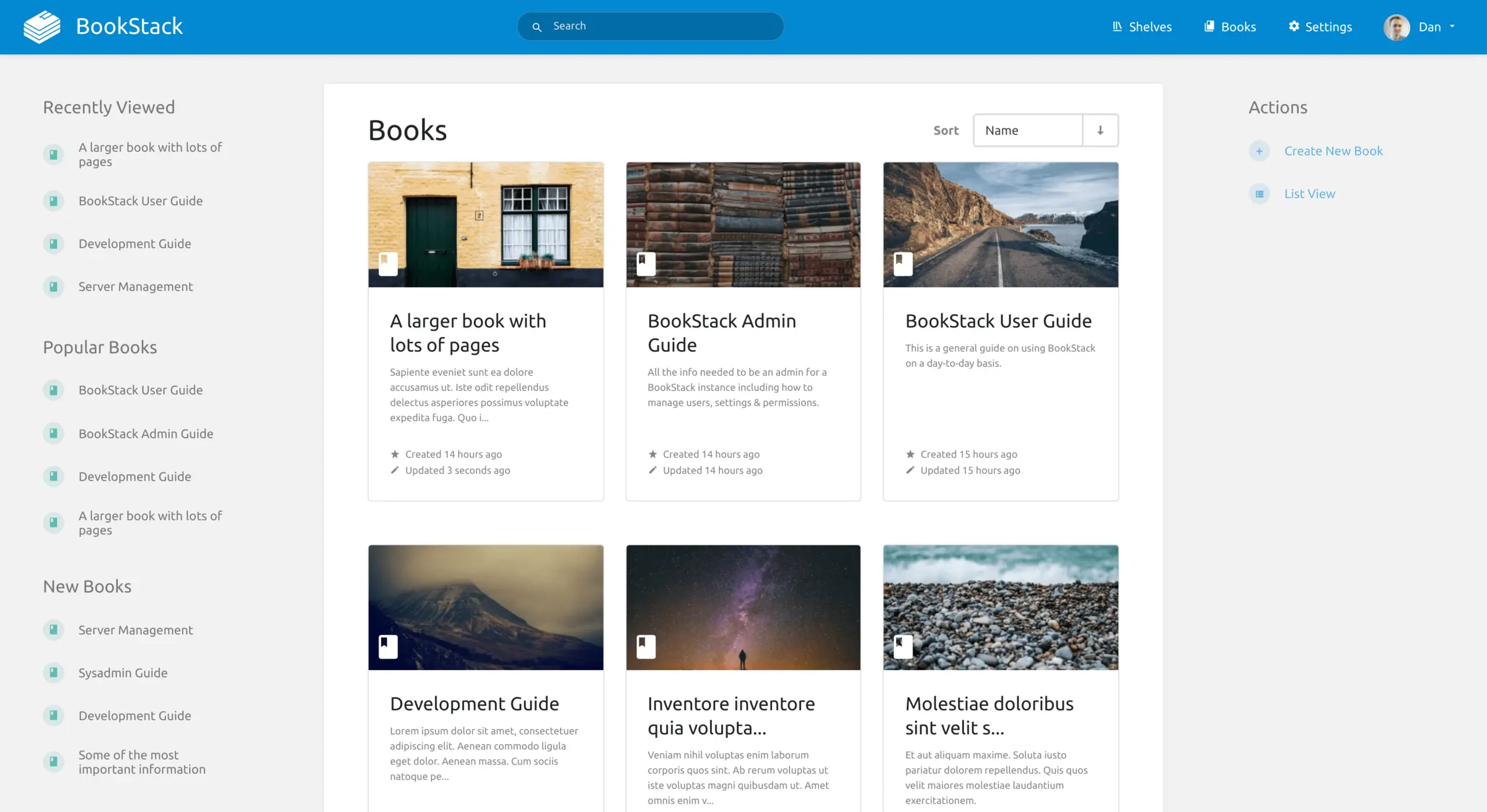
BookStack is a free, open-source, self-hosted wiki for your team's documentation, and a simple alternative to Confluence, Notion and GitBook. Content is organised like a library: pages sit in chapters, chapters in books, and books on shelves, so people know where to look.
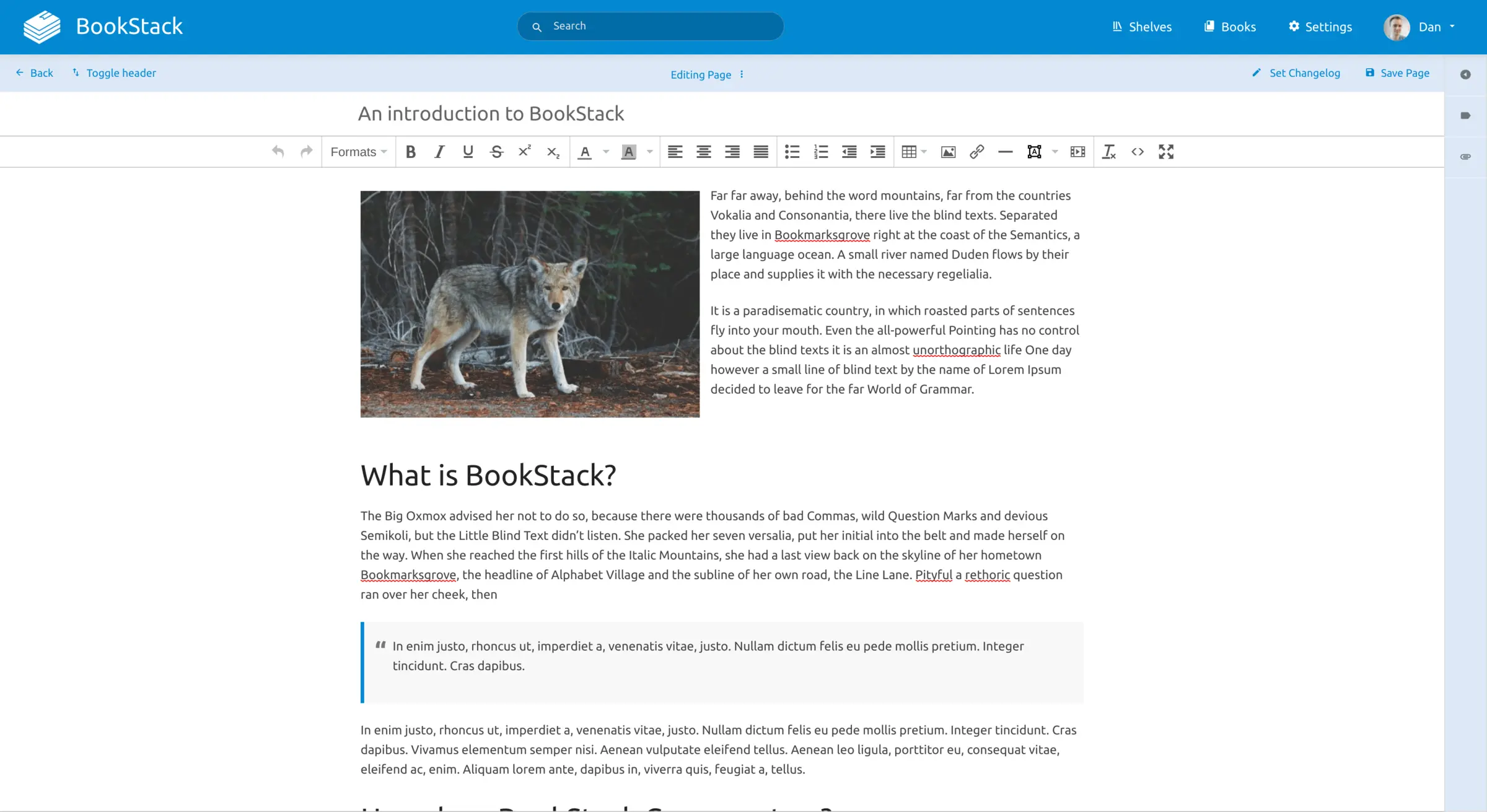
Anyone who can use a word processor can add to it. The editor works like a familiar document editor, with images, tables and diagrams, and there is a Markdown editor for those who prefer one. A dental practice, for example, could keep one book for front-desk procedures, one for equipment care and one for staff policies, and give the cleaning contractor access to a single page.
BookStack is deliberately focused on documents. One person edits a page at a time, and there are no databases or task boards. You can search everything, restore earlier versions of a page, and export pages or whole books as PDF, HTML or Markdown. People sign in with an email and password, or through LDAP, SAML or OpenID Connect. There is no phone app, but the wiki works in a phone's browser.
Cloudgate installs BookStack on a server Cloudgate provides or one you connect, together with its database, and gives it a secure web address. Sign in with the default admin account and change its email and password straight away.
What you can do with BookStack
- Organise like a library Put pages into chapters, chapters into books and books onto shelves, so everyone knows where things go.
- Write without learning anything new Use a word-processor-style editor, or switch to Markdown with a live preview if you prefer.
- Find the right paragraph Search one book or the whole wiki, and link straight to any paragraph on a page.
- Draw diagrams in your pages Add flowcharts and sketches with the built-in diagrams.net (draw.io) editor.
- Choose who sees what Set roles and permissions for a whole shelf or book, or for a single page.
- Go back to an earlier version Every page keeps its revisions, so you can see what changed and restore an older one.
- Sign in your way Use email and password, or connect LDAP, SAML or OpenID Connect, with two-step sign-in you can require per role.
- Take your content with you Export a page, chapter or book as PDF, HTML, Markdown or a ZIP file that BookStack can import again.
Replaces Confluence, Notion and GitBook
BookStack does the same job as Confluence, Notion and GitBook. Here is what changes when you switch.
- Free and open source under the MIT licence, with no per-user price
- No paid edition, so every feature is in the free app
- A clear book-and-chapter structure that new staff understand quickly
- Your documentation stays on your own server
- One person edits a page at a time; there is no live co-editing
- No databases, task boards or whiteboards, only documents
- No importer for Confluence or Notion, so pages move across by hand
- No phone app; you use it in the phone's web browser
What happens when you click Deploy?
You do not need a server or any technical knowledge. Four steps, and BookStack is running at its own web address.
- Step 1 Click Deploy and create your account
Deploy takes you to Cloudgate. Create an account, or log in if you have one. BookStack itself is free.
- Step 2 Choose a server
No server? Get one from Cloudgate: pick a size and a country, and Cloudgate gets it ready. Already have one? Connect it instead.
- Step 3 Cloudgate sets up BookStack
It prepares the server, makes the passwords the app needs and starts it. There is nothing to install and nothing to write down.
- Step 4 Open your app and sign in
Your app gets a free web address to start, without https. Add your own domain, like app.yourshop.com, and Cloudgate secures it with https for you.
New to Cloudgate? See what Cloudgate is
Run Cloudgate yourself? Deploy from your own console
In your Cloudgate console, open Templates and choose BookStack.
Questions
Is BookStack free?
Yes, BookStack is free and open source under the MIT licence, with no paid or enterprise edition and no user limit. You pay only for your server; paid support plans exist but add no features.
Is BookStack a good alternative to Confluence?
Yes, for teams that mainly want a clear, easy wiki for handbooks and how-to guides. BookStack has no live co-editing, databases, whiteboards or app marketplace, so it suits teams that want something simpler than Confluence.
How do I sign in to BookStack the first time?
BookStack creates one admin account when it first starts, with the email admin@admin.com and the password "password". Sign in right after setup and change both the email and the password before you share the address with anyone.
How is BookStack different from Outline and Docmost?
BookStack organises pages into books and chapters, is open source under the MIT licence, and has email and password sign-in built in. Outline and Docmost let several people edit the same page at once and can import a Notion export; BookStack cannot do either.
Can I import my Confluence or Notion pages into BookStack?
No, BookStack has no official importer for Confluence or Notion. It can import its own ZIP export files, so plan to copy your most important pages across by hand.
Can I export my documentation from BookStack?
Yes, you can export any page, chapter or book as PDF, HTML, Markdown or a portable ZIP file. The ZIP file can be imported into another BookStack.
What server size do I need for BookStack?
A small server with 1 GB of memory is enough for a team wiki, and BookStack is designed to run on a low-cost server. Cloudgate sets up BookStack and its database together on that server.
Do I need technical skills to run BookStack?
No. Click Deploy, create your Cloudgate account and choose a server, and Cloudgate sets up BookStack and gives it a web address. You use it in your browser like any other online tool.
Do I need my own server for BookStack?
No. When you deploy BookStack, hosted Cloudgate can provide a server. If you already rent one, you can connect it instead.
Related apps

A self-hosted Markdown wiki with live co-writing and Git sync.

A simple self-hosted wiki in Markdown, with every change kept.
A self-hosted Markdown wiki your team and AI assistants can share.

An open-source team wiki with spaces, live editing and diagrams.