
webtrees
A family tree website you build with relatives, public or private.
No server needed to start: Cloudgate can provide one. What happens when you click Deploy
What is webtrees?
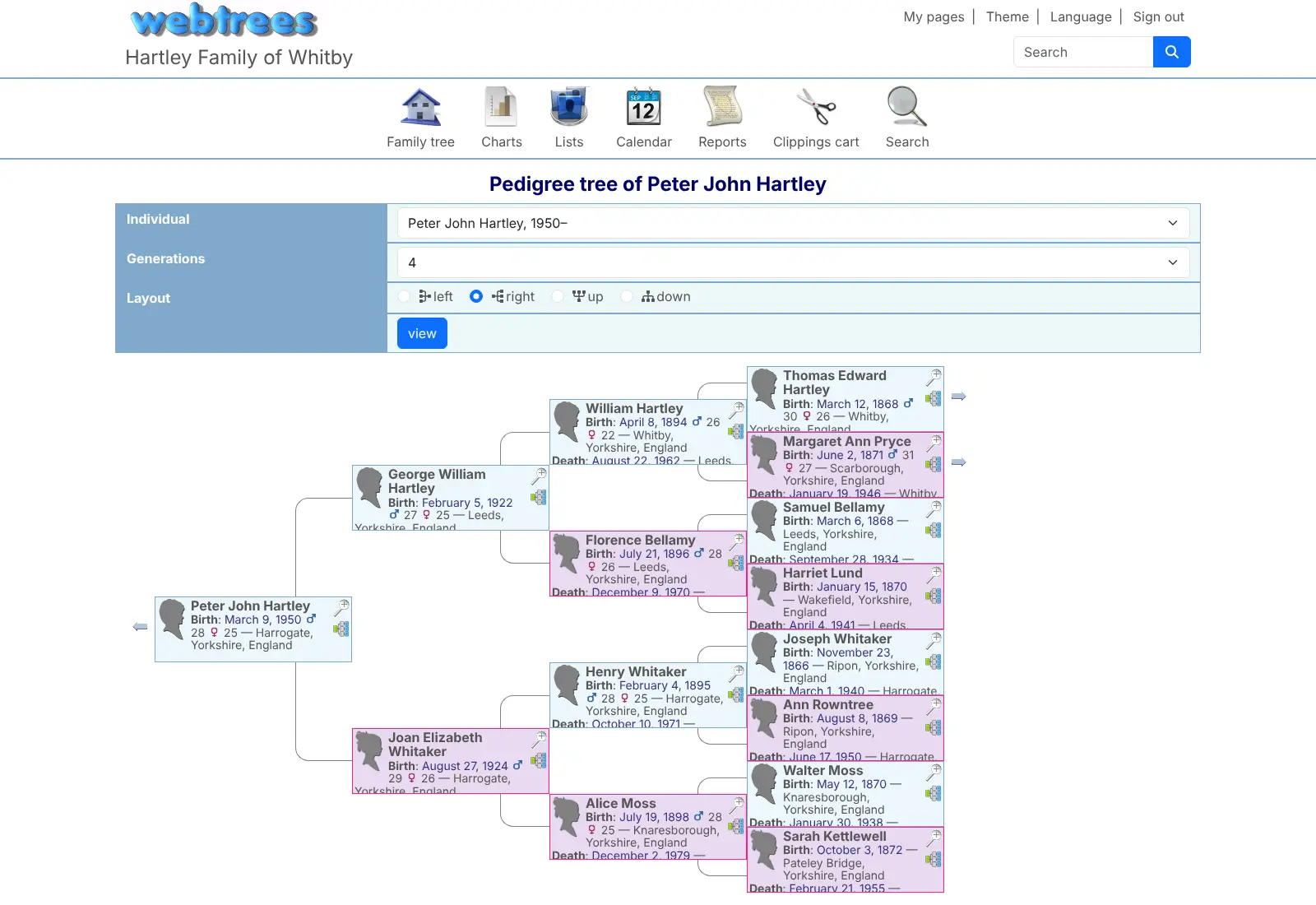
webtrees is a self-hosted family tree website: build your genealogy with relatives, with charts, PDF reports, photos and privacy you control.
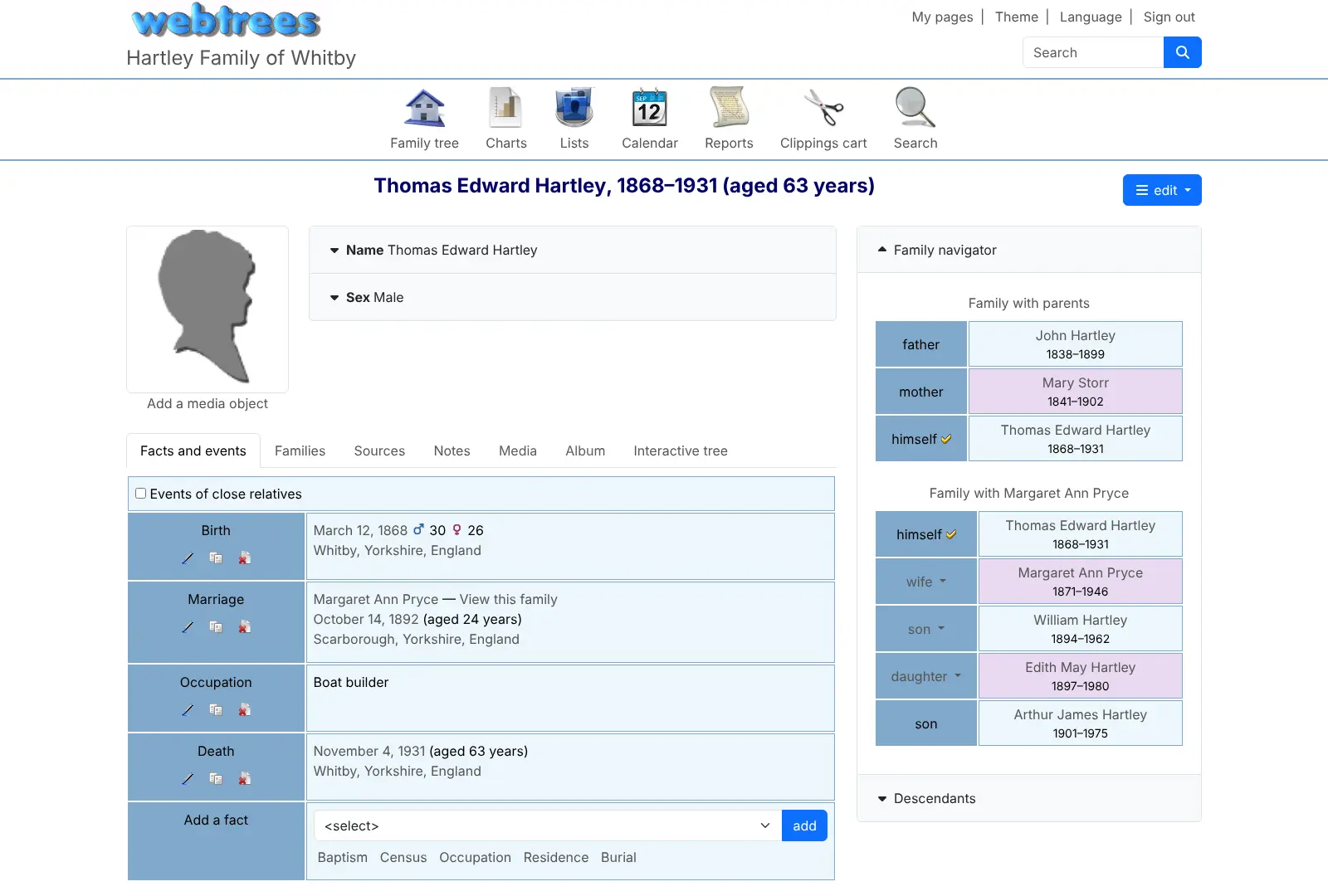
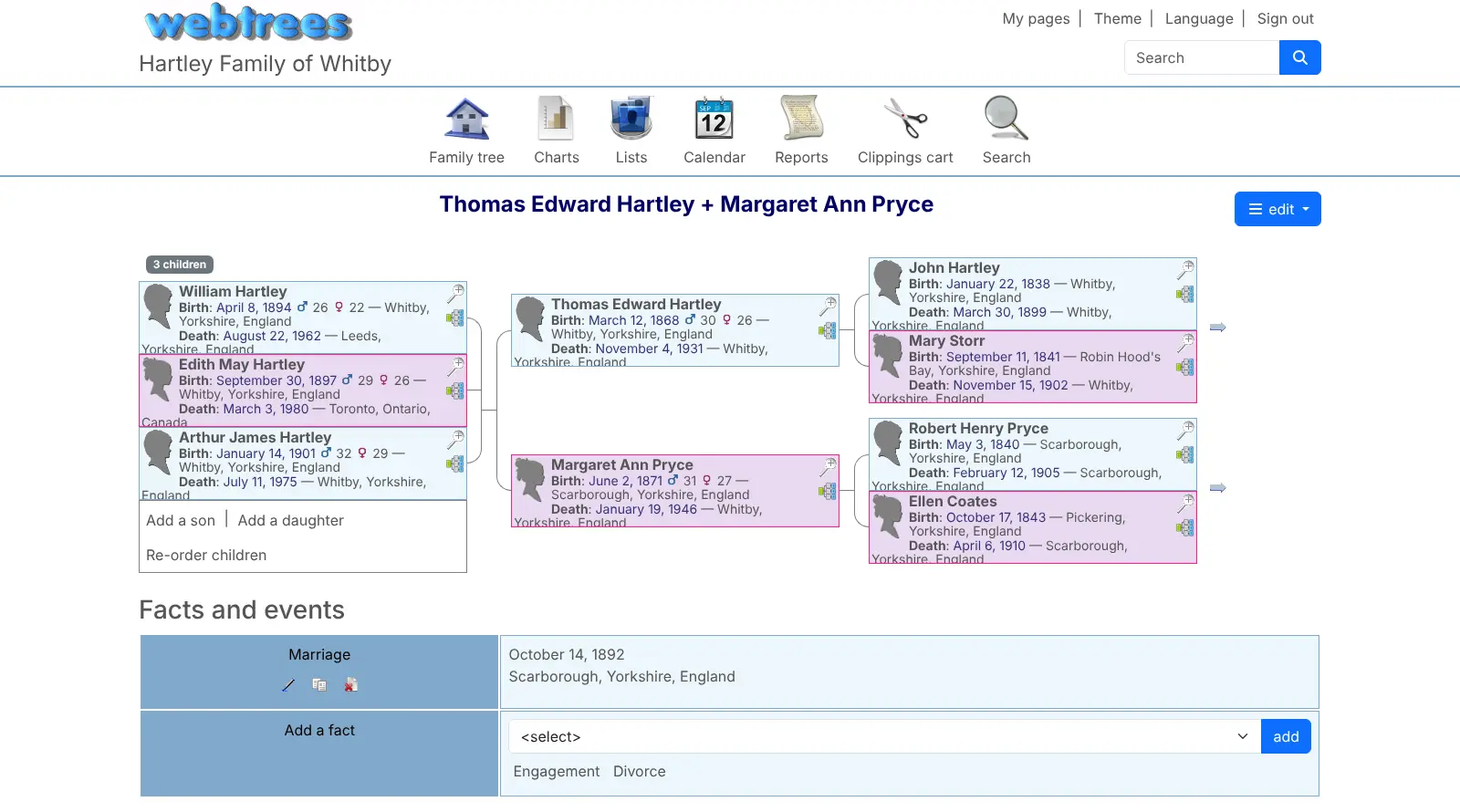
webtrees is free, open-source software for running your own family tree website, a self-hosted alternative to keeping your genealogy on Ancestry or MyHeritage. You and your relatives build the tree together in the browser, with people, families, sources, photos and stories kept on your own server.
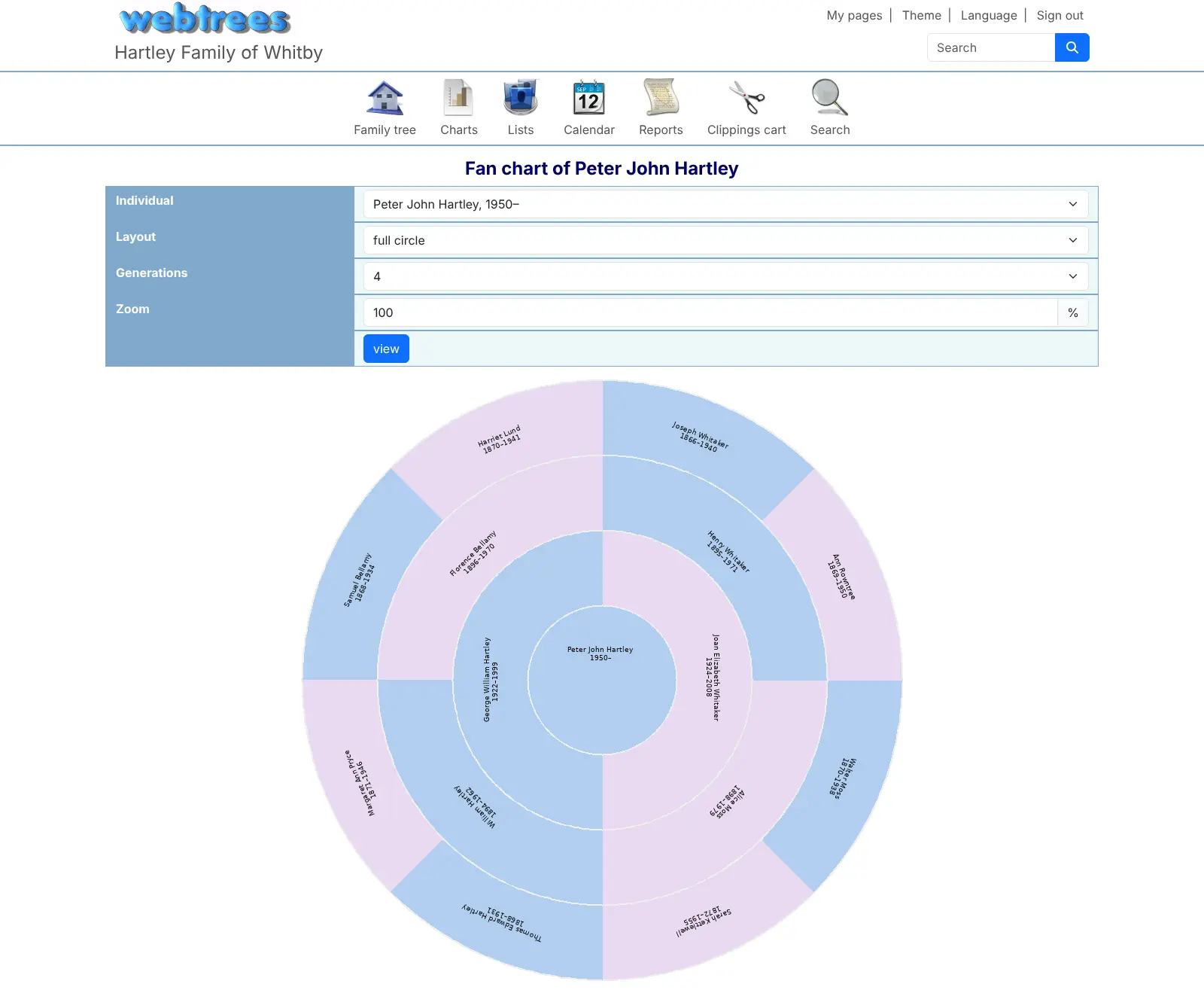
You choose how open it is: a public family history website, or a private one for signed-in relatives. Privacy can be set for the whole site, for each person or for a single fact, and living people stay hidden from visitors. Relatives can view, edit or approve changes, depending on the role you give them. The tree comes to life in pedigree, descendant, fan, hourglass and timeline charts, PDF reports, maps and a calendar of anniversaries, in over 60 languages. A family, for example, could gather a great-aunt's photos and notes into one tree and invite cousins abroad to add what they know.
webtrees works with standard GEDCOM files, so you can import a tree exported from Ancestry, MyHeritage or a desktop genealogy program, and export it again at any time. Cloudgate installs webtrees on a server Cloudgate provides or one you connect, with a secure web address, and creates the admin account for you.
What you can do with webtrees
- Build the tree together Give relatives their own accounts as members, editors or moderators, and have new edits wait for a moderator's approval if you like.
- Decide who sees what Set privacy for the whole site, each tree, each user, each person or a single fact, so living relatives show as "Private" to visitors.
- See your family in charts Pedigree, descendant, fan, hourglass, interactive, timeline and relationship charts, plus statistics about your tree.
- Print reports as PDF Family group sheets, Ahnentafel, pedigree, descendant and births, marriages and deaths reports, on screen or as a PDF.
- Add photos and documents Attach photos, certificates, scans and videos to people and events, and add stories, notes and sources.
- Follow places on a map See where your ancestors were born, married and lived on maps, and browse every place in your tree.
- Use it in your language Choose from over 60 languages and naming customs such as surname first, patronymic or matrilineal surnames.
- Move your tree in and out Import and export standard GEDCOM files, so your tree works with Ancestry, MyHeritage and desktop genealogy programs.
Replaces Ancestry and MyHeritage
webtrees does the same job as Ancestry and MyHeritage. Here is what changes when you switch.
- No subscription to keep your family tree online
- Your family's data stays on your own server, under privacy rules you set
- A family history website you can open to the public or keep for signed-in relatives
- Export the whole tree as a GEDCOM file whenever you want
- No historical record collections, record hints or DNA tests; you bring your own research
- Photos don't come across in a GEDCOM file, so you upload them separately
- No phone app; it works in the browser on any phone
- The screens look traditional and offer many settings, which take a little time to learn
What happens when you click Deploy?
You do not need a server or any technical knowledge. Four steps, and webtrees is running at its own web address.
- Step 1 Click Deploy and create your account
Deploy takes you to Cloudgate. Create an account, or log in if you have one. webtrees itself is free.
- Step 2 Choose a server
No server? Get one from Cloudgate: pick a size and a country, and Cloudgate gets it ready. Already have one? Connect it instead.
- Step 3 Cloudgate sets up webtrees
It prepares the server, makes the passwords the app needs and starts it. There is nothing to install and nothing to write down.
- Step 4 Open your app and sign in
Your app gets a free web address to start, without https. Add your own domain, like app.yourshop.com, and Cloudgate secures it with https for you.
New to Cloudgate? See what Cloudgate is
Run Cloudgate yourself? Deploy from your own console
In your Cloudgate console, open Templates and choose webtrees.
Questions
Is webtrees free?
Yes. webtrees is free, open-source software under the GPL licence, with no paid edition or locked features, so you pay only for your server.
Is webtrees a good alternative to Ancestry or MyHeritage?
Yes, for keeping and sharing your family tree. webtrees holds your people, families, sources, photos and stories, lets relatives work on the tree with you and gives you charts and PDF reports. It does not include the historical record collections, record hints or DNA tests those services sell.
Can webtrees import my family tree from Ancestry or MyHeritage?
Yes. Export your tree as a GEDCOM file from Ancestry or MyHeritage and import it in webtrees from the control panel. Photos are not inside a GEDCOM file, so add them afterwards.
Can I keep living relatives private in webtrees?
Yes. webtrees can show only people who have died, hide people who died recently, and hide single facts from everyone but the people you choose. Visitors see living relatives as "Private" in charts and lists.
How is webtrees different from Gramps Web?
webtrees is a family history website that you can open to the public or keep private, with detailed privacy settings, many chart types and PDF reports. Gramps Web is a private workspace for signed-in relatives that works with Gramps Desktop and keeps DNA match data.
How do I sign in to webtrees the first time?
Sign in to webtrees with the username admin and the password Cloudgate generated for you, shown on the app's variables page in Cloudgate. Then create a family tree or import a GEDCOM file, and review the privacy settings before inviting relatives.
Is there a webtrees phone app?
No, there is no official phone app, but webtrees works in the web browser on phones, tablets and computers.
Do I need technical skills to run webtrees?
No. Click Deploy, create your Cloudgate account and choose a server, and Cloudgate sets up webtrees and gives it a web address. You use it in your browser like any other online tool.
Do I need my own server for webtrees?
No. When you deploy webtrees, hosted Cloudgate can provide a server. If you already rent one, you can connect it instead.
Related apps

A self-hosted family tree you build and share with your relatives.

A self-hosted travel tracker, trip planner and world map in one.

A self-hosted flight tracker for every flight you take, on one map.

A self-hosted baby tracker the whole family can share.