
AdventureLog
A self-hosted travel tracker, trip planner and world map in one.
No server needed to start: Cloudgate can provide one. What happens when you click Deploy




What is AdventureLog?
AdventureLog is a self-hosted travel tracker: log the places you visit, plan trips day by day and see the countries you've been to on a world map.
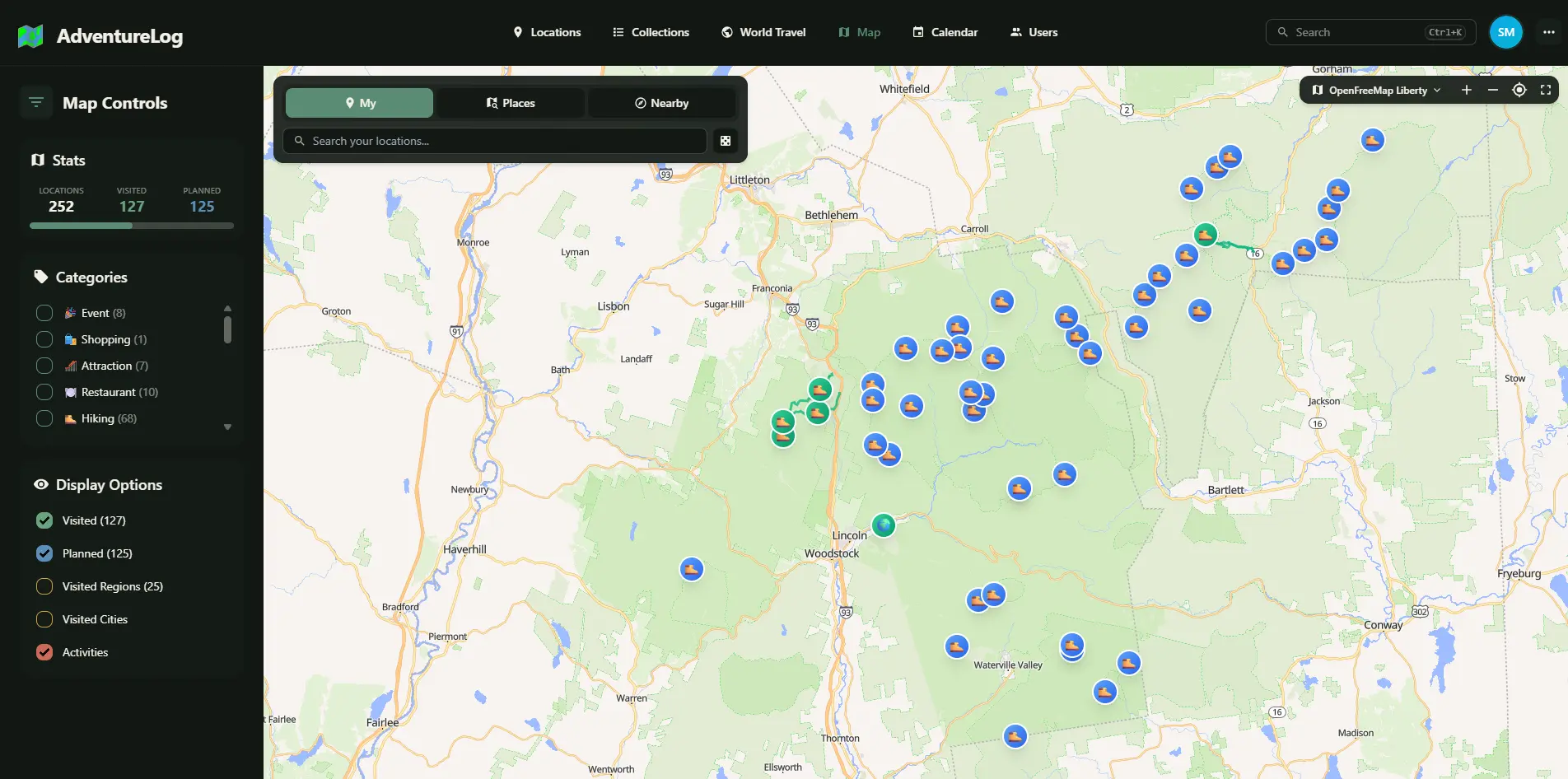
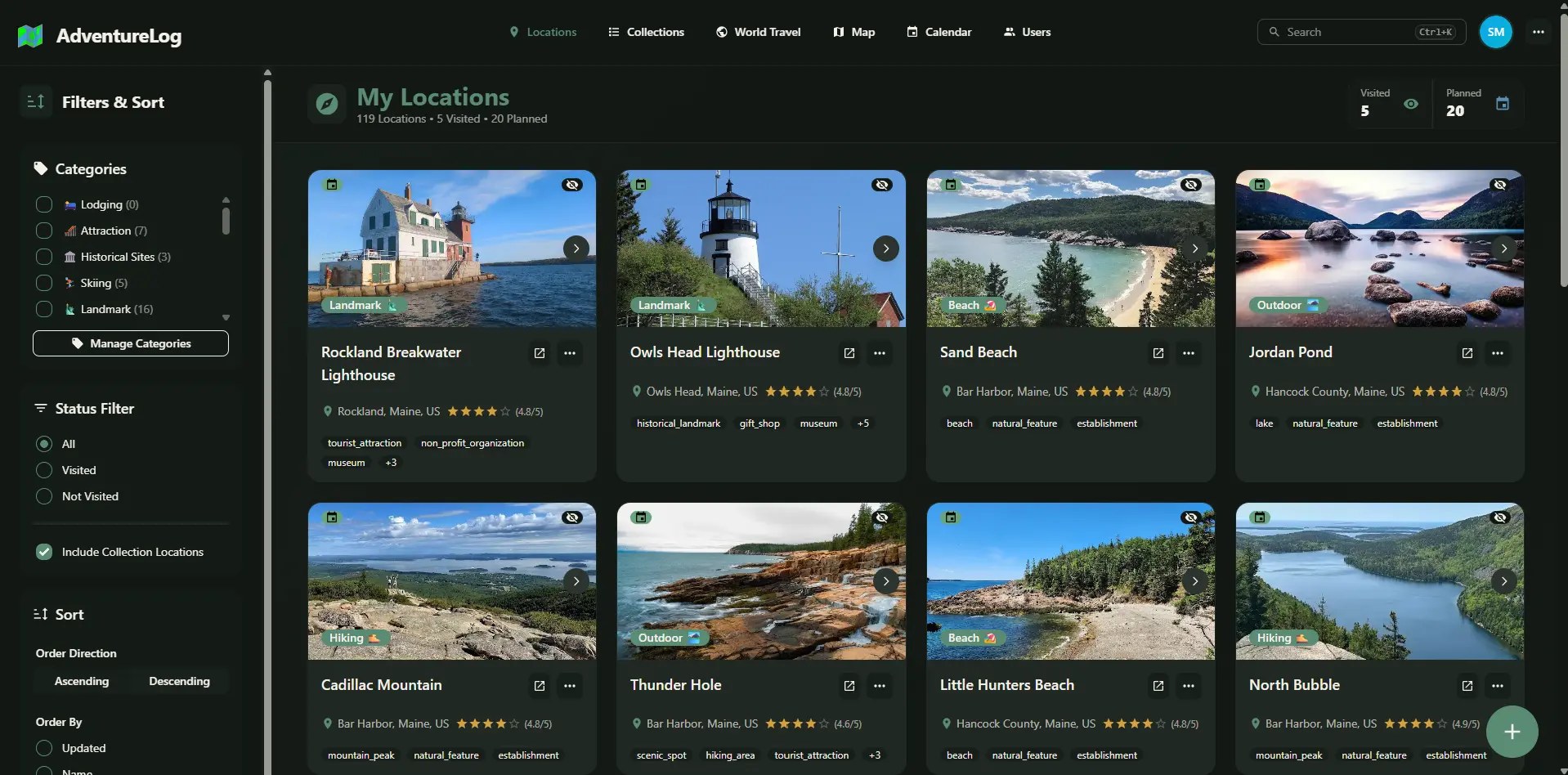
AdventureLog is a free, self-hosted travel tracker and trip planner, an open-source alternative to Wanderlog: you log the places you have been, plan trips day by day and see the countries you have visited on a world map, all on your own server.
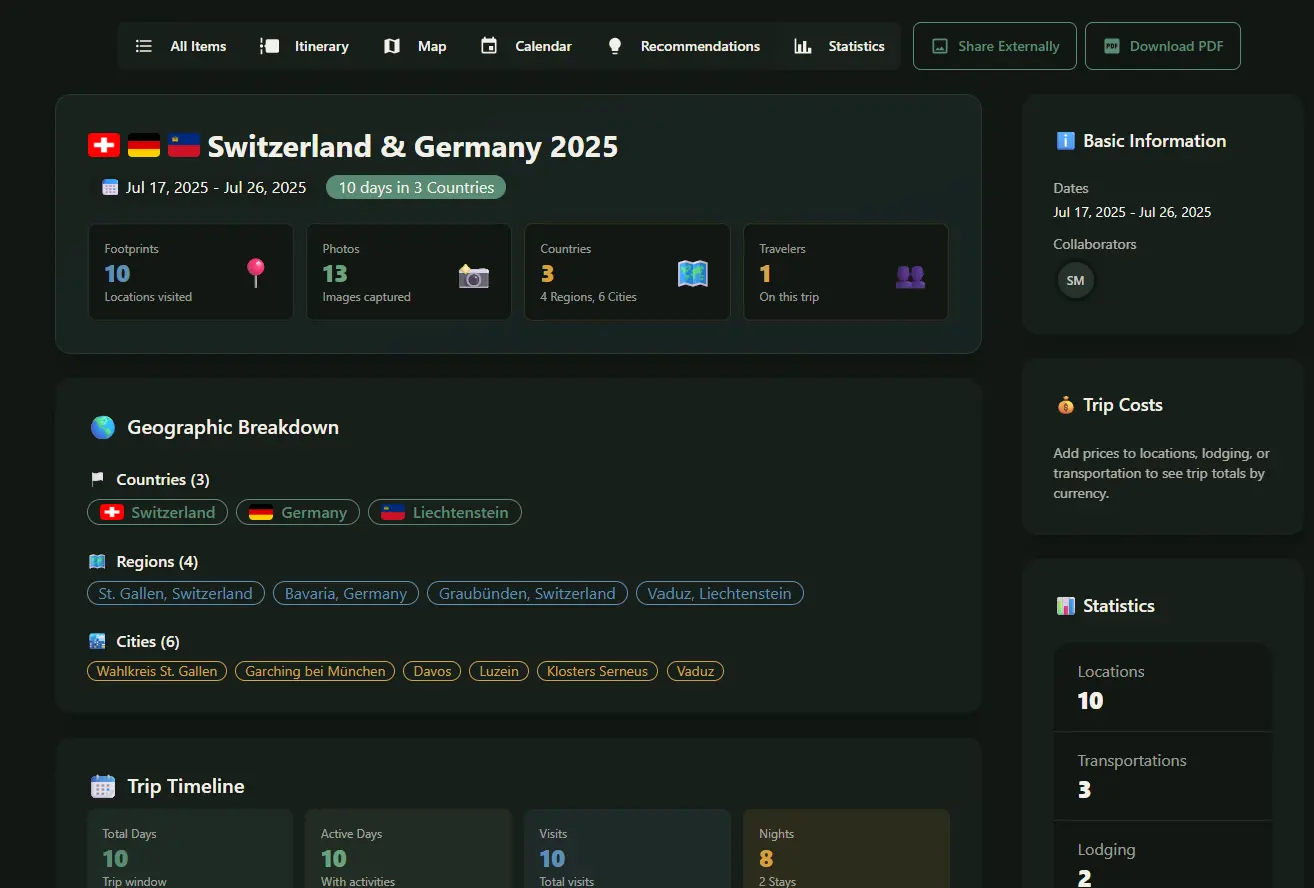
Each place can hold dates, notes, photos and a rating, and each trip becomes an itinerary with lodging, flights, notes and checklists that you can print as a PDF or add to your calendar. A dashboard and a world travel page count your countries, regions and cities. A family planning a summer road trip, for example, could list the towns and campsites for each day, share the plan with the grandparents, and keep the photos and notes afterwards as their travel journal.
AdventureLog runs in any web browser, including on a phone, though there is no phone app and it does not track your location on its own. It works with Immich for photos and Strava for hikes and rides, and the people you invite can plan trips with you. Cloudgate installs AdventureLog on your server with its database and a secure web address.
What you can do with AdventureLog
- Log every place you visit Pin places on a map with dates, notes, photos, ratings and categories, and add a new visit each time you go back.
- Plan trips day by day Build an itinerary for each trip with places, lodging, flights and other transport, notes and checklists such as a packing list.
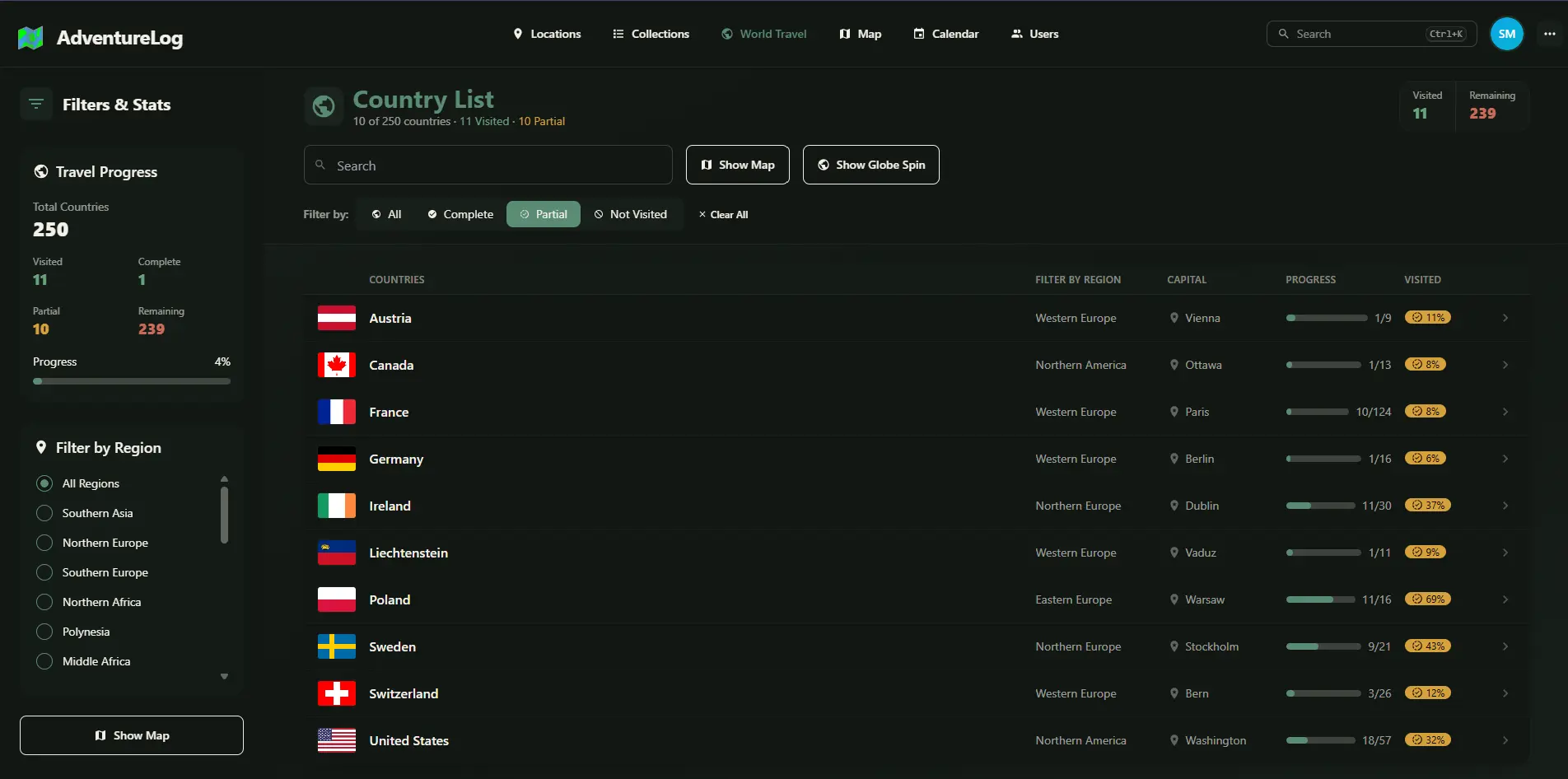
- See your world on a map Mark the countries, regions and cities you have visited and watch your progress grow on a world map.
- Look back with travel stats A dashboard counts your countries, regions, cities, places and trips, and shows your next trip.
- Plan together Invite the people you travel with to edit a trip, or share a place or trip with a public link.
- Keep trips in your calendar A travel calendar shows visits, stays and transport, and you can subscribe to it from Google Calendar or Apple Calendar.
- Print or export a trip Download any trip as a printable day-by-day PDF, or export and import it as a ZIP file.
- Add hikes and photos Attach trails and GPX tracks, import activities from Strava, and pick photos from your Immich library.
Replaces Wanderlog
AdventureLog does the same job as Wanderlog. Here is what changes when you switch.
- Your travel history and plans stay on your own server, with no subscription
- Your journal, trip planner and visited-countries map live in one app instead of three
- Everyone you invite gets an account on your server to plan trips together
- Every feature is free, with nothing held back for a paid plan
- There is no automatic GPS tracking; you add places and visits yourself
- There is no phone app; you use the website in your phone's browser
- It cannot read booking emails or import your trips from Polarsteps, Wanderlog or TripIt
- Some extras, such as Google Maps place search, need a free key from that service
What happens when you click Deploy?
You do not need a server or any technical knowledge. Four steps, and AdventureLog is running at its own web address.
- Step 1 Click Deploy and create your account
Deploy takes you to Cloudgate. Create an account, or log in if you have one. AdventureLog itself is free.
- Step 2 Choose a server
No server? Get one from Cloudgate: pick a size and a country, and Cloudgate gets it ready. Already have one? Connect it instead.
- Step 3 Cloudgate sets up AdventureLog
It prepares the server, makes the passwords the app needs and starts it. There is nothing to install and nothing to write down.
- Step 4 Open your app and sign in
Your app gets a free web address to start, without https. Add your own domain, like app.yourshop.com, and Cloudgate secures it with https for you.
New to Cloudgate? See what Cloudgate is
Run Cloudgate yourself? Deploy from your own console
In your Cloudgate console, open Templates and choose AdventureLog.
Questions
Is AdventureLog free?
Yes, AdventureLog is free and open source under the GPL-3.0 licence, and there is no paid edition or paid feature. You pay only for your server.
Is AdventureLog a good alternative to Wanderlog?
Yes, AdventureLog is a good Wanderlog alternative for planning trips and keeping a record of them. Each trip gets a day-by-day itinerary with places, lodging, flights and other transport, notes and checklists, which you can print as a PDF or add to your calendar. Unlike Wanderlog, AdventureLog does not read your booking emails, so you enter reservations by hand.
Does AdventureLog track where I go?
No. AdventureLog does not track your location automatically the way Polarsteps does, and has no phone app, so you add places and visits yourself, in the website or your phone's browser.
Can I import my trips from Wanderlog into AdventureLog?
No. AdventureLog has no importer for Wanderlog, Polarsteps or TripIt, so you rebuild the trips you still need by hand. It can export and import its own trips as ZIP files.
Is there an AdventureLog phone app?
No, AdventureLog has no app in the App Store or Google Play. The website works in your phone's browser, and you can sign in on your phone by scanning a QR code from your account's security settings.
Can I plan a trip with friends or family in AdventureLog?
Yes, you can invite other people on your AdventureLog to edit a trip with you, or share a place or a whole trip with a public link that anyone can open.
How do I sign in to AdventureLog the first time?
Sign in to AdventureLog with the username admin and the password Cloudgate created for you, which you find on the app's variables page. The admin account uses the email you entered at setup. Sign-ups are open, so other people who open your address can create their own accounts.
What server size do I need for AdventureLog?
AdventureLog needs about 2 GB of memory the first time it starts, while it loads its world map data, and about 1 GB after that, so Cloudgate asks for a medium server.
Do I need technical skills to run AdventureLog?
No. Click Deploy, create your Cloudgate account and choose a server, and Cloudgate sets up AdventureLog and gives it a web address. You use it in your browser like any other online tool.
Do I need my own server for AdventureLog?
No. When you deploy AdventureLog, hosted Cloudgate can provide a server. If you already rent one, you can connect it instead.
Related apps

A shared travel planner for itineraries, bookings and trip costs.

A self-hosted flight tracker for every flight you take, on one map.

A self-hosted baby tracker the whole family can share.

A self-hosted habit tracker with daily ticks and streaks, no goals.