
ToolJet
Build admin panels and internal tools on your own data and server.
No server needed to start: Cloudgate can provide one. What happens when you click Deploy



What is ToolJet?
Self-hosted ToolJet Community Edition: build internal tools, admin panels and dashboards on your own databases or its built-in one, with no per-user limit.
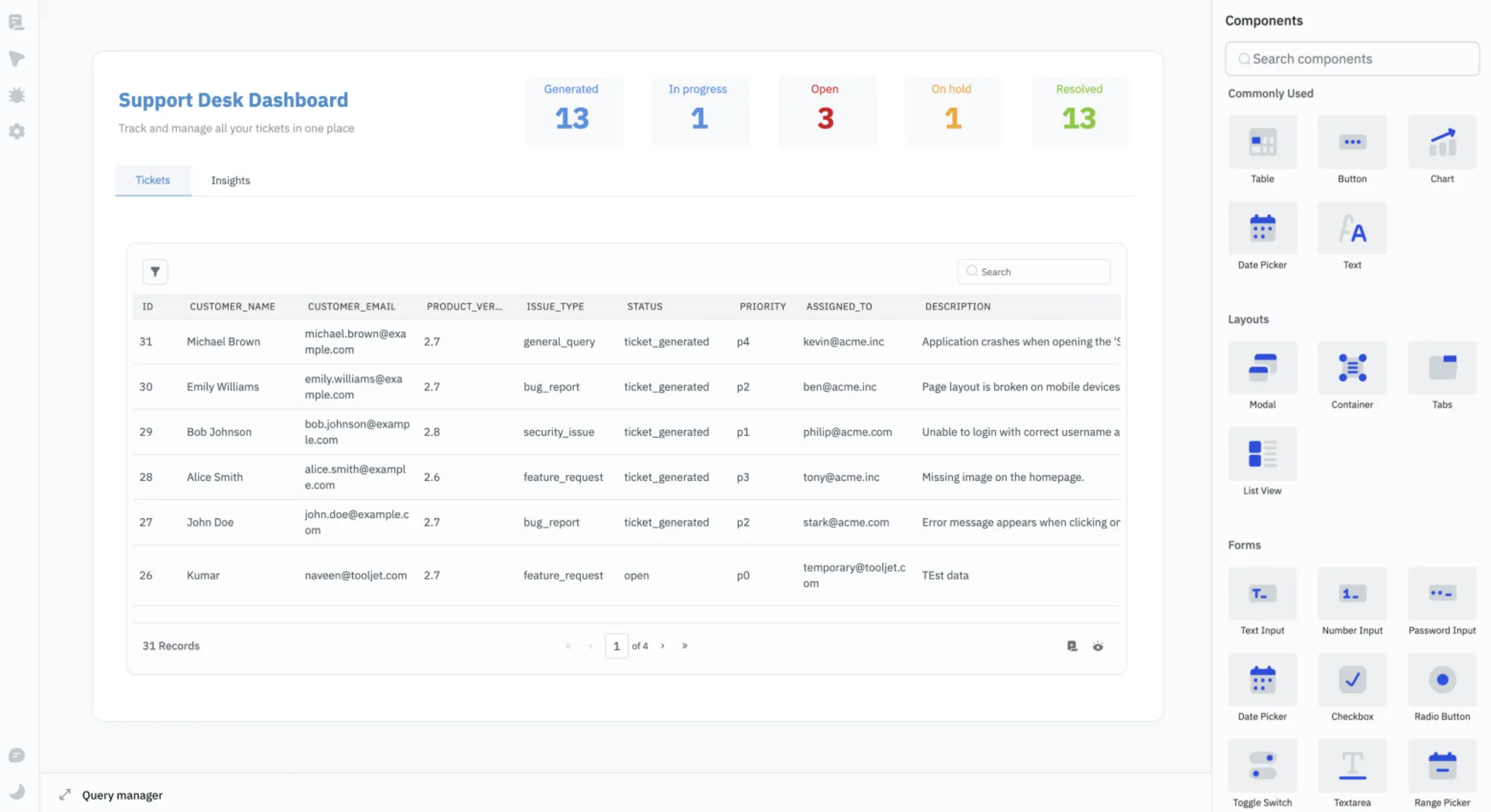
Self-hosted ToolJet is an open-source builder for internal tools, admin panels and dashboards, and an alternative to Retool, Glide and Softr that runs on your own server. You drag tables, forms, charts and buttons onto a page, connect them to your databases and APIs or to ToolJet's built-in database, and add logic in SQL, JavaScript or Python. This template installs ToolJet Community Edition, the free edition, with no limit on users or apps.
A small delivery company, for example, could build a returns screen: support staff search for an order, see its history and mark a return as approved, while a dashboard page counts open and resolved returns. If the orders live in a spreadsheet today, the team can upload them to a ToolJet Database table as a CSV file.
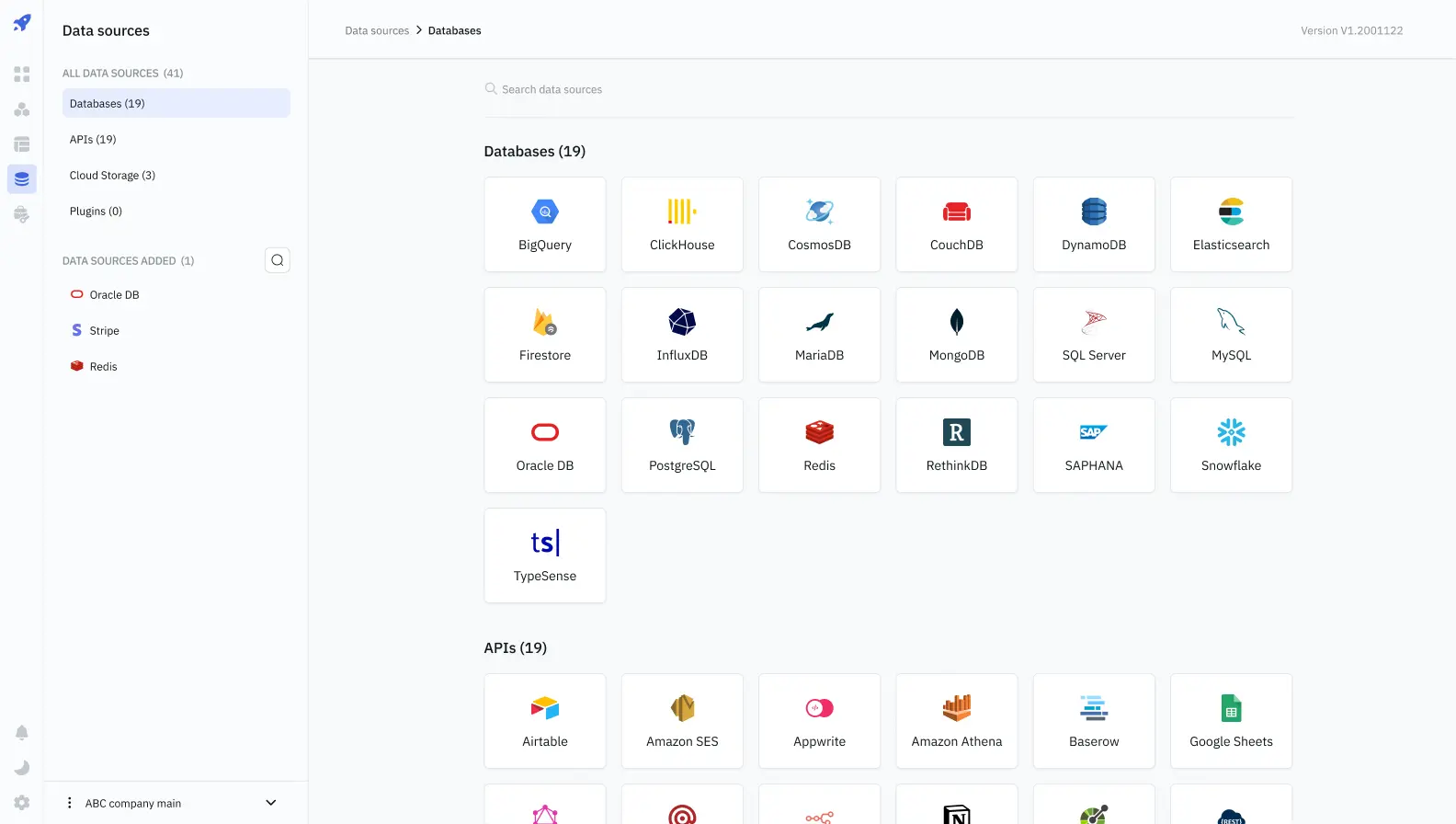
ToolJet connects to PostgreSQL, MySQL, MongoDB, Microsoft SQL Server, Snowflake, Google Sheets, Airtable, REST APIs and more, and finished apps open in the browser. Features of ToolJet's paid editions, such as AI app building, workflows, single sign-on and audit logs, are not part of Community Edition.
Cloudgate installs ToolJet on a large server Cloudgate provides or one you connect, and gives it a secure web address. Open it right after setup: the first person to visit creates the admin account.
What you can do with ToolJet
- Drag and drop the screens Place tables, forms, charts, buttons, tabs, modals and list views on a canvas and arrange them into an app.
- Work on your existing data Connect PostgreSQL, MySQL, MongoDB, Microsoft SQL Server, Oracle, Snowflake, BigQuery, Google Sheets, Airtable and other sources, or any REST API.
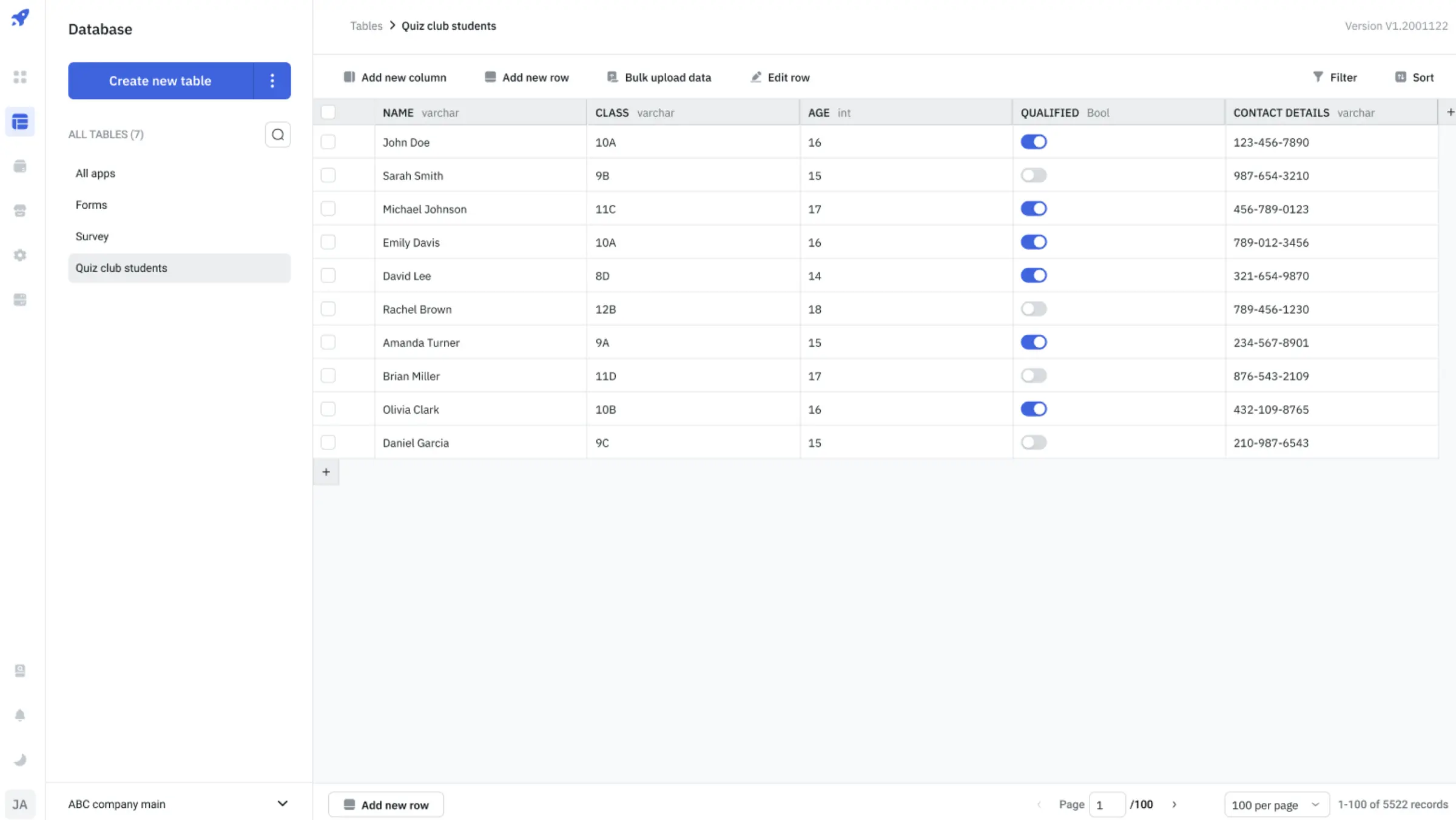
- Keep data in a built-in database Create tables in ToolJet Database without a database of your own, add rows by hand or upload them from a CSV file.
- Add logic in JavaScript or Python Write SQL queries for your data and run JavaScript or Python code inside an app to change it.
- Give each person the right access Admins, builders and end users each get their own role, and end users only see the finished apps they are given.
- Organise and move apps Keep apps in workspaces and folders, and export or import them as files, with their database tables if you like.
Replaces Retool, Glide and Softr
ToolJet does the same job as Retool, Glide and Softr. Here is what changes when you switch.
- Self-hosted with no limit on users, builders or apps
- Your data and database passwords stay on your own server
- Open source under the AGPL-3.0 licence
- A built-in database for teams that keep their data in spreadsheets today
- AI app building, workflows, single sign-on, audit logs, Git sync and real-time co-editing are paid editions only
- Apps can't be made public, so it isn't for customer portals
- Retool, Glide and Softr apps don't import; you rebuild them
- Real apps take SQL queries and some JavaScript; it is not fully no-code
What happens when you click Deploy?
You do not need a server or any technical knowledge. Four steps, and ToolJet is running at its own web address.
- Step 1 Click Deploy and create your account
Deploy takes you to Cloudgate. Create an account, or log in if you have one. ToolJet itself is free.
- Step 2 Choose a server
No server? Get one from Cloudgate: pick a size and a country, and Cloudgate gets it ready. Already have one? Connect it instead.
- Step 3 Cloudgate sets up ToolJet
It prepares the server, makes the passwords the app needs and starts it. There is nothing to install and nothing to write down.
- Step 4 Open your app and sign in
Your app gets a free web address to start, without https. Add your own domain, like app.yourshop.com, and Cloudgate secures it with https for you.
New to Cloudgate? See what Cloudgate is
Run Cloudgate yourself? Deploy from your own console
In your Cloudgate console, open Templates and choose ToolJet.
Questions
Is ToolJet free?
Yes, ToolJet Community Edition is free and open source under the AGPL-3.0 licence, with no limit on users, builders or apps when you host it yourself. ToolJet also sells paid editions with extra features, which this template doesn't include.
What does ToolJet Community Edition leave out?
ToolJet Community Edition leaves out the paid features, including AI app building, workflows, single sign-on (including Google and GitHub sign-in), audit logs, Git sync, real-time co-editing and comments, separate test and live environments, custom user groups, public apps and white-labelling. People sign in with an email address and password.
Is ToolJet a good alternative to Retool?
Yes, for teams that want the same approach of components, queries and JavaScript on their own server without paying per user. Retool has more built in, while ToolJet Community Edition leaves out features such as workflows, single sign-on and audit logs. There is no importer, so Retool apps are rebuilt.
Can ToolJet replace Glide or Softr?
Partly. ToolJet can replace Glide or Softr for internal apps on your own data, and you can upload a spreadsheet's rows to its built-in database as a CSV file. It asks for more technical skill, and Community Edition can't publish public apps, so it doesn't replace a Softr customer portal.
Do I need to know how to code to use ToolJet?
Some, yes. In ToolJet you drag the screens together without code, but connecting them to your data takes SQL queries and a little JavaScript or Python, so a semi-technical person should build the apps. The people who use the finished apps need no technical skill.
How do I sign in to ToolJet the first time?
The first person to open ToolJet's web address creates the admin account and the first workspace, so open it right after setup. The admin then invites the rest of the team from the settings.
What server size does ToolJet need?
ToolJet needs a large server. Cloudgate sets it up on a large server with 4 GB of memory, above ToolJet's own minimum of 2 GB, and the first start takes a few minutes while it prepares its database.
Do I need my own server for ToolJet?
No. When you deploy ToolJet, hosted Cloudgate can provide a server. If you already rent one, you can connect it instead.
Can I move my data from Retool to ToolJet?
Most people export from Retool and import into ToolJet. The official guides at docs.tooljet.com walk through it.
Related apps

Build internal tools and public web apps on your own data.
Build no-code database apps, forms and portals on your own server.

Build internal tools and admin panels on your own databases.

Open your office computers and servers in a browser, from anywhere.