
Apache Guacamole
Open your office computers and servers in a browser, from anywhere.
No server needed to start: Cloudgate can provide one. What happens when you click Deploy


What is Apache Guacamole?
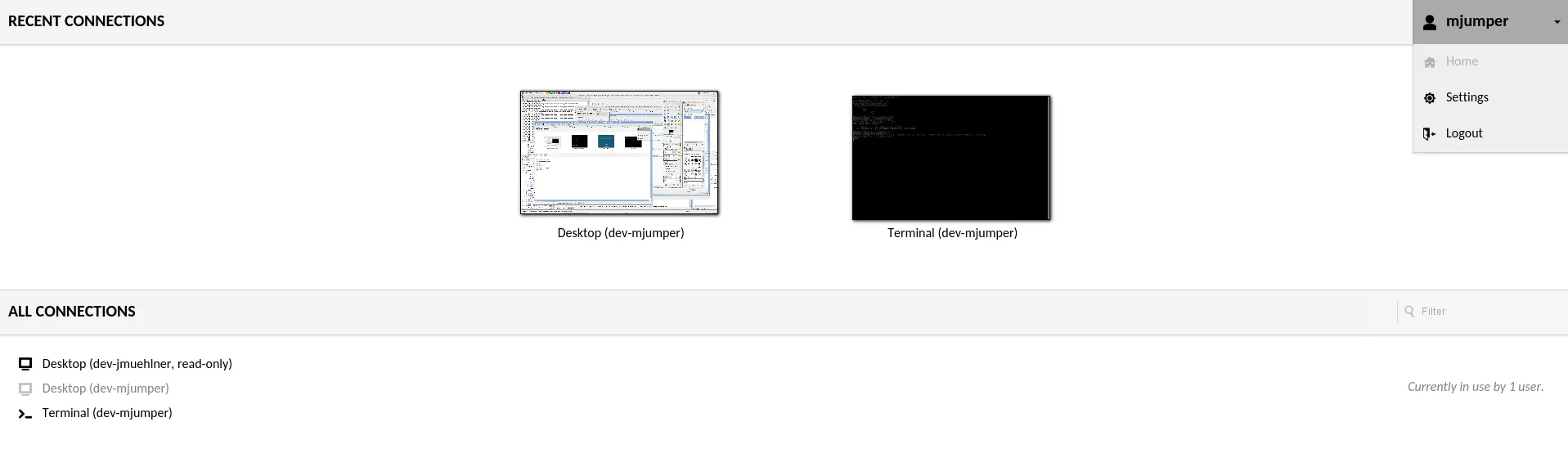
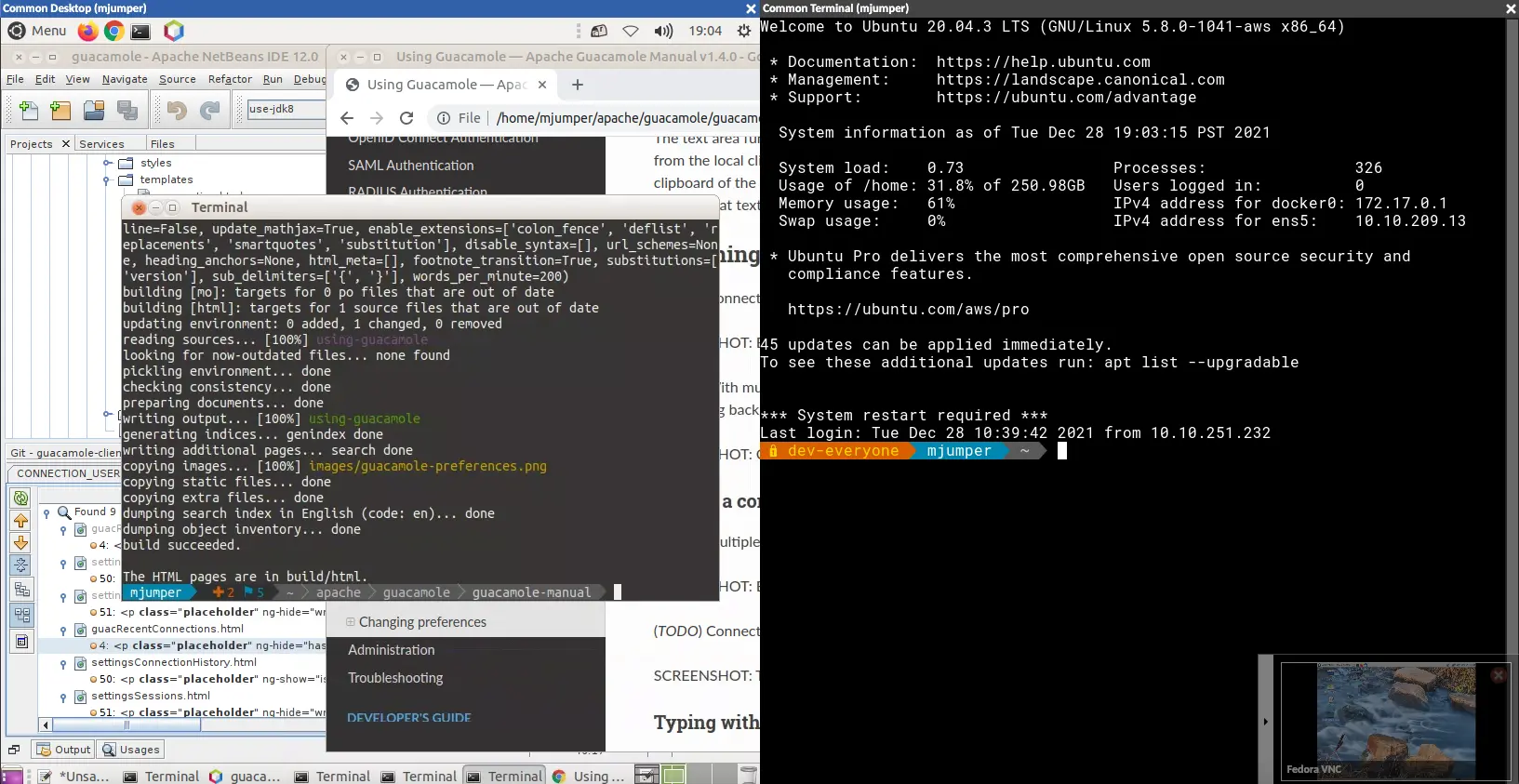
Apache Guacamole is a self-hosted remote desktop gateway: open office PCs and servers in a web browser over RDP, VNC and SSH, with nothing to install.
Apache Guacamole is a free, open-source remote desktop gateway that lets your team open office computers and servers in a web browser, a self-hosted alternative to Citrix, Splashtop or Parallels RAS for remote access. It connects over RDP, VNC and SSH, so the device people connect from needs nothing installed, just a browser.
The admin adds each machine once, and gives every person or group the connections they need. Users sign in, click a connection and work on that desktop or terminal in a browser tab, with copy and paste, file transfer, an on-screen keyboard and touch controls for phones and tablets. A small accounting firm, for example, could let staff reach their office PCs from home through one web address, without buying remote access licences for each person.
Guacamole does not make a computer reachable on its own. Each machine must already accept Remote Desktop, VNC or SSH, and your Guacamole server must be able to reach it, for example over a VPN or because both are on the same network. Two-step sign-in and session recording are available as extensions.
Cloudgate installs Guacamole on a server Cloudgate provides or one you connect, together with its database, and gives it a secure web address. Sign in as admin, change the password, then add your first connection.
What you can do with Apache Guacamole
- Remote desktop in the browser Open desktops and server terminals over RDP, VNC or SSH in a browser tab, with nothing to install.
- One place for every machine The admin adds each computer once, and people see only the connections they are allowed to use.
- Move files and text across Drag files onto the remote screen to upload them, download through the file browser, and copy and paste between the two.
- Share a live session Send a link that lets a colleague watch or help in your session, which stops working when you disconnect.
- Work on several machines at once Open connections side by side in tiles and type into several of them together.
- Use a phone or tablet On-screen keyboard, touchpad mode and pinch-to-zoom make remote desktops usable on touch screens.
- Keep a record See who connected to which machine and when, and which sessions are active now.
Replaces Citrix, Splashtop and Parallels RAS
Apache Guacamole does the same job as Citrix, Splashtop and Parallels RAS. Here is what changes when you switch.
- No licence fee per user or per computer
- Nothing to install on the devices people connect from, only a web browser
- Your connection details and history stay on your own server
- Each computer must already accept RDP, VNC or SSH and be reachable from your server, for example through a VPN
- No app publishing or virtual desktop pools like Citrix or Parallels RAS
- No helper app to install for remote support, as Splashtop or TeamViewer have
- Two-step sign-in is available but takes extra setup
What happens when you click Deploy?
You do not need a server or any technical knowledge. Four steps, and Apache Guacamole is running at its own web address.
- Step 1 Click Deploy and create your account
Deploy takes you to Cloudgate. Create an account, or log in if you have one. Apache Guacamole itself is free.
- Step 2 Choose a server
No server? Get one from Cloudgate: pick a size and a country, and Cloudgate gets it ready. Already have one? Connect it instead.
- Step 3 Cloudgate sets up Apache Guacamole
It prepares the server, makes the passwords the app needs and starts it. There is nothing to install and nothing to write down.
- Step 4 Open your app and sign in
Your app gets a free web address to start, without https. Add your own domain, like app.yourshop.com, and Cloudgate secures it with https for you.
New to Cloudgate? See what Cloudgate is
Run Cloudgate yourself? Deploy from your own console
In your Cloudgate console, open Templates and choose Apache Guacamole.
Questions
What is Apache Guacamole?
Apache Guacamole is a free, open-source remote desktop gateway that lets you use your computers and servers from a web browser. It connects over RDP, VNC and SSH, so nothing needs to be installed on the device you connect from.
Is Apache Guacamole free?
Yes, Apache Guacamole is free and open source under the Apache 2.0 licence, from the Apache Software Foundation, with no paid edition and no fee per user or computer. You pay only for the server.
Is Apache Guacamole a good alternative to Citrix?
Yes, Apache Guacamole suits giving people browser access to existing desktops and servers through one web address. Guacamole does not publish single apps or manage pools of virtual desktops the way Citrix does, so it suits small teams better than large virtual desktop setups.
Can Apache Guacamole reach any computer?
No, Apache Guacamole reaches only computers that already accept RDP, VNC or SSH and that your Guacamole server can reach, such as servers with a public address or office PCs on a VPN or the same network. Windows needs a Pro or Server edition to accept Remote Desktop connections.
How do I sign in to Apache Guacamole the first time?
Sign in to Apache Guacamole with the admin username you chose during setup, guacadmin unless you changed it, and the password Cloudgate created, which is shown on the app's variables page. Change it under Settings, then add your connections.
Does Apache Guacamole work on a phone or tablet?
Yes, Apache Guacamole runs in the phone or tablet's web browser, with an on-screen keyboard, a touchpad mode and pinch-to-zoom for remote desktops. There is no app to install.
Is it safe to put Apache Guacamole on the internet?
Yes, with care, because Apache Guacamole is a door to your machines. Use a strong admin password, give each person only the connections they need, and consider turning on Guacamole's two-step sign-in, which is available as an extension.
Do I need technical skills to run Apache Guacamole?
No. Click Deploy, create your Cloudgate account and choose a server, and Cloudgate sets up Apache Guacamole and gives it a web address. You use it in your browser like any other online tool.
Do I need my own server for Apache Guacamole?
No. When you deploy Apache Guacamole, hosted Cloudgate can provide a server. If you already rent one, you can connect it instead.
Can I move my data from Citrix to Apache Guacamole?
Most people export from Citrix and import into Apache Guacamole. The official guides at guacamole.apache.org walk through it.
Related apps
SSH, files and remote desktop for all your servers in a browser tab.

Build internal tools and admin panels on your own databases.

A self-hosted low-code platform for your own CRM or records apps.

Host your team's code and reviews on your own server.