Reitti
Turn your phone's location into a private diary of visits and trips.
No server needed to start: Cloudgate can provide one. What happens when you click Deploy



What is Reitti?
Reitti is a self-hosted location history app that turns your phone's GPS points into daily visits and trips, with statistics and family sharing.
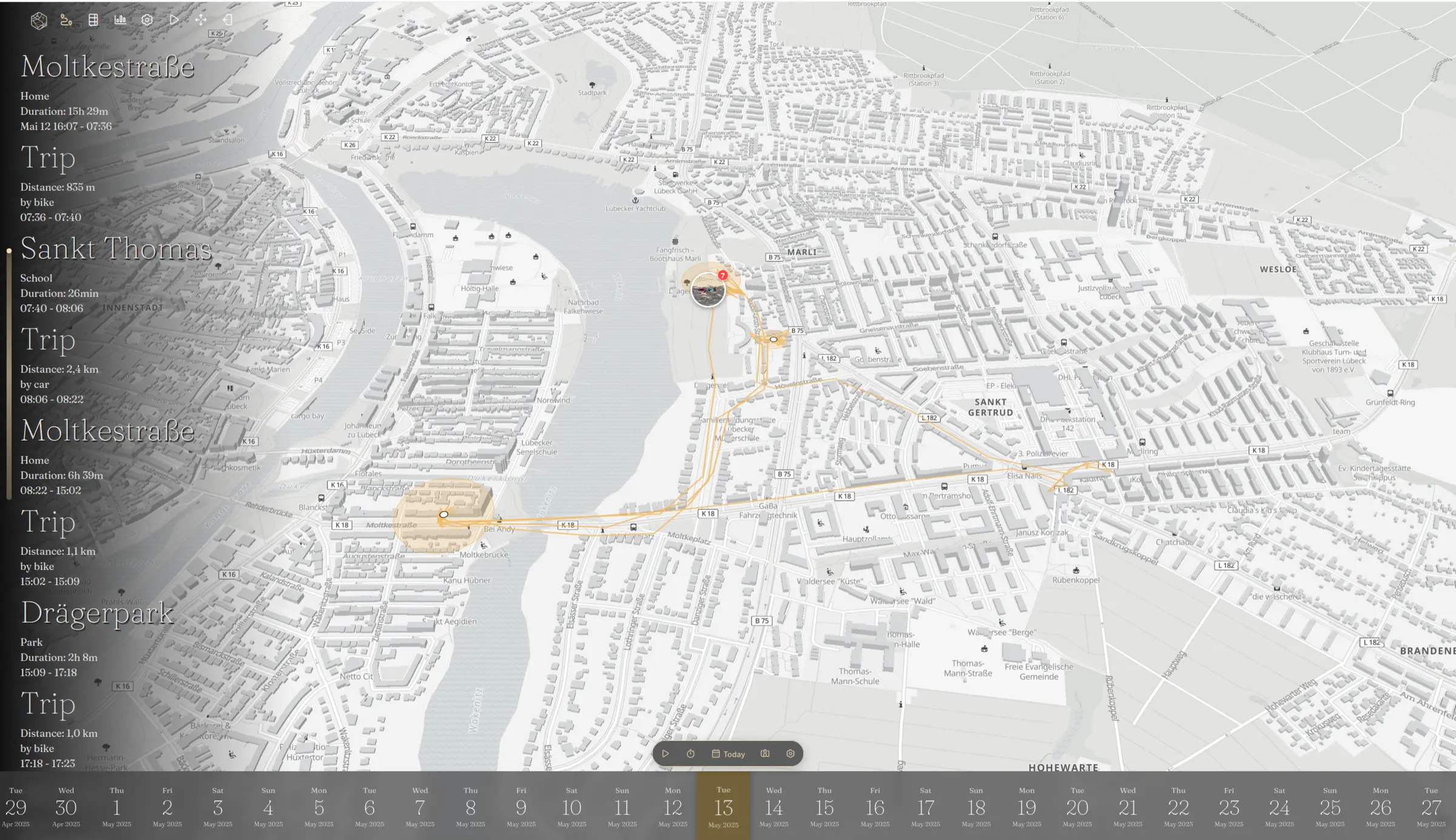
Reitti is a self-hosted location history app and an alternative to Google Maps Timeline: a tracking app on your phone sends your position to your own server, and Reitti turns it into a daily timeline of the places you visited and the trips between them. Its name is Finnish for "route".
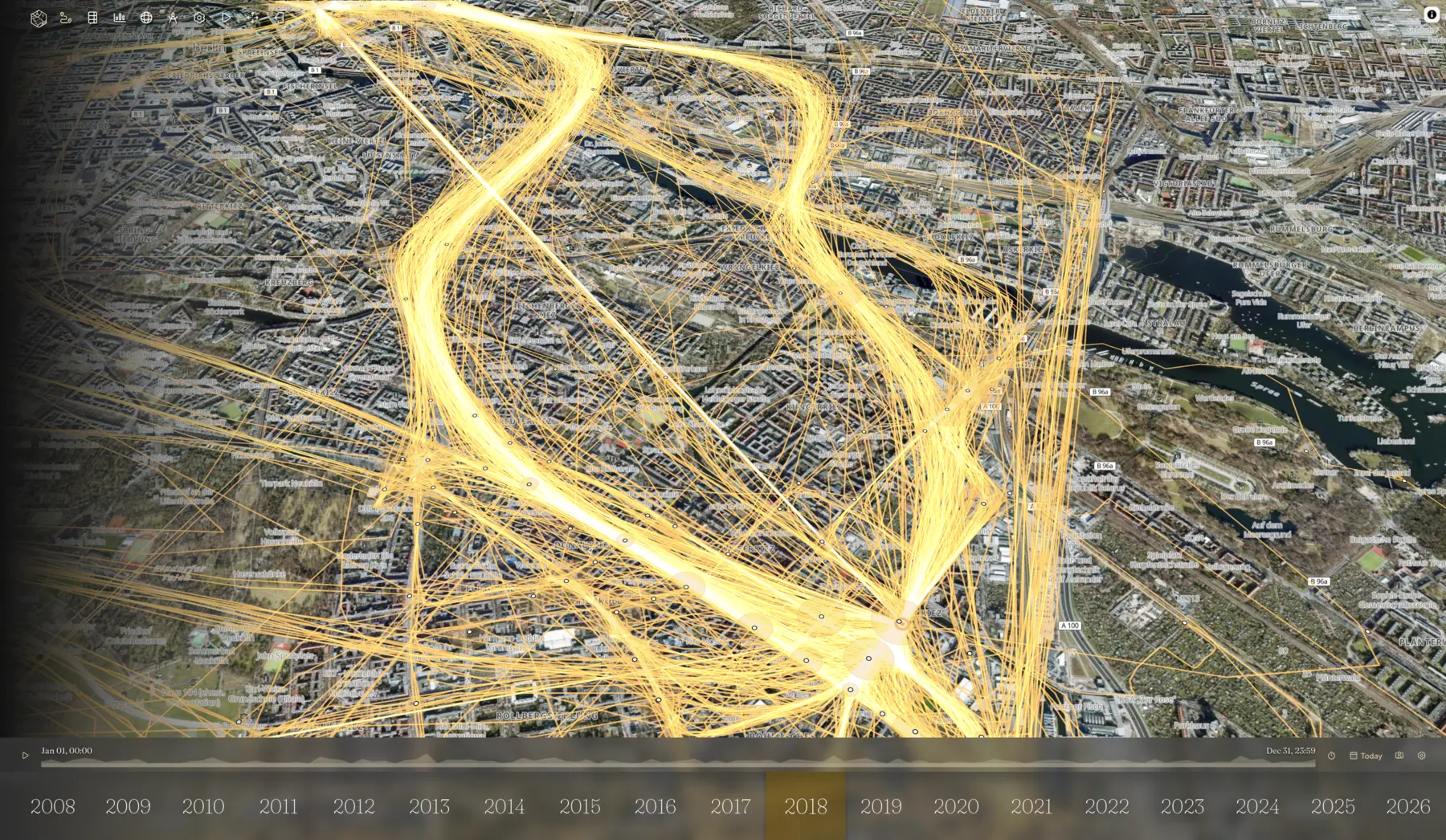
Each day appears on a map with how long you stayed at each place, how far you travelled and whether you walked, cycled or drove. Statistics pages sum up months and years, and you can import your old Google Timeline history so nothing is lost. A family could each run OwnTracks on their phones, share live locations with each other in Reitti, and send a temporary link to a friend who is waiting for them at the station.
Reitti works with the free OwnTracks, GPSLogger and Overland apps and with Home Assistant, and it can show photos from an Immich library on the timeline. Several people can share one Reitti, each with private data, and single sign-on is optional.
Cloudgate installs Reitti and its map database on your server with a secure web address. Open it straight away to set the admin password.
What you can do with Reitti
- See each day as a timeline Reitti turns your phone's location points into visits and trips, with how long you stayed and how far you went.
- Know how you travelled Trips are marked as walking, cycling or driving, and the places you visit often get names.
- Bring your Google Timeline Import your history from Google Takeout or the Timeline export on your phone, plus GPX, FIT and GeoJSON files.
- Share where you are Share your live location with family on the same Reitti, or send anyone a link you can switch off at any time.
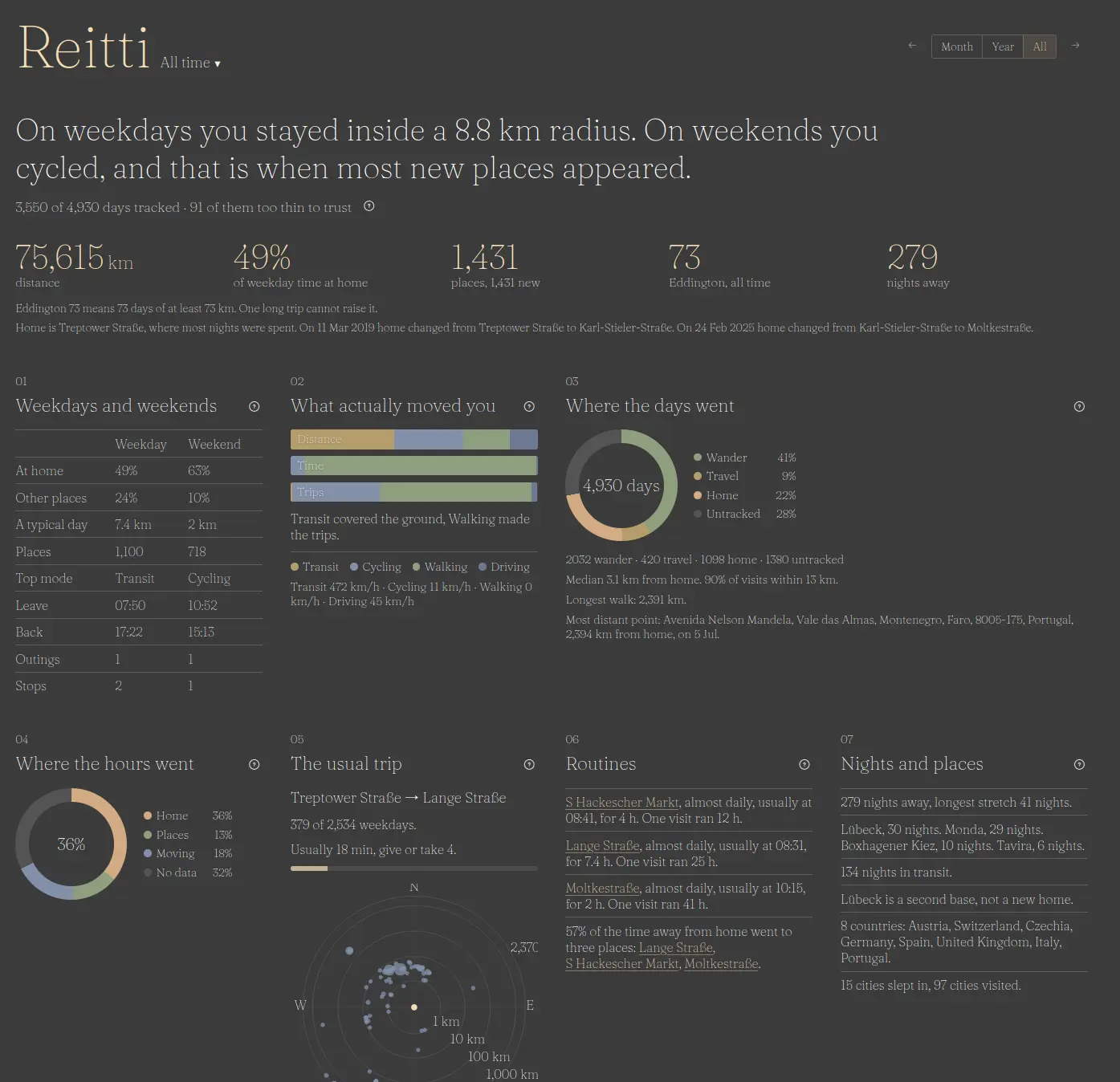
- Read your statistics Monthly, yearly and all-time reports show distance, time at home, how you travelled, your routines and nights away.
- See your photos on the map Connect an Immich photo library and your pictures appear on the timeline where you took them.
- Fix wrong points Drag stray GPS points back into place or delete them, and combine data from several phones or trackers.
Replaces Google Maps Timeline
Reitti does the same job as Google Maps Timeline. Here is what changes when you switch.
- Your whole location history stays on your server, not your phone or Google's
- Several people can use one Reitti, each with private data
- Statistics and live sharing are included at no cost
- Your Google Timeline history comes with you
- Reitti has no phone app of its own; you install a free tracking app such as OwnTracks or GPSLogger
- Place names are looked up through an online address service unless you run your own
- Importing many years of history takes a while to process
What happens when you click Deploy?
You do not need a server or any technical knowledge. Four steps, and Reitti is running at its own web address.
- Step 1 Click Deploy and create your account
Deploy takes you to Cloudgate. Create an account, or log in if you have one. Reitti itself is free.
- Step 2 Choose a server
No server? Get one from Cloudgate: pick a size and a country, and Cloudgate gets it ready. Already have one? Connect it instead.
- Step 3 Cloudgate sets up Reitti
It prepares the server, makes the passwords the app needs and starts it. There is nothing to install and nothing to write down.
- Step 4 Open your app and sign in
Your app gets a free web address to start, without https. Add your own domain, like app.yourshop.com, and Cloudgate secures it with https for you.
New to Cloudgate? See what Cloudgate is
Run Cloudgate yourself? Deploy from your own console
In your Cloudgate console, open Templates and choose Reitti.
Questions
Is Reitti free?
Yes. Reitti is free and open source under the AGPL-3.0 licence, with no paid plan. You pay only for your server.
Is Reitti a good alternative to Google Maps Timeline?
Yes. Reitti shows your visits and trips on a daily timeline and map, like Google Timeline did on the web, and it imports your Google history. The difference is that a separate tracking app on your phone sends your location to your own server.
Can I import my Google Timeline data into Reitti?
Yes. Reitti imports the Records.json file from Google Takeout and the newer timeline.json file you export from Google Maps on Android or iPhone, as well as GPX, FIT and GeoJSON files.
Which phone app do I use with Reitti?
Reitti works with OwnTracks on iPhone and Android, GPSLogger on Android and Overland on iPhone. A default access token is created for you, so you paste your Reitti address and token into the app.
How do I sign in to Reitti the first time?
The first person to open Reitti's web address chooses the admin password, so open it right after setup. The admin can then add accounts for family members.
Is my location data private with Reitti?
Yes. Reitti stores your location history on your own server and is shared only with the people and links you choose. Turning coordinates into place names uses an online address service by default, which you can replace with your own.
What server size do I need for Reitti?
A medium server, so Cloudgate asks for that size. Reitti and its map database need memory, especially while importing several years of history.
Do I need technical skills to run Reitti?
No. Click Deploy, create your Cloudgate account and choose a server, and Cloudgate sets up Reitti and gives it a web address. You use it in your browser like any other online tool.
Do I need my own server for Reitti?
No. When you deploy Reitti, hosted Cloudgate can provide a server. If you already rent one, you can connect it instead.
Related apps

Your own location history and timeline, on a private map.

The self-hosted server for the OwnTracks app, with a live map.

A self-hosted travel tracker, trip planner and world map in one.

A self-hosted flight tracker for every flight you take, on one map.