
Dawarich
Your own location history and timeline, on a private map.
No server needed to start: Cloudgate can provide one. What happens when you click Deploy




What is Dawarich?
Dawarich is self-hosted location history: your routes, visits and trips on a private map and timeline, replacing Google Maps Timeline.
Dawarich is a free, self-hosted location history app that replaces Google Maps Timeline: it records where you go, shows it on a private map and a day-by-day timeline, and keeps it on your own server. A tracking app on your phone sends it your location, and you look back at any day, trip or year in a browser.
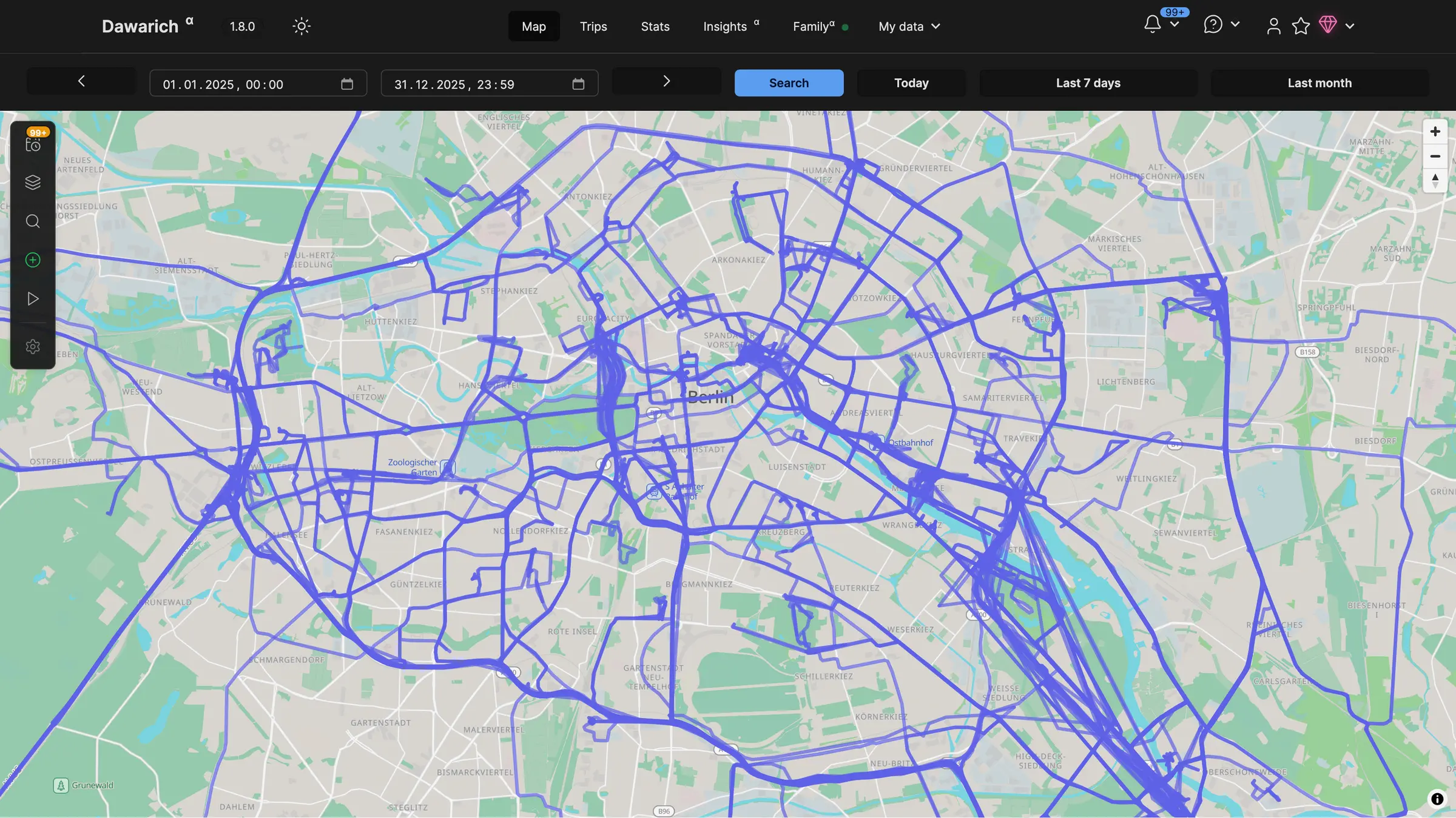
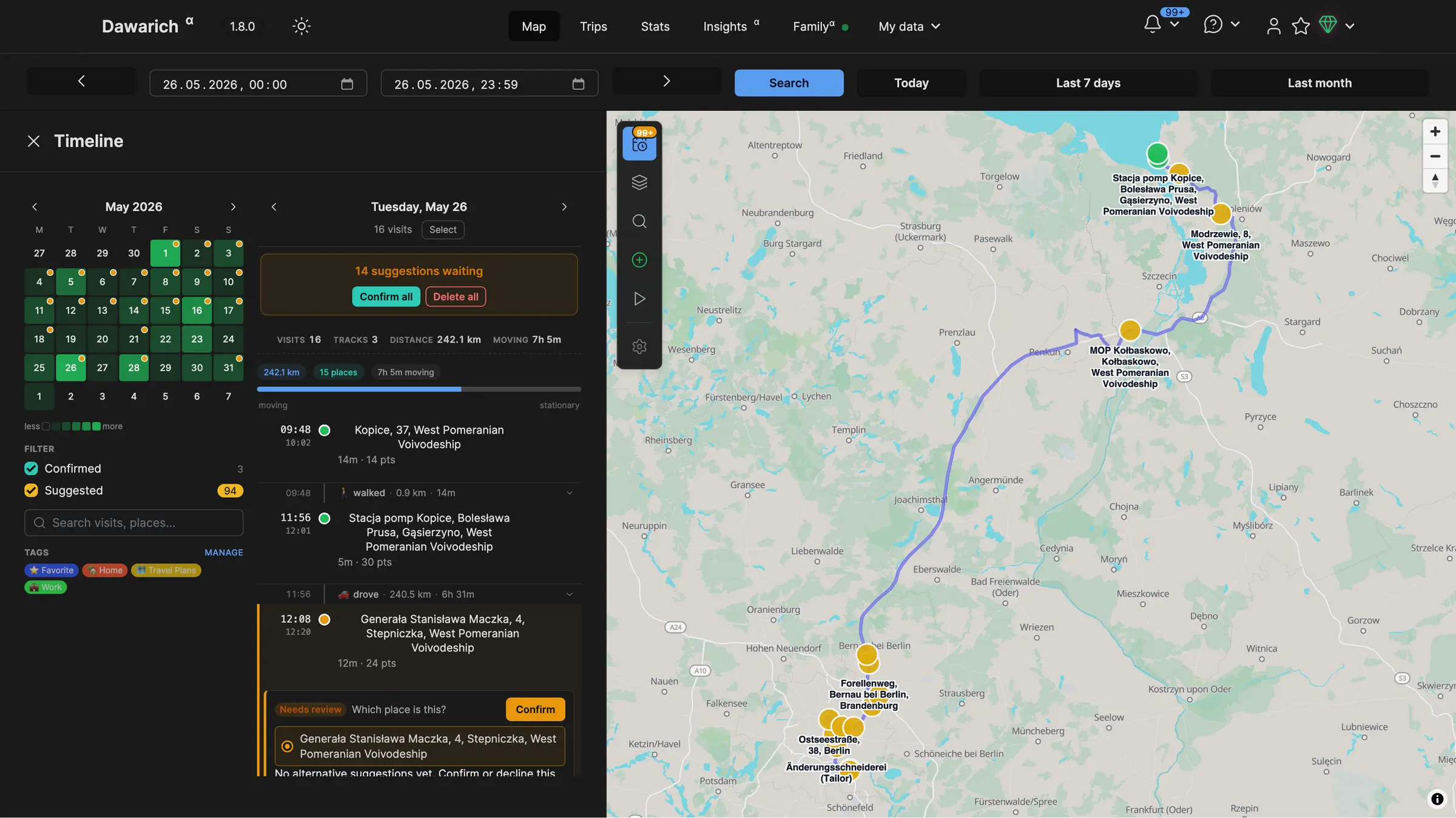
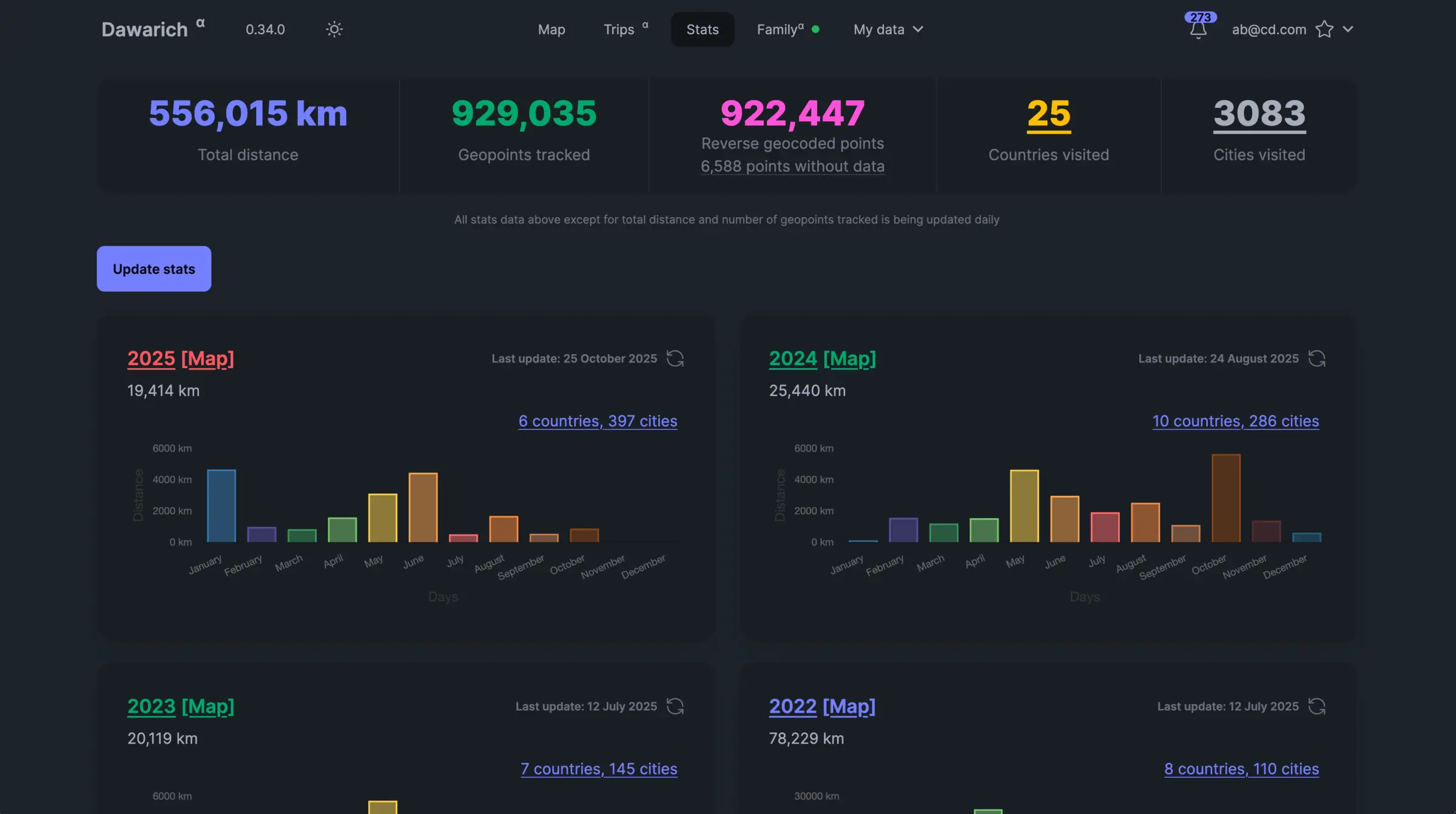
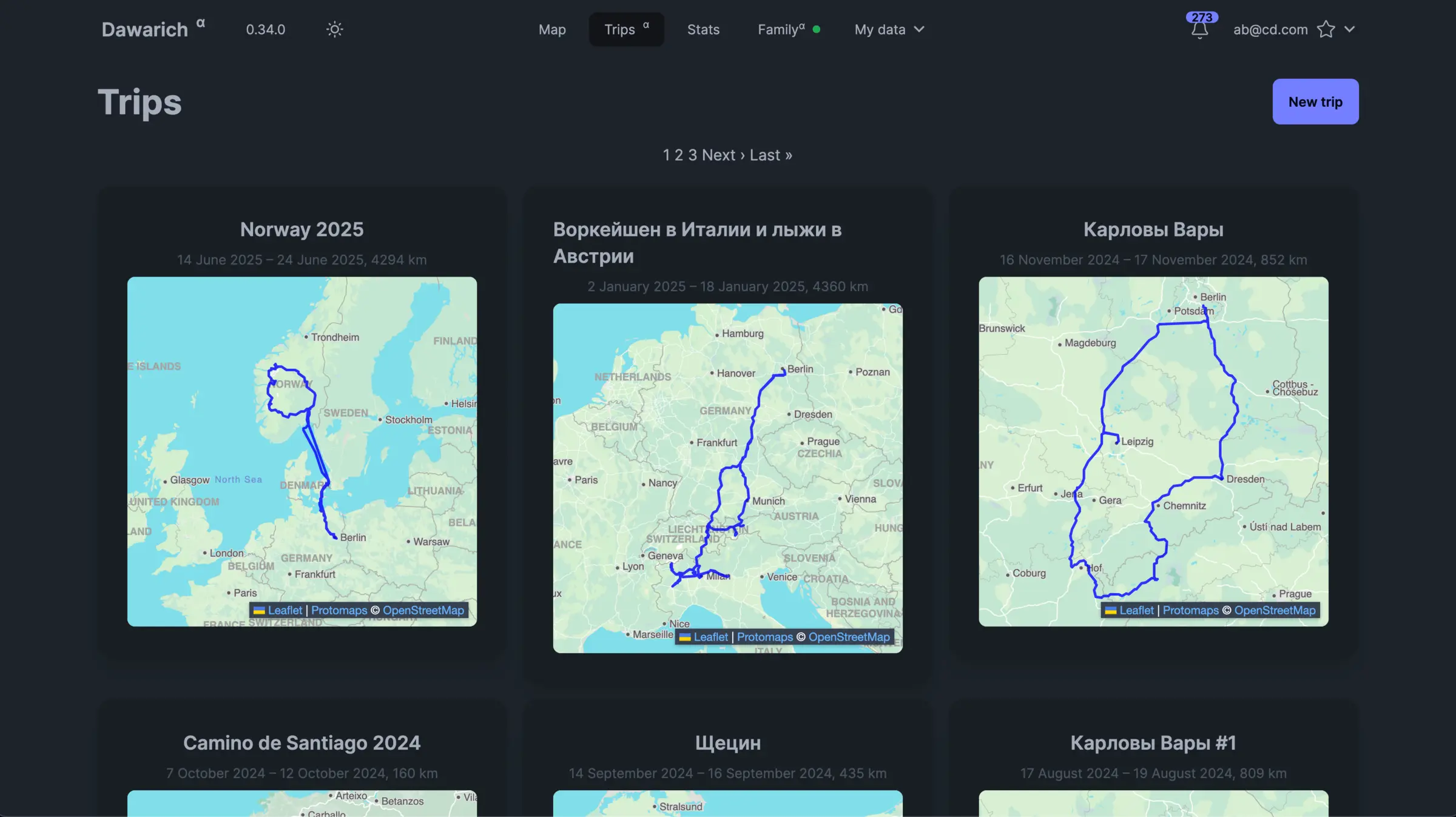
It turns the raw points into something useful. You see your routes as lines or a heatmap, confirm the places you visited, collect journeys into trips with notes, and read yearly stats on distance, countries, cities and days spent in each country. A consultant who travels for work, for example, could check which clients they visited last spring, or count their days abroad for a tax return.
If you are leaving Google, Dawarich imports your Google Takeout history and the newer export from the Google Maps phone app, as well as GPX, GeoJSON, OwnTracks and Strava files. It has apps for iPhone and Android and works with OwnTracks, Overland and Home Assistant. Family members can share their location with each other.
Cloudgate installs Dawarich on a server Cloudgate provides or one you connect, together with its database, and gives it a secure web address. Sign in with the default account, change its email and password straight away, then connect your phone.
What you can do with Dawarich
- See everywhere you have been Your routes and visits on an interactive map, as lines, points or a heatmap.
- Look back day by day A timeline lists each day's visits and journeys, with distances and times.
- Bring your Google Timeline with you Import your Google Takeout history, plus GPX, GeoJSON, OwnTracks and Strava files.
- Keep a record of trips Pick the dates of a trip to see its route, distance and notes, with your photos if you use Immich or PhotoPrism.
- Count countries, cities and days Yearly and monthly stats show the distance you travelled, the places you visited and the days you spent in each country.
- Share your location with family Family members can see each other on the map, and each person can turn sharing on or off.
- Take your data out any time Export your history as GeoJSON or GPX files.
Replaces Google Maps Timeline
Dawarich does the same job as Google Maps Timeline. Here is what changes when you switch.
- Your whole history in a web browser again, with no time limit on how long it is kept
- Your location data stays on your own server, not with an ad company
- Trips, yearly stats and a days-in-country count that Google Timeline never had
- Every feature is included when you host it yourself
- Nothing records on its own; each phone needs a tracking app pointed at your server
- Dawarich changes quickly, so keep your original export files as a backup
- A large Google history takes a while to import and needs a server with enough memory
- It is a history tracker, not a safety app with alerts or emergency features
What happens when you click Deploy?
You do not need a server or any technical knowledge. Four steps, and Dawarich is running at its own web address.
- Step 1 Click Deploy and create your account
Deploy takes you to Cloudgate. Create an account, or log in if you have one. Dawarich itself is free.
- Step 2 Choose a server
No server? Get one from Cloudgate: pick a size and a country, and Cloudgate gets it ready. Already have one? Connect it instead.
- Step 3 Cloudgate sets up Dawarich
It prepares the server, makes the passwords the app needs and starts it. There is nothing to install and nothing to write down.
- Step 4 Open your app and sign in
Your app gets a free web address to start, without https. Add your own domain, like app.yourshop.com, and Cloudgate secures it with https for you.
New to Cloudgate? See what Cloudgate is
Run Cloudgate yourself? Deploy from your own console
In your Cloudgate console, open Templates and choose Dawarich.
Questions
Is Dawarich free?
Yes, Dawarich is free and open source under the AGPL-3.0 licence, and the self-hosted version includes every feature. You pay only for your server. Its makers also sell a hosted Dawarich Cloud and an optional in-app purchase in the iPhone app, which you do not need.
Is Dawarich a good alternative to Google Maps Timeline?
Yes, Dawarich was built to replace Google Maps Timeline. It shows your location history on a map and a day-by-day timeline in any web browser, which Google Timeline no longer does, and it keeps your history on your own server for as long as you like.
Can I import my Google Timeline history into Dawarich?
Yes, Dawarich imports Google location history from a Google Takeout download (Records.json and the monthly Semantic history files) and from the newer export made in the Google Maps phone app. Keep the original files after importing.
Which phone apps send my location to Dawarich?
Dawarich has its own apps for iPhone and Android, and it also works with OwnTracks, Overland, GPSLogger, PhoneTrack and Home Assistant. You connect the Dawarich app by scanning a QR code from your account's API access page.
How do I sign in to Dawarich the first time?
Dawarich starts with one account, email demo@dawarich.app and password safepassword. Sign in, then change that email and password in your account settings straight away, before you connect any phone.
Can my family share their location in Dawarich?
Yes, Dawarich has family location sharing. Family members can see each other on the map with their consent, and each person can turn sharing on or off at any time.
What server size do I need for Dawarich?
Dawarich recommends 2 GB of memory or more, so Cloudgate asks for a medium server. Importing many years of Google history uses more memory for a while, so give it room if your history is large.
Do I need technical skills to run Dawarich?
No. Click Deploy, create your Cloudgate account and choose a server, and Cloudgate sets up Dawarich and gives it a web address. You use it in your browser like any other online tool.
Do I need my own server for Dawarich?
No. When you deploy Dawarich, hosted Cloudgate can provide a server. If you already rent one, you can connect it instead.
Related apps
Turn your phone's location into a private diary of visits and trips.

The self-hosted server for the OwnTracks app, with a live map.

A self-hosted travel tracker, trip planner and world map in one.

A self-hosted flight tracker for every flight you take, on one map.