
Raneto
A simple, searchable help centre built from Markdown pages.
No server needed to start: Cloudgate can provide one. What happens when you click Deploy
What is Raneto?
Self-hosted Raneto turns simple Markdown pages into a searchable help centre, FAQ or staff handbook, edited in your browser, with no database.
Raneto is a free, self-hosted knowledge base and a simple alternative to Helpjuice and GitBook: it turns Markdown pages into a help centre that customers or staff can browse by category and search. Each page is a plain text file and each folder a category, so there is no database to look after.
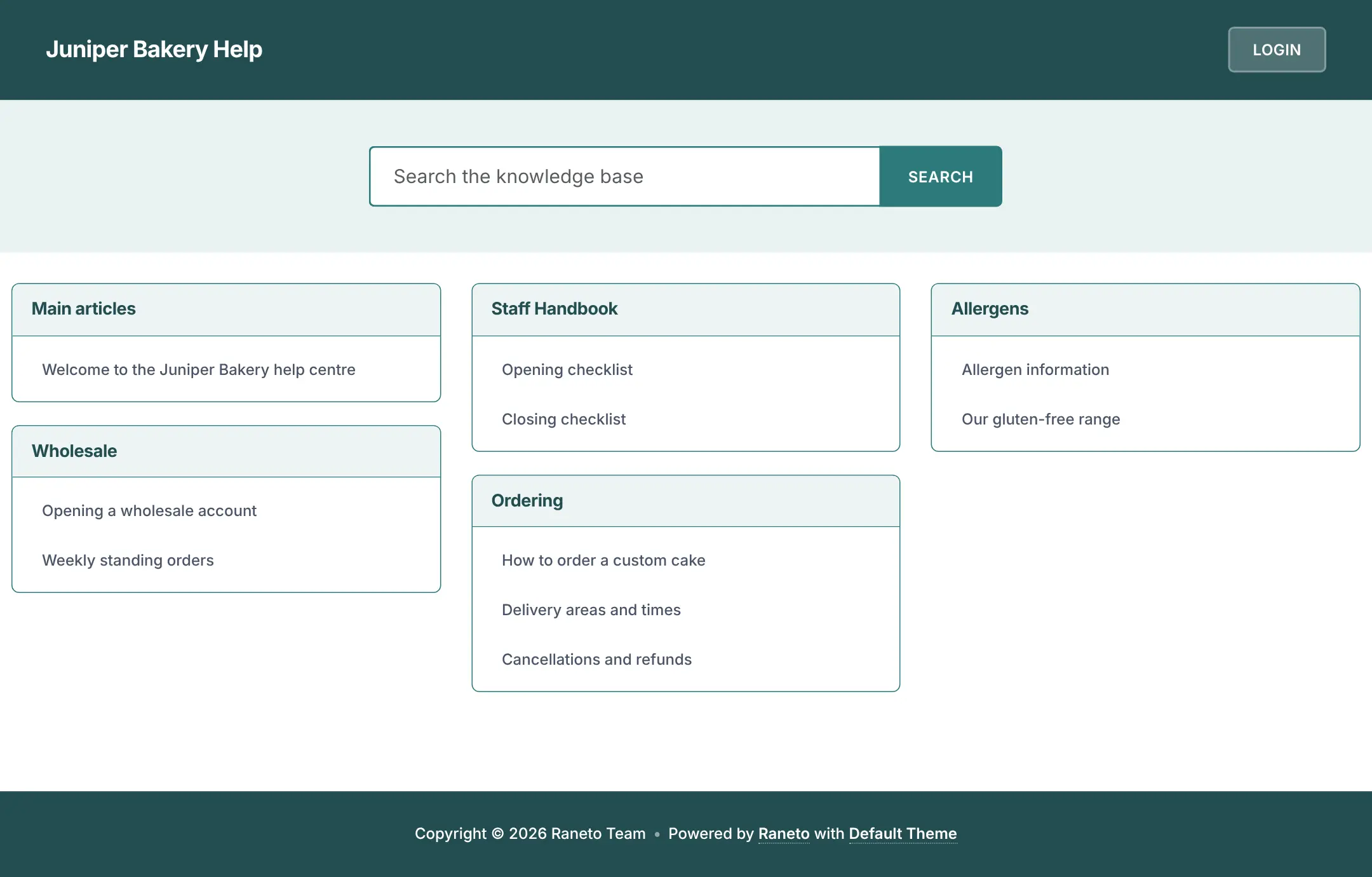
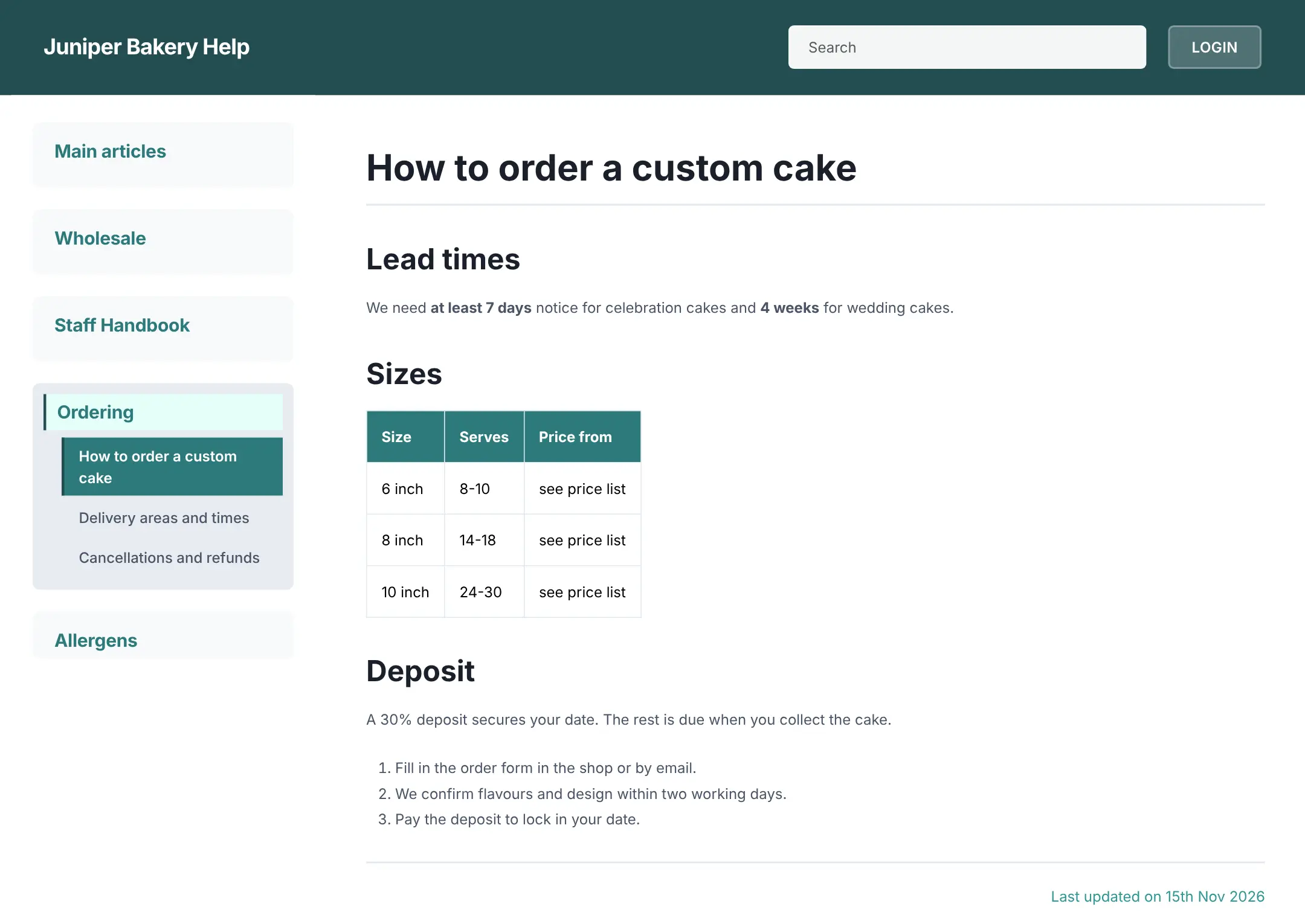
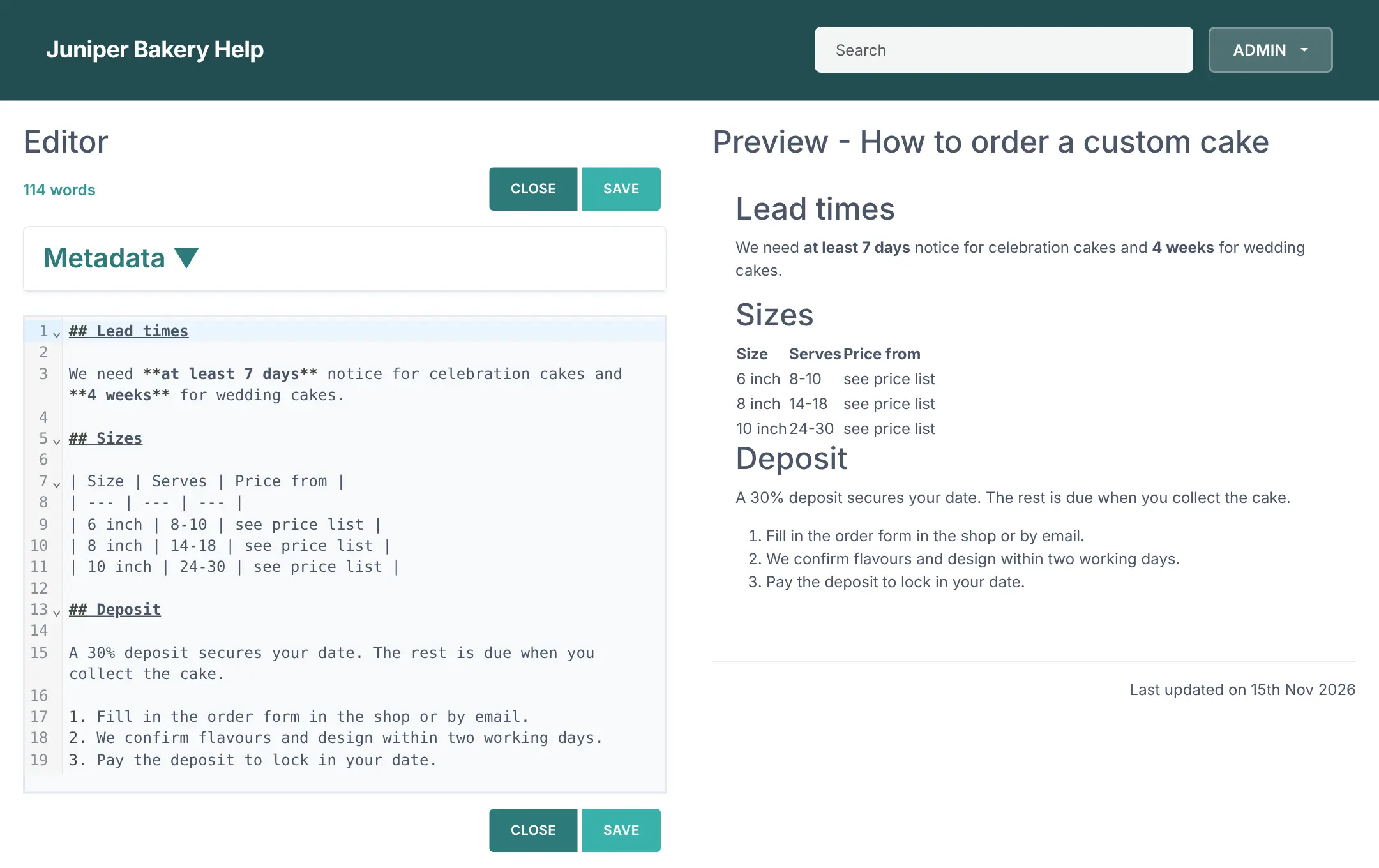
Readers see a clean home page with a search box and your categories; editors sign in and write pages in a browser editor with a live preview. A bakery, for example, could publish its cake ordering rules, delivery areas and allergen information for customers, and keep opening and closing checklists for staff in the same place.
Raneto works in any browser, including on phones. Pages support tables, numbered steps and code, and its interface comes in several languages. It is deliberately small: there are no roles, page history, comments or reader analytics, and settings such as the site's name or extra editors live in a settings file.
Cloudgate installs Raneto on a server Cloudgate provides or one you connect, and gives it a secure web address. Sign in as admin with the password Cloudgate creates and replace the sample pages with your own. Your articles stay on your server.
What you can do with Raneto
- Write pages in the browser A Markdown editor shows a live preview next to your text, with a word count.
- Sort pages into categories Group articles under headings such as Ordering or Staff handbook, shown as cards on the home page.
- Let readers search everything Full-text search looks through page titles and contents and highlights the match.
- Use tables, lists and code Pages support headings, tables, numbered steps and highlighted code blocks.
- Keep editing to your team Anyone can read the site, but only people who sign in can add, change or delete pages.
- Keep it light Every page is a plain text file, with no database to look after or back up separately.
Replaces Helpjuice and GitBook
Raneto does the same job as Helpjuice and GitBook. Here is what changes when you switch.
- No monthly fee per editor or per help site
- Your articles are plain Markdown files you can take anywhere
- A clean, fast help site that works on phones
- Nothing to learn beyond writing a page and saving it
- No AI search, reader analytics or feedback buttons
- One simple login list, with no roles or per-page permissions
- No page history to roll back to, and no comments
- The site name, extra editors and private reading are set in a settings file, not in the app
What happens when you click Deploy?
You do not need a server or any technical knowledge. Four steps, and Raneto is running at its own web address.
- Step 1 Click Deploy and create your account
Deploy takes you to Cloudgate. Create an account, or log in if you have one. Raneto itself is free.
- Step 2 Choose a server
No server? Get one from Cloudgate: pick a size and a country, and Cloudgate gets it ready. Already have one? Connect it instead.
- Step 3 Cloudgate sets up Raneto
It prepares the server, makes the passwords the app needs and starts it. There is nothing to install and nothing to write down.
- Step 4 Open your app and sign in
Your app gets a free web address to start, without https. Add your own domain, like app.yourshop.com, and Cloudgate secures it with https for you.
New to Cloudgate? See what Cloudgate is
Run Cloudgate yourself? Deploy from your own console
In your Cloudgate console, open Templates and choose Raneto.
Questions
Is Raneto free?
Yes, Raneto is free and open source under the MIT licence, with no paid edition. You pay only for the server it runs on, with no fee per editor or reader.
Is Raneto a good alternative to Helpjuice?
Yes, for a simple help centre or FAQ that your team writes and customers search. Raneto has categories, full-text search and a browser editor, but no AI search, reader analytics or approval workflows like Helpjuice.
How do I sign in to Raneto the first time?
In Raneto, click Login and sign in with the username admin and the password Cloudgate created, shown on the app's variables page. Raneto's well-known default passwords are switched off, so only that login works.
Who can read my Raneto site?
Anyone with the address can read it, because Raneto is made for public help sites; only editing needs a sign-in. You can make reading private too, which takes one change in Raneto's settings file.
Can several people edit Raneto pages?
Yes, but each extra login is added to Raneto's settings file rather than invited from the app, and every login can edit every page. It suits a small team that trusts each other.
Does Raneto need a database or a big server?
No, Raneto keeps each page as a Markdown file and needs no database. It is one light app, so the smallest Cloudgate server is enough for a typical small business help site.
Do I need technical skills to run Raneto?
No. Click Deploy, create your Cloudgate account and choose a server, and Cloudgate sets up Raneto and gives it a web address. You use it in your browser like any other online tool.
Do I need my own server for Raneto?
No. When you deploy Raneto, hosted Cloudgate can provide a server. If you already rent one, you can connect it instead.
Can I move my data from Helpjuice to Raneto?
Most people export from Helpjuice and import into Raneto. The official guides at docs.raneto.com walk through it.
Related apps

A simple self-hosted wiki in Markdown, with every change kept.

A self-hosted Markdown wiki with live co-writing and Git sync.

A clean docs site with a block editor, free to self-host.

A self-hosted Markdown wiki your team and AI assistants can share.