
Beszel
Watch all your servers and Docker apps on one light dashboard.
No server needed to start: Cloudgate can provide one. What happens when you click Deploy
What is Beszel?
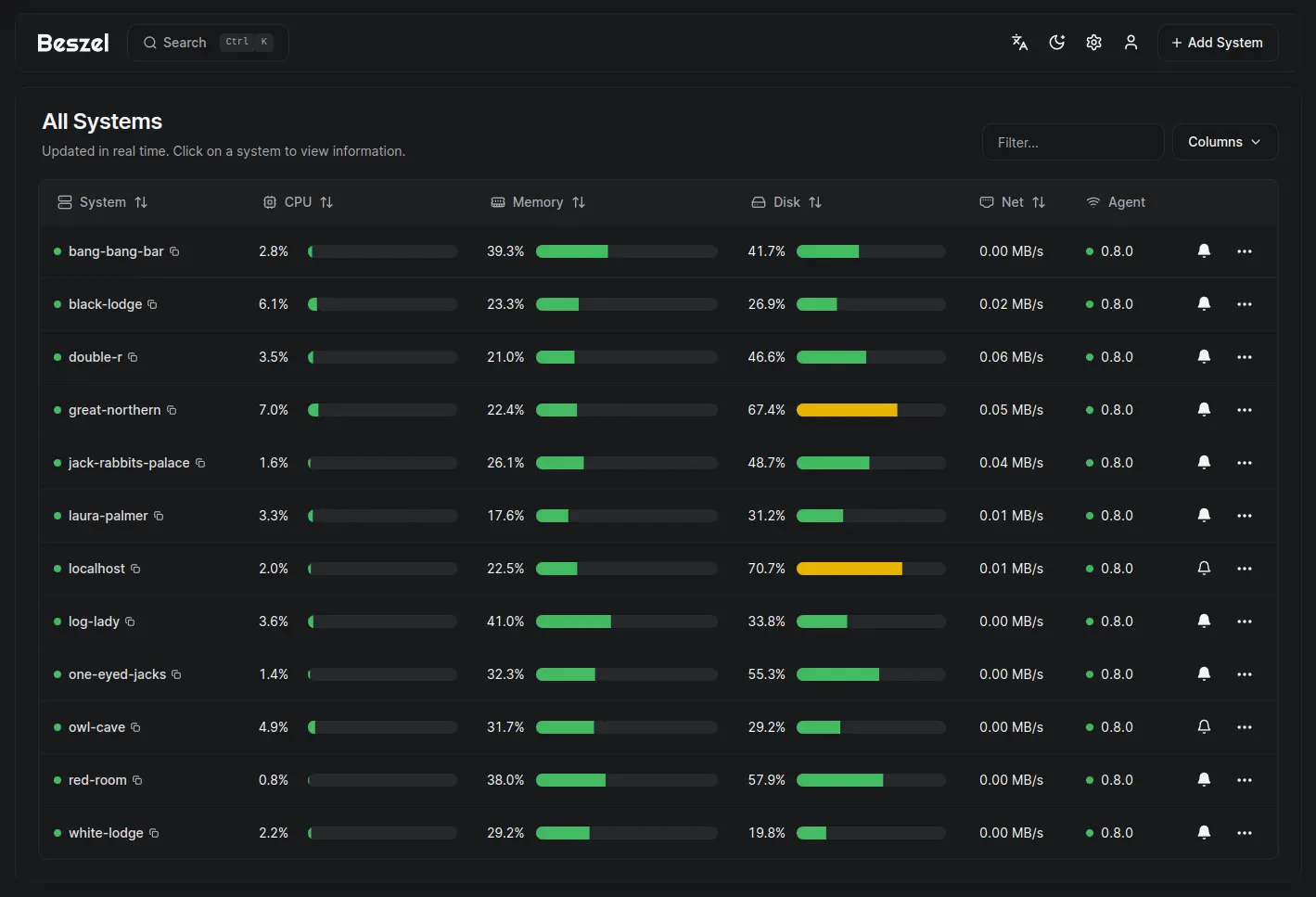
Beszel is self-hosted server monitoring: CPU, memory, disk and Docker container stats for all your servers, with history and alerts.
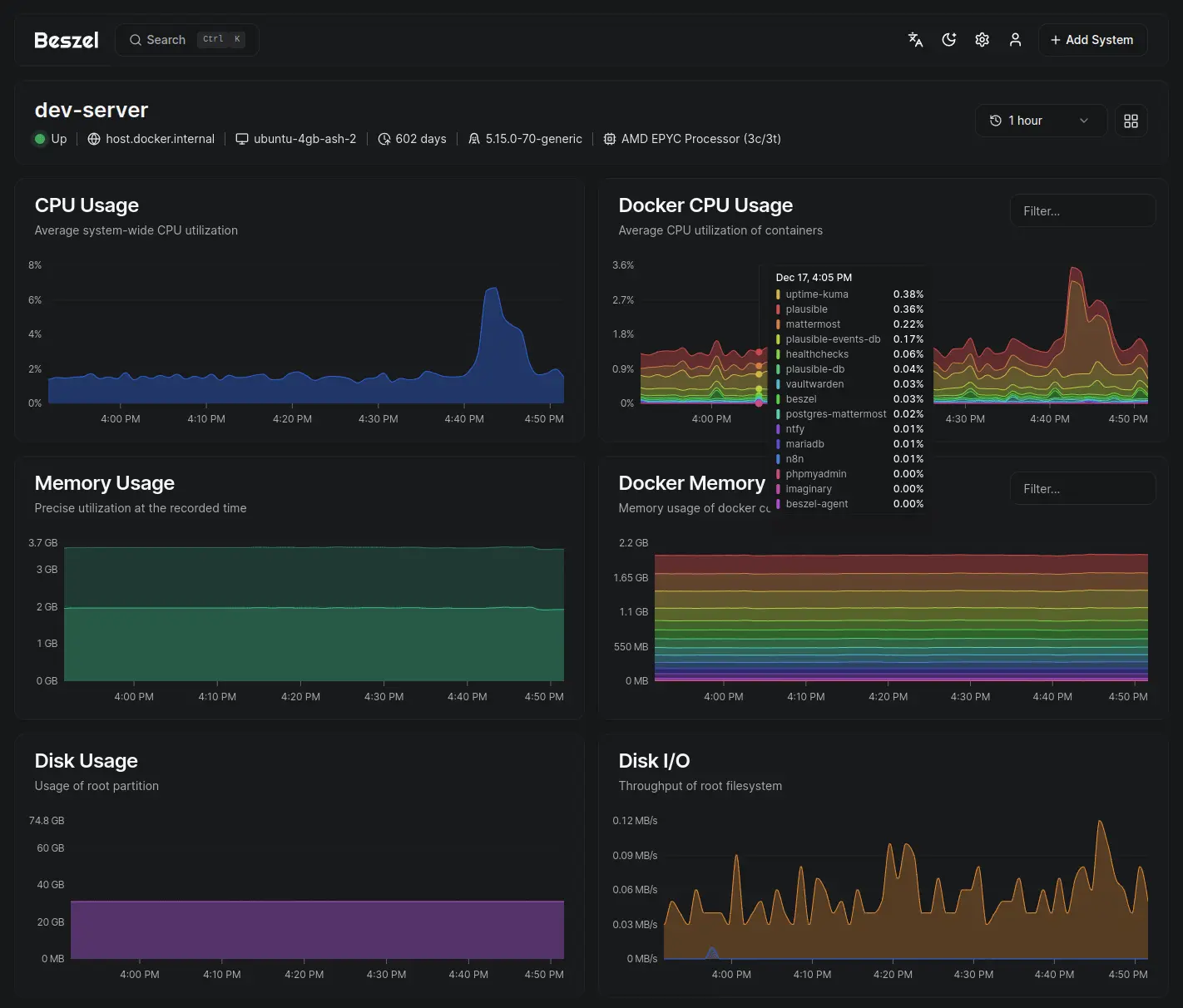
Beszel is a free, open-source server monitoring tool and a lightweight alternative to Datadog's infrastructure monitoring. It shows the CPU, memory, disk, network and temperature of all your servers on one dashboard, tracks every Docker app running on them, keeps the history as charts and alerts you when something goes wrong.
Each server you want to watch runs Beszel's small agent, which you add by copying one command from the Add System button. Beszel then shows that server live, with charts going back 30 days, and sends an alert to email, Slack, Microsoft Teams, Telegram or Discord when a server goes down, a disk fills up or a drive starts failing. An IT provider looking after a dozen client servers, for example, can see at a glance which one is running out of disk space and get a Telegram message before the client notices.
Beszel watches servers and containers, not websites or application code: pair it with Uptime Kuma for website checks. The agent runs on Linux, Windows, macOS and FreeBSD, and the dashboard works in a phone's browser.
Cloudgate installs Beszel on a server Cloudgate provides or one you connect and gives it a secure web address. The first person to open it creates the admin account. Your monitoring data stays on your server.
What you can do with Beszel
- See every server at a glance One live table shows CPU, memory, disk and network use and whether each server is up.
- Look back with history charts Charts of CPU, memory, disk, network, load and temperature for each server, from the last minute to the last 30 days.
- Watch each Docker app See how much CPU, memory and network every Docker or Podman container uses, and which ones are running.
- Get alerted before it hurts Set alerts for a server going down or for CPU, memory, disk, bandwidth, temperature or an expiring certificate crossing a limit.
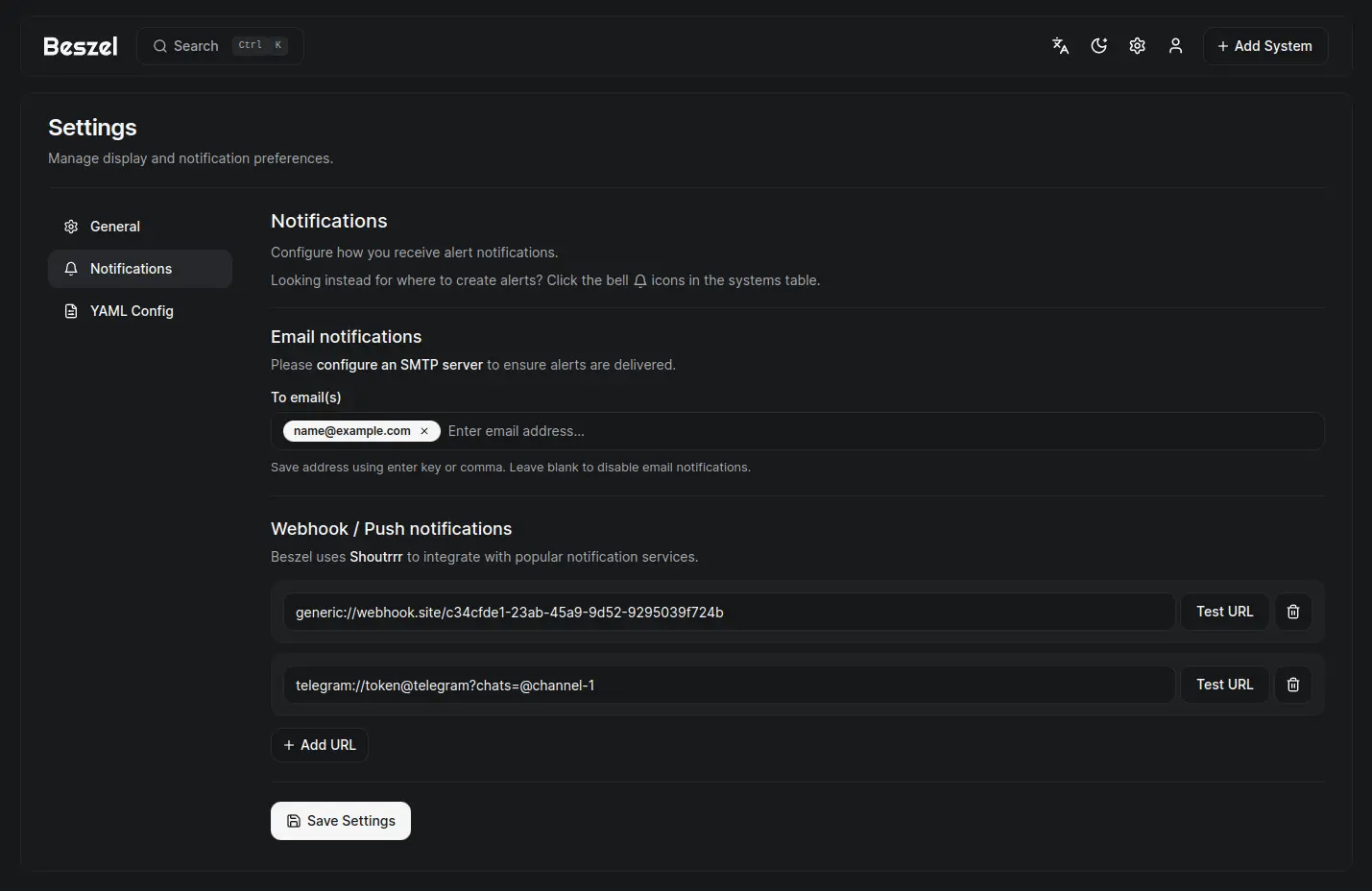
- Hear about it where you are Alerts arrive by email or in Slack, Microsoft Teams, Discord, Telegram, ntfy and many other chat and push services.
- Catch failing drives early Disk health checks warn you when a drive reports it is failing.
- Share with your team Each person gets their own account and servers, admins share servers between people, and sign-in can go through your existing login provider.
- Keep automatic backups Beszel backs up its own data on a schedule, to the server's disk or to S3-compatible storage.
Replaces Datadog
Beszel does the same job as Datadog. Here is what changes when you switch.
- No price per server, however many you add
- Your servers' data stays on your own server
- A light tool that takes little memory on each server
- Container stats included, with no add-on to buy
- Server and container stats only, with no application tracing or log search
- You install a small agent on each server yourself
- Fewer integrations and dashboards than Datadog
- Your Datadog history and dashboards do not move across
What happens when you click Deploy?
You do not need a server or any technical knowledge. Four steps, and Beszel is running at its own web address.
- Step 1 Click Deploy and create your account
Deploy takes you to Cloudgate. Create an account, or log in if you have one. Beszel itself is free.
- Step 2 Choose a server
No server? Get one from Cloudgate: pick a size and a country, and Cloudgate gets it ready. Already have one? Connect it instead.
- Step 3 Cloudgate sets up Beszel
It prepares the server, makes the passwords the app needs and starts it. There is nothing to install and nothing to write down.
- Step 4 Open your app and sign in
Your app gets a free web address to start, without https. Add your own domain, like app.yourshop.com, and Cloudgate secures it with https for you.
New to Cloudgate? See what Cloudgate is
Run Cloudgate yourself? Deploy from your own console
In your Cloudgate console, open Templates and choose Beszel.
Questions
Is Beszel free?
Yes, Beszel is free and open source under the MIT licence, with no paid edition. You pay only for the server it runs on, with no limit on how many servers you watch.
Is Beszel a good alternative to Datadog?
Yes, for watching servers and Docker containers. Beszel shows live and historical CPU, memory, disk, network and container use and sends alerts, with no price per host. It does not do application tracing or log search, so teams that rely on those Datadog features still need another tool.
Do I need to install anything on my servers?
Yes, each server you want to watch runs Beszel's small agent. In Beszel you click Add System and it shows the exact command to copy, for Linux, Windows, macOS, FreeBSD or Docker. The agent connects to your Beszel's web address, so servers can be anywhere.
Can Beszel monitor Docker containers?
Yes, Beszel shows the CPU, memory and network use of every Docker or Podman container on a server, with history charts and whether each container is running.
How do I sign in to Beszel the first time?
The first person to open your Beszel web address creates the admin account with an email address and a password. There is no default password, so do this straight after setup.
How do Beszel alerts reach me?
Beszel sends alerts by email or to chat and push services such as Slack, Microsoft Teams, Discord, Telegram, ntfy and Pushover. Email alerts need an email sending service set up in Beszel's settings; chat and push alerts work without one.
Does Beszel check whether my website is up?
No, Beszel is not a website checker. It watches the servers themselves and can test response times from your own servers, but for website uptime checks and a public status page, Uptime Kuma is the better fit.
Do I need technical skills to run Beszel?
No. Click Deploy, create your Cloudgate account and choose a server, and Cloudgate sets up Beszel and gives it a web address. You use it in your browser like any other online tool.
Do I need my own server for Beszel?
No. When you deploy Beszel, hosted Cloudgate can provide a server. If you already rent one, you can connect it instead.
Can I move my data from Datadog to Beszel?
Most people export from Datadog and import into Beszel. The official guides at beszel.dev walk through it.
Related apps

A live, self-hosted dashboard of your server's CPU, memory and disks.

Monitor every server, switch and printer, and get alerts on problems.

Uptime monitoring for your websites and servers, with status pages.

Uptime, server and SSL monitoring with status pages.