
Instatic
A visual website builder and CMS that publishes plain HTML.
No server needed to start: Cloudgate can provide one. What happens when you click Deploy
What is Instatic?
Self-hosted Instatic: design websites on a visual canvas, manage posts, collections and forms, and publish plain HTML. An MIT Webflow alternative.
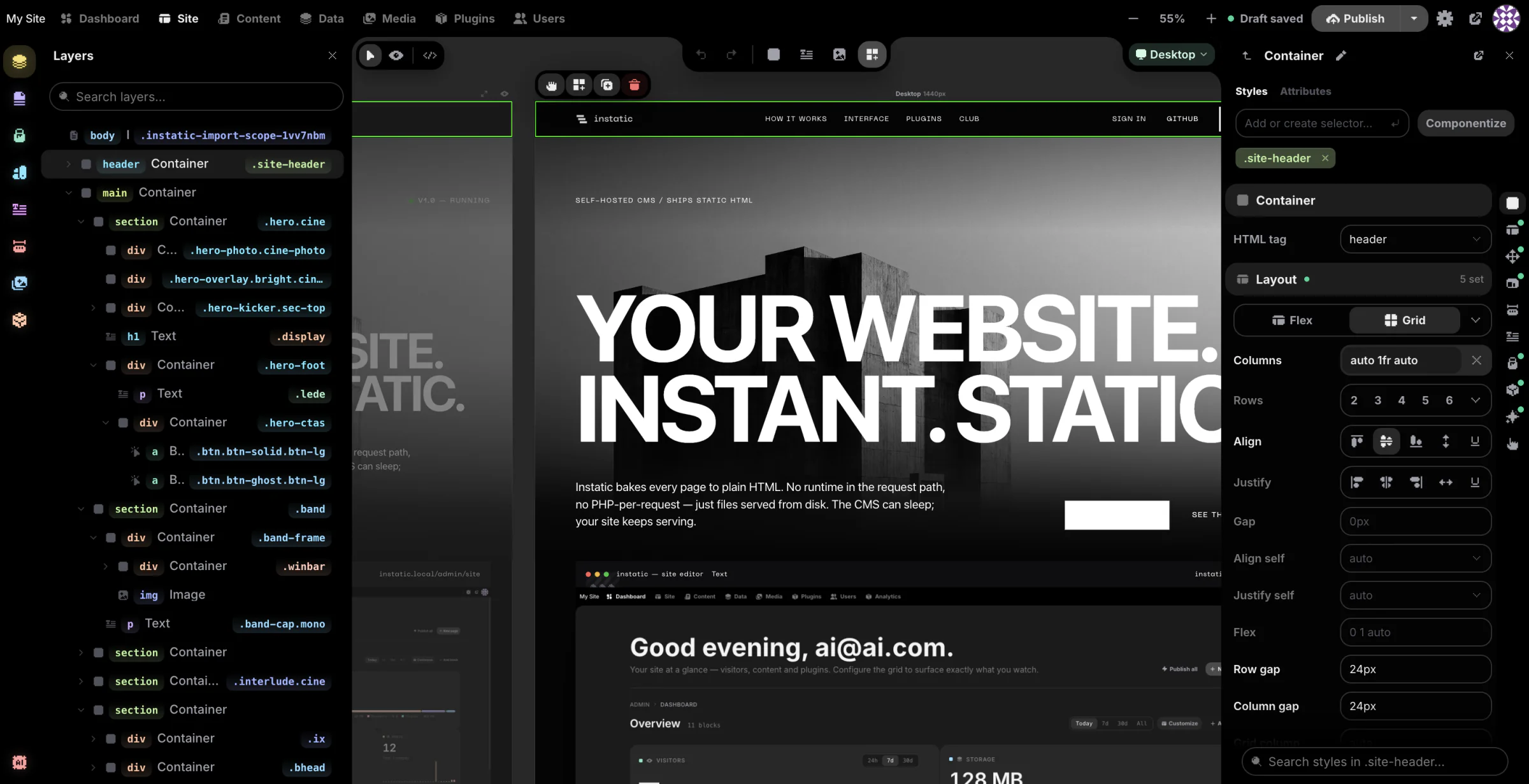
Instatic is a free, open-source website builder and CMS you can self-host as an alternative to Webflow, Wix or Squarespace: you design pages on a visual canvas, manage posts and collections, and publish the site as plain HTML and CSS files. There is no monthly plan or fee per site, and the finished pages are standard files you can read, copy and host anywhere.
It suits designers, freelancers and small businesses who want precise control over layout, colours and type, a content system for posts and listings, and forms whose replies land in their own tables. A café could, for example, design its home page once, keep its menu in a simple table that fills a menu page, post news on its blog, and collect table booking requests through its own form.
Instatic is made by the team behind Core Framework and Motion.page. It is very new, at version 0.0.x, so features and workflows can still change between updates. The optional AI assistant works with Claude, OpenAI, OpenRouter or a model you run yourself with Ollama.
Cloudgate installs Instatic on a server Cloudgate provides or one you connect, and gives your editor and published site a secure web address.
What you can do with Instatic
- Design on a real canvas Edit desktop, tablet and phone layouts side by side, or switch to live mode and edit the full-size page in place.
- Keep one design system Set your brand colour, type sizes and spacing once; Instatic builds the shades and scales, and changing one setting updates every page.
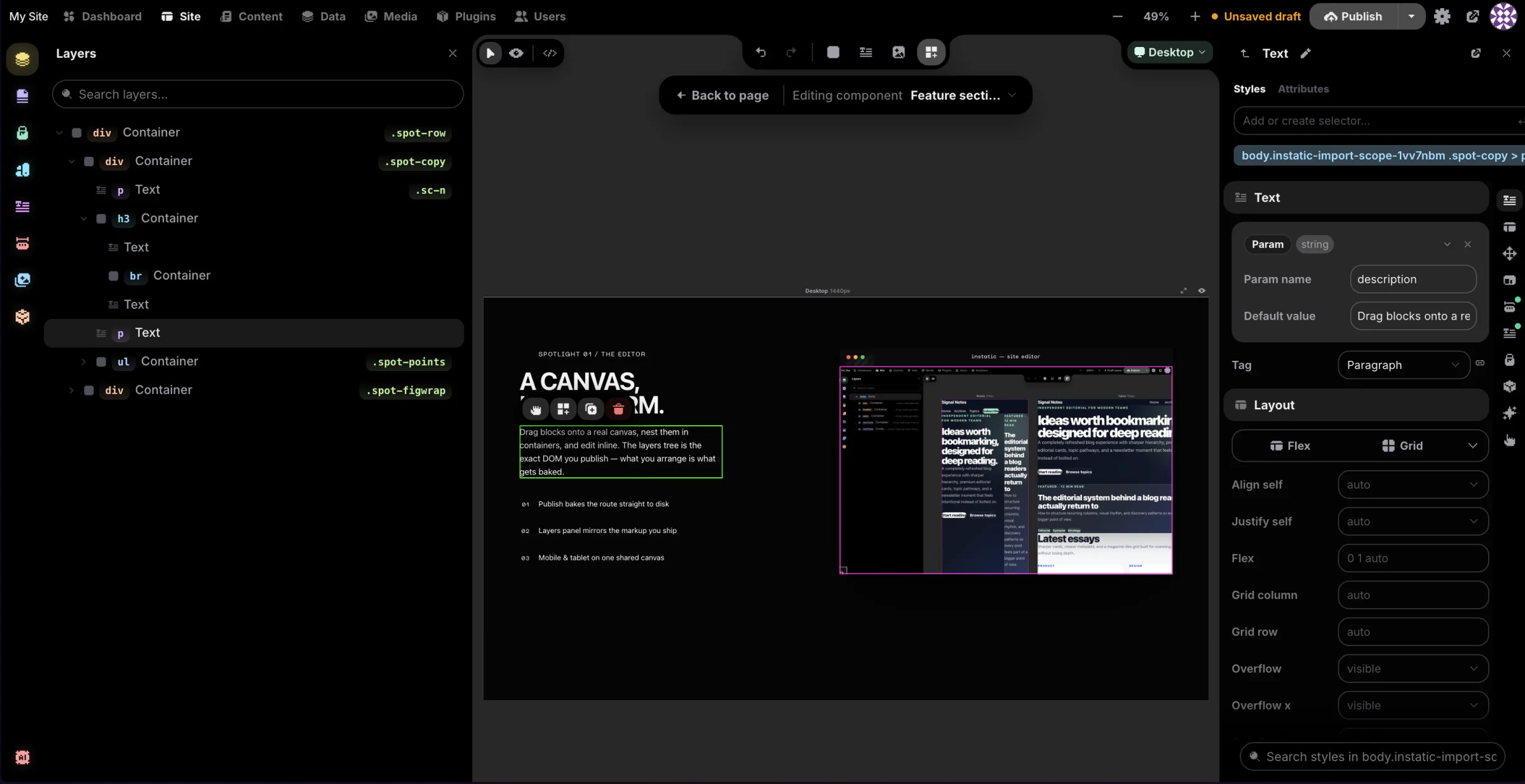
- Reuse sections everywhere Turn a header, card or section into a component with its own settings, so one edit changes every copy on the site.
- Run your content and data Create blog posts, custom collections and tables in a spreadsheet-style view, with drafts, scheduled posts and version history.
- Collect form replies yourself Contact and sign-up forms save their replies in your own tables, with built-in spam checks and no outside form service.
- Bring in an existing site Paste HTML or drop in a static site's files, and Instatic turns them into editable pages, styles, colours and images.
- Build pages with an AI assistant Describe a section and the assistant adds it as normal, editable page elements, using the AI provider and key you choose.
- Work as a team safely Give people roles, turn on two-step sign-in, preview changes on a private copy of the site, and see every admin action in a log.
Replaces Webflow, Wix and Squarespace
Instatic does the same job as Webflow, Wix and Squarespace. Here is what changes when you switch.
- No monthly plan or fee per site; you pay only for your server
- The published site is plain HTML and CSS files you can read, copy and host anywhere
- A CMS, form replies and team roles included, with nothing to upgrade to
- Your pages, content and visitors' form replies stay on your own server
- It is version 0.0.x and changes quickly, so expect things to move between updates
- No online shop checkout and no visitor analytics yet
- Far fewer ready-made templates and add-ons than Webflow, Wix or Squarespace
- It expects some web design know-how, such as layouts and styles, so it is harder than Wix for a beginner
What happens when you click Deploy?
You do not need a server or any technical knowledge. Four steps, and Instatic is running at its own web address.
- Step 1 Click Deploy and create your account
Deploy takes you to Cloudgate. Create an account, or log in if you have one. Instatic itself is free.
- Step 2 Choose a server
No server? Get one from Cloudgate: pick a size and a country, and Cloudgate gets it ready. Already have one? Connect it instead.
- Step 3 Cloudgate sets up Instatic
It prepares the server, makes the passwords the app needs and starts it. There is nothing to install and nothing to write down.
- Step 4 Open your app and sign in
Your app gets a free web address to start, without https. Add your own domain, like app.yourshop.com, and Cloudgate secures it with https for you.
New to Cloudgate? See what Cloudgate is
Run Cloudgate yourself? Deploy from your own console
In your Cloudgate console, open Templates and choose Instatic.
Questions
Is Instatic free?
Yes, Instatic is free and open source under the MIT licence, with no paid tier or locked features. You pay only for your server, plus your AI provider if you use the AI assistant with a paid service.
Is Instatic a good alternative to Webflow?
Yes, if you want Webflow-style visual design, a content system and forms on your own server with no plan fees. Instatic publishes plain HTML you can host anywhere, but it is much younger than Webflow, with no shop, no visitor analytics and far fewer templates.
Is Instatic ready for a business website?
Partly. Instatic is at version 0.0.x and its makers say features and workflows can still change before version 1.0, so it suits a simple site you are willing to keep up to date more than a site you never want to touch.
How do I sign in to Instatic the first time?
Open your Instatic web address and a setup screen asks you to name your site and create the owner account. There is no default password; that first account is the admin.
Can I move my Webflow site to Instatic?
Partly. Instatic can import a static site's HTML, CSS, images and fonts, such as Webflow's code export, and turns them into editable pages and styles. Wix and Squarespace have no such export, so those pages are rebuilt by hand.
Does the AI assistant cost extra?
Only if your AI provider charges. Instatic uses your own key for Claude, OpenAI or OpenRouter, or a free model you run yourself with Ollama, and the rest of Instatic works without any AI at all.
Does Instatic show visitor statistics?
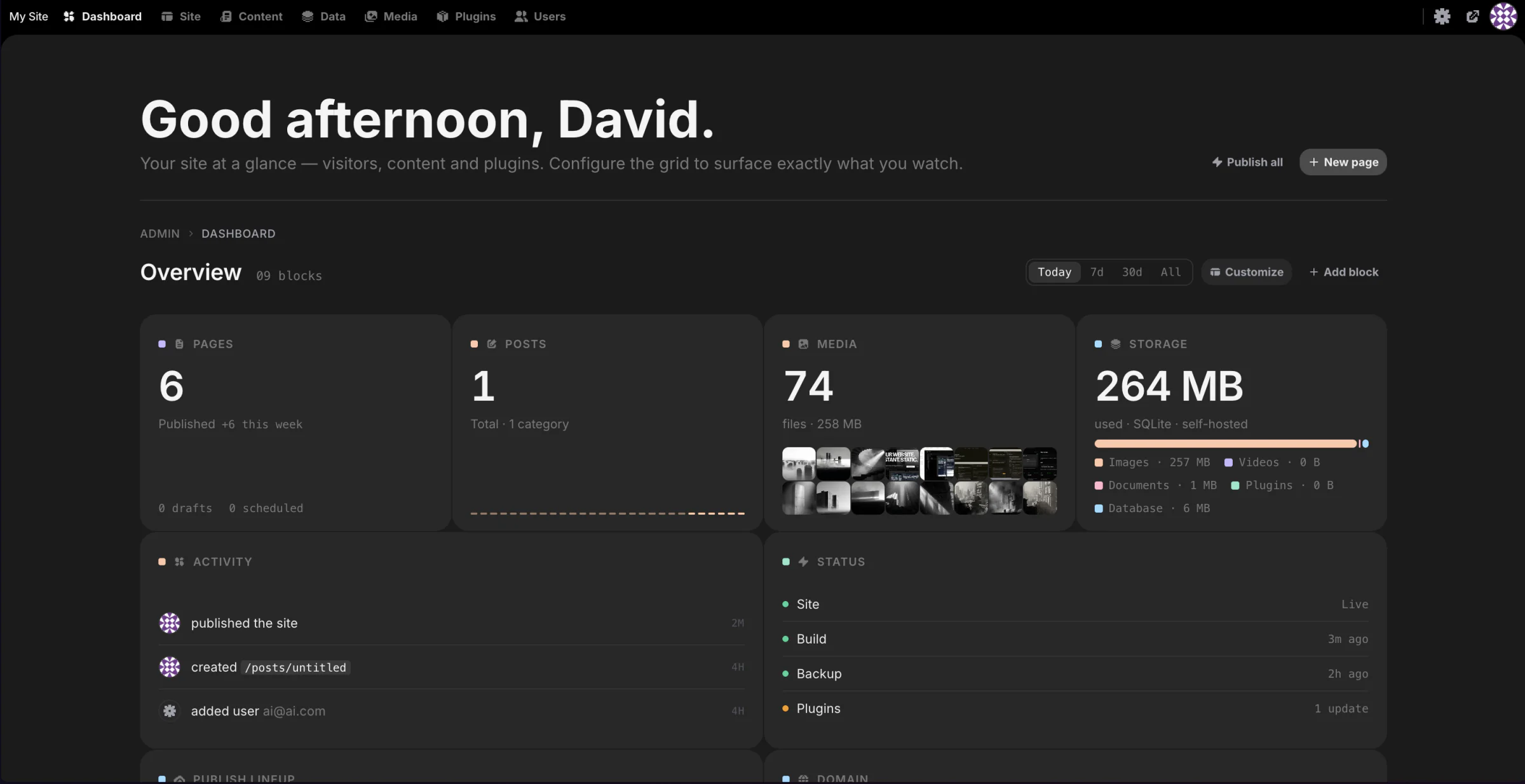
No, not yet. Instatic's dashboard shows your pages, media, storage and an activity log, and its makers list privacy-friendly visitor analytics as a next step on their roadmap.
Do I need technical skills to run Instatic?
No. Click Deploy, create your Cloudgate account and choose a server, and Cloudgate sets up Instatic and gives it a web address. You use it in your browser like any other online tool.
Do I need my own server for Instatic?
No. When you deploy Instatic, hosted Cloudgate can provide a server. If you already rent one, you can connect it instead.
Related apps

The familiar WordPress admin with the classic editor, no blocks.

A self-hosted website and blog builder with themes and plugins.

A self-hosted CMS for multilingual websites and members' areas.

Design websites visually and publish fast static pages you own.