
Silex
Design websites visually and publish fast static pages you own.
No server needed to start: Cloudgate can provide one. What happens when you click Deploy
What is Silex?
Silex is a free, self-hosted visual website builder: design pages without code and publish fast static HTML and CSS, an open-source Webflow alternative.
Silex is a free, open-source visual website builder you can self-host as an alternative to Webflow or Wix: you design pages by dragging blocks onto a canvas, and Silex publishes them as plain HTML and CSS. There is no monthly plan, no fee per site and no lock-in, because the published site is standard files that any web host can serve.
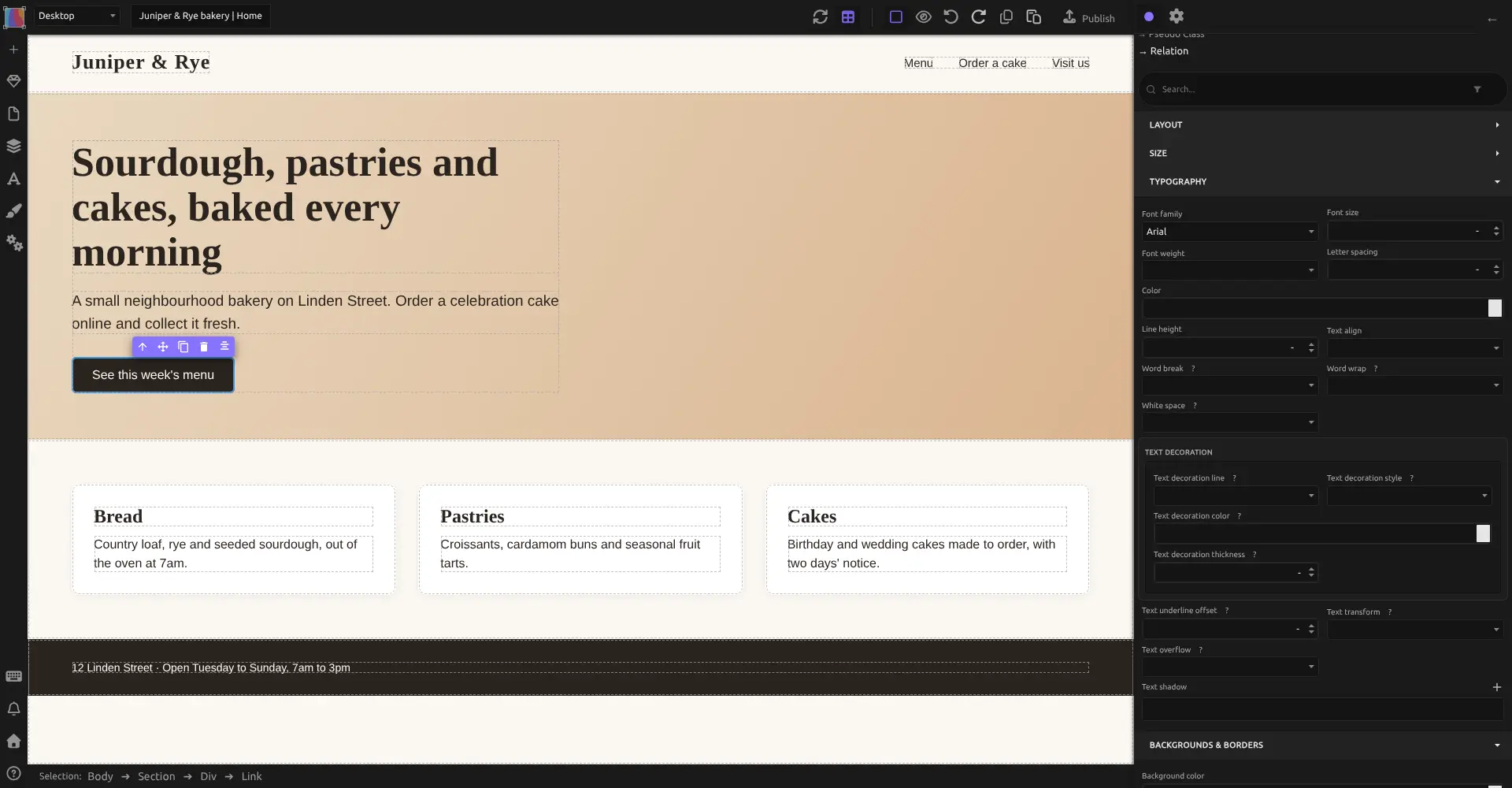
Silex suits designers, freelancers and small studios who want precise control over layout, fonts and colours without writing code. It does ask you to learn a few web design ideas, so a complete beginner may find Wix quicker. A freelance designer could, for example, build a bakery's five-page site with its menu, opening hours and a cake order form, check how it looks on a phone, and publish it in one click.
Silex is made by Silex Labs, a non-profit. Forms send their messages to a form service you choose, and there is no online shop checkout. You design on a computer in Chrome or Firefox.
Cloudgate installs Silex on a server Cloudgate provides or one you connect, puts a password in front of the editor, and gives the editor and your published website their own secure web addresses.
What you can do with Silex
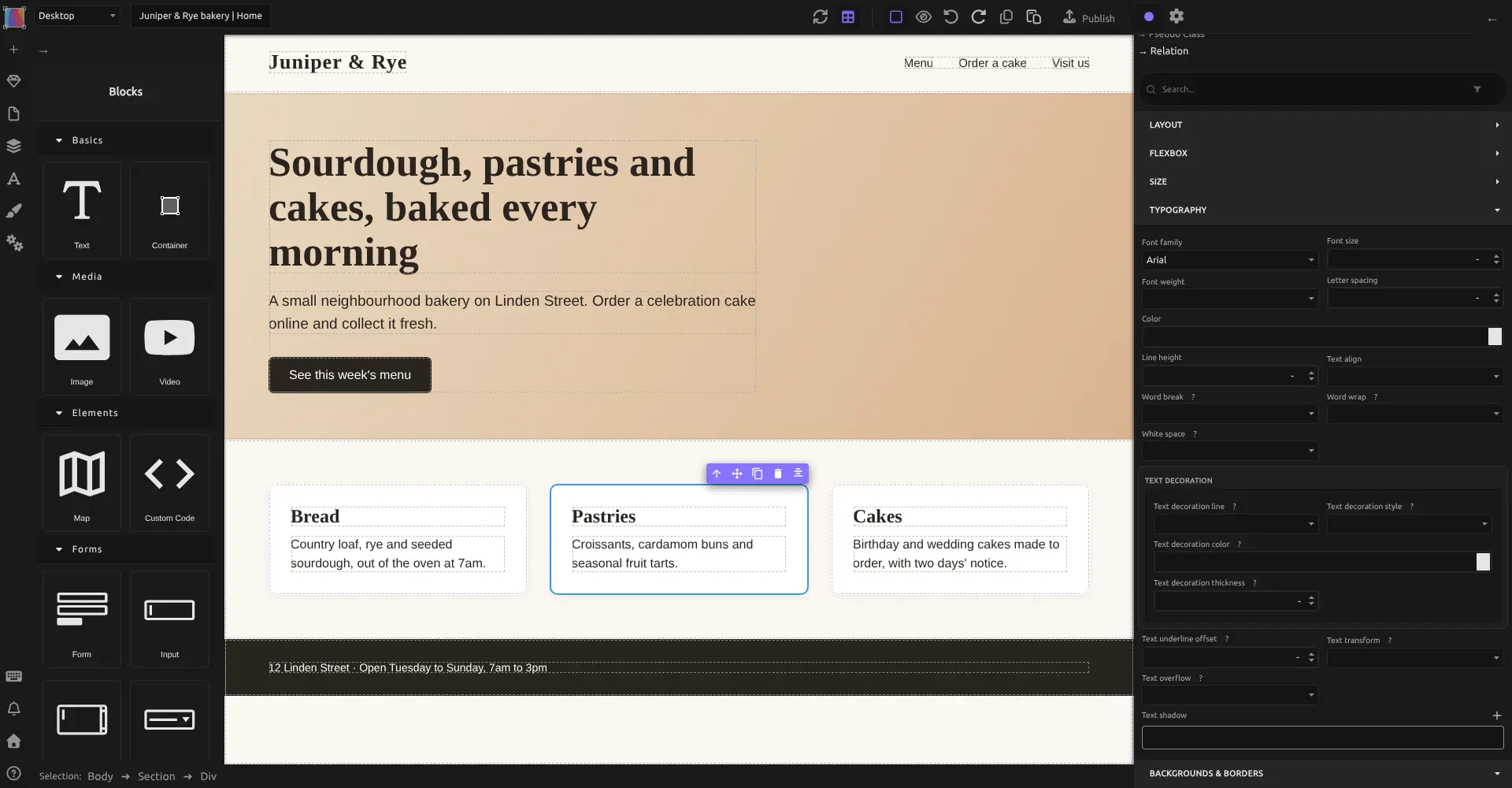
- Design by dragging blocks Drag text, containers, images, videos, maps and form fields onto the page and arrange them where you want.
- Style every detail Panels for layout, size, fonts, colours, borders and effects, with reusable styles you set once and apply anywhere.
- Make it work on phones Switch between desktop, tablet and phone views and adjust the design for each screen size.
- Reuse headers and footers Turn a header, footer or section into a symbol and use it on every page, so one change updates them all.
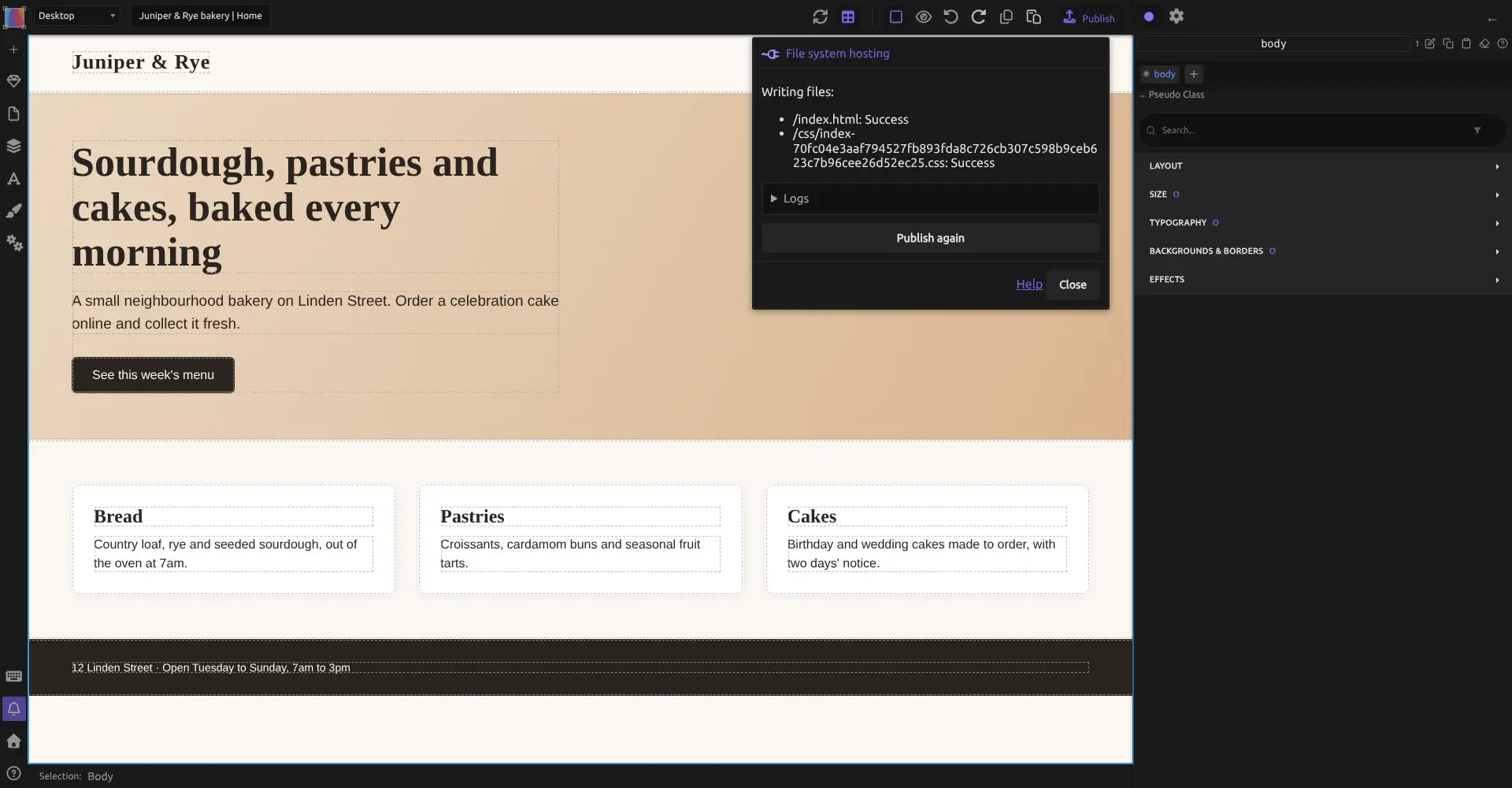
- Publish plain, fast pages Publish turns your design into standard HTML and CSS files, so the site loads quickly and works on any web host.
- Help search engines find you Set the title, description and social sharing image for each page.
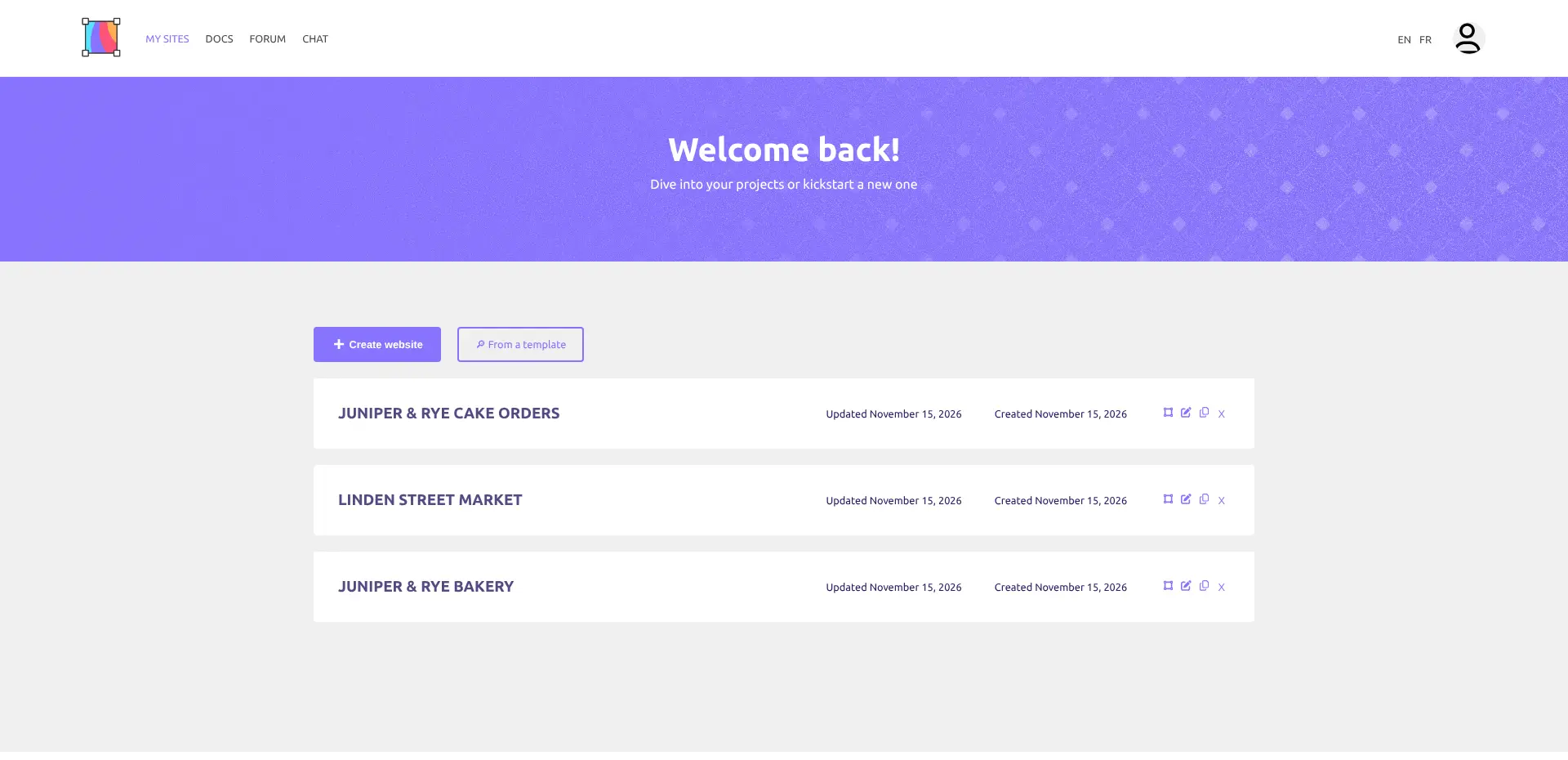
- Run several websites Create, duplicate and rename websites from one dashboard, or start from a template.
Replaces Webflow and Wix
Silex does the same job as Webflow and Wix. Here is what changes when you switch.
- No monthly plan or fee per site; you pay only for your server
- Your site is plain HTML and CSS that you can move to any host
- Precise visual control over layout and styles, in the spirit of Webflow
- No tracking or ads from the platform
- It expects some web design know-how, such as boxes and styles, so it is harder than Wix for a beginner
- No online shop checkout, no built-in form inbox and no hosted CMS like Webflow's
- No importer for Webflow or Wix, so pages are rebuilt by hand
- One published website per install, at its own second web address
- You design on a computer; the editor does not work on phones or in Safari
What happens when you click Deploy?
You do not need a server or any technical knowledge. Four steps, and Silex is running at its own web address.
- Step 1 Click Deploy and create your account
Deploy takes you to Cloudgate. Create an account, or log in if you have one. Silex itself is free.
- Step 2 Choose a server
No server? Get one from Cloudgate: pick a size and a country, and Cloudgate gets it ready. Already have one? Connect it instead.
- Step 3 Cloudgate sets up Silex
It prepares the server, makes the passwords the app needs and starts it. There is nothing to install and nothing to write down.
- Step 4 Open your app and sign in
Your app gets a free web address to start, without https. Add your own domain, like app.yourshop.com, and Cloudgate secures it with https for you.
New to Cloudgate? See what Cloudgate is
Run Cloudgate yourself? Deploy from your own console
In your Cloudgate console, open Templates and choose Silex.
Questions
Is Silex free?
Yes, Silex is free and open source under the AGPL-3.0 licence, with every feature included and no paid tier. It is run by Silex Labs, a non-profit. You pay only for your server.
Is Silex a good alternative to Webflow?
Yes, if you design marketing sites, portfolios or landing pages and want plain HTML and CSS with no plan fees. Silex works the way Webflow does, with real layout and style controls, but it has no hosted CMS, online shop or CSS Grid yet.
Is Silex easier to use than Wix?
No, Silex expects you to learn basic web design ideas such as boxes, spacing and styles, so Wix is quicker for a beginner. You do not write code, and in return you get exact control over the design and a site you can take anywhere.
How do I sign in to Silex the first time?
Open the editor's web address and sign in with the username admin and the password Cloudgate generated for you. Silex then shows its dashboard with a first website ready to edit.
Where does my published Silex website appear?
Your site appears at its own second web address when you click Publish in the Silex editor. Visitors need no password, and until your first publish that address says nothing is published yet. Every website in this install publishes to that same address, so it shows whichever site was published last; in practice, use one install per published site.
Can I import my Webflow or Wix site into Silex?
No, Silex has no importer for Webflow or Wix. You rebuild the pages in the editor and copy your text and images across.
Can I add a contact form or an online shop to a Silex site?
Partly. You can design a contact form, but the messages are sent to a form service you choose, such as Formspree, because Silex does not store them. Silex has no shop checkout.
Do I need technical skills to run Silex?
No. Click Deploy, create your Cloudgate account and choose a server, and Cloudgate sets up Silex and gives it a web address. You use it in your browser like any other online tool.
Do I need my own server for Silex?
No. When you deploy Silex, hosted Cloudgate can provide a server. If you already rent one, you can connect it instead.
Related apps

A visual website builder and CMS that publishes plain HTML.

A simple self-hosted website and blog, with no database to run.

The familiar WordPress admin with the classic editor, no blocks.

A self-hosted flat-file CMS for fast websites and blogs.