
Halo
A self-hosted website and blog builder with themes and plugins.
No server needed to start: Cloudgate can provide one. What happens when you click Deploy
What is Halo?
Self-hosted Halo: an open-source website and blog builder with themes, plugins, comments and one-click backups, on your own domain.
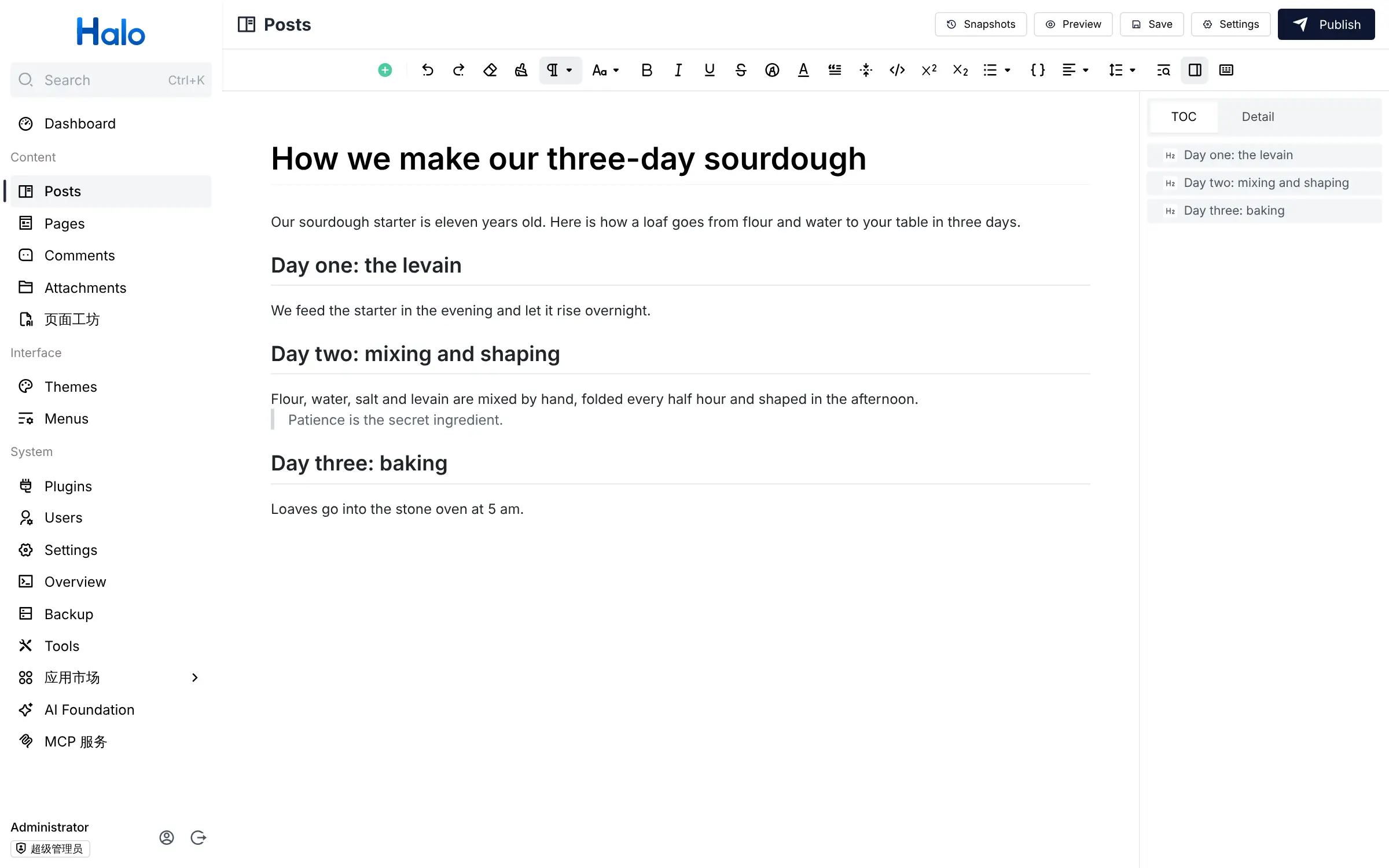
Halo is a free, open-source website and blog builder that you self-host as an alternative to Squarespace, Wix or Medium. You write posts and pages in a clean editor, choose a theme for the design, and add features with plugins from Halo's app store, all from one admin console.
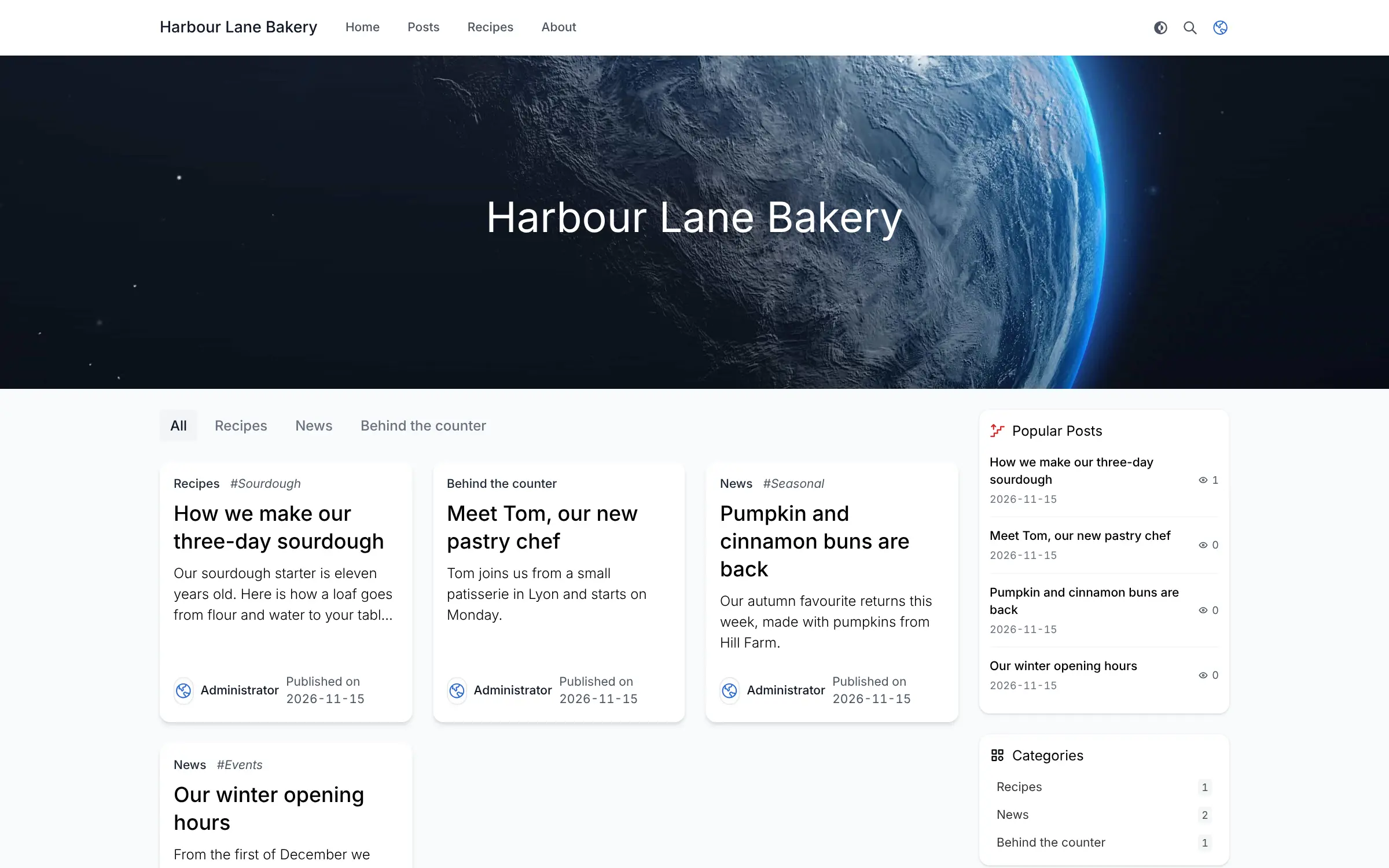
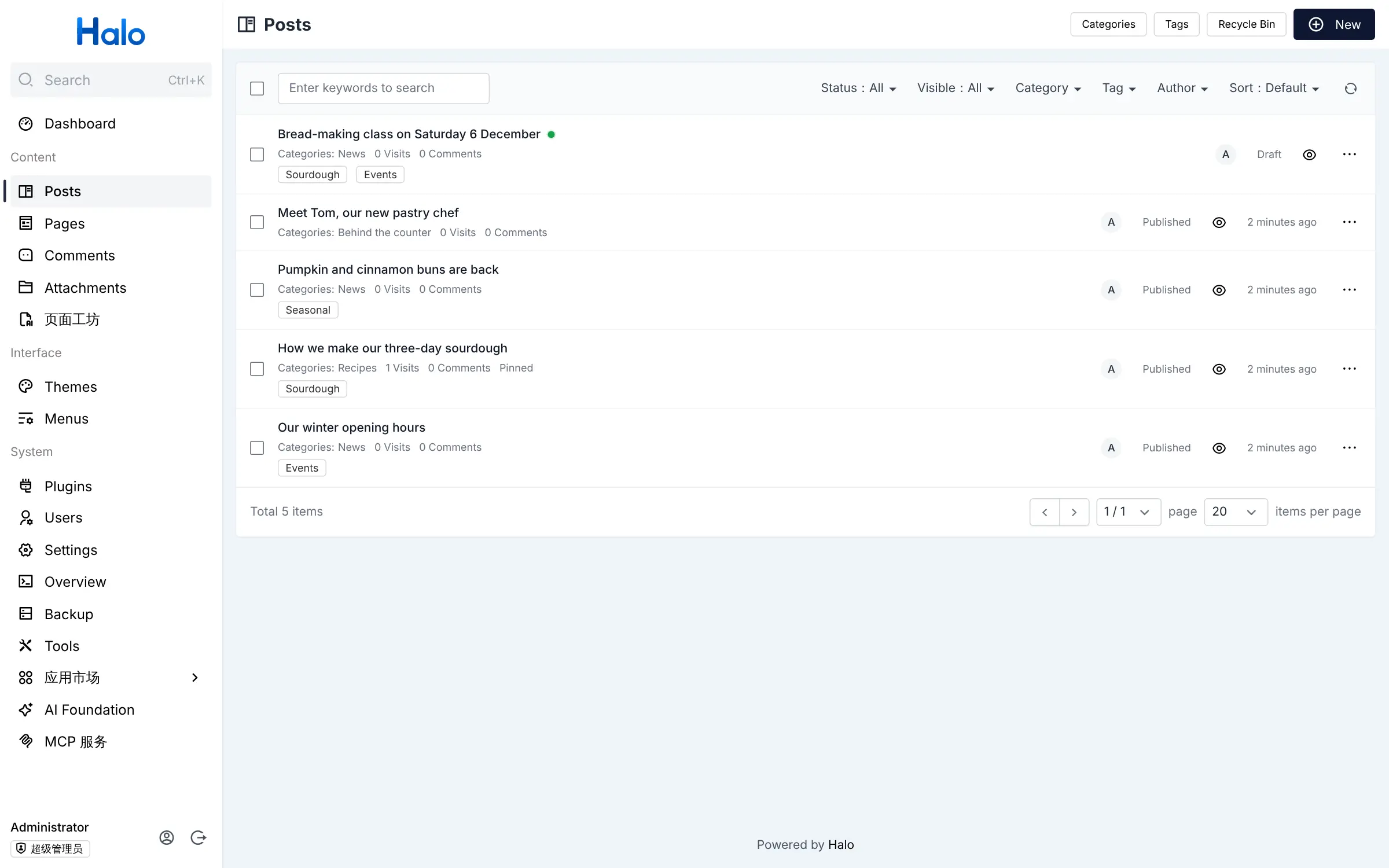
It suits blogs, personal sites, portfolios and small company websites. A bakery, for example, could publish its opening hours, share recipes sorted into categories, announce baking classes and let customers leave comments, with no monthly fee to a website builder. Several people can write, each with their own account and role.
Comments, a media library and one-click backups are built in, and a free migration plugin imports posts from WordPress or Ghost. The admin console is in English; many themes and plugins, and Halo's own documentation, are written mainly in Chinese. The Halo team also sells paid editions with a phone app, automatic cloud backups and an online shop; the free community edition covers the website and blog.
Cloudgate installs Halo and its database on a server Cloudgate provides or one you connect, and gives it a secure web address. The first person to open that address names the site and creates the admin account. You can later point your own domain name at it.
What you can do with Halo
- Write posts and pages A rich-text editor with headings, quotes, lists and code blocks, a preview, drafts and scheduled publishing.
- Organise your blog Sort posts into nested categories and tags, pin important posts and keep some private.
- Choose a theme Start with the clean default theme or install another theme from Halo's app store inside the admin console.
- Add features with plugins Plugins add things like a different editor, site search and an importer, installed and updated from the console.
- Let readers comment Comments are built in, with a screen to approve, reply to or delete them.
- Work as a team Give writers and editors their own accounts and choose what each role may do.
- Back up in one click Make a full backup of posts, pages, settings and uploads from the console, and restore it on a new server.
Replaces Squarespace, Wix and Medium
Halo does the same job as Squarespace, Wix and Medium. Here is what changes when you switch.
- No monthly plan; the community edition is free and you pay only for your server
- Your posts, pages, comments and readers' details stay on your own server
- Comments, user roles and backups are built in, with no plan upgrade
- A free importer brings over posts from WordPress or Ghost
- No drag-and-drop page builder; layouts come from the theme you choose
- Many themes and plugins, the documentation and the forum are in Chinese, though the admin console is in English
- The phone app, automatic cloud backups, online shop and some themes and plugins are for paid editions only
- You look after updates, and need an email sending service for password resets and comment alerts
What happens when you click Deploy?
You do not need a server or any technical knowledge. Four steps, and Halo is running at its own web address.
- Step 1 Click Deploy and create your account
Deploy takes you to Cloudgate. Create an account, or log in if you have one. Halo itself is free.
- Step 2 Choose a server
No server? Get one from Cloudgate: pick a size and a country, and Cloudgate gets it ready. Already have one? Connect it instead.
- Step 3 Cloudgate sets up Halo
It prepares the server, makes the passwords the app needs and starts it. There is nothing to install and nothing to write down.
- Step 4 Open your app and sign in
Your app gets a free web address to start, without https. Add your own domain, like app.yourshop.com, and Cloudgate secures it with https for you.
New to Cloudgate? See what Cloudgate is
Run Cloudgate yourself? Deploy from your own console
In your Cloudgate console, open Templates and choose Halo.
Questions
Is Halo free?
Yes, the Halo community edition is free and open source under the GPL-3.0 licence, and self-hosting it costs only your server. The Halo team also sells paid Pro and Commerce editions with extras such as a phone app, automatic cloud backups, an online shop and paid themes and plugins; Cloudgate installs the free community edition.
Is Halo a good alternative to Squarespace or Wix?
Yes, for a blog or a simple company website you want to own with no monthly plan. Halo has themes, plugins and comments built in, but no drag-and-drop page builder, fewer themes than Squarespace or Wix, and you keep it updated yourself.
Should I choose Halo or WordPress?
Choose WordPress if you want the widest choice of English-language themes and plugins, a visual page builder or an online shop. Choose Halo if you mainly run a blog or small site and like its clean admin console, built-in comments and one-click backups.
Does Halo work in English?
Yes, the admin console and the Setup page are available in English, as well as Chinese and Spanish. Many themes and plugins in Halo's app store, the official documentation and the community forum are mainly in Chinese, and a new site starts with a sample menu and About page in Chinese that you rename.
Can I move my WordPress or Ghost blog to Halo?
Yes. Halo's free migration plugin imports posts, pages, categories, tags and comments from a WordPress or Ghost export, and also reads RSS feeds and Markdown files. Your theme does not come across, so choose a Halo theme and check each page after the import.
How do I sign in to Halo the first time?
Open your site's web address and Halo shows a Setup page where you choose the language and site title and create the admin account with a username, email and password. There is no default login, so do this straight after setup; the admin console is then at /console.
What server size do I need for Halo?
A small server with 1 GB of memory runs a typical Halo blog or company website. Choose a larger one if you expect a lot of visitors or install many plugins.
Do I need technical skills to run Halo?
No. Click Deploy, create your Cloudgate account and choose a server, and Cloudgate sets up Halo and gives it a web address. You use it in your browser like any other online tool.
Do I need my own server for Halo?
No. When you deploy Halo, hosted Cloudgate can provide a server. If you already rent one, you can connect it instead.
Related apps

Build a website, blog or shop with themes and thousands of add-ons.

A simple self-hosted website and blog, with no database to run.

A self-hosted CMS for multilingual websites and members' areas.

The familiar WordPress admin with the classic editor, no blocks.