Garlic-Hub
Self-hosted digital signage with free players for every screen.
No server needed to start: Cloudgate can provide one. What happens when you click Deploy

What is Garlic-Hub?
Garlic-Hub is free, self-hosted digital signage with no fee per screen: build playlists, zones and schedules, in place of Yodeck, ScreenCloud or OptiSigns.
Garlic-Hub is self-hosted, open-source digital signage software that plays your images, videos and playlists on the TV screens in your business through free player apps, without the monthly fee per screen of Yodeck, ScreenCloud or OptiSigns. It is free for any number of screens, commercial use included.
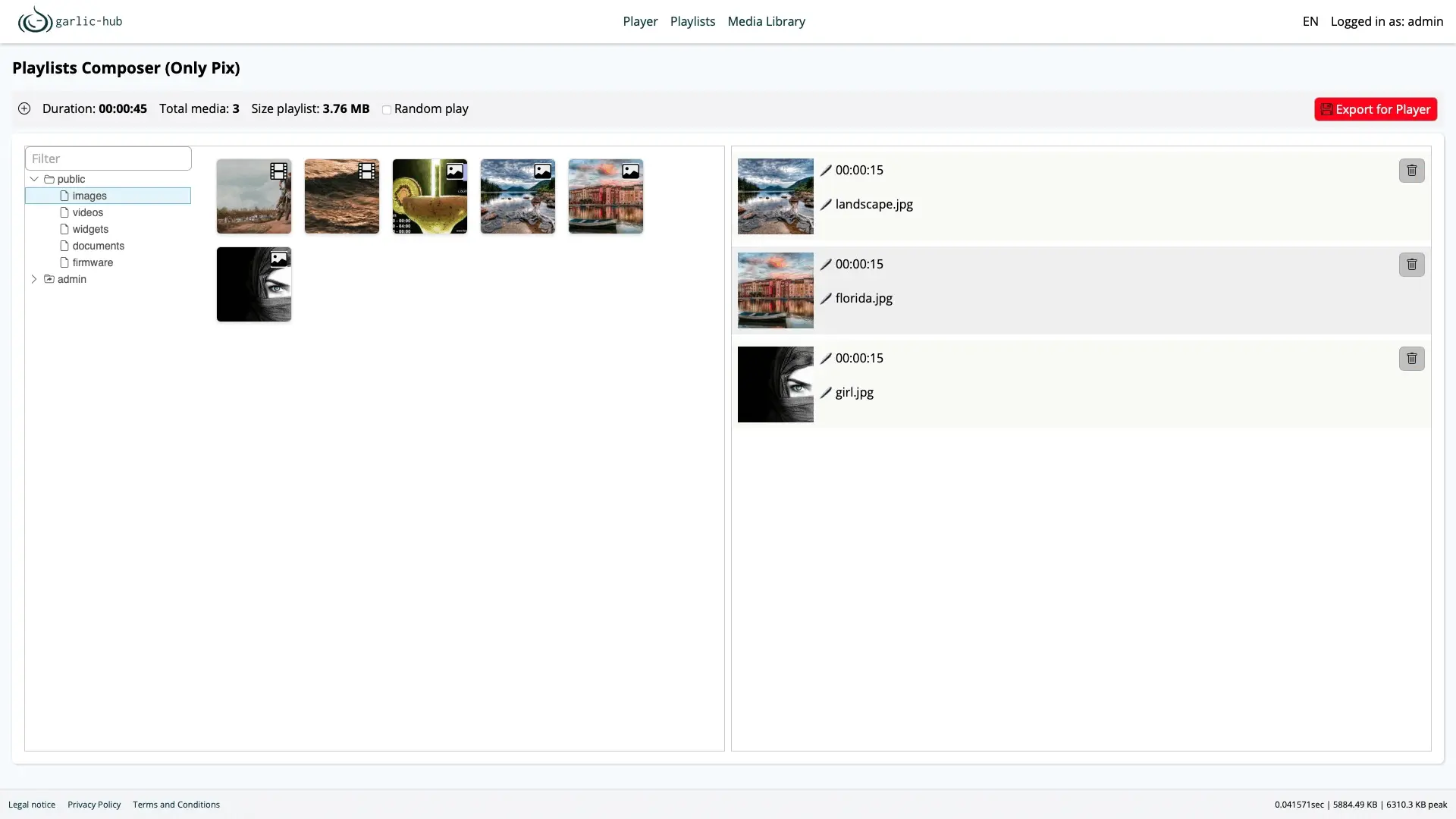
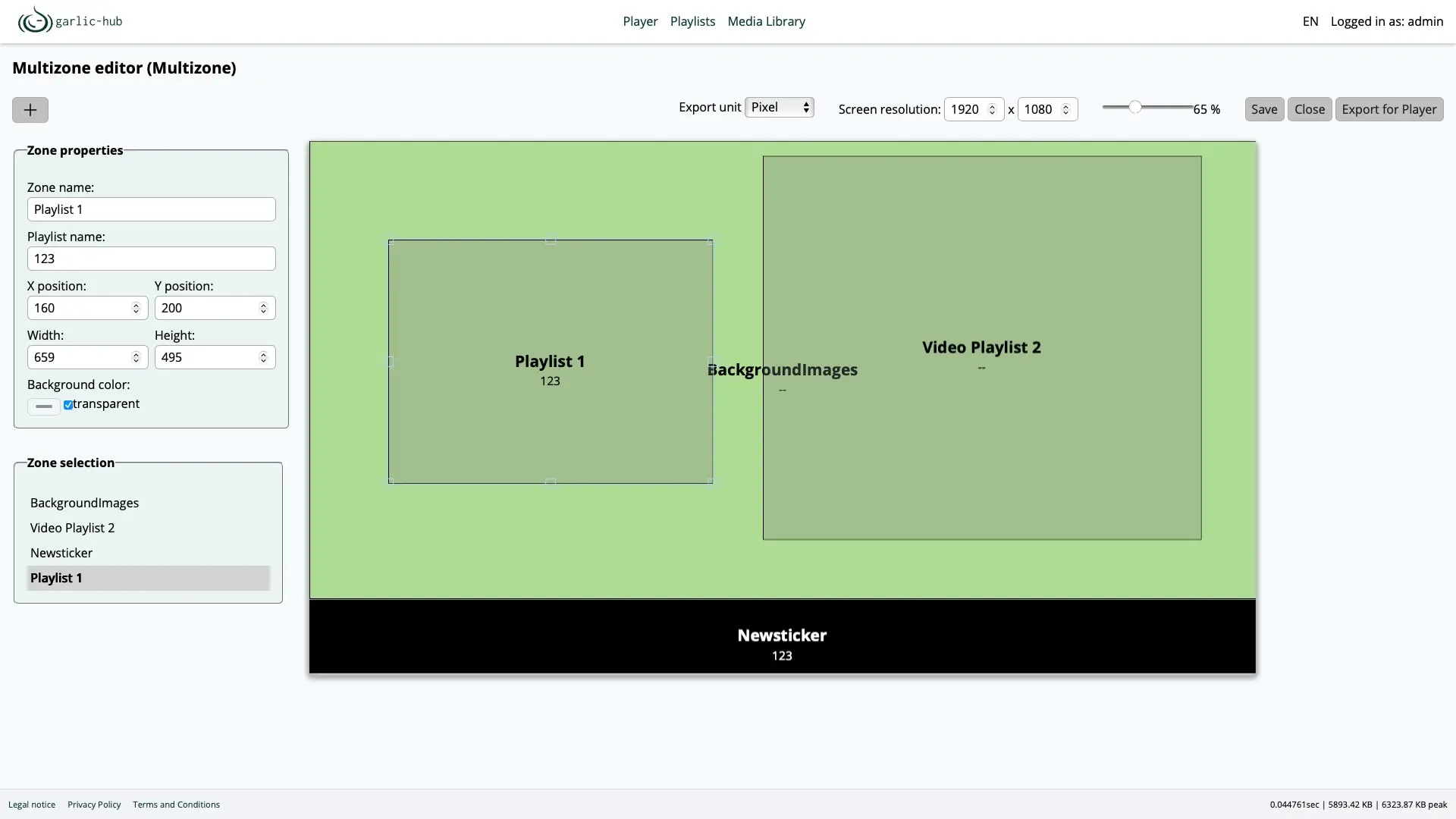
It keeps things simple. A playlist is a list of pictures and videos with a duration for each, and a layout splits a screen into zones, such as a main playlist with a news ticker along the bottom. A bike shop, for example, could run product photos on its window screen all day, add a workshop offer that only plays on Saturdays, and check in the player overview that every screen is on the right playlist.
Each screen runs garlic-player, a free player for Linux, Windows, macOS, Android and Raspberry Pi, or any signage player that reads SMIL, the open playlist standard Garlic-Hub uses, such as IAdea screens. Players keep showing their content if the internet drops. Garlic-Hub has fewer ready-made content apps than cloud services, with no weather widgets or menu boards.
Cloudgate installs Garlic-Hub on a server Cloudgate provides or one you connect and gives it a secure web address. Open that address right after setup to create the admin account, then point your first player at it.
What you can do with Garlic-Hub
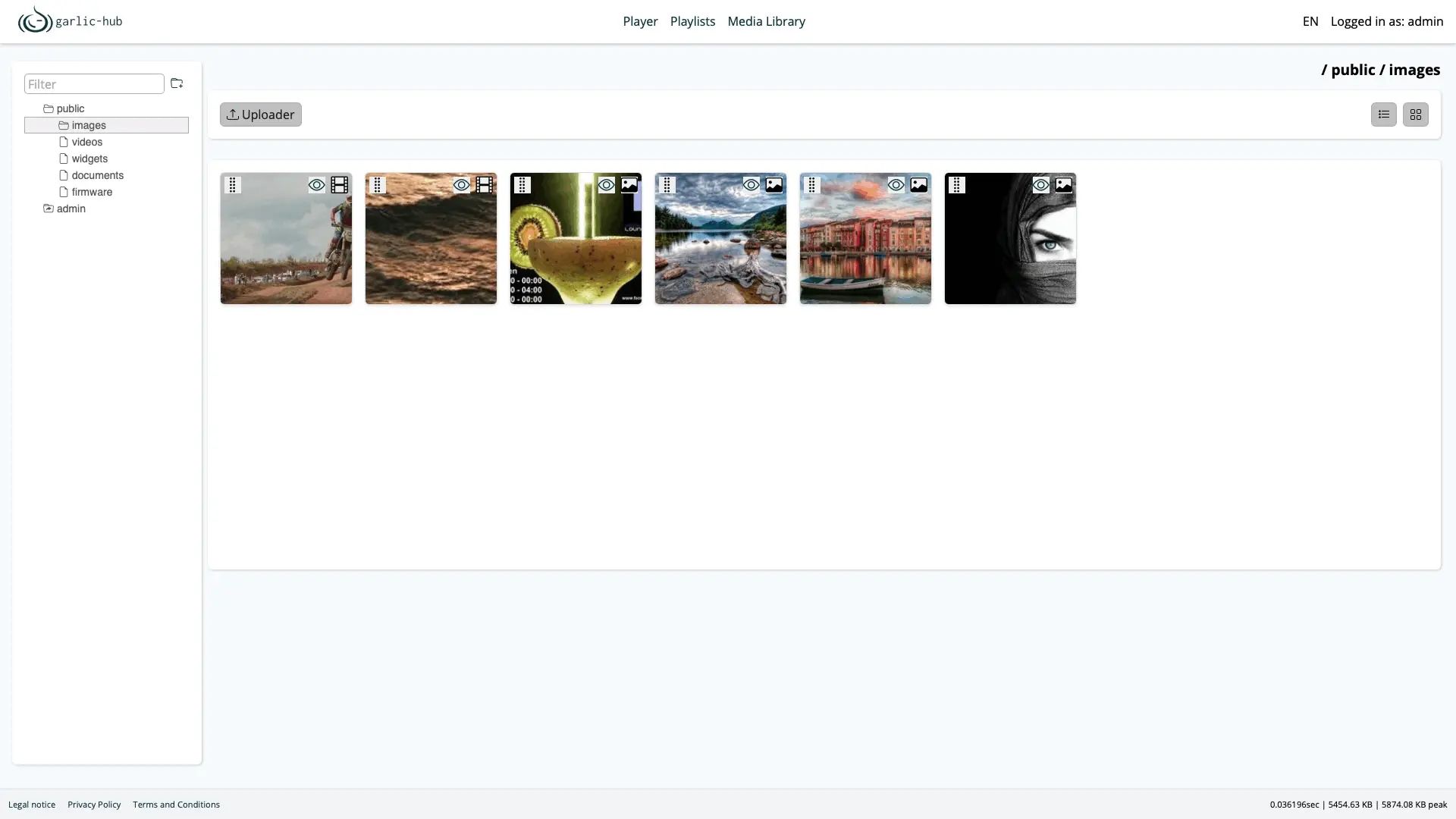
- Keep your media in one library Sort images, videos and PDFs into folders, with previews, and add files by drag and drop, from a web link or by recording your webcam or screen.
- Build playlists by drag and drop Drag media into a playlist, set how long each item shows, put playlists inside playlists or play them in random order.
- Split a screen into zones Draw zones on the screen, such as a main playlist with a news ticker along the bottom, and give each zone its own playlist.
- Schedule by date and time Choose the dates, times of day and repeating days on which each item plays.
- Let screens react Play a different item or playlist when someone presses a key, touches the screen or clicks.
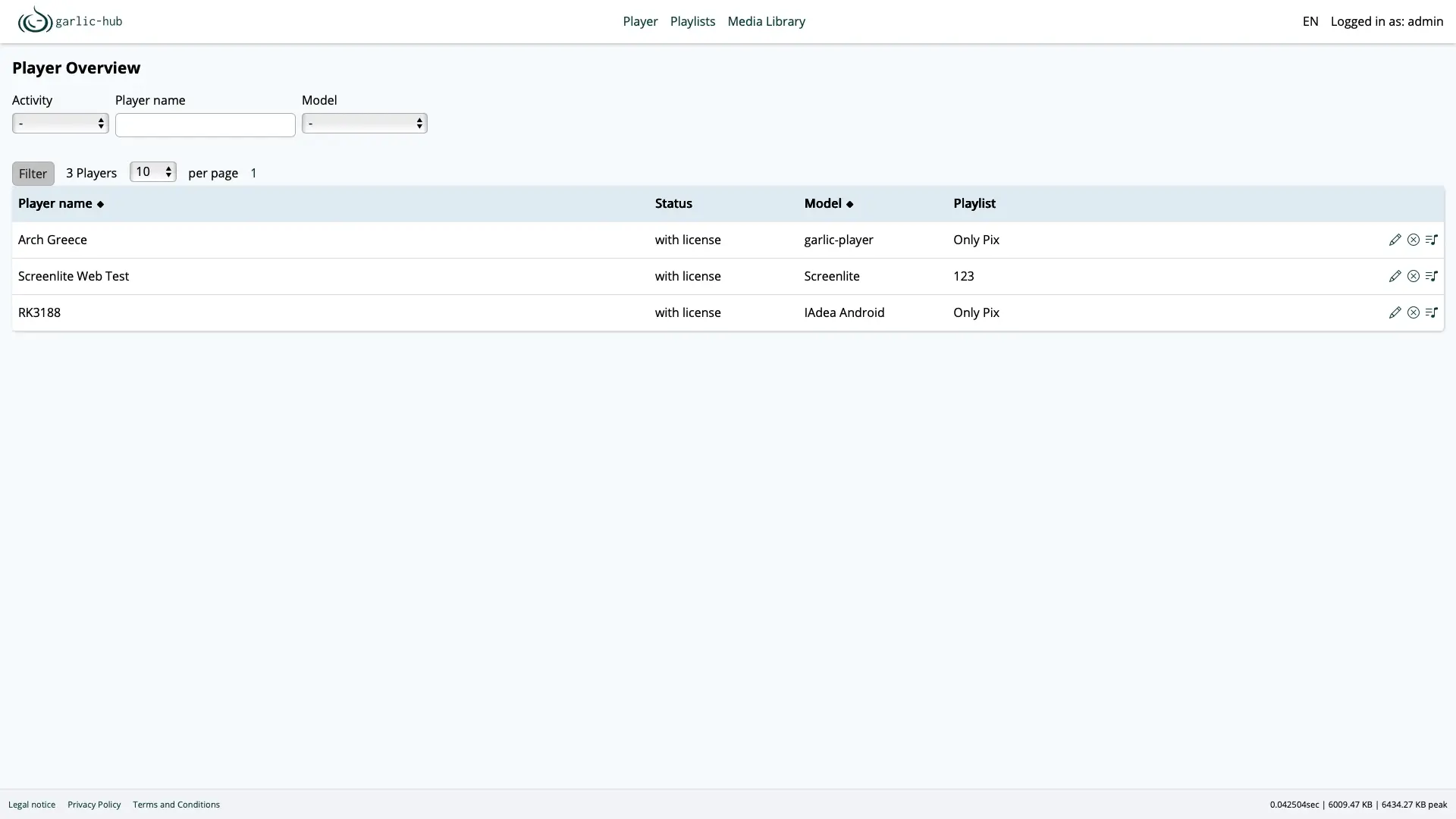
- Watch every screen See each screen's status, model and playlist in one list, and restart a player or clear its cache from there when the player supports it.
- Make simple graphics Create a quick notice or offer in the built-in image editor instead of a separate design tool.
- Share the work Give colleagues their own accounts as admin, editor or viewer, in English, German, Spanish, French, Greek or Russian.
Replaces Yodeck, ScreenCloud and OptiSigns
Garlic-Hub does the same job as Yodeck, ScreenCloud and OptiSigns. Here is what changes when you switch.
- No fee per screen and no player licence, for any number of screens
- A free player for Linux, Windows, macOS, Android and Raspberry Pi
- Works with any player that reads the open SMIL standard, so you are not tied to one maker's hardware
- Your media and schedules stay on your own server
- Far fewer ready-made apps and templates, with no built-in weather, social feeds or menu boards
- No reports of what played on which screen
- Changes reach your screens when they next check in, not instantly
- A young project; your existing playlists do not move across, so you rebuild them
What happens when you click Deploy?
You do not need a server or any technical knowledge. Four steps, and Garlic-Hub is running at its own web address.
- Step 1 Click Deploy and create your account
Deploy takes you to Cloudgate. Create an account, or log in if you have one. Garlic-Hub itself is free.
- Step 2 Choose a server
No server? Get one from Cloudgate: pick a size and a country, and Cloudgate gets it ready. Already have one? Connect it instead.
- Step 3 Cloudgate sets up Garlic-Hub
It prepares the server, makes the passwords the app needs and starts it. There is nothing to install and nothing to write down.
- Step 4 Open your app and sign in
Your app gets a free web address to start, without https. Add your own domain, like app.yourshop.com, and Cloudgate secures it with https for you.
New to Cloudgate? See what Cloudgate is
Run Cloudgate yourself? Deploy from your own console
In your Cloudgate console, open Templates and choose Garlic-Hub.
Questions
Is Garlic-Hub free?
Yes. Garlic-Hub is free, open-source software under the AGPL-3.0 licence, for any number of screens and for commercial use, with no paid tier. Its garlic-player is free too, so you pay only for your server. Paid support is available from its developer if you want it.
Is Garlic-Hub a good alternative to Yodeck, ScreenCloud or OptiSigns?
Yes, if you mainly show pictures, videos and playlists and want no fee per screen. Garlic-Hub covers a media library, playlists, screen zones, scheduling and an overview of every screen, and its free player runs on Raspberry Pi and Android devices. It has far fewer ready-made apps and templates than Yodeck, ScreenCloud or OptiSigns, and no reports of what played.
How is Garlic-Hub different from Xibo?
Garlic-Hub is lighter and its players are free on every platform, while Xibo has more features. Xibo adds a drag-and-drop layout designer, live data such as weather, menu boards and proof of play reports, but its Android, webOS, Tizen and ChromeOS players need a paid licence. Garlic-Hub's free player covers Android and Raspberry Pi, and other SMIL players work with it too.
Which screens can show Garlic-Hub content?
Garlic-Hub plays on any screen connected to a device running garlic-player, the free player for Linux, Windows, macOS, Android and Raspberry Pi, or a signage player that reads SMIL playlists, such as IAdea. Players keep showing their downloaded content if the internet connection drops.
How do I connect a screen to Garlic-Hub?
Open the screen player's settings and enter your Garlic-Hub web address followed by /smil-index as its content address, for example https://signage.example.com/smil-index. In garlic-player, Ctrl+S opens the settings. The screen then appears in Garlic-Hub's player overview, where you give it a playlist.
How do I sign in to Garlic-Hub the first time?
There is no default login. The first person to open Garlic-Hub's web address creates the admin account, choosing a username, email and password, so do this right after Cloudgate finishes setup and before you share the address.
Can I move my content from Yodeck or another signage tool?
No, Garlic-Hub has no import from other signage tools. Upload your images and videos to its media library, then rebuild your playlists and schedules.
Do I need technical skills to run Garlic-Hub?
No. Click Deploy, create your Cloudgate account and choose a server, and Cloudgate sets up Garlic-Hub and gives it a web address. You use it in your browser like any other online tool.
Do I need my own server for Garlic-Hub?
No. When you deploy Garlic-Hub, hosted Cloudgate can provide a server. If you already rent one, you can connect it instead.
Related apps
Digital signage for the TV screens in your business.

An open-source CMMS for work orders and preventive maintenance.

Recipes, costs, stock, orders and production for small makers.

Run your fab lab or makerspace, from machine bookings to invoices.