Atlas CMMS
An open-source CMMS for work orders and preventive maintenance.
No server needed to start: Cloudgate can provide one. What happens when you click Deploy



What is Atlas CMMS?
Atlas CMMS is self-hosted, open-source maintenance software: work orders, preventive maintenance, equipment, spare parts and requests.
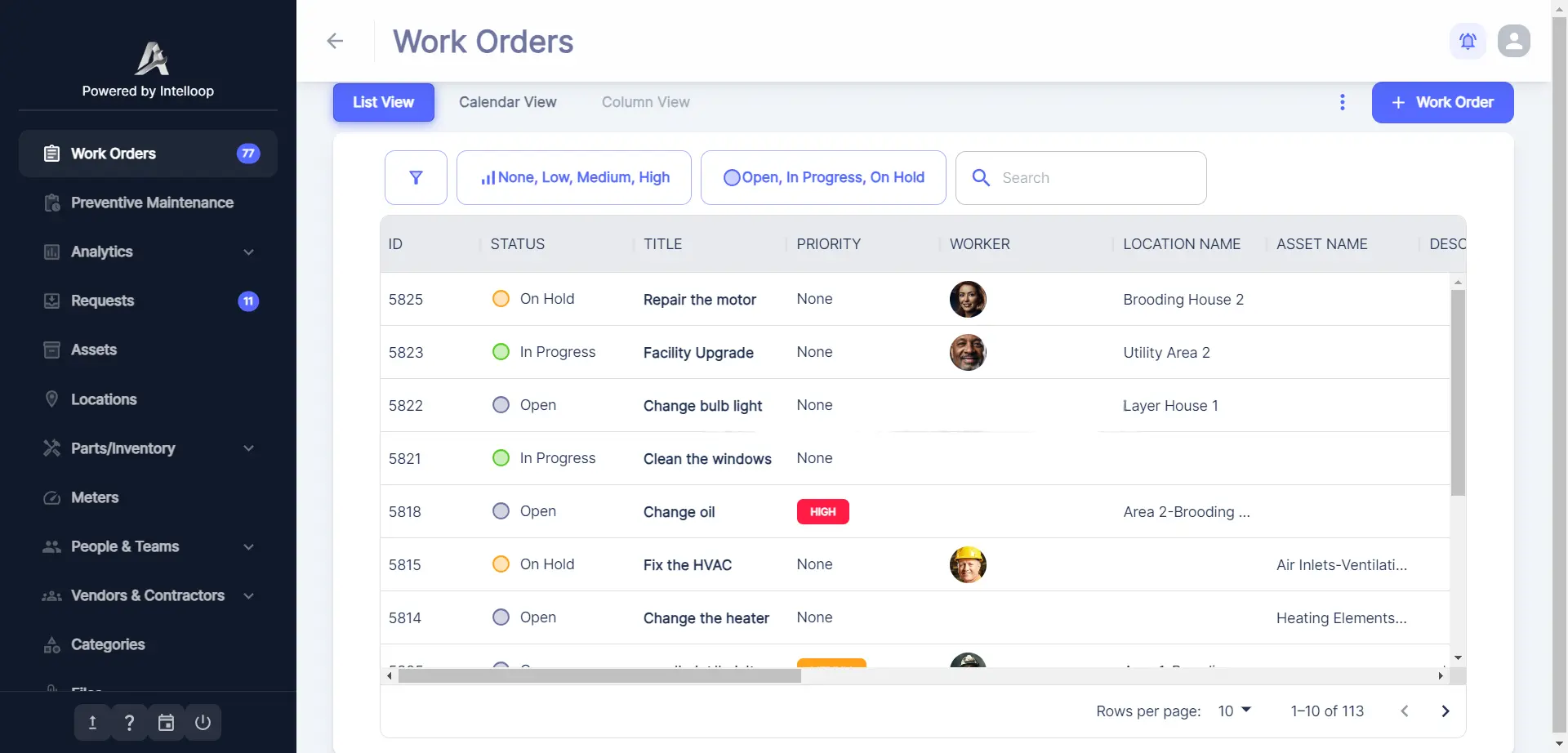
Atlas CMMS is a free, open-source maintenance management system (CMMS) you run on your own server, an alternative to MaintainX, UpKeep and Limble for work orders, preventive maintenance, equipment and spare parts. Your team creates and assigns work orders, sets recurring maintenance schedules, keeps a register of machines by location, and tracks the parts in stock.
A small food factory, for example, could schedule a daily clean and a monthly bearing check for each machine, let line staff report a leak from a phone, and see each week how many jobs are still open. Technicians use the Android or iPhone app, and the web app comes in 16 languages.
The free edition has limits: 5 users who manage or do the work (people who only report problems or view records don't count), 50 assets, 30 open work orders and 10 preventive maintenance schedules. Attachments, time and cost tracking, single sign-on and some other features need a paid licence key from its maker, Intelloop.
Cloudgate installs Atlas CMMS on a server Cloudgate provides or one you connect and gives it a secure web address. Add an email account to send notifications and invitations.
What you can do with Atlas CMMS
- Create and assign work orders Give each job a priority, a due date, a worker, a location and an asset, and follow it from open to done.
- Schedule preventive maintenance Set recurring schedules that create work orders on their own, so routine checks and servicing are not forgotten.
- Use checklists on every job Add tasks to a work order, such as safety checks or readings, and have technicians tick them off as they go.
- Keep an equipment register List your machines and equipment by location, with model, status and barcode, and see the work done on each.
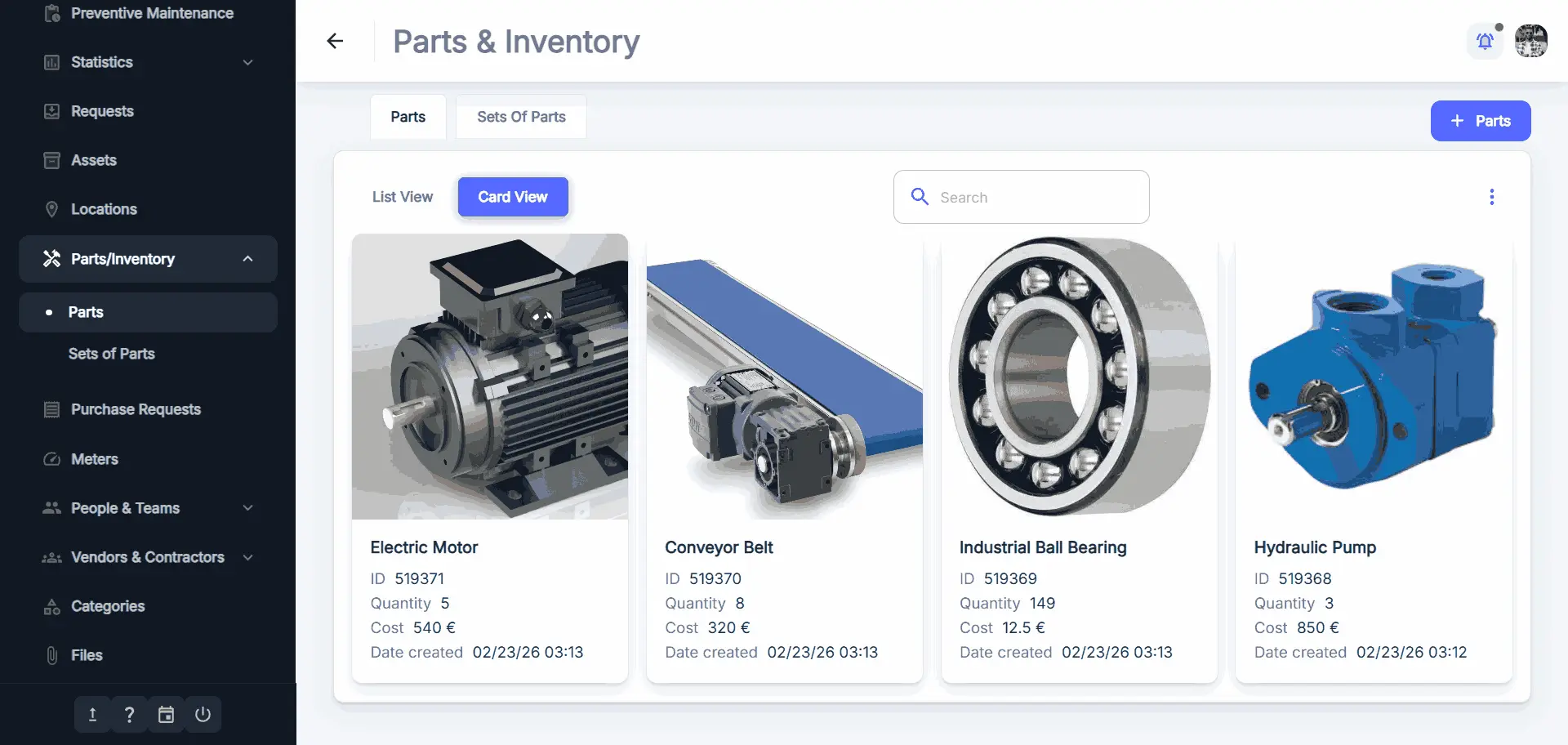
- Track spare parts Record the parts you keep in stock with quantity and cost, group them into sets, and raise purchase orders.
- Take maintenance requests Staff report a problem, and the maintenance team approves it into a work order or rejects it.
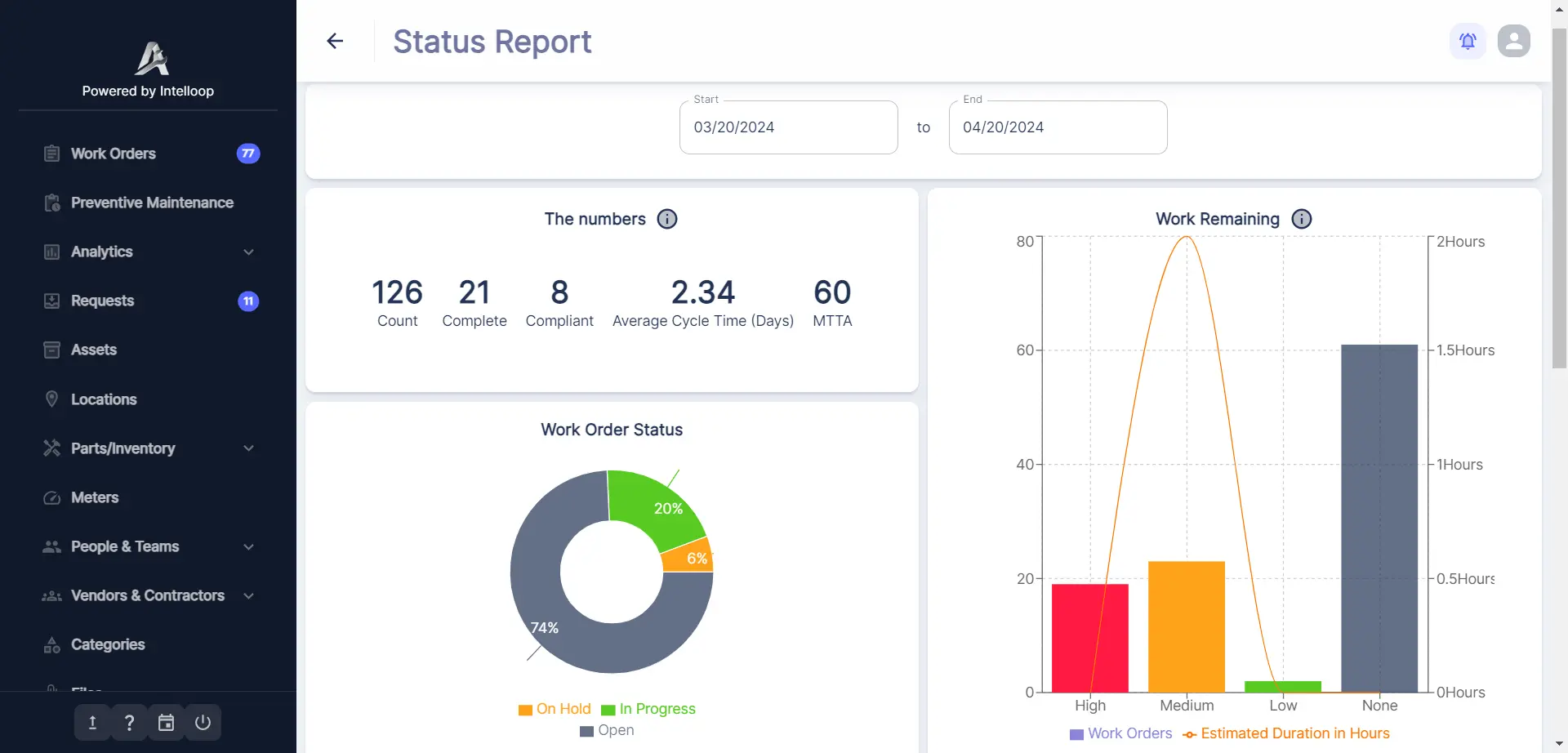
- See how maintenance is going A status report counts open and completed work, compliance and average time to finish, by priority.
- Work from a phone The Android and iPhone apps connect to your own server, so technicians see and update their jobs on site.
Replaces MaintainX, UpKeep and Limble CMMS
Atlas CMMS does the same job as MaintainX, UpKeep and Limble CMMS. Here is what changes when you switch.
- Your work orders and equipment records stay on your own server
- No subscription for the free edition, with up to 5 technicians or admins
- People who only report problems or view records do not count toward the user limit
- Spreadsheet templates to import assets, locations, parts and work orders
- The free edition caps you at 50 assets, 30 open work orders and 10 preventive maintenance schedules
- File attachments, time and cost tracking, the maintenance calendar, single sign-on and custom roles need a paid licence key from the maker
- There is no importer from MaintainX or UpKeep; you move data across with CSV files
- Email notifications and invitations need an email account set up, and you look after the server yourself
What happens when you click Deploy?
You do not need a server or any technical knowledge. Four steps, and Atlas CMMS is running at its own web address.
- Step 1 Click Deploy and create your account
Deploy takes you to Cloudgate. Create an account, or log in if you have one. Atlas CMMS itself is free.
- Step 2 Choose a server
No server? Get one from Cloudgate: pick a size and a country, and Cloudgate gets it ready. Already have one? Connect it instead.
- Step 3 Cloudgate sets up Atlas CMMS
It prepares the server, makes the passwords the app needs and starts it. There is nothing to install and nothing to write down.
- Step 4 Open your app and sign in
Your app gets a free web address to start, without https. Add your own domain, like app.yourshop.com, and Cloudgate secures it with https for you.
New to Cloudgate? See what Cloudgate is
Run Cloudgate yourself? Deploy from your own console
In your Cloudgate console, open Templates and choose Atlas CMMS.
Questions
Is Atlas CMMS free?
Yes, Atlas CMMS is free and open source under the AGPL-3.0 licence, but the free self-hosted edition has limits. It allows 5 users who manage or do the work, 50 assets, 30 open work orders and 10 preventive maintenance schedules; its maker, Intelloop, sells a licence key that removes the limits and adds paid features. You pay only for your server.
What does the free edition of Atlas CMMS leave out?
The free edition of Atlas CMMS leaves out file and photo attachments, time tracking, cost tracking, the preventive maintenance calendar, meter-based schedules, asset hierarchies, barcode scanning, vendor and customer records, custom roles, single sign-on and the API. These are unlocked with a paid licence key from the maker.
Is Atlas CMMS a good alternative to MaintainX or UpKeep?
Yes, for a small maintenance team that needs work orders, preventive maintenance, an equipment list, spare parts and requests on its own server. MaintainX and UpKeep are more polished and include features that Atlas CMMS keeps for paid licences, such as attachments and time and cost tracking.
How do I sign in to Atlas CMMS the first time?
Open Atlas CMMS's web address and sign up with the admin email you gave when setting it up. That creates your organization and makes you its administrator, with a password you choose; there is no default password. Only that address can sign up on its own, and everyone else joins by invitation from the People page.
Is there an Atlas CMMS phone app?
Yes, Atlas CMMS has Android and iPhone apps. In the app, you enter your own server's address, and technicians can see their work orders and update them on site.
Can I import my equipment list from a spreadsheet into Atlas CMMS?
Yes. Atlas CMMS has CSV import templates for assets, locations, parts, meters, preventive maintenance and work orders, so you can copy your current spreadsheet into them. There is no direct import from MaintainX or UpKeep.
Does Atlas CMMS send email notifications?
Yes, once you add an email account's details. Without them, Atlas CMMS works but sends no notifications, invitations or password-reset emails; invited people then sign up on the web address with the email they were invited with.
Do I need technical skills to run Atlas CMMS?
No. Click Deploy, create your Cloudgate account and choose a server, and Cloudgate sets up Atlas CMMS and gives it a web address. You use it in your browser like any other online tool.
Do I need my own server for Atlas CMMS?
No. When you deploy Atlas CMMS, hosted Cloudgate can provide a server. If you already rent one, you can connect it instead.
Related apps

Recipes, costs, stock, orders and production for small makers.

Run your fab lab or makerspace, from machine bookings to invoices.

Farm records: map fields, log crops, animals and tasks.

Food co-op software for shared orders and accounts.