
Fab-manager
Run your fab lab or makerspace, from machine bookings to invoices.
No server needed to start: Cloudgate can provide one. What happens when you click Deploy
What is Fab-manager?
Self-hosted Fab-manager runs your fab lab or makerspace: machine bookings, trainings, events, memberships and invoices, as an open-source Fabman alternative.
Fab-manager is free, open-source fab lab management software that runs a makerspace's machine bookings, trainings, events, memberships and invoices from one website, and a self-hosted alternative to paid tools such as Fabman. Members book a laser cutter or 3D printer by the hour, sign up for inductions and workshops, buy a membership and pay online, while staff manage the calendar, prices and accounts.
Training rules are built in: link a machine to its induction, and only members who have passed it can book that machine. A school makerspace, for example, could open its laser cutter to students after a one-hour safety session, run a monthly repair café with free places, and charge local companies a higher yearly rate. Members can also show their builds in a project gallery, and you can sell filament and other supplies from a small shop.
Fab-manager takes card payments through Stripe or PayZen, produces PDF invoices and accounting exports, and is available in several languages, including English, French, Spanish and German. It works in any browser, including on a phone.
Cloudgate installs Fab-manager on a server Cloudgate provides or one you connect, with everything it needs, and gives it a secure web address. The first start takes a few minutes; then you sign in as the admin and set up your machines and prices.
What you can do with Fab-manager
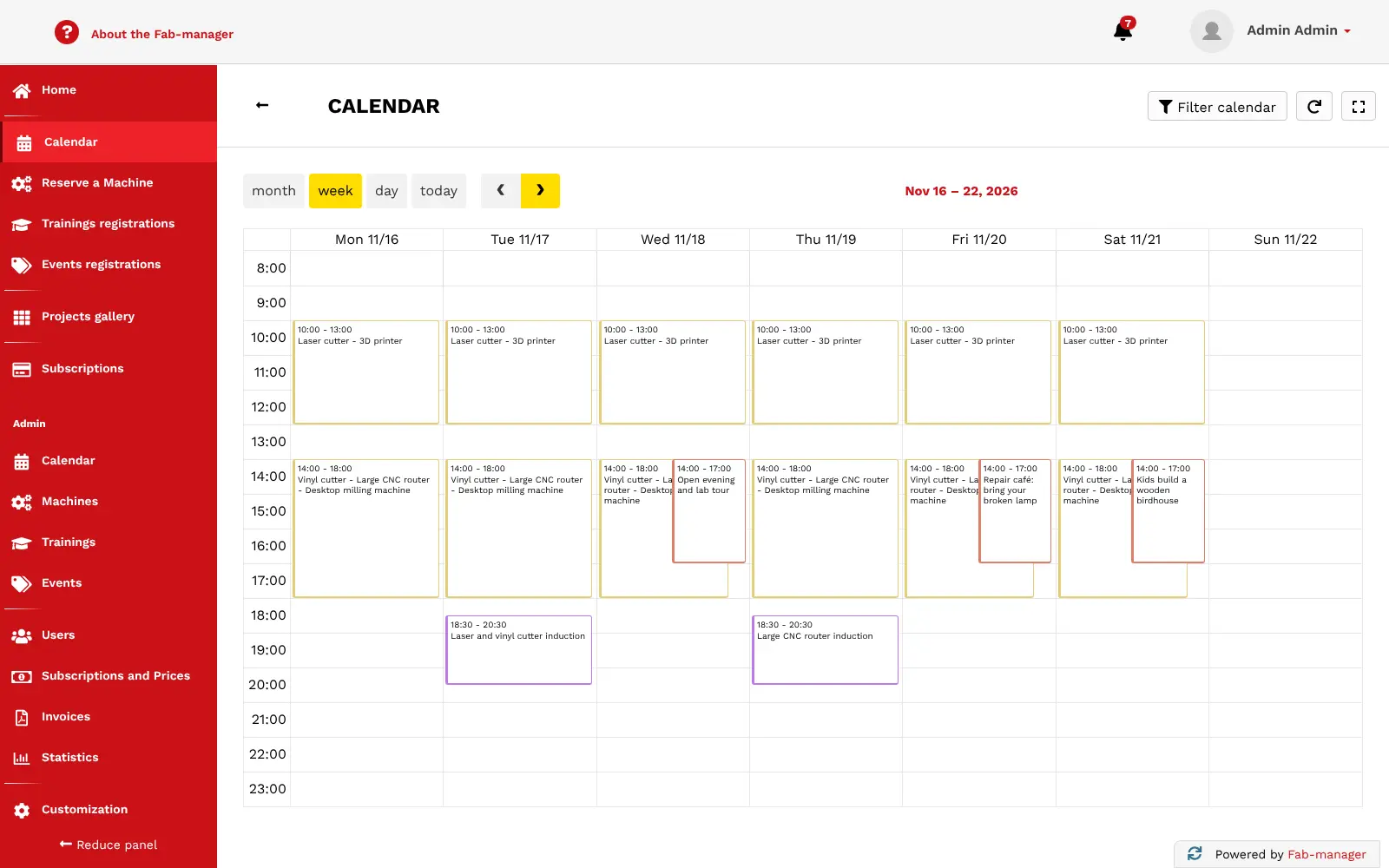
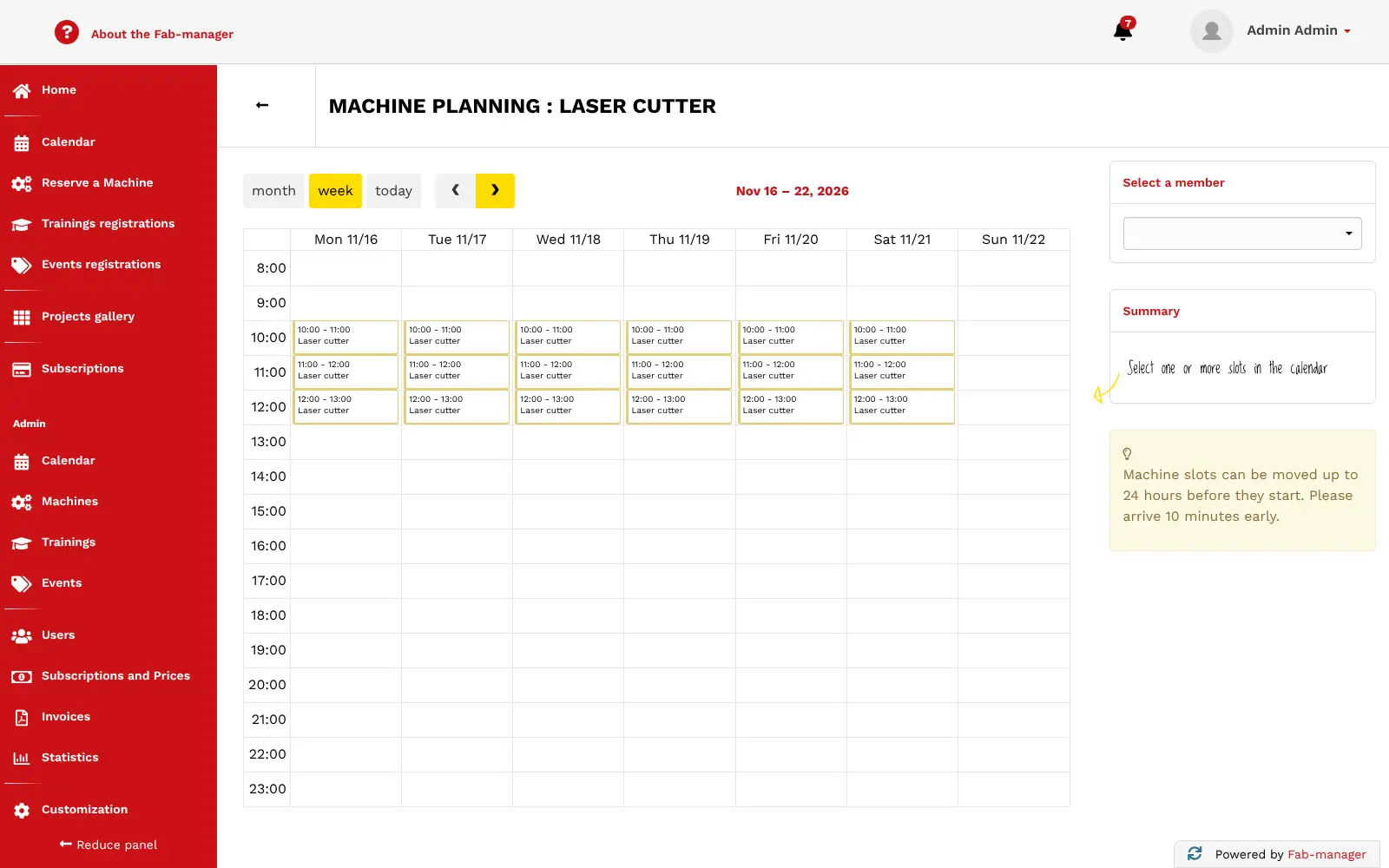
- Book machines by the hour Members reserve free slots on your laser cutters, 3D printers and CNC machines from a weekly calendar.
- Make training count Run induction sessions, mark who passed, and open booking on a machine only to members who are trained on it.
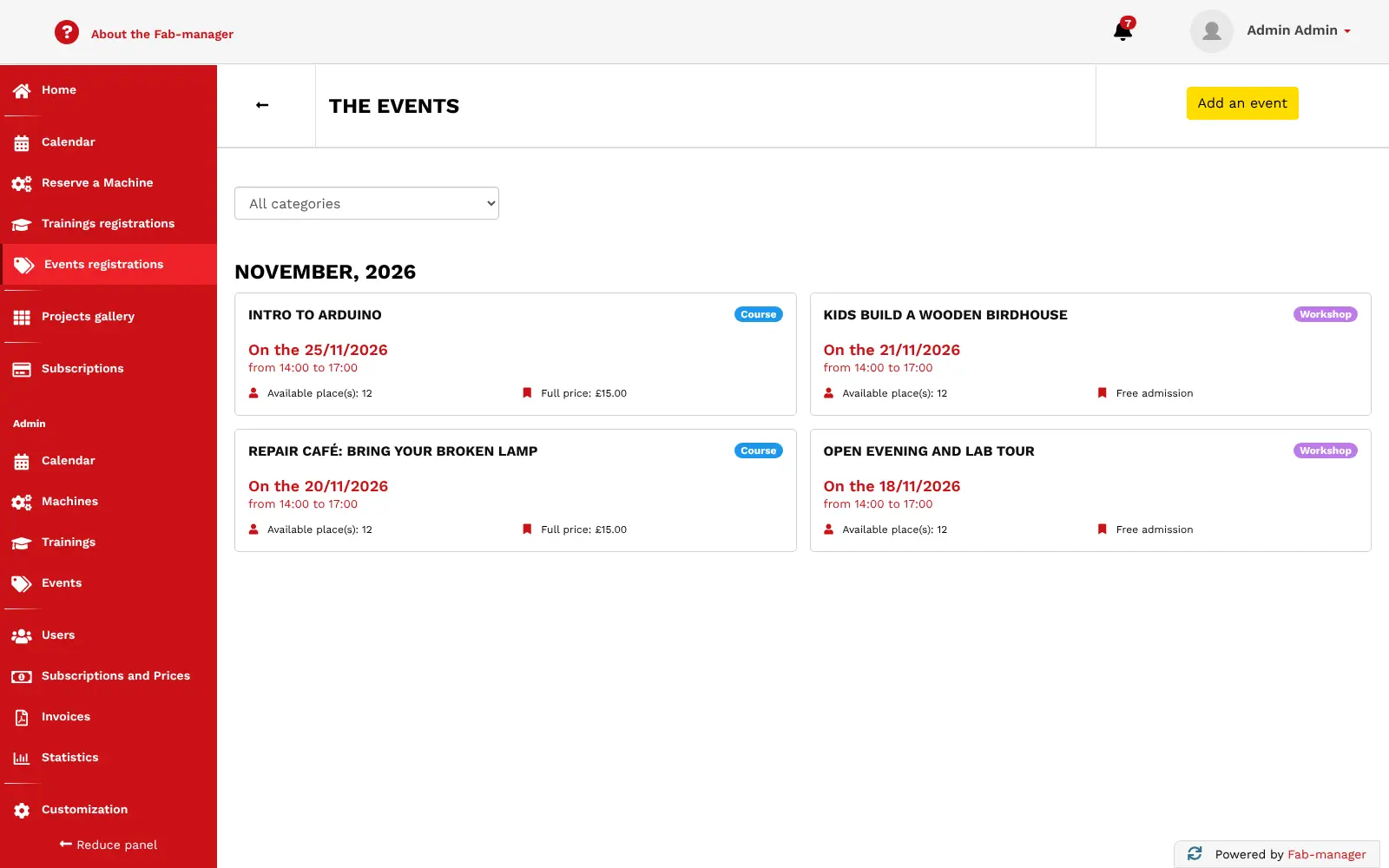
- Fill your workshops and events Publish events and courses with places, prices or free entry, and let people book a seat online.
- Rent rooms Offer meeting rooms or coworking spaces for booking alongside your machines.
- Sell memberships Create yearly or monthly plans and different prices for students, companies or other member groups, with promo codes.
- Take payments and send invoices Members pay online by card through Stripe or PayZen, or on site, and every sale gets a PDF invoice.
- Show what your members make A project gallery lets members document their builds step by step and invite collaborators.
- Sell supplies An online shop sells filament, wood and other materials, and keeps track of your stock.
Replaces Fabman and Skedda
Fab-manager does the same job as Fabman and Skedda. Here is what changes when you switch.
- No monthly plan and no fee on each payment from the software itself
- Your member records, bookings and invoices stay on your own server
- A project gallery and a supplies shop come built in
- No limit on members, machines or bookings
- No machine-access hardware, so machines are not unlocked with a card or phone
- Online payments work only through Stripe or PayZen
- It needs a larger server than most apps, about 4 GB of memory
- There is no phone app; members use the website on their phone
What happens when you click Deploy?
You do not need a server or any technical knowledge. Four steps, and Fab-manager is running at its own web address.
- Step 1 Click Deploy and create your account
Deploy takes you to Cloudgate. Create an account, or log in if you have one. Fab-manager itself is free.
- Step 2 Choose a server
No server? Get one from Cloudgate: pick a size and a country, and Cloudgate gets it ready. Already have one? Connect it instead.
- Step 3 Cloudgate sets up Fab-manager
It prepares the server, makes the passwords the app needs and starts it. There is nothing to install and nothing to write down.
- Step 4 Open your app and sign in
Your app gets a free web address to start, without https. Add your own domain, like app.yourshop.com, and Cloudgate secures it with https for you.
New to Cloudgate? See what Cloudgate is
Run Cloudgate yourself? Deploy from your own console
In your Cloudgate console, open Templates and choose Fab-manager.
Questions
Is Fab-manager free?
Yes, Fab-manager is free and open source under the AGPL-3.0 licence, with every feature included. You pay only for your server; its makers, Sleede, also sell a hosted cloud version and paid support if you want them.
Is Fab-manager a good alternative to Fabman?
Yes, if you mainly need machine bookings, trainings, memberships and invoices in one place. Fab-manager also adds a project gallery and a supplies shop, but it has no hardware to unlock machines with a card or phone, which Fabman sells.
Can Fab-manager stop members booking a machine before they are trained?
Yes. In Fab-manager you link trainings to machines, mark each member who completes a session, and only then can that member book the machine.
Can members pay online in Fab-manager?
Yes, Fab-manager takes card payments through Stripe or PayZen, which you connect in the admin settings. Staff can also record cash or cheque payments on site, top up a member's wallet, and issue credit notes, and every payment gets a PDF invoice.
How do I sign in to Fab-manager the first time?
Sign in to Fab-manager with the admin email you entered during setup and the password Cloudgate generated for you, shown on the app's variables page as ADMIN_PASSWORD. Then open the admin menu to add your machines, trainings, opening slots and prices.
Can I move my members from Fabman or another tool?
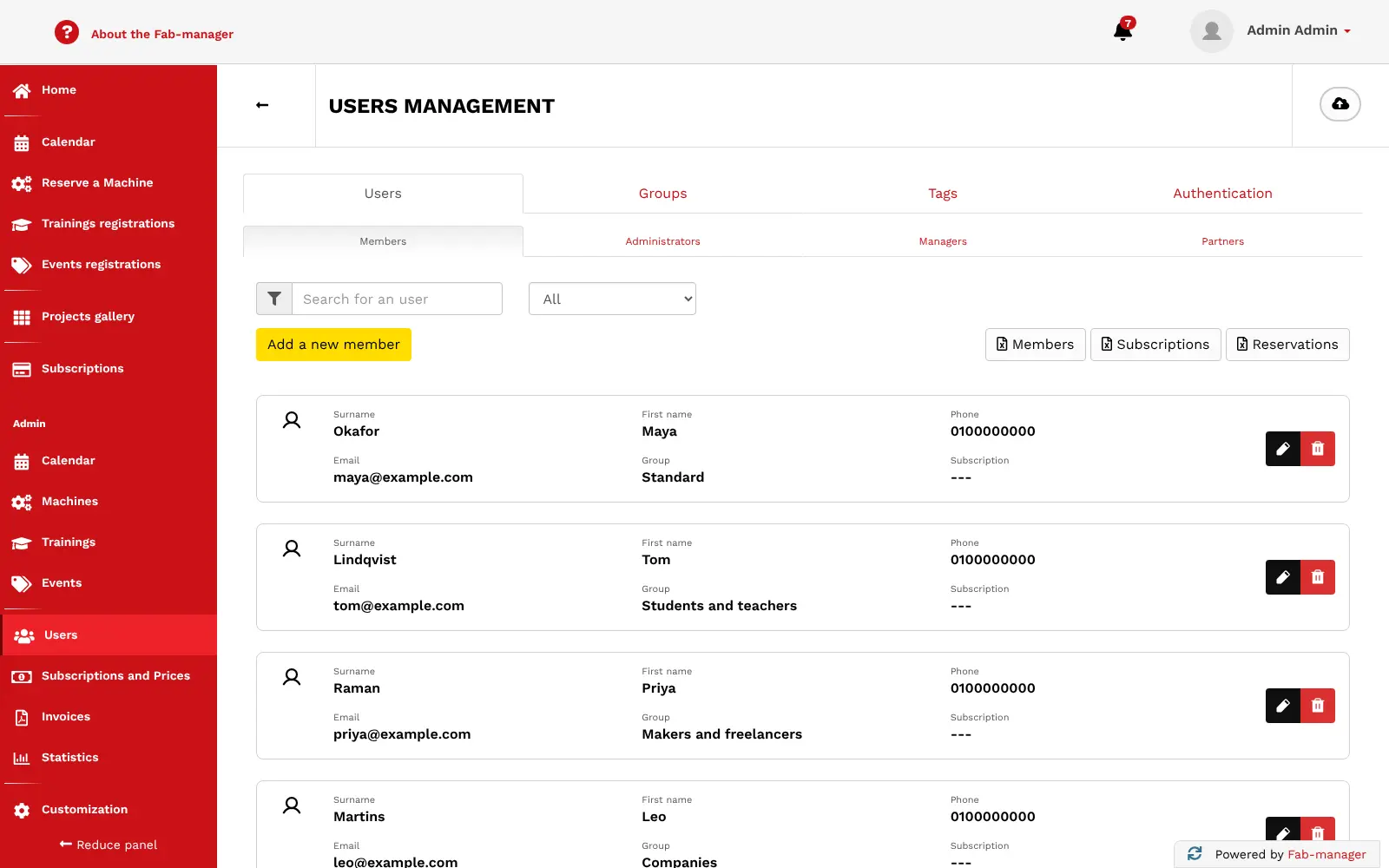
Partly. Fab-manager has no importer for Fabman, but you can import your member list from a CSV file. Bookings, history and invoices do not move across.
What server size do I need for Fab-manager?
Fab-manager needs about 4 GB of memory, which is what the project recommends, especially with the statistics module or around 200 active members. The first start takes several minutes while it prepares the database and the website.
Do I need technical skills to run Fab-manager?
No. Click Deploy, create your Cloudgate account and choose a server, and Cloudgate sets up Fab-manager and gives it a web address. You use it in your browser like any other online tool.
Do I need my own server for Fab-manager?
No. When you deploy Fab-manager, hosted Cloudgate can provide a server. If you already rent one, you can connect it instead.
Related apps

An open-source CMMS for work orders and preventive maintenance.

Recipes, costs, stock, orders and production for small makers.

Farm records: map fields, log crops, animals and tasks.

Food co-op software for shared orders and accounts.