
Enclosed
Encrypted notes and files that delete after reading.
No server needed to start: Cloudgate can provide one. What happens when you click Deploy
What is Enclosed?
Enclosed is a self-hosted app for sending end-to-end encrypted notes and files by link, with a password, an expiry time and deletion after reading.
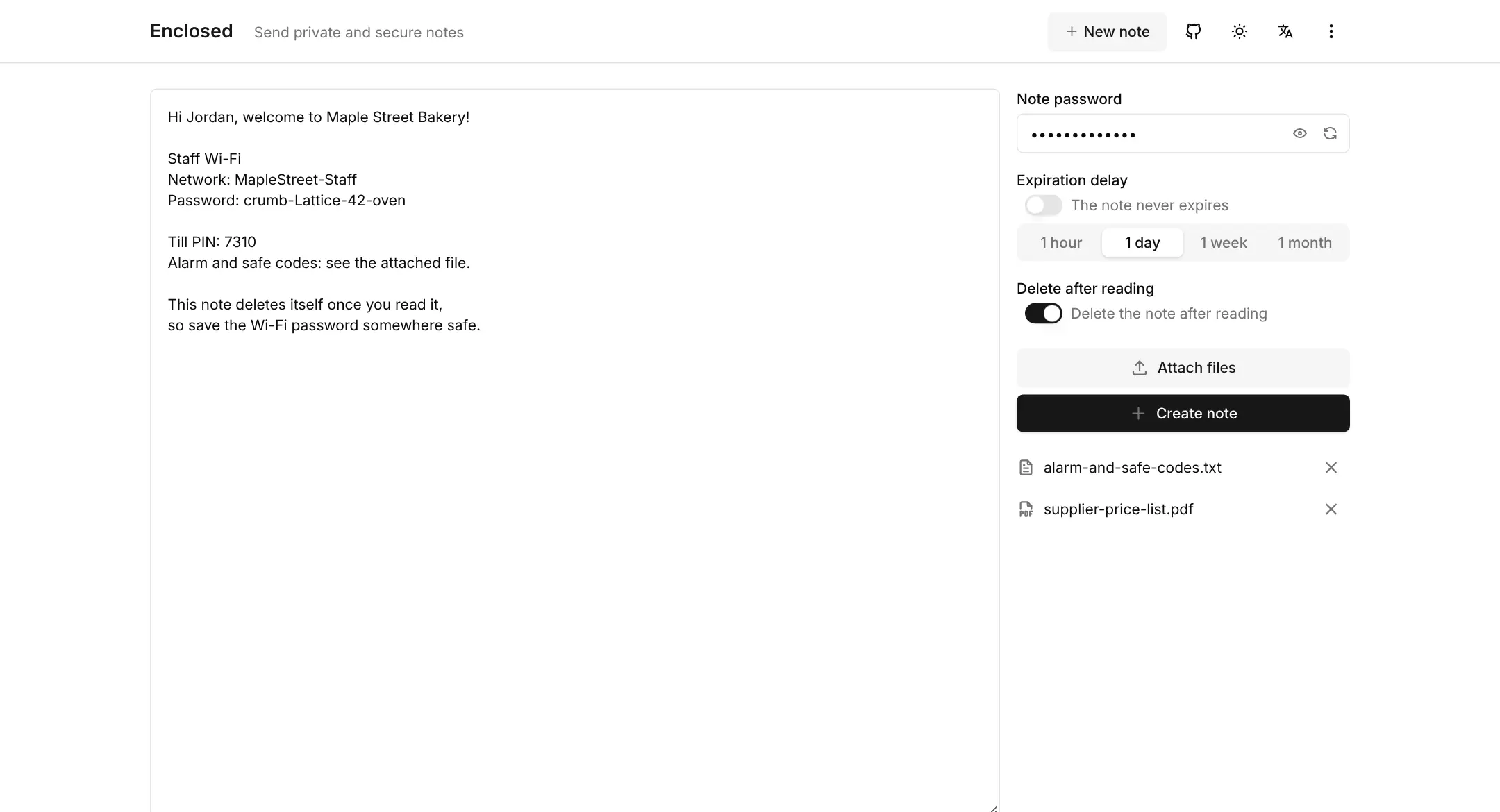
Enclosed is a free, open-source, self-hosted app for sending end-to-end encrypted notes and files that delete themselves, a Privnote alternative that runs on your own server. You write a note, attach files if you need to, add a password, choose when it expires and send the link. The note is encrypted in your browser before it is saved, so the server never sees what it says.
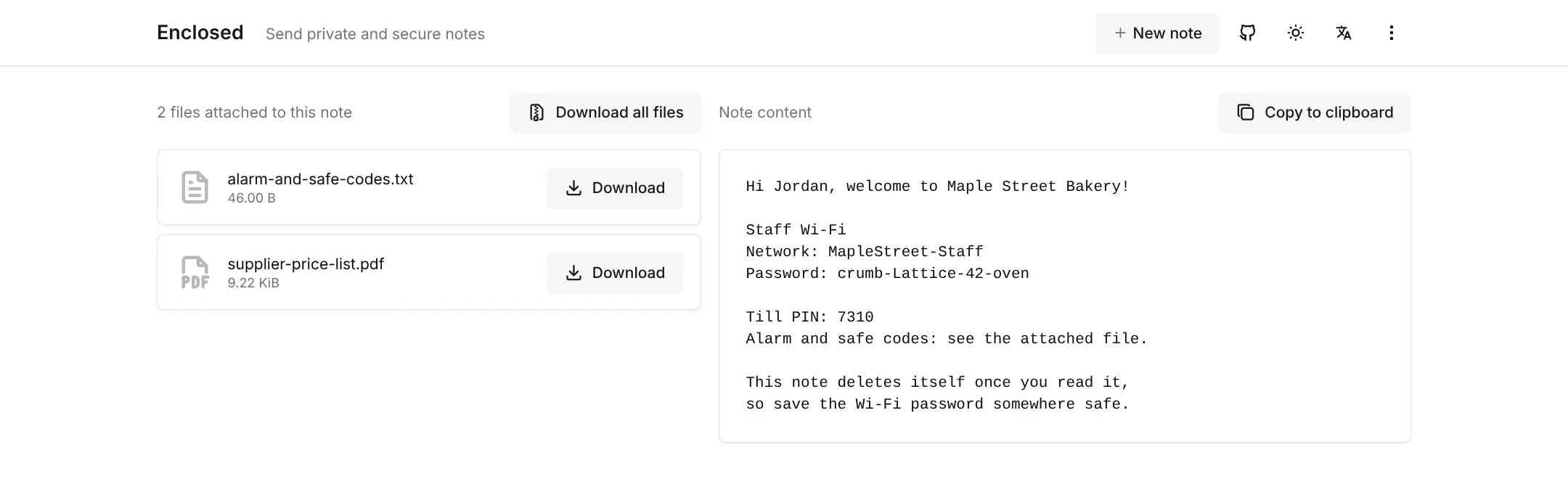
It is made for the things that shouldn't sit in an email inbox or a chat history: a Wi-Fi password, a login for a new employee, bank details for a supplier or a scanned contract. A bakery owner, for example, could send a new team member the staff Wi-Fi password, the till PIN and a file with the alarm codes as one note that disappears after it has been read.
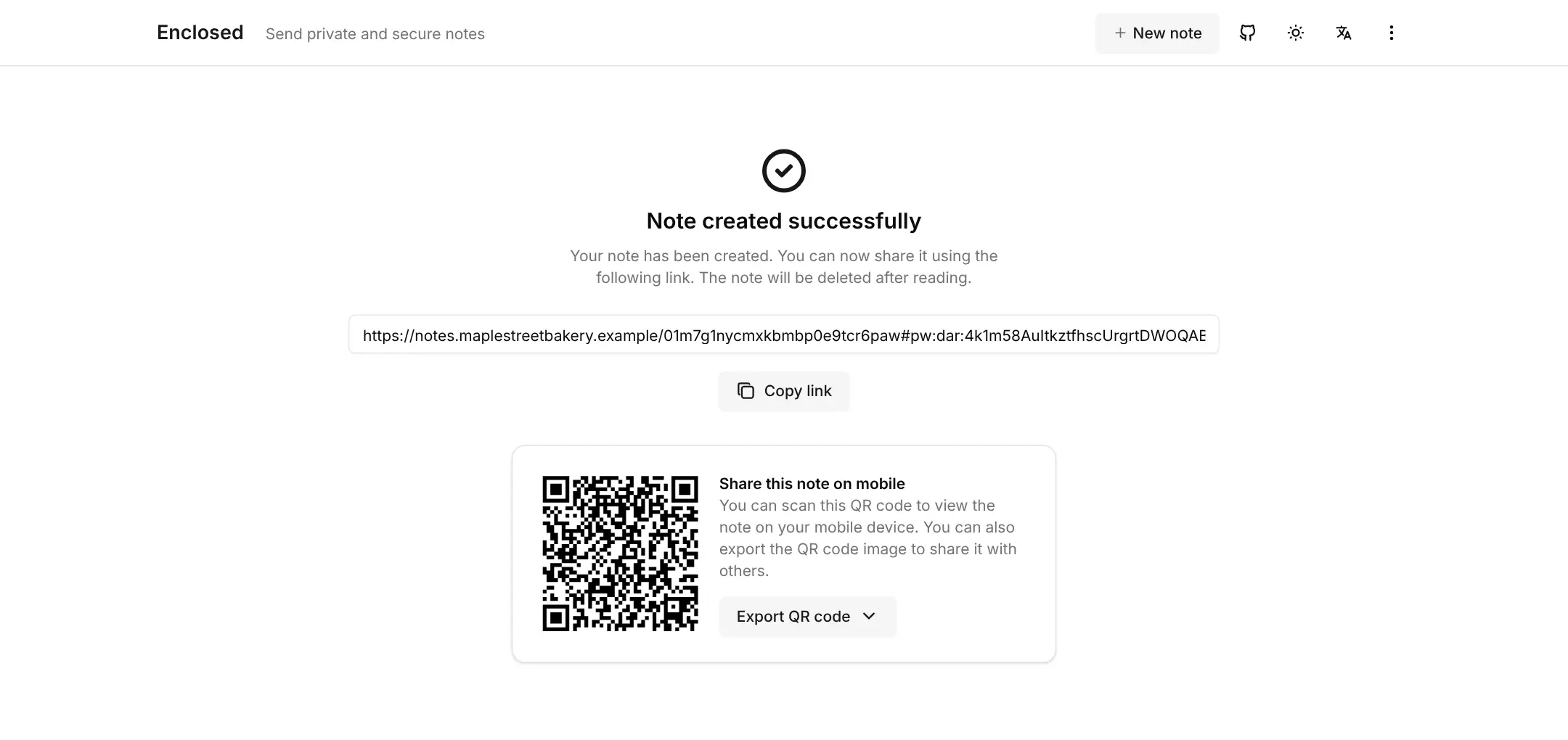
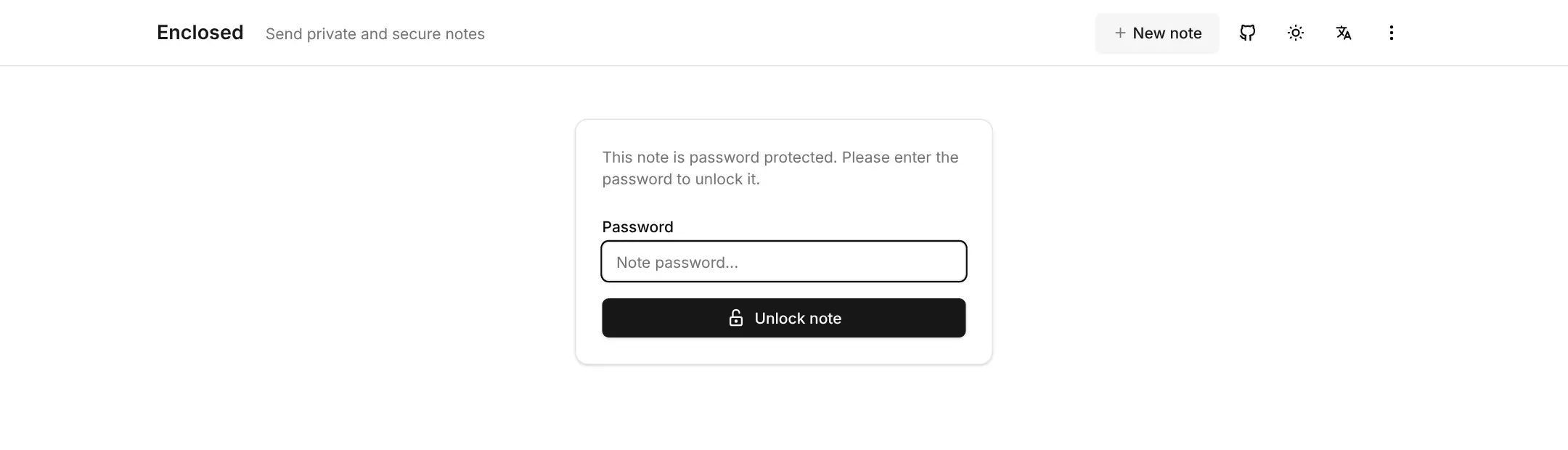
Nobody needs an account: the recipient opens the link, types the password if there is one, and reads the note. Enclosed works in any browser, on phones as well as computers, in 17 languages, and each link also comes as a QR code.
Cloudgate installs Enclosed on your server with a secure web address, which the app needs for its encryption to work. Expired notes are removed automatically every hour.
What you can do with Enclosed
- Encrypt before it leaves your browser The note and its files are locked on your own computer, so the server only ever stores scrambled data it cannot read.
- Make a note delete itself Switch on delete after reading and the note is gone for good the moment it has been opened once.
- Choose when a note expires Let a note last one hour, one day, one week or one month, and it is removed automatically when the time runs out.
- Add a password Set a password that the recipient must type before the note can be opened, and tell them the password another way.
- Attach confidential files Send small files such as a contract or a list of codes with the note, encrypted the same way and downloaded in one click.
- Share by link or QR code Copy the link into an email or chat, or show a QR code that opens the note on a phone.
- No account for anyone Write a note straight away, and the recipient needs nothing but the link; you can turn on sign-in so only your team can create notes.
- Use it in 17 languages The app works in any browser, on phones as well as computers, in light or dark mode.
Replaces Privnote and WeTransfer
Enclosed does the same job as Privnote and WeTransfer. Here is what changes when you switch.
- Notes and files are stored on your own server, not on someone else's website
- Everything is encrypted in the browser, so even your server can't read it
- A password, an expiry time and file attachments on every note
- No adverts, no account and no cost per note
- Built for notes and small files (up to 50 MB per note), not large file transfers
- No emails sent for you and no alert when a note has been read
- No list of the notes you have sent, because there are no accounts to keep one
- Anyone who can open your address can create notes unless you turn on sign-in
What happens when you click Deploy?
You do not need a server or any technical knowledge. Four steps, and Enclosed is running at its own web address.
- Step 1 Click Deploy and create your account
Deploy takes you to Cloudgate. Create an account, or log in if you have one. Enclosed itself is free.
- Step 2 Choose a server
No server? Get one from Cloudgate: pick a size and a country, and Cloudgate gets it ready. Already have one? Connect it instead.
- Step 3 Cloudgate sets up Enclosed
It prepares the server, makes the passwords the app needs and starts it. There is nothing to install and nothing to write down.
- Step 4 Open your app and sign in
Your app gets a free web address to start, without https. Add your own domain, like app.yourshop.com, and Cloudgate secures it with https for you.
New to Cloudgate? See what Cloudgate is
Run Cloudgate yourself? Deploy from your own console
In your Cloudgate console, open Templates and choose Enclosed.
Questions
Is Enclosed free?
Yes, Enclosed is free and open source under the Apache-2.0 licence. There is no paid edition and no limit on how many notes you send; you pay only for your server.
Is Enclosed a good alternative to Privnote?
Yes, Enclosed works the same way, a note behind a link that can destroy itself after reading, but it runs on your own server. Enclosed also lets you add a password, choose when the note expires and attach files.
Can the server read my Enclosed notes?
No, Enclosed encrypts notes and files in the sender's browser before they are uploaded, and the key is in the part of the link after the # sign, which browsers never send to the server. Without the link, and the password if you set one, the stored data can't be read.
What happens to an Enclosed note after it has been read?
With delete after reading switched on, the Enclosed note and its files are deleted permanently as soon as they are opened, and the recipient is warned before opening it. Otherwise the note stays until its expiry time and is then removed automatically.
How do I sign in to Enclosed the first time?
There is nothing to sign in to. Enclosed has no accounts by default, so you open its web address and write a note; the person you send it to only needs the link. Sign-in for creating notes can be turned on for named team members.
Can I send files with Enclosed instead of WeTransfer?
Yes, Enclosed works for small confidential files. Each note can carry up to 50 MB of encrypted files by default, which suits contracts, scans or lists of codes; for very large files, a transfer app such as PsiTransfer is the better fit.
What server size do I need for Enclosed?
The smallest Cloudgate server is enough, because Enclosed is one light app with no database. Disk space only matters if you send many files.
Do I need technical skills to run Enclosed?
No. Click Deploy, create your Cloudgate account and choose a server, and Cloudgate sets up Enclosed and gives it a web address. You use it in your browser like any other online tool.
Do I need my own server for Enclosed?
No. When you deploy Enclosed, hosted Cloudgate can provide a server. If you already rent one, you can connect it instead.
Can I move my data from Privnote to Enclosed?
Most people export from Privnote and import into Enclosed. The official guides at docs.enclosed.cc walk through it.
Related apps

Encrypted notes that self-destruct by views or by timer.

Share passwords as private links that work only once.

Password sharing by links that delete themselves.

Share passwords and notes as encrypted, self-destructing links.