
PrivateBin
Share passwords and notes as encrypted, self-destructing links.
No server needed to start: Cloudgate can provide one. What happens when you click Deploy
What is PrivateBin?
Self-hosted PrivateBin shares passwords, private notes and code as encrypted links that expire or delete themselves after reading.
PrivateBin is a free, open-source, self-hosted pastebin for sharing passwords, private notes and code as encrypted links that expire or delete themselves after reading, an alternative to Pastebin and Onetime Secret. Each note is encrypted in your browser before it leaves your computer, so the server only ever stores data it cannot read.
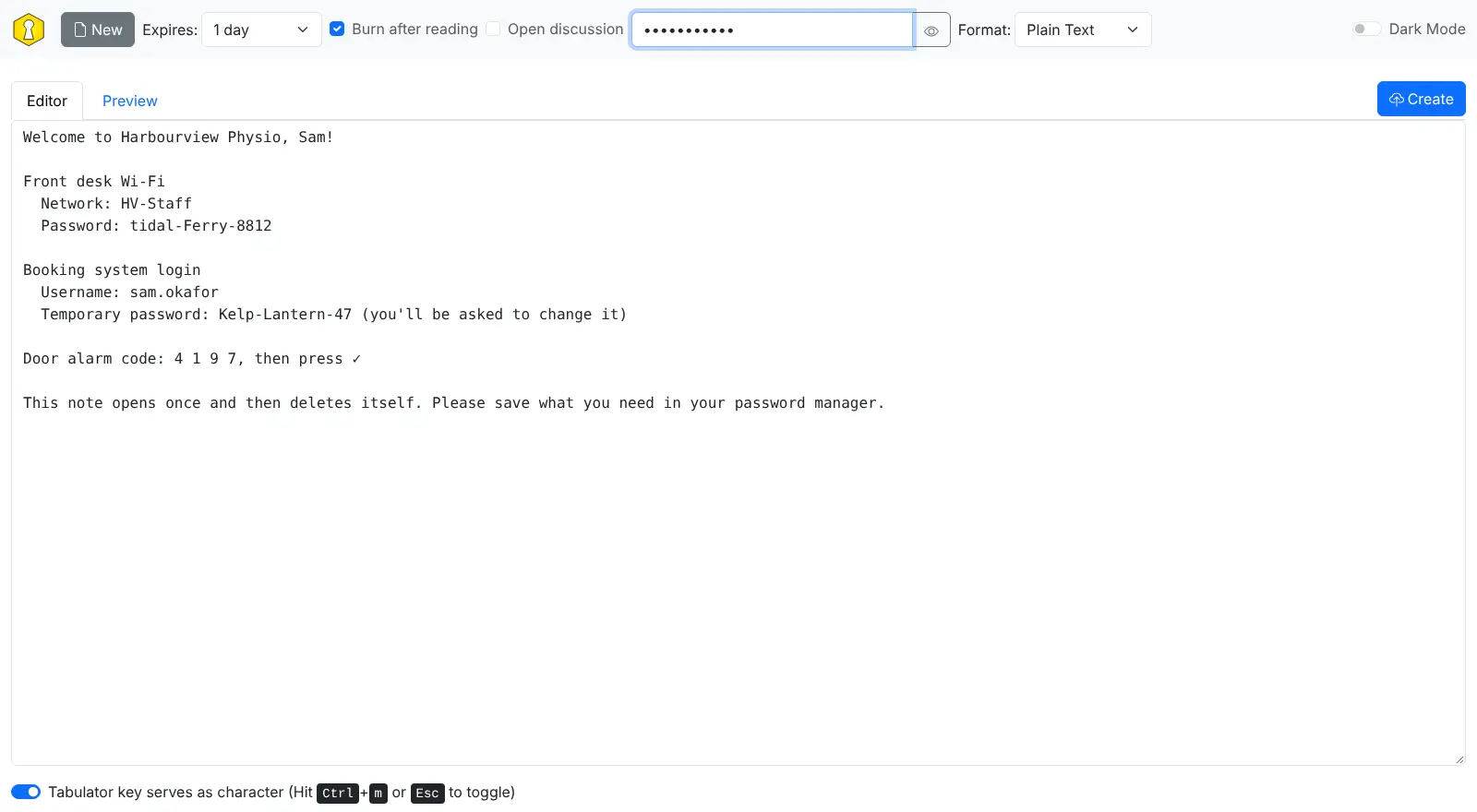
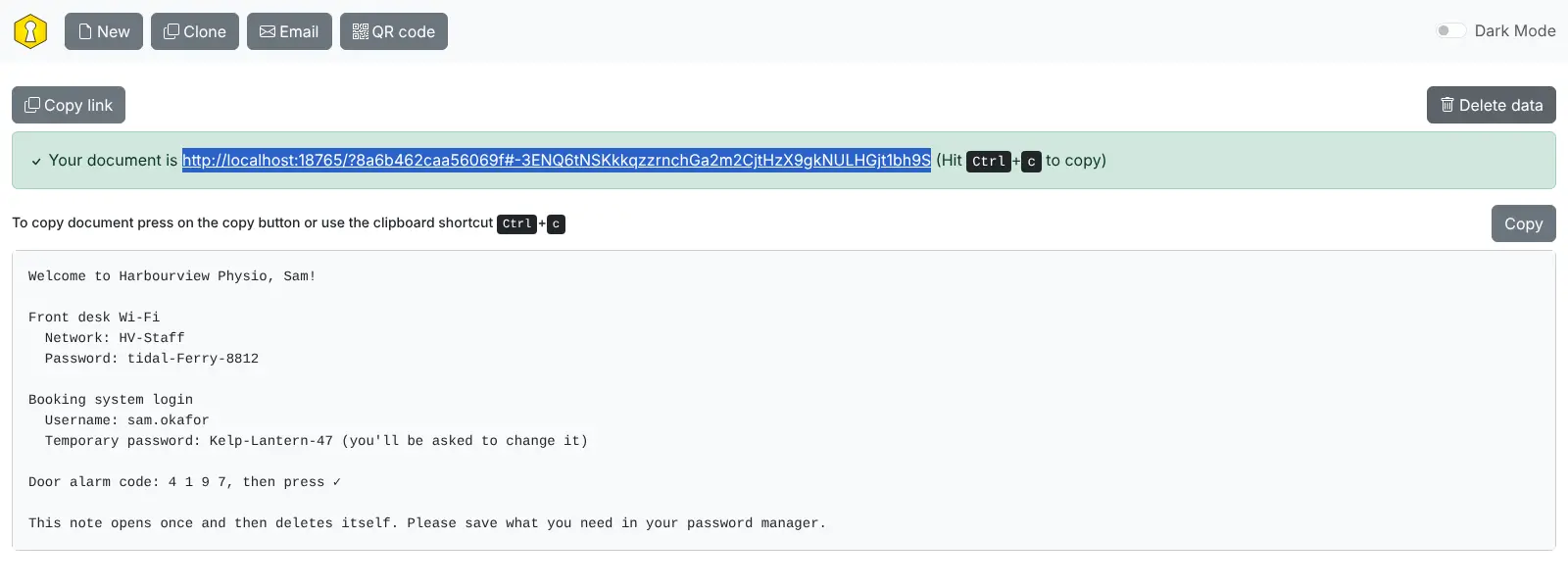
Instead of pasting a login into an email or chat, where it stays for years, you send a link. A physiotherapy clinic, for example, can welcome a new receptionist with one note holding the staff Wi-Fi password, a booking system login and the door code, set it to burn after reading with a password sent by text message, and know it is gone once she has opened it.
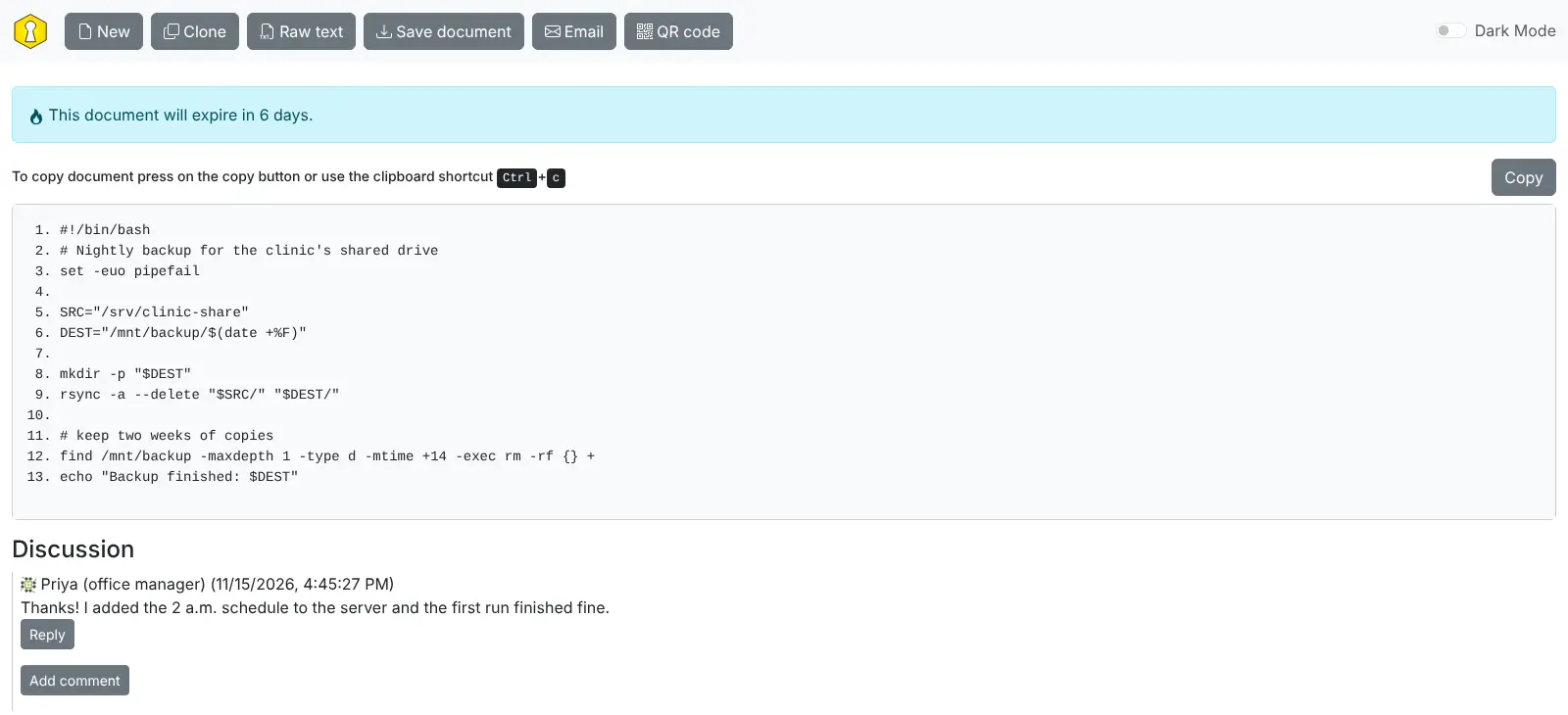
Notes can expire after anything from five minutes to a year, or never. You can format them as plain text, code with line numbers or Markdown, and let readers comment underneath. There are no accounts to manage: anyone who opens your web address can write a note, and anyone with a link can read it. It works in any web browser, including on phones, and every note has a QR code and an email button for sharing.
Cloudgate installs PrivateBin on a server Cloudgate provides or one you connect and gives it the secure web address it needs, because PrivateBin must be used over HTTPS.
What you can do with PrivateBin
- Encrypt in the browser Your text is locked on your own computer before it is sent, so the server stores only data it cannot read.
- Burn after reading Make a note delete itself the first time someone opens it.
- Choose when it expires Let a link expire after 5 minutes, an hour, a day, a week, a month or a year, or keep it.
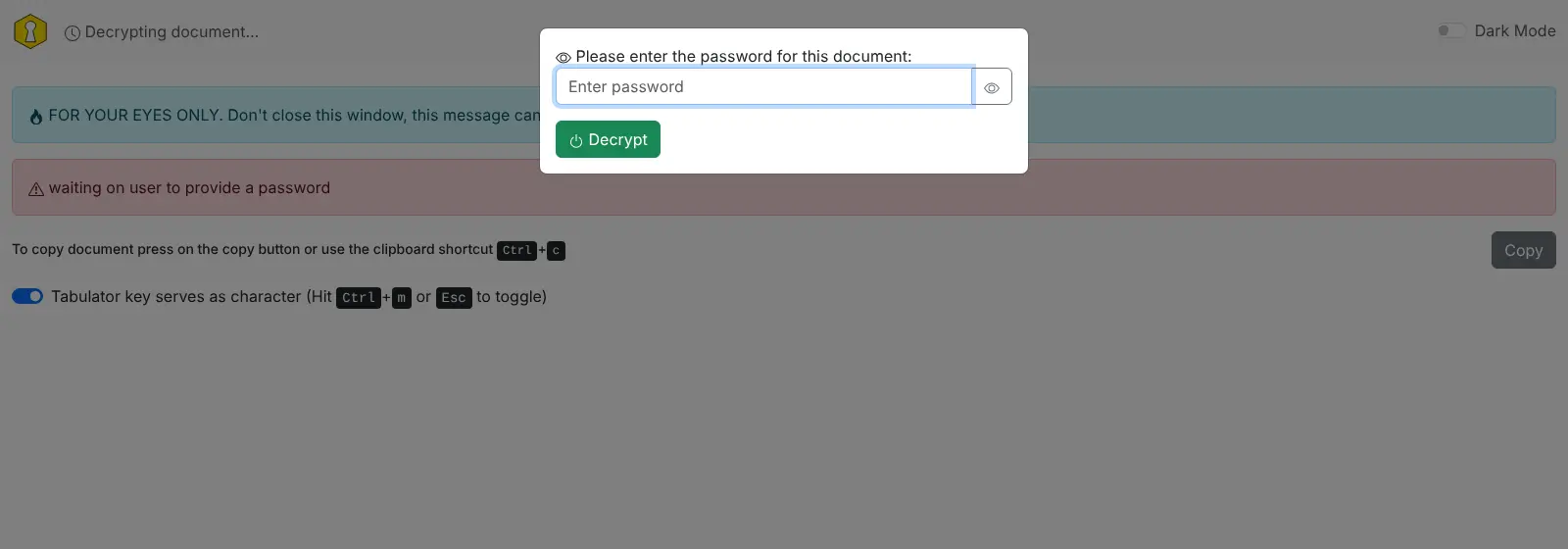
- Add a password Require a password as well as the link, and send the password another way.
- Share code and Markdown Show code with line numbers or format notes with Markdown, with a preview before you share.
- Talk it through Let readers leave comments under a note, with a nickname or anonymously, also encrypted.
- Pass it to a phone Open any link on a phone by scanning its QR code, or send it with the email button.
Replaces Pastebin and Onetime Secret
PrivateBin does the same job as Pastebin and Onetime Secret. Here is what changes when you switch.
- Notes are encrypted in the browser, so your server never sees what was shared
- No ads, no accounts and no cap on how many private notes you keep
- Links can expire after minutes or never, on your own web address
- There are no accounts, so there is no list of the notes you have shared
- Anyone with the full link can read a note unless you add a password
- There is no public archive, search or alerts like Pastebin's
- Anyone who can reach your web address can create notes
What happens when you click Deploy?
You do not need a server or any technical knowledge. Four steps, and PrivateBin is running at its own web address.
- Step 1 Click Deploy and create your account
Deploy takes you to Cloudgate. Create an account, or log in if you have one. PrivateBin itself is free.
- Step 2 Choose a server
No server? Get one from Cloudgate: pick a size and a country, and Cloudgate gets it ready. Already have one? Connect it instead.
- Step 3 Cloudgate sets up PrivateBin
It prepares the server, makes the passwords the app needs and starts it. There is nothing to install and nothing to write down.
- Step 4 Open your app and sign in
Your app gets a free web address to start, without https. Add your own domain, like app.yourshop.com, and Cloudgate secures it with https for you.
New to Cloudgate? See what Cloudgate is
Run Cloudgate yourself? Deploy from your own console
In your Cloudgate console, open Templates and choose PrivateBin.
Questions
Is PrivateBin free?
Yes. PrivateBin is free, open-source software under the Zlib licence, with no paid edition, so you pay only for the server it runs on.
Can the PrivateBin server read my notes?
No. PrivateBin encrypts each note in the browser with 256-bit AES before sending it, and the key stays in the part of the link after the "#", which is never sent to the server. Anyone who has the whole link can read the note, so add a password for anything sensitive and send that password another way.
Is PrivateBin a good alternative to Pastebin or Onetime Secret?
Yes, for private sharing. Like Onetime Secret, PrivateBin makes links that work once or expire, and like Pastebin it shares text and code, but it runs on your own web address with no ads, no accounts and no cap on how many private notes you keep. It has no public archive or search, because it is built for private links.
How do I sign in to PrivateBin the first time?
No sign-in is needed. PrivateBin has no accounts or admin login; open your web address, type or paste your text, choose the options and press Create to get a link.
What happens when a PrivateBin note is set to burn after reading?
A PrivateBin burn-after-reading note is deleted from the server the first time it is opened. The reader is asked to confirm before it opens, and once they close the window it cannot be shown again.
Can I use PrivateBin on my phone?
Yes, PrivateBin works in the phone's web browser. There is no separate app, but every note has a QR code so you can open it on a phone in one scan.
What size server does PrivateBin need?
A very small one. Self-hosted PrivateBin is a light web app that stores encrypted notes as files, with no database, so it runs on the smallest server Cloudgate offers.
Do I need technical skills to run PrivateBin?
No. Click Deploy, create your Cloudgate account and choose a server, and Cloudgate sets up PrivateBin and gives it a web address. You use it in your browser like any other online tool.
Do I need my own server for PrivateBin?
No. When you deploy PrivateBin, hosted Cloudgate can provide a server. If you already rent one, you can connect it instead.
Can I move my data from Pastebin to PrivateBin?
Most people export from Pastebin and import into PrivateBin. The official guides at github.com walk through it.
Related apps

Encrypted notes that self-destruct by views or by timer.

One-time links for sending passwords and small files.

Share passwords as private links that work only once.

Encrypted notes and files that delete after reading.